
Best Shopify cart drawer apps reviewed in 2026
Cart drawer apps keep shoppers on the page they're browsing and give you space for offers right above the checkout button. Upsells and spending goals won't separate them, since all 8 apps here include both. A/B testing, cart timers and the number of reward tiers will.
I installed 8 Shopify cart drawer apps on a test store and compared their features, pricing and merchant reviews. Below, you'll find what each one does well, where it falls short and the type of store it suits best.
Which Shopify cart drawer apps made my shortlist?
I selected apps with a rating of 4.5 or higher and a slide-out cart drawer as a main feature. These 8 cart drawer apps made my shortlist:
- Vitals: all-in-one Shopify app with a cart drawer and 40+ apps in one subscription
- Ego Cart Drawer Cart Upsell: A/B testing and unlimited orders from $12.99/month
- Essent Cart Drawer Cart Upsell: every feature on every plan, with a free plan up to 30 orders
- Kaching CartDrawer Cart Upsell: quick theme fixes from a support team merchants often name
- Amp Slide Cart Drawer Upsell: ready-made cart designs at a price that doesn't rise with sales
- iCart Cart Drawer Cart Upsell: several cart formats, with bundles and BOGO on every plan
- Cartix Cart Discount + Upsell: one low flat price for a simple drawer
- HS Slide Cart Drawer Upsell: the longest list of offer types and reports
How did I review the best Shopify cart drawer apps?
I installed each app on a test store, then went through each App Store listing, every plan and the newest and lowest-rated merchant reviews.
I looked at these details for each app:
- Upsells: where offers appear in the drawer and whether AI or you choose the products
- Rewards: which spending goals the progress bar supports and how many tiers it allows
- Add-ons and gifts: which extras shoppers can add, such as shipping protection, and how free gifts reach the cart
- Cart controls: discount codes, order notes, terms checkboxes and where the checkout button goes
- AI features: what AI does in each app, such as picking upsells or setting up the cart
- Integrations: which apps each listing names, such as review and subscription apps
- Setup: how long each app took me to get a drawer live
- Design: which layouts and styling controls each app offers
- Speed: what a cart app adds to page speed, alone and alongside a store's other apps
- Pricing: how each app charges, its plan limits and what each plan includes
- Reviews: what the newest and lowest-rated App Store reviews say, including about support
I ranked the list by where I'd start for a typical store, with the all-in-one app first, then the dedicated cart apps in the order I'd try them.
What did I find across these Shopify cart drawer apps?
I found 5 main cart drawer options across the apps I reviewed. The apps differ on how far each one goes, so check which you need before you compare prices:
- Upsells: product suggestions inside the drawer, such as a matching belt next to a pair of trousers. All 8 apps include them, although Amp's free plan doesn't.
- Spending goals: a progress bar that shows how far a shopper is from free shipping or a discount. All 8 apps include one, and Ego, Essent, Kaching, Amp, iCart and HS offer several tiers.
- Free gifts: a product that reaches the cart at a set spend. Vitals, Ego, Essent, Kaching, Amp, iCart and HS include them. On Cartix, one reviewer adds gifts through the developer's separate add to cart app.
- Add-ons: extras such as gift wrap or shipping protection, usually as a toggle. All 8 apps include them, and Vitals' page names gift wrap rather than shipping protection.
- Countdown timers: a line that shows how long the app holds the cart. Ego, Essent, Kaching, Amp, iCart and HS list one. I didn't find one on Cartix's listing or on the Vitals Cart Drawer page, although a Vitals listing image shows a timer in its cart.
I also found these differences beyond the main options:
- A/B testing: Ego, Kaching and HS list it. I didn't find it on Essent, Amp, iCart, Cartix or the Vitals Cart Drawer page.
- Reports: Ego and HS list funnel performance, and Amp offers daily insights by SKU. Essent, iCart and Cartix list simpler conversion or click-through figures. With Vitals MCP, you can do everything in Vitals with Claude or ChatGPT, from building the cart to asking which offers shoppers take from it.
- AI features: Ego has an AI assistant for setup and AI translation. Essent, Amp, iCart and HS offer AI product recommendations, and Amp and iCart work with Sidekick. Kaching tags AI recommendations, though one reviewer couldn't find any AI. I didn't find AI features on Cartix.
- Cart formats: iCart offers a side cart, mini cart, popup or full cart page. Ego can build a new drawer or improve your theme's cart. Vitals can send the main button to checkout or your cart page.
- Languages: Vitals lists 15 admin languages, Amp 11, Kaching 7 and Ego 5. Essent, iCart, Cartix and HS list English only.
- Setup: Vitals took me 5 to 7 minutes and Ego 6 to 8. Essent took 8 to 12, Kaching 10 to 13, Amp 11 to 14, Cartix 12 to 13, iCart 12 to 15 and HS 13 to 16.
- Design: Vitals gives the most named controls, including width, corners, text size and row spacing. Amp and Ego include ready-made cart designs, and Essent, Kaching, Amp, iCart, Ego and HS list custom CSS.
- Speed: a cart app alone didn't hurt my test store's page speed, but the apps around it add up, and Vitals shares one script across its 40+ apps.
What are the best Shopify cart drawer apps?
Vitals is my top pick, because its cart drawer comes with 40+ other apps in one subscription. Ego comes next for stores that want a dedicated cart app they can test and improve. The 6 reviews after it suit a free start, hands-on support, ready-made designs, different cart formats, a very low budget or a long list of offer types.
1. Vitals
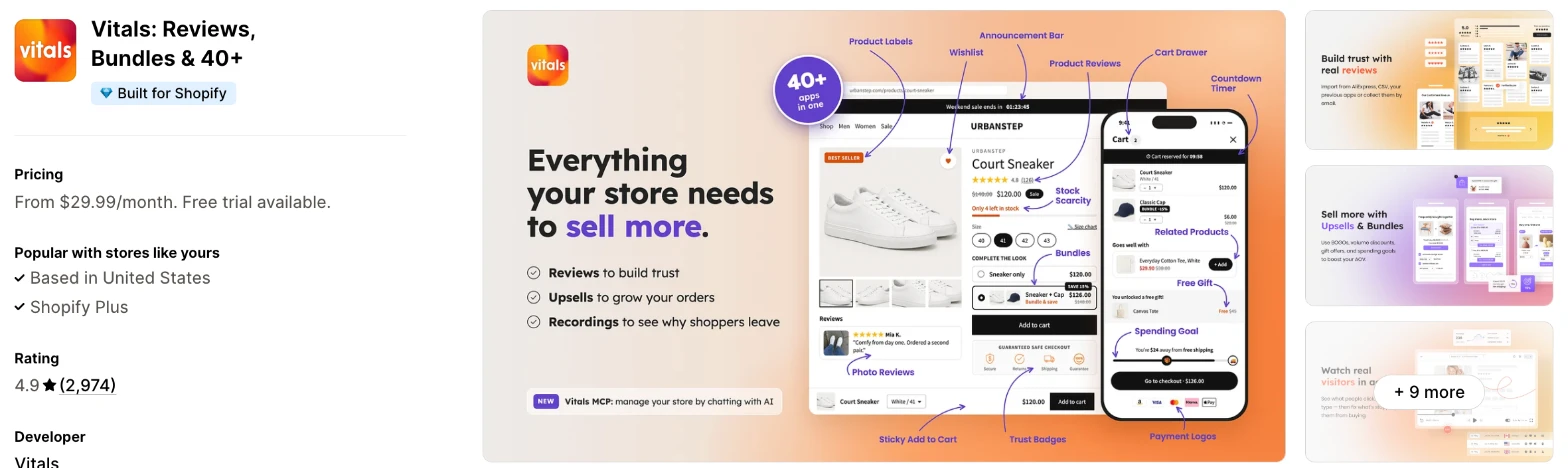
Vitals is an all-in-one Shopify app, and its Cart Drawer app is one of 40+ apps in one subscription. It makes more sense when you also need reviews, bundles or upsells and don't want a separate app for each.
Why I like this app:
I like how the cart total reads here, because bundle items, add-ons and gifts appear under their product, the way checkout shows them. It also names any other cart app it finds, which helps when replacing one. Setup took me 5 to 7 minutes, and its 40+ apps load from one script. Offers come from Upsell Builder, in the same subscription. But building those offers is a separate step, and I didn't find A/B testing or a named drawer timer on its Cart Drawer page.
Features:
- Quantity controls and item removal with no page reload
- A discount code box, collapsible or always visible
- An order note with your own label
- Compare-at prices and the saving on each discounted line
- A checkout button that goes to checkout or your cart page, with the total on it
- A terms checkbox before checkout
- Upsell Builder suggestions above the checkout button or after the cart items
- Add-ons such as gift wrap, as toggles or checkboxes with an optional note
- Progress bars for free shipping, a discount or a free gift
- A bundle picker that completes a bundle
- Light, dark or custom colours
- Left or right opening, from 368 to 480 px wide on desktop
- Controls for text size, row spacing, corners and image shape
- An announcement bar, cart notice and payment logos in the drawer
- A warning that names any other cart drawer app it finds
- 40+ apps in the same subscription
Pricing: Vitals has one plan, with all 40+ apps included:
- All in one plan: $29.99/month
- Trial: 7 days
Reviews: Vitals has 4.9 stars from 2,974 reviews on the Shopify App Store. Recent reviewers like having many apps together, and one says Upsell Builder makes offers easy to create. One low-star reviewer from February 2026 says they couldn't reach the team, and Vitals replies that its live chat and email run every day.
Best for: A store that wants a cart drawer, upsells and spending goals in one subscription, along with reviews and bundles.
See Vitals on the Shopify App Store
2. Ego Cart Drawer Cart Upsell
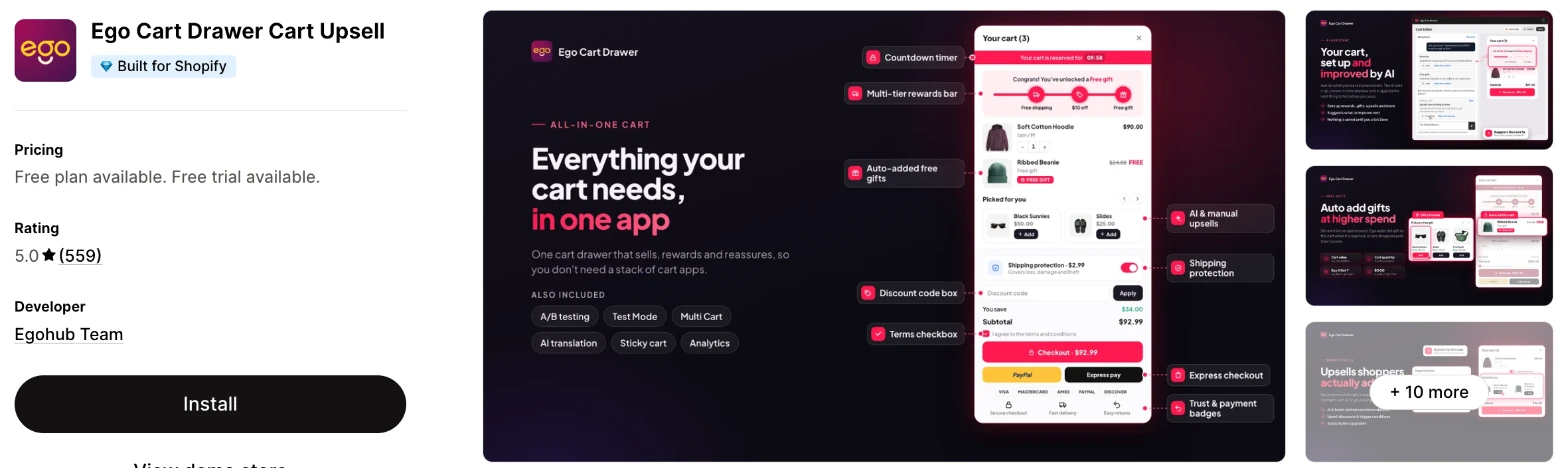
Ego Cart Drawer is a cart app that builds a new drawer or improves your theme's cart and cart page. Choose it when you want to test your cart layouts and offers without paying more as orders grow.
Why I like this app:
Testing is what I noticed first, with A/B tests for cart variants and a Test Mode that previews changes. I also found targeting by country or customer tag, and one reviewer runs separate carts per country. An AI assistant helps with setup, which took me 6 to 8 minutes. Recent reviewers often mention custom work, such as a drawer that opens after 3 items to match a 3-for-2 offer. However, one reviewer found it slow on phones, and the Shopify Plus price is about 3 times the entry price.
Features:
- A new cart drawer or an improved theme cart and cart page
- AI or hand-picked upsells, frequently bought together and subscription upgrades
- Multi-tier rewards for free shipping, discounts and gifts
- Free gifts added automatically or chosen by the shopper
- Add-ons, including shipping protection
- Announcements, countdowns, trust badges and express checkout buttons
- A/B testing and Test Mode
- Targeting by country or customer tag
- An AI assistant and auto translation
- Ready-made design templates and custom CSS
- Judge.me, Avis Options, Avis Bundles, Ecomposer, Gempages and Translate & Adapt
Pricing: Ego charges by your Shopify plan, with unlimited orders on paid plans:
- Free: 30 orders a month, one reward tier, one announcement and countdown
- Grow: $12.99/month, Shopify Basic or Grow stores
- Adv: $19.99/month, Shopify Advanced stores
- Plus: $39.99/month, Shopify Plus stores
- Trial: 7 days
Multi-tier rewards, AI upsells, free gifts and shipping protection all need a paid plan.
Reviews: Ego has 5.0 stars from 559 reviews on the Shopify App Store. Recent reviewers praise fast custom changes and name Khang and Alex in support. Low-star reviewers report slow loading on phones and code left in a theme after uninstalling, and Egohub replies that the app works as a Shopify extension.
Best for: A growing store that wants to A/B test its cart and keep the same bill as orders rise.
See Ego Cart Drawer on the Shopify App Store
3. Essent Cart Drawer Cart Upsell
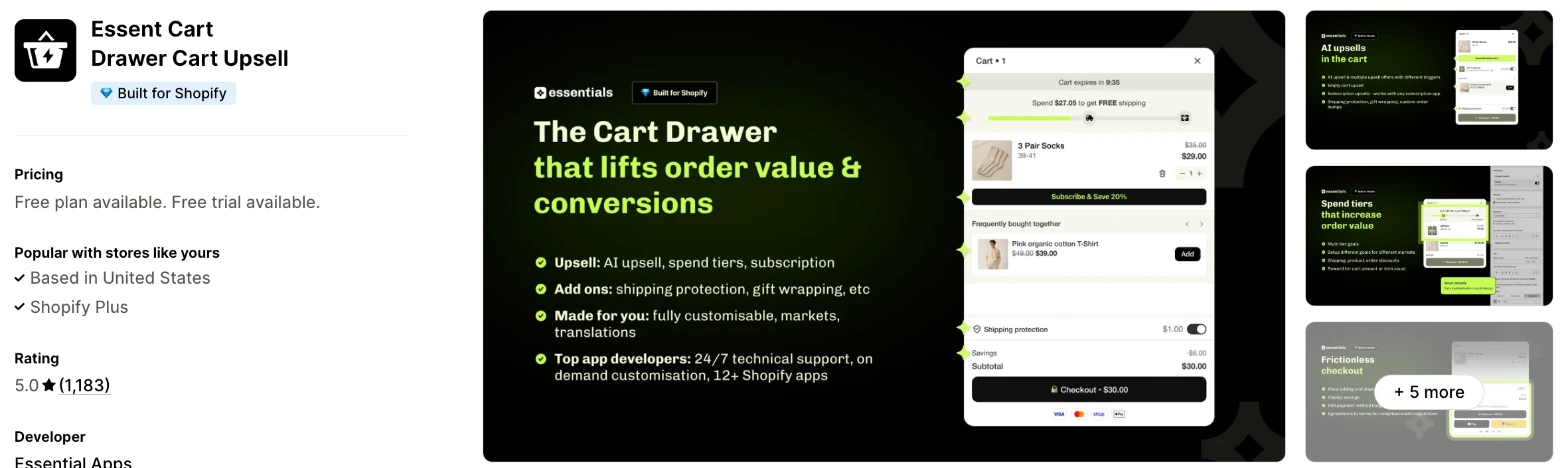
Essent Cart Drawer is a slide cart app with upsells, a reward bar and a sticky add to cart bar. It makes more sense when you want to try every feature for free before you pay anything.
Why I like this app:
I found no feature gating, so the free plan at 30 orders a month has the same tools as the top plan. It only counts orders where the shopper opened the drawer or the app added items, which keeps express checkouts out of the count. The sticky add to cart bar also comes included, and my drawer took 8 to 12 minutes to get live. One reviewer built a tiered free gift in under 30 minutes. But the admin listing is English only, and I didn't find A/B testing.
Features:
- A slide cart with a reward bar and spend tiers
- Free shipping, free gifts and automatic discounts at each tier
- In-cart upsells from Shopify AI or hand-picked products
- Subscription upgrades in the cart
- Shipping protection and gift wrap add-ons
- A countdown timer and announcement bar
- A sticky add to cart bar with image, variant picker and quantity
- Discount codes, order notes and payment icons
- Shopify Markets, multiple currencies and translations
- Custom HTML and CSS
Pricing: Essent charges by monthly orders that go through the drawer, with every feature on every plan:
- Free: 30 orders
- Essential 1: $8.99/month, 99 orders
- Essential 2: $13.99/month, 199 orders
- Essential 3: $23.99/month, 499 orders
- Essential 4: $38.99/month, 999 orders
- Essential 5: $58.99/month, 1,999 orders
- Essential 6: $88.99/month, 4,999 orders
- Essential 7: $138.99/month, 9,999 orders
- Unlimited: $198.99/month, 10,000+ orders
- Trial: 14 days
The listing shows the first 4 plans, and the rest are on Essent's pricing page. When you pass a limit, you move up to the next plan automatically.
Reviews: Essent has 5.0 stars from 1,183 reviews on the Shopify App Store. Recent reviewers call it easy to use and fairly priced, and one runs it across several stores. It has few low-star reviews with any text, and one 2025 reviewer says the features didn't appear after turning on the app embed.
Best for: A new store that wants a full-featured drawer and a sticky bar for free until it passes 30 orders a month.
See Essent Cart Drawer on the Shopify App Store
4. Kaching CartDrawer Cart Upsell
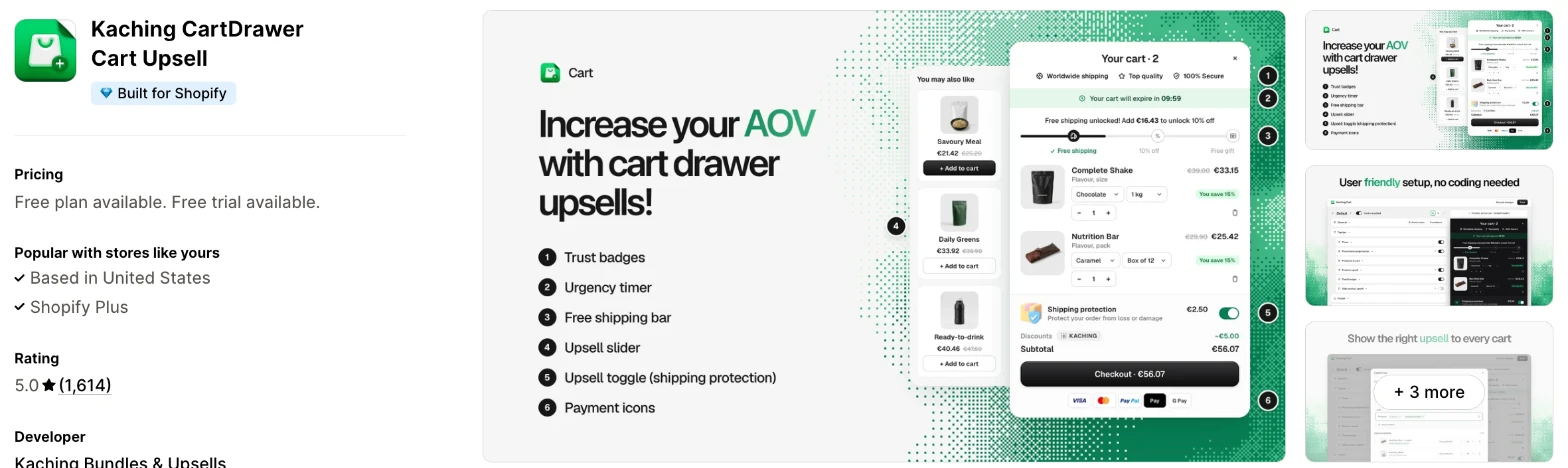
Kaching CartDrawer is a slide cart app with an upsell slider, toggles and reward bars. I'd choose it when you expect theme conflicts and want a support team that fixes them for you.
Why I like this app:
Support comes up in nearly every review I read, usually with a name. One merchant says their theme's drawer and the app's both opened at once, and Martynas fixed it that day with no theme code. I also found A/B testing tagged on the listing and 7 admin languages. It took me 10 to 13 minutes to get running. However, there's no free plan for a live store, despite the free plan label, and one reviewer says upsell discounts apply only when shoppers add the product from the drawer.
Features:
- A slide cart with an urgency timer and trust badges
- Free shipping and free gift bars
- An upsell slider with frequently bought together products
- Toggles for gift wrap and shipping protection
- Discount fields and a terms checkbox
- Payment icons
- A/B testing and conversion rates
- Translation into any language with no code
- GemPages, PageFly, Releasit and the developer's Kaching apps
Pricing: Kaching charges by monthly orders:
- Development stores: free
- 99 orders: $9.99/month
- 199 orders: $14.99/month
- 499 orders: $24.99/month
- 999 orders: $39.99/month
- 1,999 orders: $59.99/month
- 4,999 orders: $89.99/month
- 9,999 orders: $139.99/month
- 10,000+ orders: $199.99/month
- Trial: 14 days
The listing shows the plans up to 499 orders, and the rest are on Kaching's site.
Reviews: Kaching has 5.0 stars from 1,614 reviews on the Shopify App Store, the most of the dedicated cart apps here. Recent reviewers name Tomas, Domantas and others, and one says an order problem took 5 minutes to fix. Low-star reviewers mention poor support for a newcomer and settings that are hard to find at first.
Best for: A store with a heavily customised theme that wants the developer's team to sort out conflicts.
See Kaching CartDrawer on the Shopify App Store
5. Amp Slide Cart Drawer Upsell
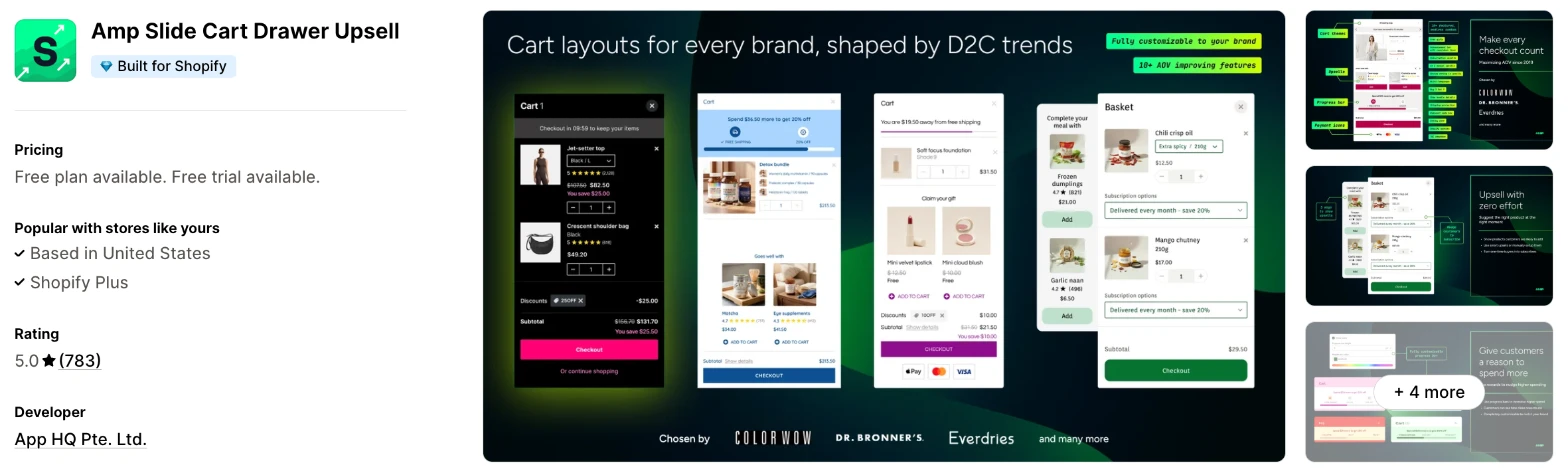
Amp Slide Cart is a cart drawer app with ready-made designs, upsells and rewards. Choose it when design matters most and your order volume is high enough to make a flat price attractive.
Why I like this app:
The pricing caught my eye, because the listing says neither paid plan rises with sales. A store at 3,000 orders pays the same $49.99/month as one at 300. Pro adds ready-made designs by industry, and Growth includes daily insights by SKU. I had a drawer live in 11 to 14 minutes, and reviewers say support goes far, even on the free plan. The main drawback is the entry cost, because upsells start at $29.99/month and free gifts at $49.99/month.
Features:
- Ready-made cart designs by industry on Pro
- AI and manual upsells with layout options
- A progress bar for free shipping and free gifts
- Free gifts, including buy X get Y
- Shipping protection upsell with tiers
- Subscription upsells on Growth
- Announcements with an urgency timer
- Trust badges and payment icons
- A discount code box and terms section
- A sticky floating cart
- Daily insights by SKU
- Shopify Markets and 11 admin languages
- Judge.me, Replo, Gempages, Sidekick, bundle apps and subscription apps
Pricing: Amp charges a flat fee by plan:
- Free: cart design, announcements, trust badges, discount box and Markets
- Growth: $29.99/month
- Pro: $49.99/month
- Trial: 7 days
Reviews: Amp has 5.0 stars from 783 reviews on the Shopify App Store. Recent reviewers praise Mauro and Manny in support and a quick fix for a Prestige theme problem. Low-star reviews with detail are older, including a 2023 report of quantity buttons failing on file upload items and a 2022 report of slow scripts, which App HQ answered.
Best for: An established brand with steady orders that wants a polished cart at a fixed price.
See Amp Slide Cart on the Shopify App Store
6. iCart Cart Drawer Cart Upsell
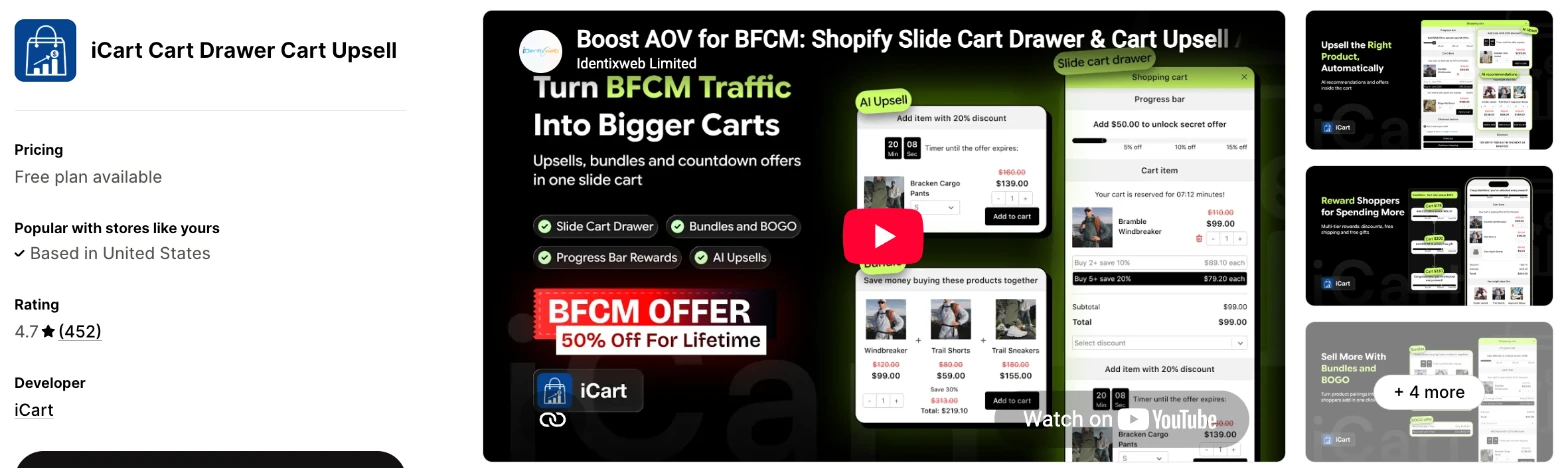
iCart is a cart app with a drawer, popup or full cart page, plus AI upsells and cart discounts. It makes more sense when you want bundles and BOGO offers in the cart without adding another app.
Why I like this app:
When I checked the formats, iCart offered the widest choice here, with a sticky side cart, mini cart, popup and full cart page. Bundles, BOGO and volume discounts are on every plan, and the first 100 orders are free. It also names many review apps, including Judge.me, Loox and Yotpo. Setup took me 12 to 15 minutes. However, plans count every store order, and low-star reviewers report code left behind after uninstalling.
Features:
- A sticky side cart, mini cart, popup or full cart page
- A no-code cart editor with drag and drop
- AI in-cart upsells and frequently bought together
- A progress bar with free gift, free product and free shipping goals
- Cart bundles, BOGO and volume discounts
- A countdown timer and announcements
- Shipping protection and gift wrap
- Works with Sidekick
- Judge.me, Yotpo, Loox, Rivyo, Reviews.io, Stamped and PageFly
Pricing: iCart charges by all your store's monthly orders, with every feature on every plan:
- Free: your first 100 orders, once only
- 100 orders: $9/month
- 200 orders: $19/month
- 500 orders: $29/month
- 1,000 orders: $49/month
- 2,000 orders: $79/month
- 5,000 orders: $99/month
- Over 5,000 orders: $129/month
The listing shows the plans up to 500 orders, and the rest are in iCart's help centre. I didn't find a free trial on the listing.
Reviews: iCart has 4.7 stars from 452 reviews on the Shopify App Store. Recent reviewers praise video calls with the tech team and upsells that don't clutter the cart. Low-star reviewers report code left in their themes, a cart that stopped working and follow-up messages after uninstalling, and iCart says the app wasn't under maintenance.
Best for: A store that wants cart bundles and BOGO offers in one app, or a popup or full cart page rather than a drawer.
See iCart on the Shopify App Store
7. Cartix Cart Discount + Upsell
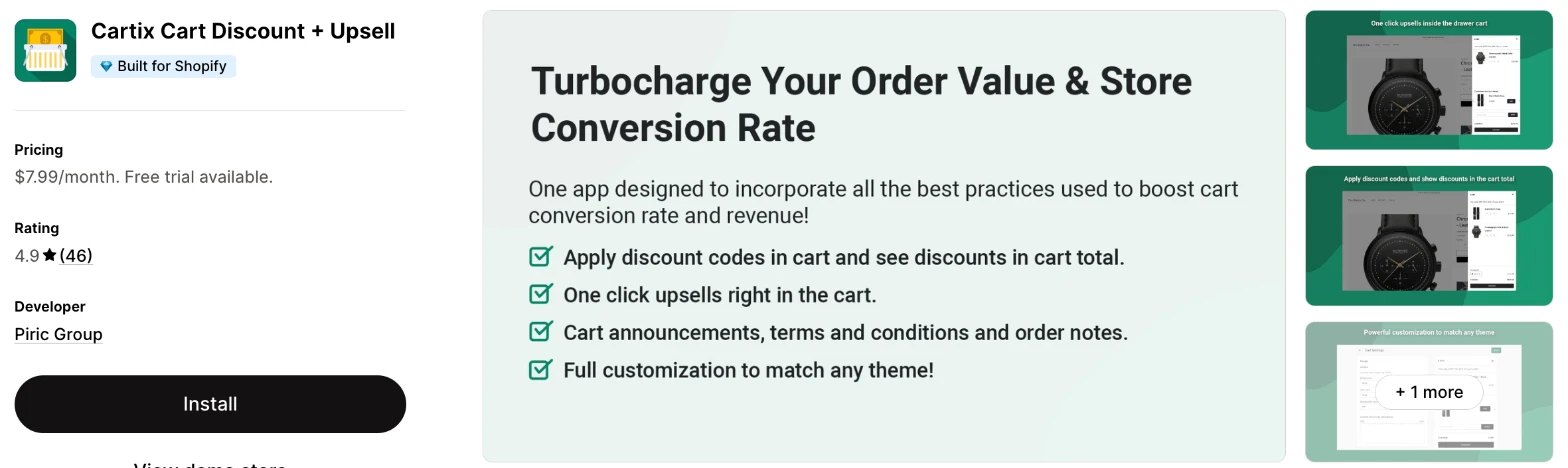
Cartix is a slide cart app with upsell rules, discount codes in the cart and progress bars. I'd choose it when you only need the basics and want one low price with no order limit listed.
Why I like this app:
The price is the reason I'd look at Cartix, with one plan at $7.99/month and no order tiers on the listing. For that, I found upsell rules, add-ons such as shipping insurance, reward bars and discount codes in the cart. Getting it live took me 12 to 13 minutes. One reviewer had custom settings coded by support within a day. But its newest review dates from March 2025, and free gifts appear to need the developer's separate app.
Features:
- A slide cart with one-click upsells
- Upsell rules by product, or automatic recommendations
- Different upsell locations in the drawer
- Discount codes applied in the cart, with discounts in the total
- Reward progress bars
- Add-ons such as priority processing and shipping insurance
- Announcements, a terms checkbox and order notes
- Full CSS customisation
- EasyGift and PageFly
I didn't find any AI features in it.
Pricing: Cartix charges a flat fee:
- Cartix Plan: $7.99/month, or $79.90/year
- Trial: 5 days
Reviews: Cartix has 4.9 stars from 46 reviews on the Shopify App Store, the fewest of the 8. Reviewers from 2024 praise its support and low price. One 2024 reviewer says the drawer took near 2 seconds to open, and another says the upsell block covers most of a phone screen.
Best for: A small store on a tight budget that wants a tidy drawer with upsells and discount codes and nothing more.
See Cartix on the Shopify App Store
8. HS Slide Cart Drawer Upsell
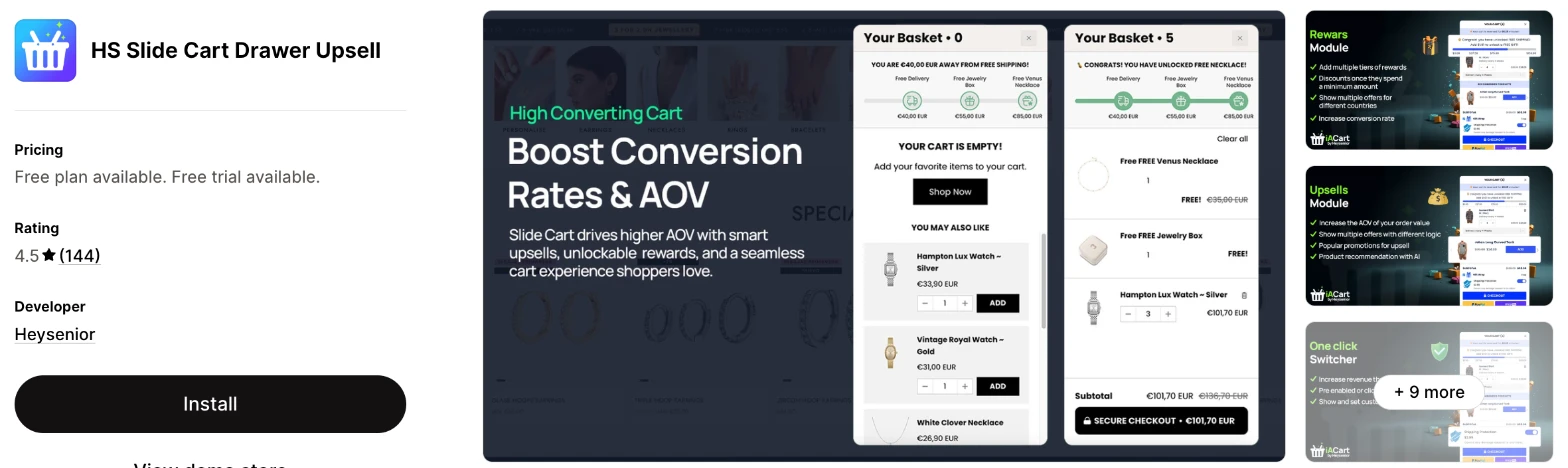
HS Slide Cart is a cart drawer app from Heysenior with rewards, upsells, free gifts and a sticky cart. It makes more sense when you want many offer types and reports from one app, and you're comfortable checking support first.
Why I like this app:
I found the longest list of tags here, including A/B testing, funnel reports, optimisation suggestions, quantity breaks and payment method rules. Paid plans also include a sticky add to cart bar and Quick Buy. It took me 13 to 16 minutes to set up. Some long-term reviewers say it has lifted their revenue, and one praises Brigitte in support. The main drawback is that support is also the most common complaint, and it has the lowest rating here at 4.5.
Features:
- Cart upsells and product recommendations, including AI
- A rewards bar for free shipping, gifts and discounts
- Tiered free gifts and BOGO promotions
- Gift wrap and shipping protection
- An urgency timer and announcements
- A sticky cart, add to cart bar and Quick Buy
- A discount field, trust badges and payment icons
- A/B testing, funnel performance and optimisation suggestions
- Translations and custom CSS
- Bold Subscriptions, ReCharge, GemPages, PageFly, Shogun and Yotpo
Pricing: HS has 4 paid plans, and all of them list the same features:
- Development stores: free
- Basic: $19.99/month
- Grow: $29.99/month
- Advanced: $59.99/month
- Plus: $99.99/month
- Trial: 5 days
The listing shows the first 3 plans, and Heysenior's site adds Plus. Neither says what moves a store between plans, so ask before you install.
Reviews: HS Slide Cart has 4.5 stars from 144 reviews on the Shopify App Store. Recent reviewers praise quick fixes and extra revenue from upsells. A July 2026 reviewer says international currency and gifts broke and they chased support for 3 months, and Heysenior says the app works and they didn't reply to its contact.
Best for: An experienced store owner who wants funnel reports and many offer types and can test them without much help.
See HS Slide Cart on the Shopify App Store
How do you choose the right Shopify cart drawer app?
I'd start with the offers you plan to run, then check the cost at your order volume. I've put each app's rating, starting price and how it charges in this table:
| App | Rating | Starting price | Charges by |
|---|---|---|---|
| Vitals | 4.9 from 2,974 reviews | $29.99/month | One plan |
| Ego | 5.0 from 559 reviews | Free, then $12.99/month | Shopify plan |
| Essent | 5.0 from 1,183 reviews | Free, then $8.99/month | Drawer orders |
| Kaching | 5.0 from 1,614 reviews | $9.99/month | Orders |
| Amp | 5.0 from 783 reviews | Free, then $29.99/month | A flat fee by plan |
| iCart | 4.7 from 452 reviews | First 100 orders free, then $9/month | All store orders |
| Cartix | 4.9 from 46 reviews | $7.99/month | A flat fee |
| HS | 4.5 from 144 reviews | $19.99/month | Not stated |
Features rule apps out first. A drawer with upsells and a progress bar is available on all 8, but A/B testing narrows the list to Ego, Kaching and HS. Bundles in the cart point to Vitals, iCart, Essent or Kaching. List the offers you plan to run in your first 3 months, then check that the plan you can afford includes them.
Design is the next check, because the drawer opens right on top of your product page. Almost every app was highly responsive, user friendly and customisable on my test store, so I compared the controls each one lists. Vitals names the most, including width, row spacing and image shape. Amp and Ego include ready-made designs, and Cartix relies on CSS for a closer match. Test the drawer with a long product title and 4 or 5 items, because a short cart hides layout problems.
Some of these apps also have AI features, so I could ask Claude or ChatGPT and it built the result for my store. Ego's listing names an AI assistant that sets up the cart, and Vitals connects to Claude or ChatGPT through Vitals MCP.
Your other apps decide how much you'll need to test. iCart names the most review apps, while Essent, Kaching, Ego and Amp name page builders. HS names Bold Subscriptions and ReCharge. Bundle apps cause particular trouble, because the drawer has to show their discounts correctly. Add your real bundle to the cart before you choose.
I found cost depends mainly on what each app counts. Ego follows your Shopify plan and Amp and Cartix charge a flat fee. The others count orders in different ways. On a cheaper plan, check what's missing, such as upsells on Amp's free plan or multi-tier rewards on Ego's. The plan limit section below shows the sums at 3 order volumes.
Support draws strong praise across most of these apps, especially Kaching and Ego, where merchants often name the person who helped them. The sharpest complaints I found are about HS, where they run from 2021 to 2026. In my test, a few customer success teams fixed setup problems within minutes, while others took hours to reply. So I'd send a test question during your trial and time the reply.
Choose Vitals if you'd use its other apps as well, and Ego for A/B testing at a fixed price. Choose Essent for a free start, and Kaching for hands-on help with your theme. Amp suits brands that want ready-made designs, and iCart suits stores that want bundles in the cart. Cartix makes more sense for the lowest bill and HS for a long list of offer types.
Do you need a cart drawer app if your theme already has one?
Not for a basic drawer. Shopify's theme settings guide describes a Cart type setting with drawer, page and pop-up options, along with a cart note, so check your theme first.
An app makes more sense when you want to sell from the cart. The guide doesn't list upsells, spending goals, free gifts or add-ons for that setting, and those are the main reason to add an app.
You also don't always have to replace the theme's drawer. Ego can improve your theme's cart and cart page instead of adding its own. Vitals is more limited here, because its goal bar shows only in the Vitals drawer and not in your theme's cart.
Try your theme's drawer for a month first. Add an app when you have a specific offer to put in it.
What counts toward a cart drawer plan limit?
It depends on the app, and the differences change your bill. Essent counts only orders where a shopper opened the drawer or the app added items, so point-of-sale orders, draft orders and express checkouts that skip the drawer stay out. iCart counts all your store's orders.
I've worked out the monthly price at 3 order volumes in this table:
| Monthly orders | Ego | Essent | Kaching | Amp | iCart | Cartix |
|---|---|---|---|---|---|---|
| 150 | $12.99 | $13.99 | $14.99 | $29.99 | $19 | $7.99 |
| 800 | $12.99 | $38.99 | $39.99 | $29.99 | $49 | $7.99 |
| 3,000 | $12.99 | $88.99 | $89.99 | $29.99 | $99 | $7.99 |
The Ego figures assume a store on Shopify Basic or Grow. It's $19.99/month on Advanced and $39.99/month on Plus. Amp's figures show Growth, and free gifts and ready-made designs need Pro at $49.99/month. I left out HS, because its plans don't say what moves you between them.
Vitals isn't in this table either, because it has one plan, at $29.99/month, with 40+ apps included. Add up what you pay for your other apps before you compare it, because you may be able to remove your review or bundle apps too.
Check what happens at the limit before a sale. Essent moves you up to the next plan automatically and emails you at 80% of your limit, so the drawer keeps working.
Why do 2 cart drawers open at once?
Your theme's drawer and the app's are both responding to the same add to cart click. Set your theme's Cart type to Page in the theme editor, and the app's drawer should then open alone.
Vitals gives this fix in its FAQ, and it warns you by name when it finds another cart drawer app. One Kaching reviewer had both drawers opening at once, and support fixed it the same day with no theme code. An Amp reviewer had a cart problem with the Prestige theme, which support also fixed quickly.
Don't run 2 cart apps at the same time, because they compete for the same cart. Turn the old one off before you test the new one, and add a product from a collection page as well as a product page.
Will your cart drawer total match checkout?
It should, but this is where I'd test hardest, because a total that changes at checkout can lose you the sale. Bundles, gifts and automatic discounts cause the most trouble.
Vitals shows bundle items, add-ons and gifts under their product, the way checkout does. Amp's support fixed how compare-at prices and bundle discounts appeared in one reviewer's final price. A Kaching reviewer says upsell discounts only apply when shoppers add the product from the drawer, and not when they click through to the product page.
Heysenior told one HS reviewer that duplicate cart lines came from an automatic discount, not the app. So test your own discounts rather than trusting the demo. Add a bundle, a gift and a discount code together, then compare the drawer's total with the checkout page.
Do cart drawers work well on phones?
They can, but I found several complaints about phones in the reviews, so test there first. A drawer takes up far more of a small screen, and an upsell block can leave little room for the cart.
One Cartix reviewer says the upsell stays fixed and covers most of the screen, so the cart is hard to scroll. An Ego reviewer reports slow loading on phones after adding a product, and an iCart reviewer from 2024 says shoppers couldn't add to cart on mobile.
Vitals fills the screen on phones and can show each upsell on all devices, phones only or desktop and tablet only, so you can hold back an offer that's too big. Open your drawer on a real phone with 3 items and an upsell, and check that the checkout button stays easy to reach.
How do you set up your first Shopify cart drawer?
I'd start with a free shipping goal and one upsell, because you can measure both against your current order value.
Use these steps with any of the apps:
- Note your current average order value and conversion rate.
- Duplicate your theme, so you have a clean copy to return to.
- Install the app and set your theme's Cart type to Page if 2 drawers appear.
- Match the drawer's colours, corners and text to your theme.
- Set a free shipping goal a little above your average order value.
- Add one upsell that goes with your best-selling product.
- Turn on your discount code box and payment icons.
- Place a test order on your phone and desktop, then compare the total with checkout.
Setup took me 5 to 7 minutes on the quickest app, Vitals, and between 6 and 16 minutes on the others. Merchants mostly report quick starts too. One Essent reviewer built a tiered free gift in under 30 minutes, while a Kaching reviewer had to click around before finding where to change things, and an Ego reviewer found the cart page replacement a little buggy.
I'd leave the drawer live for at least 4 weeks before you change the offer, so your order value reflects more than one busy weekend.
What changes in unusual situations?
I found the right app can change once your orders rise, you sell in more markets, you need a plan-only feature or you move from another app.
At unusually high or seasonal order volumes, plans that count orders need the most checking. The top plans reach $198.99/month on Essent, $199.99/month on Kaching and $129/month on iCart. Vitals lists one plan, at $29.99/month. Ego, Amp and Cartix don't charge more for extra orders, which makes them easier to budget for during a big sale.
With several stores or markets, check for support by country. Ego offers targeting by country, and one reviewer runs separate carts per country. Essent and Amp name Shopify Markets, and one Essent reviewer runs the app across several stores. Test your currencies, because an HS reviewer in 2026 says the cart didn't work with international currency.
Some features only appear on certain plans. Amp keeps upsells for Growth, and free gifts and ready-made designs for Pro. Ego keeps multi-tier rewards, AI upsells and free gifts for its paid plans. Essent, Kaching and iCart list the same features at every order level.
Moving from another app rarely moves your cart settings, so plan to rebuild your offers. iCart and Ego reviewers both report code left in a theme after uninstalling, and iCart offered help in its reply. Duplicate your theme before you remove an old cart app, and place a test order afterwards.
What are the benefits of a Shopify cart drawer app?
A cart drawer gives you a place to raise order value at the moment a shopper has decided to buy, without sending them to another page. The offer only earns money if it suits the product, so a poor upsell costs you space in the drawer and gains nothing.
Say you get 500 orders a month at $50 each, and 10% of those orders add a $15 upsell. That's 50 extra sales and $750 more revenue a month, before product costs. At $38.99/month on Essent, the app's fee counts against that $750.
A drawer also helps with free shipping goals. Say you offer free shipping at $60 and your average order is $50. A progress bar tells a shopper exactly how much further they need to go, and you can see whether order value moves. The limit is your margin, because you're paying for that shipping on every order that reaches the goal.
Before you install an app, write down the one offer you'll run and the order value you expect it to change.
What are some ideas for using a Shopify cart drawer app?
I'd try a free shipping goal first, because every shopper sees it and it needs no extra products. These 5 ideas suit different types of store:
- Free shipping goal: a homeware store sets its goal just above its average order value.
- Tiered free gift: a skincare store adds a sample at $40 and a full-size product at $80.
- Gift wrap add-on: a jewellery store offers wrap and a message field as a toggle.
- Matching upsell: a clothing store suggests a belt when a shopper adds trousers.
- Shipping protection: a store selling fragile items offers protection for a small fee.
I'd test the free shipping goal across your whole store first, then add the upsell on your best-selling product.
Which Shopify cart drawer app would I start with?
I'd start with Vitals, because its cart drawer comes with 40+ other apps in one subscription, so you may be able to remove your separate review or bundle apps as well. Choose Ego instead when you only want a cart app and want to A/B test it, or Essent when you'd like to start free. Install your choice on a duplicate theme, add one free shipping goal and check your order value after 4 weeks.
What do merchants often ask about Shopify cart drawer apps?
How much does a Shopify cart drawer app cost?
Paid plans on these apps start between $7.99/month and $29.99/month, and the top plans I could see reach $199.99/month on Kaching. Essent, Ego and Amp have free plans, and iCart's first 100 orders are free. The cost changes with your orders, your Shopify plan or the plan you choose, depending on the app.
Does Shopify include a cart drawer without an app?
Yes, on themes with the setting. Shopify's theme settings guide describes a Cart type setting with a drawer option, a cart note and a colour scheme for the drawer. It doesn't list upsells, spending goals or free gifts, so you'd need an app for those.
Are there free Shopify cart drawer apps?
Yes, I found a free plan on 3 of these apps. Essent's includes every feature up to 30 orders a month, and Ego's has one reward tier and smart upsells up to 30 orders. Amp's free plan has no order limit that I could see, but it doesn't include upsells or a progress bar. Kaching and HS keep their free plans for development stores, and iCart's free period ends after your first 100 orders.
Do cart drawer apps slow down a store?
One cart drawer app on its own didn't hurt page speed in my test. The trouble comes from everything else a store needs, such as reviews, bundles, discounts, gifts and visitor recordings. Every new app affects page speed, and many stores have 10 to 15.
So the value I found is in consolidating. Vitals has 40+ apps in one subscription sharing one script, and it surprised me that it didn't slow down my store. I could turn any of those apps on or off without worrying about load time.
Reviewers do report problems with some individual apps. One Ego reviewer reports slow loading on phones, and a Cartix reviewer says the drawer took near 2 seconds to open. Test any app on your own store before and after you install it.
Can a cart drawer show upsells and free gifts together?
Yes, on 7 of these apps. Vitals, Ego, Essent, Kaching, Amp, iCart and HS all show both in the drawer, although Amp needs its $49.99/month Pro plan for free gifts. One Cartix reviewer adds gifts through the developer's separate app. Check how the gift appears in the total before you launch.
Will a cart drawer app work with my bundle app?
Often, but test it first. Amp and HS list bundle or subscription apps, and Ego names Avis Bundles. Essent names bundles, and Kaching connects to Kaching Bundles. One Kaching Bundles reviewer says unrelated products grouped together and discounts merged in the cart. Add your real bundle to the drawer, then compare the total with checkout.