
Best Shopify countdown timer apps reviewed in 2026
Countdown timer apps are a common way to show shoppers how long a sale has left, so people who already want the sale price don't put off buying. A timer on the product page is easy to find, while a checkout timer isn't: only 2 of the 7 apps here tag the checkout page. They also differ on email timers and on whether the clock restarts for each visitor.
I installed 7 Shopify countdown timer apps on a test store and compared their features, pricing and merchant reviews. Below, you'll find what each one does well, where it falls short and the type of store it suits best.
Which Shopify countdown timer apps made my shortlist?
I selected apps with a rating of 4.3 or higher and a new merchant review within the last 12 months. These 7 countdown timer apps made my shortlist:
- Vitals: all-in-one Shopify app with a sale countdown and 40+ apps in one subscription
- Essential Countdown Timer Bar: bar, product, cart and email timers from one developer
- Hextom: Countdown Timer Bar: detailed bar targeting at a flat $9.99/month
- Profy Banner & Countdown Timer: coupon bars and timers with every feature on every plan
- Hoppy Cart Countdown Timer Bar: a free app with cart and checkout timers
- KILATECH Countdown: product page timers with sale-only rules for $3.99/month
- Urgency+: timers alongside a prize wheel, stock bars and sales popups
How did I review the best Shopify countdown timer apps?
I installed each app on a test store, then went through each App Store listing, every plan and the newest and lowest-rated merchant reviews.
I looked at these details for each app:
- Timer placement: where it can appear, such as a top bar, product pages, the cart or emails
- Timer schedules: fixed end dates, recurring timers and timers that start per visitor
- Targeting: which products, pages, markets and customers see the timer
- Reports: what each app says it reports
- AI features: what AI does in each app
- Integrations: which email tools and page builders it names
- Setup: how long each app took me to get a timer live
- Design: how each app behaved on my test store, and which styles, colours and positions each listing says you can change
- Speed: what one more app means for page speed in a store that also needs reviews, bundles and discounts
- Pricing: how each app charges, its plan limits and what each plan includes
- Reviews: what the newest and lowest-rated App Store reviews say, including about support
I ranked the list by where I'd start for a typical store, with the all-in-one app first, then the timer apps by how much they include and how much merchant evidence backs them up.
What did I find across these Shopify countdown timer apps?
I found 5 main countdown options across the apps I reviewed. The apps differ on which ones they include, so check which you need before you compare prices:
- Countdown bar: a bar across your store for a sale, such as "Sale ends in 2 days". Essential, Hextom, Profy, Hoppy and Urgency+ list it. Vitals has a countdown bar in its separate Announcement Bars app, and I didn't find one on KILATECH's listing.
- Product page timer: a countdown beside the price. Vitals, Essential, Profy, Hoppy, KILATECH and Urgency+ list it. Hextom tags product pages, but its listing shows a bar.
- Cart and checkout timer: a countdown while a shopper finishes an order. Essential, Hoppy and Urgency+ list it, and Hextom and Profy tag the cart page. Only Hoppy and Urgency+ tag the checkout page.
- Email timer: a countdown you can add to a campaign. Urgency+ includes it on every plan, and Essential keeps it for its $9.99/month plan.
- Delivery timer: an order-by time for dispatch. Profy and Urgency+ list it, and Essential, Hextom, Hoppy and KILATECH tag shipping cut-offs.
I also found these differences beyond the main options:
- Schedules: all 7 count down to a fixed date. The 6 dedicated apps also list or tag recurring timers, while Vitals runs each countdown once.
- Timers per visitor: Essential, Hoppy and KILATECH list timers that start fresh for each visitor, and Hextom, Profy and Urgency+ tag them. Vitals retired its restarting timer in August 2026.
- Targeting: Hextom goes furthest, with markets, customers, UTM links and devices. Hoppy's gallery lists customers, products, location and UTM sources. Vitals and KILATECH focus on products, and both can limit a timer to sale items.
- Reports: Essential, Hextom, Profy and Urgency+ mention analytics or reports, and I found less detail than I'd like on what they measure. The Vitals Countdown Timer page doesn't list a report, and neither do Hoppy or KILATECH.
- AI features: with Vitals MCP, you can do everything in Vitals with Claude or ChatGPT, including setting up a timer. I didn't find AI features in the other 6.
- Integrations: Essential names the most, with Klaviyo, Omnisend, Seguno, Yotpo and PageFly. Urgency+ names Klaviyo and Mailchimp, and Profy names PageFly.
- Setup: Vitals took me about 2 minutes, the least of the 7. Essential and Hoppy took about 4 minutes, and Hextom, Profy, KILATECH and Urgency+ took about 5 minutes.
- Design: the listings offer colour and text controls on all 7. Vitals and KILATECH each list 7 timer designs, and the 5 others tag custom CSS. In my test, almost every app was highly responsive, user friendly and customisable.
- Speed: one timer app on its own didn't hurt my page speed. The total is what matters, because many stores have 10-15 apps and every new one affects page speed.
What are the best Shopify countdown timer apps?
Vitals is my top pick, because its sale countdown comes with 40+ other apps in one subscription. Essential comes next for stores that want a dedicated timer app with a free plan and the most placements. The 5 reviews after it suit market targeting, coupon bars, a fully free app, the lowest paid price or a wider set of urgency tools.
1. Vitals
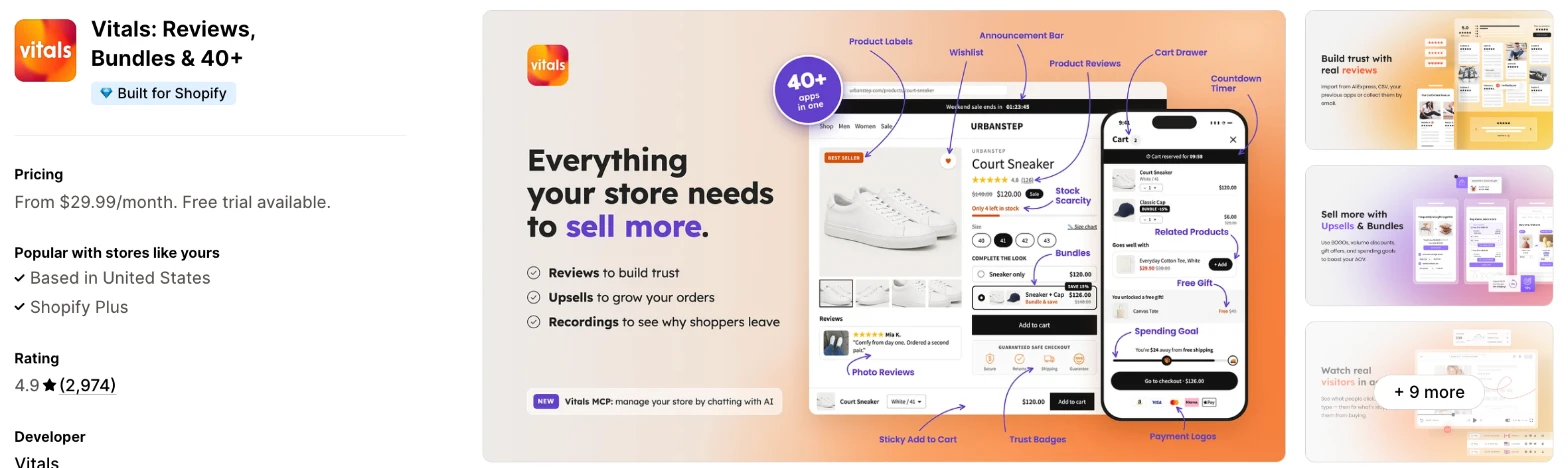
Vitals is an all-in-one Shopify app, and its Countdown Timer app is one of 40+ apps in one subscription. It makes more sense when you also need reviews, bundles or a stock counter and don't want a separate app for each.
Why I like this app:
I like that the timer follows my discounts, because it appears on products with a compare-at price and I had no list to maintain. Every shopper sees the same end date, in the timezone set in Shopify, and the timer comes off the page at zero. It took me about 2 minutes to get a timer live. A dashboard note also tells me when a timer has ended. But it only appears on product pages, with one end date for all products and no recurring option.
Features:
- A countdown to a start and end date you set
- Automatic display on discounted products
- An option to include sold-out products
- Rules that include or exclude specific products
- Limits by price, discount or stock level
- 7 styles, including Cards, Hexagon and Progress bar
- Controls for title, digit, border and background colours
- Placement through a position setting or a theme block
- Translations for each language your store sells in
- A dashboard note when a timer has ended
- Announcement Bars, Stock Scarcity and Upsell Builder apps in the same subscription
- Vitals MCP, for doing everything in Vitals with Claude or ChatGPT
- 40+ apps in the same subscription
Pricing: Vitals has one plan, with all 40+ apps included:
- All in one plan: $29.99/month
- Trial: 7 days
Reviews: Vitals has 4.9 stars from 2,974 reviews on the Shopify App Store. Recent reviewers like having many apps together and praise customer support, and one long-term merchant calls support knowledgeable whenever they need it.
Best for: A store that runs real sales with fixed end dates and also wants a countdown bar, a stock counter and upsells in one subscription.
See Vitals on the Shopify App Store
2. Essential Countdown Timer Bar
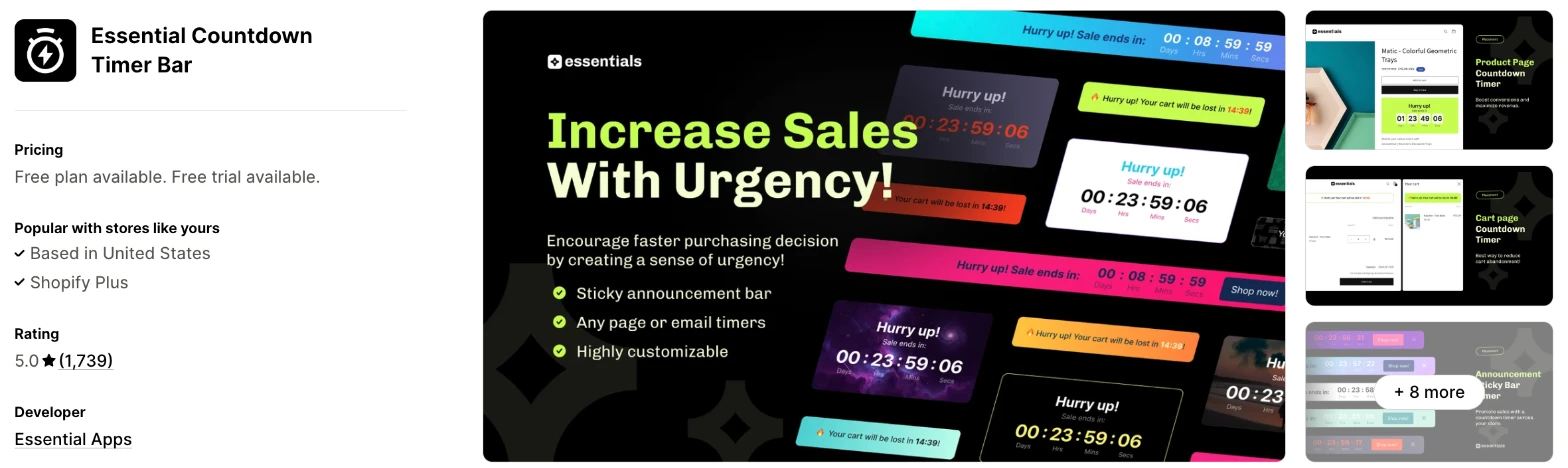
Essential Countdown Timer Bar is a timer app with bars, product page timers, cart timers and email timers. Choose it when you want a dedicated app and expect to add more placements as your sales grow.
Why I like this app:
The range of placements stood out first, because bars, product pages, landing pages, carts and emails all come from one app. I also found the longest list of email tools here, including Klaviyo and Omnisend. Setup took me about 4 minutes. Recent reviewers often name Wendyle and Sebastian, and one had a timer hidden behind product content fixed with CSS in minutes. However, cart and email timers need the $9.99/month plan, and one merchant reports a serious security problem.
Features:
- Top or bottom announcement bar timers
- Product page timers and countdown banners
- Landing page timers from Starter
- Cart and email timers from Essential
- To-date, daily recurring and fixed-minute schedules
- Timers added by tag from Essential
- Geo-targeting from Essential
- Klaviyo, Omnisend, Seguno, Yotpo and PageFly
- Custom CSS, colours and text
I didn't find any AI features in it.
Pricing: Essential Countdown Timer Bar charges by monthly timer views:
- Free: 1,000 views, product page and top bar timers
- Starter: $6.99/month, 10,000 views
- Essential: $9.99/month, 50,000 views
- Professional: $29.99/month, unlimited views
- Trial: 7 days
Yearly billing saves 20%. Scheduled and recurring timers start on Starter, so the free plan suits a timer you set and remove by hand.
Reviews: Essential Countdown Timer Bar has 5.0 stars from 1,739 reviews on the Shopify App Store, the most of the dedicated timer apps. Recent reviewers praise fast support. One low-star reviewer says their checkout button redirected to an outside site, and that Shopify Support linked this to a security vulnerability in the app. Essential Apps replies that it fixed the problem within 2 hours and that an outside security company then reviewed the app and found it safe.
Best for: A growing store that wants bars, cart timers and email timers from one dedicated app at a low monthly price.
See Essential Countdown Timer Bar on the Shopify App Store
3. Hextom: Countdown Timer Bar
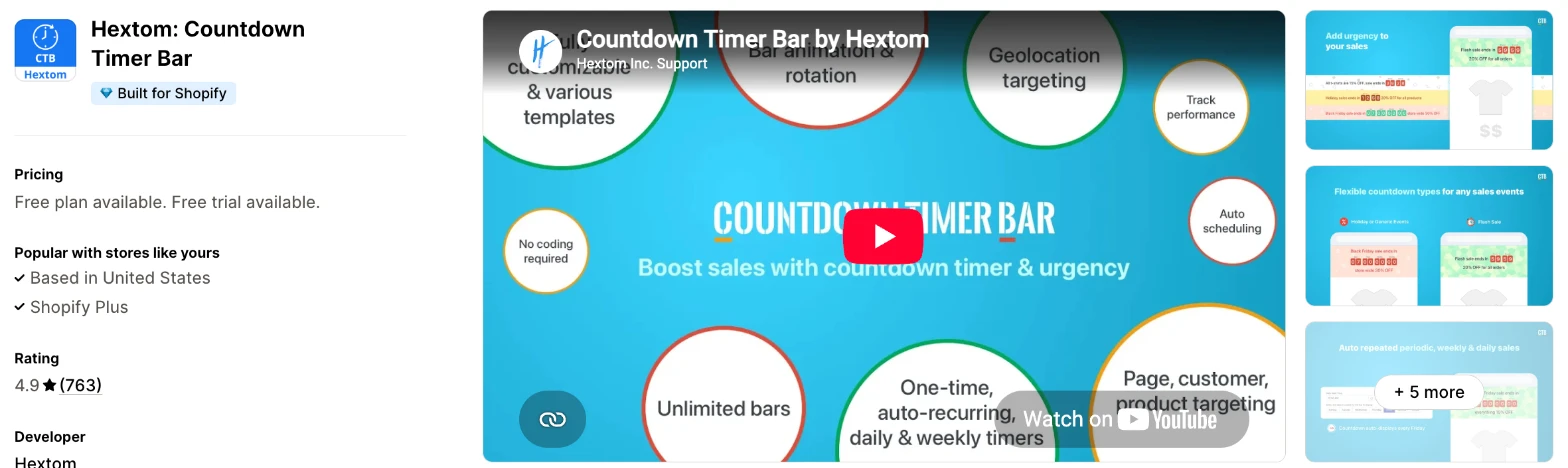
Hextom: Countdown Timer Bar is a sales bar app with detailed targeting. I'd choose it when you sell in more than one market and want different bars for different audiences.
Why I like this app:
When I checked the targeting, Hextom went furthest of the bar apps, with Shopify Markets, customers, UTM links, pages, products and devices. Premium is one flat price, so I had no view limit to watch, and it adds unlimited bars and recurring timers. A bar took me about 5 minutes. Long-term reviewers like how easy it is to use, and one store times its live shows with it. But the older low-star reviews often mention phone display problems, and the free plan keeps to one-off event timers.
Features:
- Countdown bars on any page, with a link on the bar
- Event timers on Free
- Daily, weekly and recurring timers on Premium
- Scheduling for events such as Black Friday
- Geo targeting with Shopify Markets on Premium
- Social and UTM targeting on Premium
- Page and device targeting on every plan
- Rotation, animation and background images
- Hextom: Translate & Currency
I didn't find any AI features in it.
Pricing: Hextom: Countdown Timer Bar charges a flat monthly fee:
- Free: event timer, page and device targeting
- Premium: $9.99/month, or $99/year
- Trial: 7 days
Reviews: Hextom has 4.9 stars from 763 reviews on the Shopify App Store. Recent reviewers call it easy to use, and 4 of them have kept it for more than 4 years. The low-star reviews are older: one from 2021 found the mobile bar too small, and Hextom replied that you can change the font size for phones. A 2023 reviewer says they had no reply from support in 2 weeks.
Best for: A store selling in more than one market that wants a different countdown bar for each audience.
See Hextom: Countdown Timer Bar on the Shopify App Store
4. Profy Banner & Countdown Timer
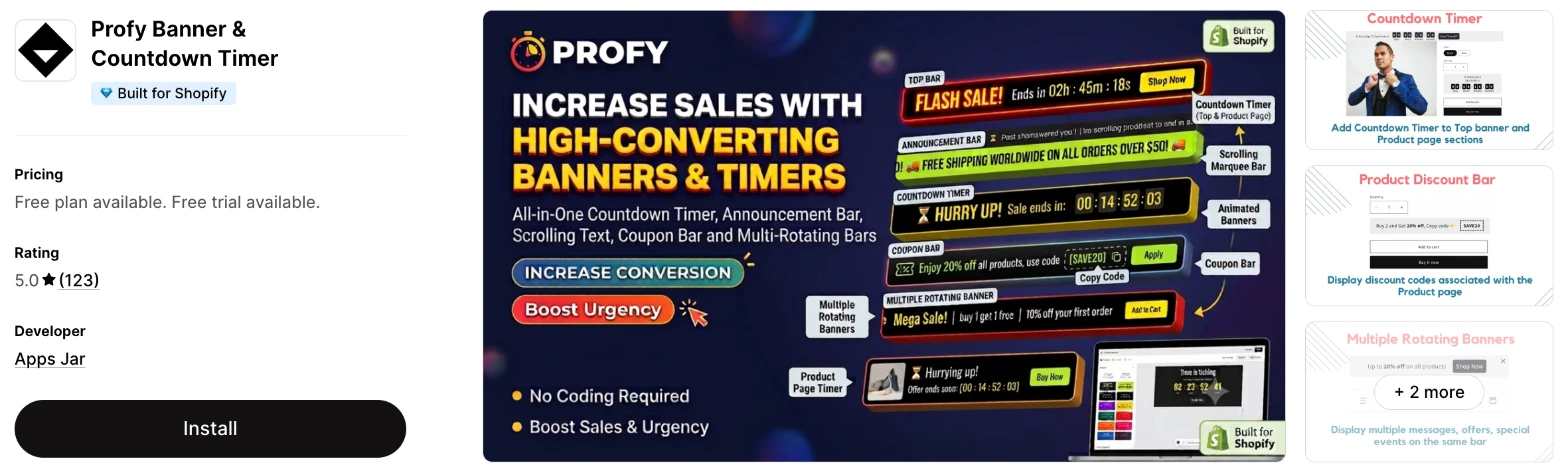
Profy Banner & Countdown Timer is a banner app that combines countdowns with coupon bars, scrolling text and rotating messages. It makes more sense when your sale depends on a discount code and you want shoppers to copy it from the bar.
Why I like this app:
I found the coupon bar most useful here, because shoppers can copy a code straight from the bar or product page. Every plan also includes every feature, so I only had to compare monthly views. An order delivery timer and rotating banners add more uses for the same app, and it took me about 5 minutes to get a banner live. Reviewers praise support that writes custom code. However, the newest review I found dates from February 2026, and one merchant needed support to place a product page timer.
Features:
- Sale countdowns with an expiry date or fixed duration
- Coupon bars with a copy code button
- An order delivery timer
- Scrolling text and marquee banners
- Rotating banners with more than one message
- Product page banners
- Targeting by page URL and device
- Translated banner text
- PageFly
I didn't find any AI features in it.
Pricing: Profy Banner & Countdown Timer charges by monthly views, with all features on every plan:
- Free: 2,000 views
- Starter: $5.99/month, 15,000 views
- Unlimited: $9.99/month, unlimited views
- Trial: 7 days
Reviews: Profy has 5.0 stars from 123 reviews on the Shopify App Store, with no ratings below 4 stars. Reviewers often mention fast support, and one found the time zone adjustment they needed for a timer. Another says the product page placement had to be specific, and support fixed it within minutes.
Best for: A store that promotes sales with discount codes and wants coupon bars and timers in one app.
See Profy Banner & Countdown Timer on the Shopify App Store
5. Hoppy Cart Countdown Timer Bar
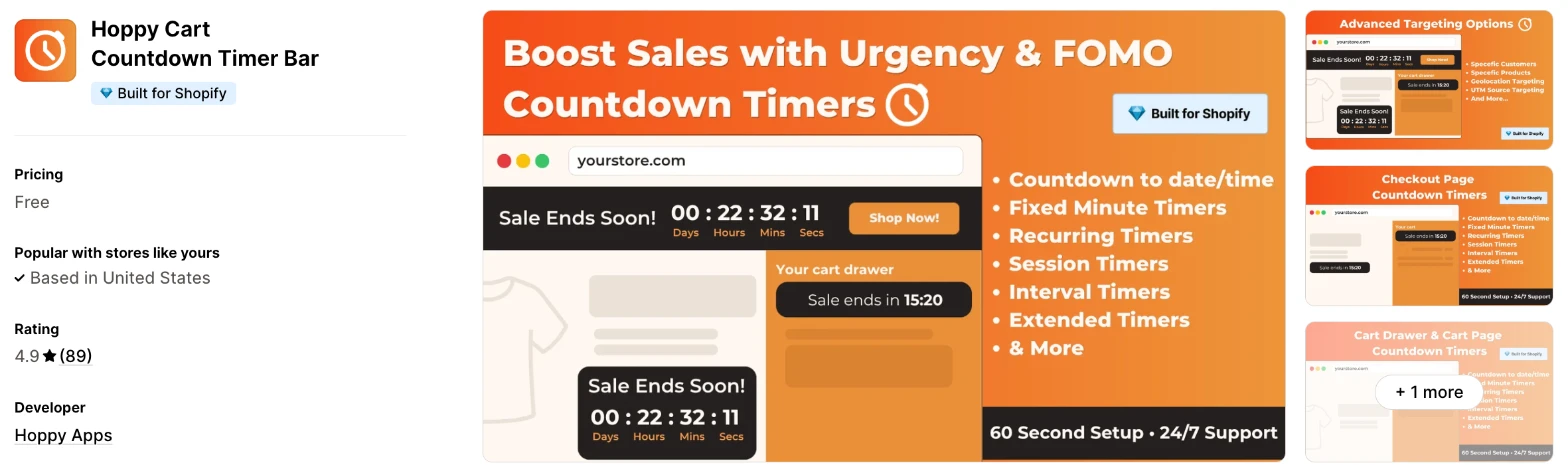
Hoppy Cart Countdown Timer Bar is a free timer app for bars, product pages, carts and the checkout page. Choose it when you don't want a monthly bill and you're happy to test a newer app.
Why I like this app:
The price is what I noticed first, because the listing shows no paid plans at all. I also found a wide list of timers, including recurring, session, interval and fixed-minute, plus password page timers. Getting a bar live took me about 4 minutes. One reviewer had it running in under 5 minutes, though most recent reviews have no text. The main drawback is the evidence, because it launched in February 2025 and many of its newest reviews come after minutes of use.
Features:
- Top or bottom countdown bars
- Product page timers and countdown banners
- Cart drawer, cart page and checkout page timers
- Password page timers
- Date, fixed-minute, recurring and session timers
- Interval and extended timers
- Targeting by customer, product, location and UTM source
- Custom CSS, colours and text
I didn't find any AI features in it.
Pricing: Hoppy Cart Countdown Timer Bar is free:
- Free: all listed features, with no plan table on the listing
Reviews: Hoppy has 4.9 stars from 89 reviews on the Shopify App Store. One recent reviewer calls it easy and free, but most of the newest reviews come within an hour of installing. Its one low-star reviewer, using it for 1 minute, says users should try an app before leaving a review, so I'd give this rating less weight than one built over years.
Best for: A new store that wants cart and checkout timers without a monthly bill.
See Hoppy Cart Countdown Timer Bar on the Shopify App Store
6. KILATECH Countdown
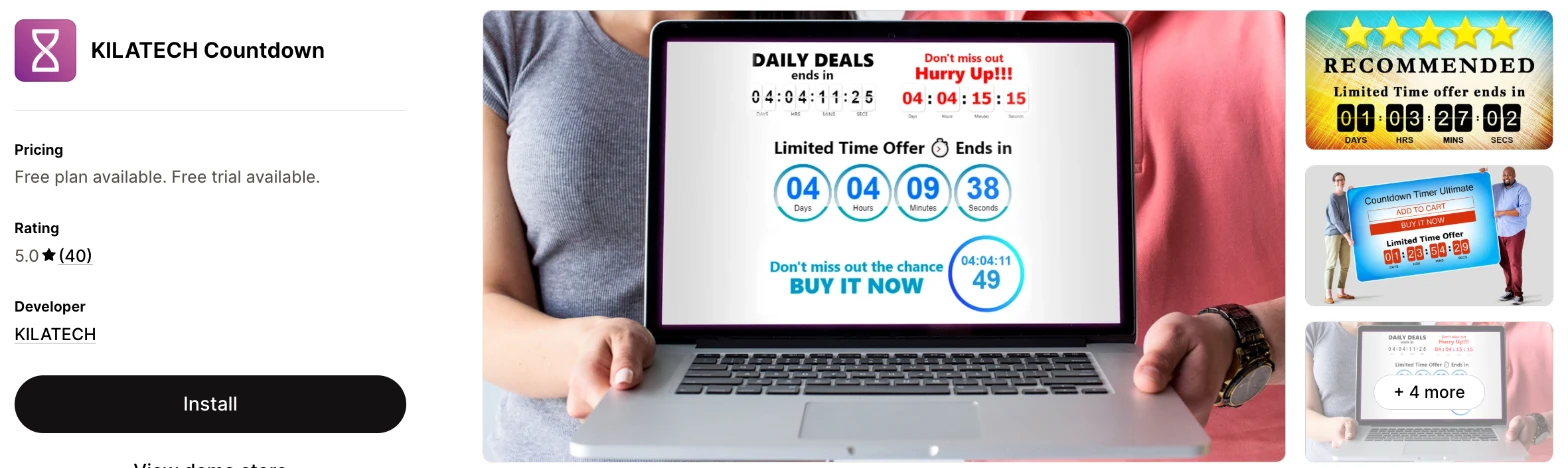
KILATECH Countdown is a product page timer app with 7 designs and rules for which products show it. I'd choose it when you only need a timer on product pages and want the lowest paid price here.
Why I like this app:
Display rules are the reason I'd look at this one, with options for tagged products, sale items, out-of-stock items or everything. All 7 designs come with the free plan, and Premium costs $3.99/month. Setup took me about 5 minutes. One reviewer saw more conversions during 2 major sales than without a timer, and others praise quick help on WhatsApp. However, I didn't find a countdown bar or cart timer on the listing, and it only has 40 reviews.
Features:
- 7 timer designs with selectable animations
- Colour and text controls
- Up to 5 separate timers on Premium
- 5 scheduling methods, including repeating and weekly
- A fresh timer for each new visitor
- Display on tagged products, sale items or out-of-stock items
- Custom placement
I didn't find any AI features in it.
Pricing: KILATECH Countdown charges a flat monthly fee:
- Free: product timer, 7 designs, 5 scheduling methods
- Premium: $3.99/month, or $42.99/year, 5 timers, faster support and no FREE label
- Trial: 3 days
Check the FREE label before you launch on the free plan, because shoppers may see it beside your timer.
Reviews: KILATECH Countdown has 5.0 stars from 40 reviews on the Shopify App Store, all of them 5 stars. Reviewers mostly praise quick support, and one had a small bug fixed soon after installing. I found no low-star reviews, but the app only lists English and most reviews are short.
Best for: A small store that wants a simple timer on its sale products and doesn't need a bar.
See KILATECH Countdown on the Shopify App Store
7. Urgency+
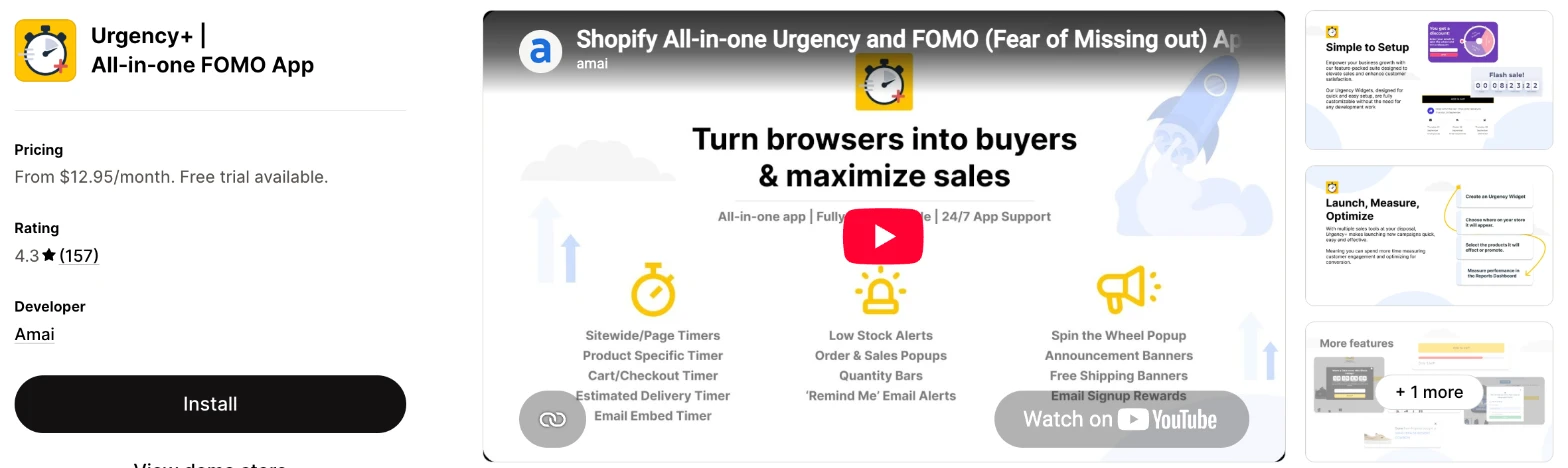
Urgency+ is an urgency app that combines countdown timers with a prize wheel, stock bars, sales popups and email alerts. It makes more sense when you want all those tools from one developer and don't already use other apps for them.
Why I like this app:
How much comes on every plan impressed me, including timers for pages, cart, checkout, delivery and email, plus a prize wheel and stock bars. Klaviyo and Mailchimp are also named on the listing. It took me about 5 minutes to get a timer live. Some long-term reviewers praise the support team, but the recent complaints are harder to ignore. The main drawback is that 4.3 rating, the lowest of the 7, with no free plan to test it on.
Features:
- Countdown timers on store pages, the cart and checkout
- Estimated delivery timers
- Email timers
- Spin the wheel popups
- Stock levels and quantity bars
- Recent order popups
- Sale alert and reminder emails
- Announcement and free shipping banners
- Klaviyo and Mailchimp
I didn't find any AI features in it.
Pricing: Urgency+ charges by your Shopify plan, with the same features on each:
- Shopify Basic stores: $12.95/month
- Shopify Standard stores: $16.95/month
- Shopify Advance stores: $21.95/month
- Shopify Plus stores: $26.95/month
- Trial: 14 days
Yearly billing saves 50%, and the listing links to more pricing options.
Reviews: Urgency+ has 4.3 stars from 157 reviews on the Shopify App Store. One 2024 reviewer with about 2 years' use calls it useful during promotions and the support team fast. A January 2026 reviewer says nothing worked and support took 6 days to reply, and another from 2024 calls the widgets dated and oversized on the page.
Best for: A store that wants timers, a prize wheel, stock bars and sales popups from one developer.
See Urgency+ on the Shopify App Store
How do you choose the right Shopify countdown timer app?
I'd start with where your timer needs to appear, then check the cost at your traffic. I've put each app's rating, starting price and how it charges in this table:
| App | Rating | Starting price | Charges by |
|---|---|---|---|
| Vitals | 4.9 from 2,974 reviews | $29.99/month | One plan |
| Essential Countdown Timer Bar | 5.0 from 1,739 reviews | Free, then $6.99/month | Monthly views |
| Hextom: Countdown Timer Bar | 4.9 from 763 reviews | Free, then $9.99/month | Flat fee |
| Profy Banner & Countdown Timer | 5.0 from 123 reviews | Free, then $5.99/month | Monthly views |
| Hoppy Cart Countdown Timer Bar | 4.9 from 89 reviews | Free | No charge |
| KILATECH Countdown | 5.0 from 40 reviews | Free, then $3.99/month | Flat fee |
| Urgency+ | 4.3 from 157 reviews | $12.95/month | Shopify plan |
Placement rules apps out first. A product page timer works on most of them, but an email timer narrows the list to Urgency+ and Essential, and a checkout timer narrows it to Hoppy and Urgency+. KILATECH has no bar on its listing, and the Vitals Countdown Timer app stays on product pages, so a Vitals bar comes from its Announcement Bars app. Write down the 2 places your next sale needs a timer, then check that the plan you can afford includes them.
Theme fit is the next check, because a timer that covers your menu does more harm than no timer. All 7 listings offer colour and text controls, and Vitals and KILATECH each list 7 designs. Essential, Hextom, Profy, Hoppy and Urgency+ tag custom CSS for finer changes. Almost all of them adapted well on my test store, so I'd choose on the controls you need. Preview your timer on your phone and in your theme's product page layout before the sale starts.
Your other apps matter most for email timers and page builders. Essential names Klaviyo, Omnisend, Seguno and Yotpo, and Urgency+ names Klaviyo and Mailchimp. Essential and Profy name PageFly, as does the Vitals listing. Check that your email tool appears on the listing, or send a test campaign before your sale.
I found cost depends mainly on whether the app counts views. Essential and Profy charge by monthly views, so a big sale can push you up a plan, while Hextom and KILATECH charge one flat fee. Urgency+ follows your Shopify plan, Hoppy is free, and Vitals has one plan with no usage charges. On a cheaper plan, check what's missing, such as recurring timers on Hextom's free plan or cart timers below $9.99/month on Essential.
Support draws the most praise on Essential, Profy and KILATECH, where merchants often describe a fix within minutes. The sharpest complaints I found are about Urgency+, with waits of days during a sale. My test showed a similar split: when setup problems came up, a few customer success teams fixed them within minutes, while others took hours to reply. I'd send a test question during your trial and time the reply, especially before Black Friday.
Choose Vitals if you'd use its other apps as well, and Essential for a dedicated app with the most placements. Choose Hextom to target by market or UTM link, and Profy when coupon codes drive your sales. Hoppy suits a store that wants a free app, KILATECH suits simple product page timers, and Urgency+ suits a store that wants a prize wheel and stock bars from the same developer.
Does a countdown timer end your sale when it reaches zero?
Not on Vitals, and I didn't find an automatic price change on the other 6 listings. So treat the timer as a display, and give your discount its own end date in Shopify.
Vitals says this directly: the timer disappears, and sale prices stay until you change them in Shopify. A 2016 Hextom reviewer also complained that the bar doesn't apply the discount for you.
That gap can mislead shoppers. A timer that hits zero while the sale price stays live tells people your deadlines don't mean much. Schedule your discount in Shopify to end at the same minute as your timer, then check a sale product just after the end time.
Are restarting countdown timers a risk?
Yes, they can be, when the timer suggests a deadline that doesn't exist. A timer that restarts for each visitor is useful for a real offer tied to that visit, but it's hard to defend for a store-wide sale.
Regulators have acted on this. In May 2026, the UK's Competition and Markets Authority said Emma Sleep admitted breaking consumer law by using misleading countdown timers, among other practices. I'm not a lawyer, so check the rules in each market you sell in.
These apps differ here. Essential, Hoppy and KILATECH list timers that start fresh for each visitor, and Hextom, Profy and Urgency+ tag them. Vitals retired its restarting timer in August 2026, so its countdown always points to a date you set.
Use a fixed end date for any sale, and end the price at the same time. Keep per-visitor timers for an offer that does end for that shopper.
Can you show a countdown timer on the checkout page?
Only Hoppy and Urgency+ tag the checkout page, and your Shopify plan may decide whether you can use it. Shopify's help page on checkout apps says apps that customise the information, shipping and payment pages are only available to Shopify Plus.
Neither listing says which Shopify plan its checkout timer needs. Essential uses the phrase "checkout timer" for a timer in your cart, and it tags the cart page, so read that wording carefully.
For most stores, I'd use a cart timer instead. Essential, Hoppy and Urgency+ list one. Ask support which plan you'll need before you install an app just for the checkout page.
Why do countdown bars break on some themes?
Most complaints come down to position, because the bar has to fit around your theme's header and page layout. Reviews on these apps mention the same few problems.
For example, one Urgency+ reviewer says the bar changed their mobile layout and hid part of the menu. An Essential reviewer had a timer appear behind product content, and an older Hextom reviewer says the bar overlapped their site. A Profy reviewer found that product page placement had to be specific.
Support often fixes these quickly on Essential and Profy, sometimes with custom CSS. But a 2022 Urgency+ reviewer says fixes took 2 to 3 days, by which time their sale was over.
Publish your timer at least a day before the sale and check it on a phone. That gives support time to reply.
How do you set up your first Shopify countdown timer?
I'd start with a product page timer on one real sale with a fixed end date, because it's the simplest timer to check and it only shows on the products you've discounted.
Use these steps with any of the apps:
- Create your discount in Shopify, with an end date.
- Install the app and choose where the timer appears.
- Enter the same end date, and check the app's timezone against your store's.
- Limit the timer to the products on sale.
- Write a short title, such as "Sale ends in".
- Match the colours to your theme.
- Preview it on your phone and desktop.
- Check the page again after the end time, for both the timer and the price.
Setup took me about 2 minutes on Vitals and about 4 to 5 minutes on the others. Merchants report mixed experiences too. A Hoppy reviewer was live in under 5 minutes, and Hextom and KILATECH reviewers call setup easy. On the other hand, an Essential reviewer says that after a lot of work the timer didn't show, and a Profy reviewer needed support to place it.
I'd leave the timer on for 2 or 3 full sales before you judge it, because one sale can't show you whether the deadline or the discount made the difference.
What changes in unusual situations?
I found the right app can change once your traffic spikes, you sell in more than one market, you need a plan-only feature or you move from another app.
At unusually high or seasonal traffic, plans built on views need the most checking. Essential stops at 50,000 timer views on its $9.99/month plan, and Profy stops at 15,000 on its $5.99/month plan. Neither listing says what happens at the limit, so ask before Black Friday. Hextom, KILATECH and Hoppy don't list a view limit, Urgency+ lists unlimited impressions, Vitals has no usage charges and Profy's $9.99/month plan removes its limit.
When you sell in more than one market, your timer needs to suit each one. Hextom targets by Shopify Markets on Premium, and Essential adds geo-targeting at $9.99/month. Vitals counts down in your store's timezone and translates the timer's text for each language. A Profy reviewer chose that app for its time zone adjustment. KILATECH only lists English, so test your translations there first.
Some features only appear on certain plans. Essential keeps scheduled and recurring timers for Starter and above, and cart and email timers for Essential and above. Hextom keeps recurring timers, unlimited bars and market targeting for Premium, and KILATECH keeps its 5 separate timers for Premium. Profy, Urgency+ and Vitals keep their timer features on every plan.
Moving from another app rarely moves your timers, so plan to rebuild them. I didn't find a timer import on any listing. Remove the old timer first, because 2 bars at once can overlap, and one Urgency+ reviewer says that app changed their theme code. Duplicate your theme before you remove an old timer app.
What are the benefits of a Shopify countdown timer app?
A countdown timer app gives a sale a visible deadline, and you can move some undecided shoppers to buy before it ends. The effect depends on the deadline being real, so the timer can't rescue a weak offer.
Say a 3-day sale brings 5,000 visitors, 2% of them buy and your $40 product is $32 on sale. That's 100 orders and $3,200. If a timer took your rate to 2.2%, you'd make 10 more orders and $320 more, against a monthly fee of $0 to $29.99 on these apps. I've used that lift as an example only, so test it on your own store.
A timer also tells shoppers something they'd otherwise have to ask, such as when a sale ends or the time to order for dispatch today. That can reduce questions to your support team. The limit is repetition, because shoppers who see the same deadline every week stop believing it.
Before you install an app, decide when your next sale ends and what happens to the price afterwards.
What are some ideas for using a Shopify countdown timer app?
I'd try a weekend flash sale first, because it has a clear start and end and you can compare it with a normal weekend. These 5 ideas suit different types of store:
- Flash sale: a clothing store runs 48 hours of discounts with a bar across every page.
- Delivery cut-off: a gift shop shows the time left to order for dispatch today.
- Product launch: a skincare store counts down to a new range on its homepage.
- Holiday deadline: a homeware store shows the last order date for Christmas delivery.
- Live event: a fashion store counts down to a live show, as one Hextom reviewer does.
I'd test the flash sale on your discounted products first, then add a bar across your store for the next one.
Which Shopify countdown timer app would I start with?
I'd start with Vitals, because its sale countdown comes with 40+ other apps in one subscription, so you may be able to remove your separate review or bundle apps as well. Choose Essential instead when you want a dedicated timer with cart and email placements, or Hextom when you want a different bar for each market. Install your choice, put one timer on your next real sale and check that it ends with the price.
What do merchants often ask about Shopify countdown timer apps?
How much does a Shopify countdown timer app cost?
Paid plans on these apps start between $3.99/month and $29.99/month, and Essential, Hextom, Profy, Hoppy and KILATECH all have a free option. The top prices I could see are $29.99/month on Essential and Vitals. The cost changes with your timer views or Shopify plan, depending on the app.
Does Shopify include countdown timers without an app?
Not in the Shopify admin, as far as I could find, although some themes include one. For example, a Shopify Community thread says the Impulse theme has a countdown section. Check the section list in your theme editor before you install an app.
Are there free Shopify countdown timer apps?
Yes, I found a free option on 5 of these apps. Hoppy is free with no paid plans listed. Essential's free plan stops at 1,000 views and Profy's at 2,000, while Hextom's free plan keeps to event timers and KILATECH's shows a FREE label. Vitals and Urgency+ have no free plan, though each has a free trial.
Do countdown timer apps slow down a store?
Not one on its own, in my test. The risk comes when a timer joins the reviews, bundles, gifts and visitor recordings a store also needs. Vitals surprised me here, because its 40+ apps in one subscription share one script, so it didn't slow down my store and I could turn any app on or off without worrying about load time. Test any app on your own store before and after you install it.
Can you add a countdown timer to an email?
Yes, on 2 of these apps. Urgency+ includes email timers on every plan, and Essential includes them from $9.99/month. Both name Klaviyo. Send a test email to yourself before your sale.
Can a timer stop shoppers buying before a launch?
Not on Vitals, because its timer never blocks Add to Cart, and I didn't find a purchase block on the other listings. Hide the product or set its availability in Shopify, then use the timer to count down to the opening. Check the product page in a private browser window before you announce the launch.