
Best Shopify heatmap apps reviewed in 2026
Heatmap and session replay apps show you where shoppers get stuck, which your sales reports can't. You'll find recordings and heatmaps in all 7 apps here. Revenue maps, on-site surveys and checkout recording are where they part ways.
I installed 7 Shopify heatmap apps on a test store and compared their features, pricing and merchant reviews. Below, you'll find what each one does well, where it falls short and the type of store it suits best.
Which Shopify heatmap apps made my shortlist?
I selected apps with a rating of 4.2 or higher and a new merchant review within the last 12 months. These 7 heatmap apps made my shortlist:
- Vitals: all-in-one Shopify app with replays, heatmaps and 40+ apps in one subscription
- MIDA Replay, Heatmap & Insight: revenue heatmaps and a free plan to start on
- Propel Replay, Survey, Heatmap: replays and on-site surveys from $9.90/month
- ReplayPRO: Replays & Heatmaps: 50,000 recorded sessions for $19/month
- Lucky Orange Heatmaps & Replay: funnels, surveys and form analytics in one dashboard
- Plerdy: Heatmap, Replay & A/B: heatmaps with SEO checks, popups and A/B tests
- Statcounter - Heatmap & Replay: visitor analytics and click fraud checks for Google Ads
How did I review the best Shopify heatmap apps?
I installed each app on a test store, then went through each App Store listing, every plan and the newest and lowest-rated merchant reviews.
I looked at these details for each app:
- Session replay: whether I can watch visits live or recorded, and how I find the right ones
- Heatmaps: which maps it draws, such as clicks, scrolling or revenue
- Plan limits: whether it counts sessions, pageviews or something else, and what happens at the limit
- Checkout: whether it records the Shopify checkout or stops before it
- Privacy: what it hides from recordings and how it handles consent
- AI features: what AI does in each app, such as summarising a visit or answering questions
- Integrations: which ad, analytics and marketing tools it works with
- Setup: how long each app took me to start recording
- Design: how responsive and easy to use each app was on my test store, and how far I could customise it
- Speed: what one more app means for page speed in a store that already needs several
- Pricing: how each app charges, its plan limits and what each plan includes
- Reviews: what the newest and lowest-rated App Store reviews say, including about support
I ranked the list by where I'd start for a typical store, with the all-in-one app first, then the dedicated apps by how much they record for the price and how their reviews read.
What did I find across these Shopify heatmap apps?
I found 5 main options across the apps I reviewed. The apps differ on which ones they include, so check which you need before you compare prices:
- Session replay: a recording of one shopper's visit that you can play back. All 7 apps list it, although Statcounter's site sells recordings as a separate monthly tier.
- Heatmaps: a picture of where shoppers click or how far they scroll. All 7 apps list them, and Statcounter keeps them for its Premium Plus plan.
- Revenue heatmaps: a map tied to sales instead of all clicks. Vitals has a revenue map, MIDA has Revenue Clicks and conversion heatmaps, and ReplayPRO can show buyers' clicks only.
- Live view: shoppers on your store right now. Vitals, MIDA, Propel, Lucky Orange and Statcounter describe one, and ReplayPRO tags real-time tracking.
- On-site surveys: questions that ask shoppers why they didn't buy. Propel and Lucky Orange include them.
I also found these differences beyond the main options:
- Checkout recording: MIDA and Propel offer it on enterprise plans for Shopify Plus stores. Vitals stops recording when a shopper reaches checkout.
- Reports: MIDA, Propel, ReplayPRO, Lucky Orange and Plerdy tag funnel analysis. I didn't find funnels on the Vitals page or the Statcounter listing.
- AI features: Vitals, MIDA and Propel summarise visits. MIDA and Propel sell an AI Assistant as an add-on, and ReplayPRO has an AI chat. Lucky Orange has Discovery AI as an add-on and answers through Shopify Sidekick. With Vitals MCP, I could do everything in Vitals with Claude or ChatGPT, including asking about my recordings. Plerdy's listing names both tools under integrations, and I didn't find AI features on Statcounter's listing.
- Other tools: Plerdy adds SEO checks, popups and A/B tests. Propel and Statcounter both flag suspicious ad clicks.
- Setup: Vitals was the quickest, at about 7 to 10 minutes. The other 6 each took me about 10 to 15 minutes.
- Design: almost every app was highly responsive, user friendly and customisable on my test store.
- Speed: a single replay app didn't hurt my page speed on its own. The effect comes from the total, because many stores have 10-15 apps for jobs such as reviews, bundles, discounts and gifts.
What are the best Shopify heatmap apps?
Vitals is my top pick, because its replays and heatmaps come with 40+ other apps in one subscription. MIDA comes next for stores that want a dedicated app with a free plan. The 5 reviews after it suit surveys, high traffic on a small budget, a wider research toolset, SEO work or Google Ads checks.
1. Vitals
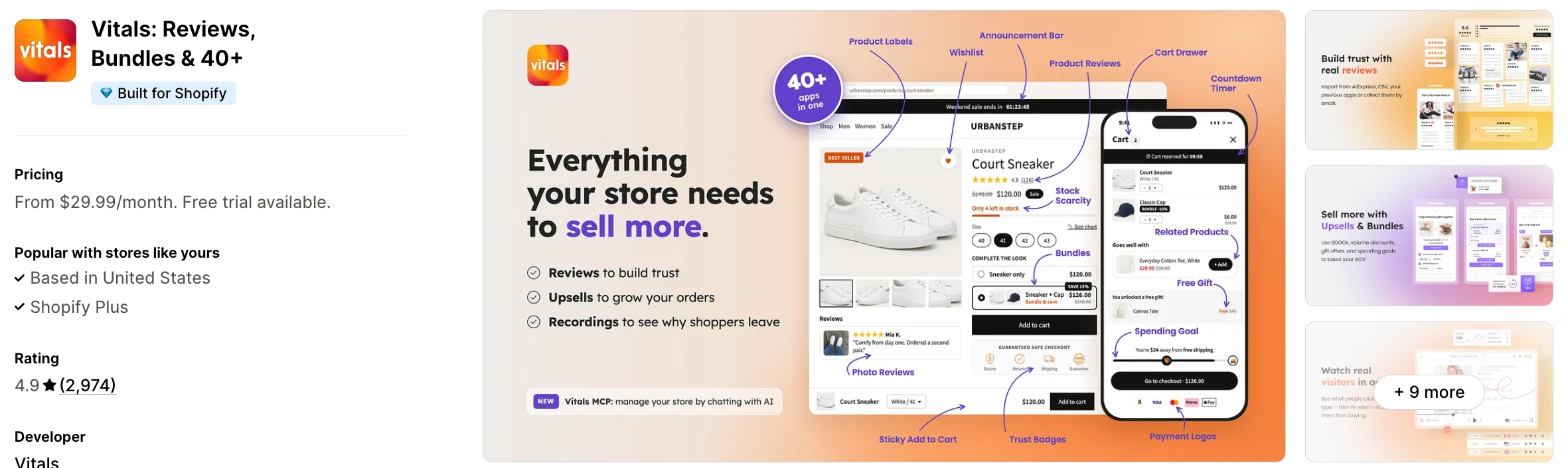
Vitals is an all-in-one Shopify app, and its Visitor Recordings app is one of 40+ apps in one subscription. It makes more sense when you also need reviews, bundles or popups and don't want a separate app for each.
Why I like this app:
I like how the tags point me to the visits worth watching, such as abandoned carts and completed orders, and I can save a filter set as a named view. The heatmaps go further than most, with click, scroll, attention and revenue maps. I had recording running in about 7 to 10 minutes, the quickest of the 7. Claude or ChatGPT can also do everything in Vitals through Vitals MCP, including reading my recordings. But recordings stop at Shopify checkout and last about a month, and I can't export them.
Features:
- Replays at any speed, with idle parts skipped
- Live view of shoppers on your store now
- An AI summary of each visit
- Tags for added to cart, abandoned cart, checkout initiated and order completed
- Filters for date, pages, duration, country, source and landing or exit page
- Saved views for filter sets you use often
- Click, scroll, attention and revenue heatmaps for phones or desktops
- Rage clicks and dead clicks marked on the click map
- Masked typing, a wait for cookie consent and hidden page elements
- A way to leave your own and your team's visits out
- 40+ apps in the same subscription
Pricing: Vitals has one plan, with all 40+ apps included:
- All in one plan: $29.99/month
- Trial: 7 days
Reviews: Vitals has 4.9 stars from 2,974 reviews on the Shopify App Store. Recent reviewers like having many apps together and praise customer support, and one calls the visitor replays priceless for refining their store's experience.
Best for: A store that wants replays and heatmaps in the same subscription as its reviews, bundles and popups.
See Vitals on the Shopify App Store
2. MIDA Replay, Heatmap & Insight
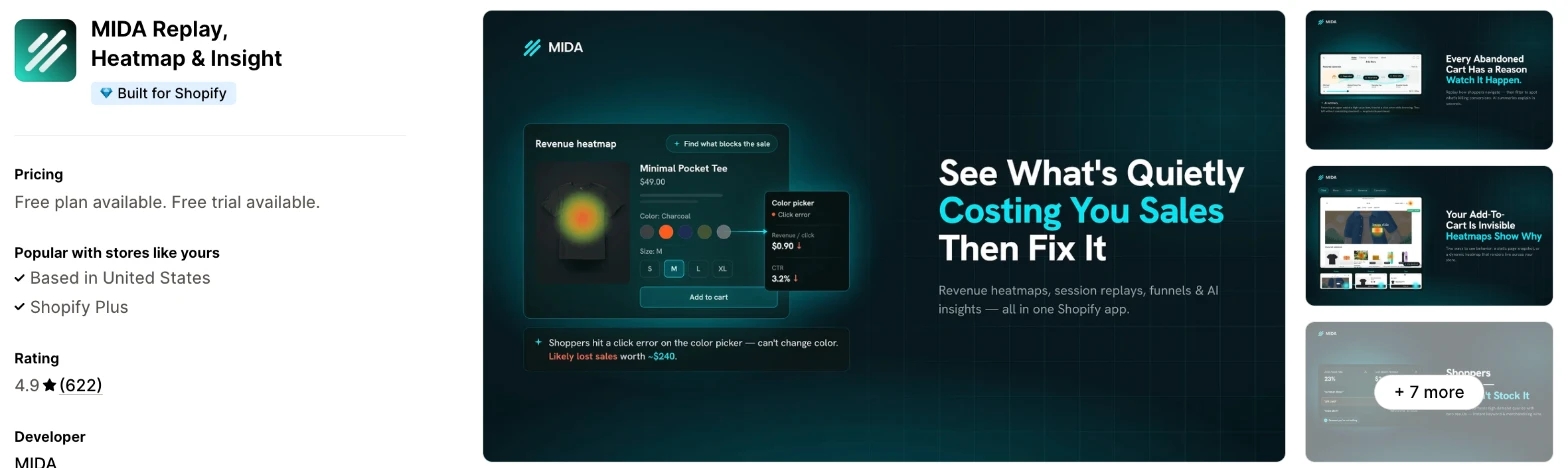
MIDA is a session replay and heatmap app that ties clicks to revenue. Choose it when you want to see which parts of a page earn money and you'd like to start on a free plan.
Why I like this app:
The revenue view is what I noticed first, because Revenue Clicks and conversion heatmaps show which elements lead to sales. Even the free plan includes live replays, unlimited heatmaps and abandoned cart recordings, and setup took me about 10 to 15 minutes. I also found search and error insights, which flag dead searches and broken elements. Reviewers often praise its fast support and its free plan. However, the revenue maps need the $24.90/month Growth plan, and some low-star reviewers say recordings fail or go missing.
Features:
- Live and recorded replays with filters
- Dynamic heatmaps that include hidden elements
- Revenue Clicks and conversion heatmaps on Growth
- AI error and search insights from Basic
- AI summaries of each session
- An AI Assistant as a paid add-on
- Funnels and abandoned cart recordings
- Bot blocking
- API export, bulk heatmap export and MCP on Enterprise
- Checkout recording on Enterprise for Shopify Plus stores
- 20 languages
Pricing: MIDA charges by monthly sessions:
- Free: 250 sessions
- Basic: $9.90/month, 5,000 sessions
- Growth: $24.90/month, 15,000 sessions
- Enterprise: from $44.90/month, 40,000 sessions
- Trial: 7 days on paid plans
The AI Assistant adds $5, $10 or $15/month, depending on the plan. MIDA's docs list extra sessions on Enterprise at $10 per 5,000, and replays last 30 days on the free plan and 60 days on paid plans.
Reviews: MIDA has 4.9 stars from 622 reviews on the Shopify App Store. Recent reviewers call it easy to use and praise its friendly support. Low-star reviewers say it misses sessions or stops working, and one says bot traffic used up the 250 free sessions within minutes.
Best for: A store on a small budget that wants to connect clicks to revenue.
See MIDA on the Shopify App Store
3. Propel Replay, Survey, Heatmap
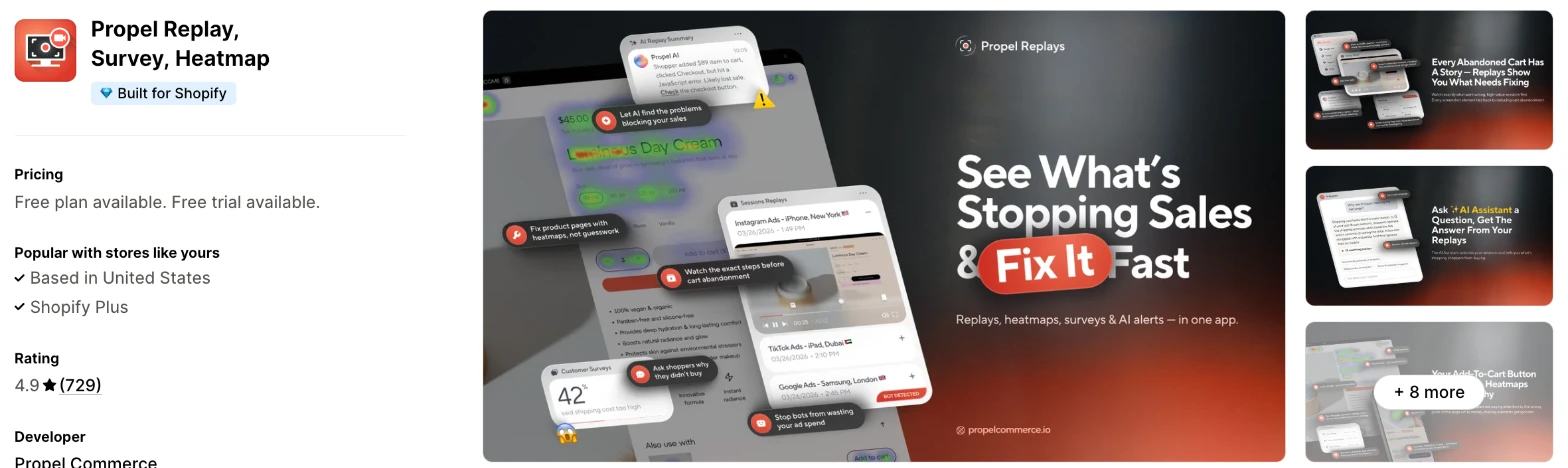
Propel is a session replay app that adds on-site surveys and checks on your ad clicks. It makes more sense when you want to ask shoppers why they didn't buy as well as watch what they did.
Why I like this app:
I found the surveys the main difference here, because I can ask shoppers why they left and then watch visits from the same page. Every paid plan includes unlimited surveys and heatmaps, and Basic starts at $9.90/month. I also liked the ad traffic view, which shows bot and competitor clicks by IP and source. Setup took me about 10 to 15 minutes. The main drawback is the free plan, which stops at 750 pageviews, and 2 older reviewers couldn't find it at install.
Features:
- Live and recorded replays
- Unlimited heatmaps
- On-site surveys, with 1 on the free plan
- AI replay summaries, with 5 to 150 a month by plan
- AI alerts for conversion drops
- An AI Assistant as a paid add-on
- Bot and competitor click checks by IP and source
- Exclusions for IPs and countries
- Google Ads, Meta Ads, Microsoft Ads and TikTok Ads
- Checkout recording on an enterprise plan for Shopify Plus stores
Pricing: Propel charges by monthly pageviews:
- Free: 750 pageviews
- Basic: $9.90/month, 20,000 pageviews
- Plus: $19.90/month, 40,000 pageviews
- Premium: $39.90/month, 80,000 pageviews
- Trial: 7 days on paid plans
Yearly billing saves 25%, and the AI Assistant adds $5, $10 or $15/month. Enterprise plans with checkout recording start at $59.90/month.
Reviews: Propel has 4.9 stars from 729 reviews on the Shopify App Store. Recent reviewers say it shows where visitors get stuck, and they like the dashboard and the team. A long-term merchant left after Propel moved replay deletion from every 7 days to every 30, and Propel admits it should have emailed about the change. Another says it recorded only a fraction of their sessions.
Best for: A store that wants to watch replays and ask shoppers questions on one low-cost plan.
See Propel on the Shopify App Store
4. ReplayPRO: Replays & Heatmaps
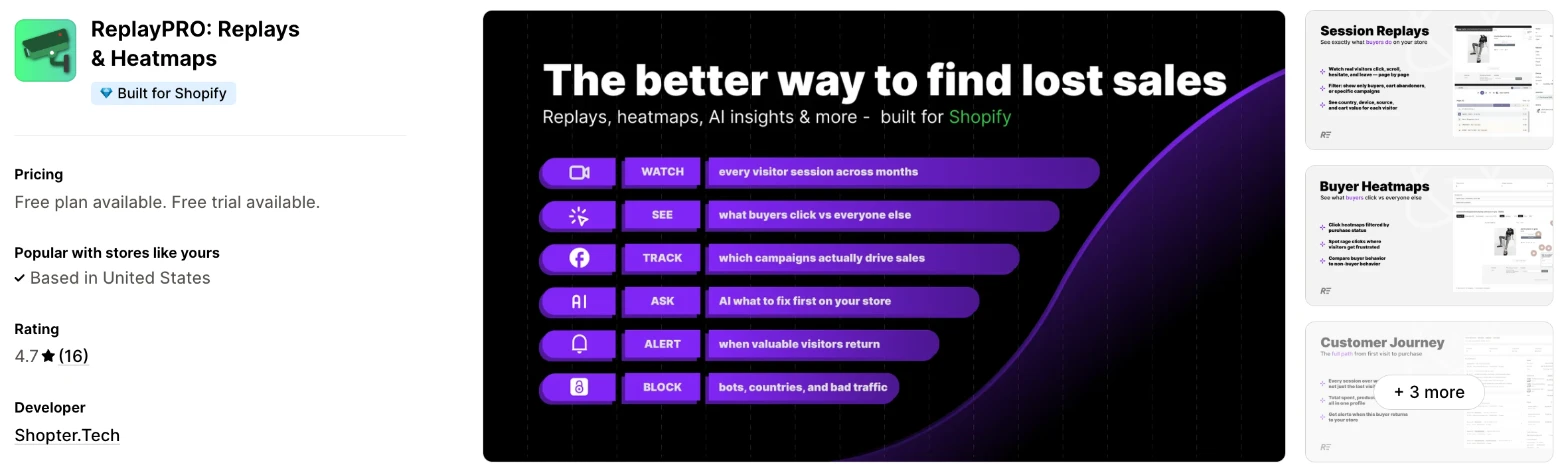
ReplayPRO is a session replay and heatmap app that follows each visitor across all their sessions over months. Choose it when you want to record a lot of traffic on a small budget.
Why I like this app:
The allowance is what I'd pay for here, with 50,000 sessions at $19/month, the most replay sessions for the price that I found. I also like the buyer filter on heatmaps, which shows me what buyers clicked apart from everyone else. It took me about 10 to 15 minutes to start recording. One reviewer found it much better than Lucky Orange for their needs and far cheaper. However, it has only 16 reviews, and its listing names no integrations beyond Checkout and Shopify Admin.
Features:
- Visitor journeys across every session over months
- Click, scroll and rage-click heatmaps
- A heatmap filter for buyers only
- Filters for campaign, UTM, source, country, device, cart and purchase
- AI chat that answers with charts
- Blocks for unwanted visitors
- Alerts when key visitors return
- Funnels and UTM insights on every plan
- Data export and MCP on PRO
Pricing: ReplayPRO charges by monthly sessions:
- Free: 500 sessions
- ENTRY: $9/month, 10,000 sessions, 25 AI questions a day
- PRO: $19/month, 50,000 sessions, unlimited AI questions
- Trial: 7 days on paid plans
PRO keeps recording past its limit and charges $3 per 10,000 extra sessions.
Reviews: ReplayPRO has 4.7 stars from 16 reviews on the Shopify App Store. Recent reviewers praise its value and reliability, and one had a bug fixed very quickly. A 2023 low-star reviewer found the replay screen hard to find, and another reviewer mentions small problems backing out of screens.
Best for: A store with steady traffic and a small budget that wants to record most of its visits.
See ReplayPRO on the Shopify App Store
5. Lucky Orange Heatmaps & Replay
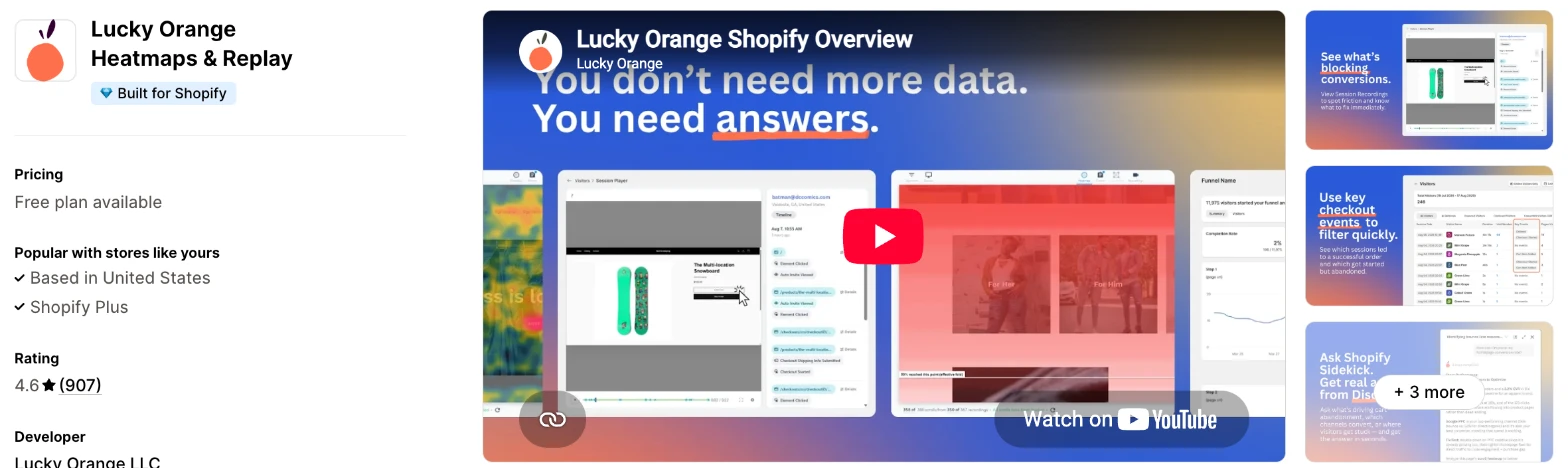
Lucky Orange is a long-running conversion tool that combines replays, heatmaps, funnels and surveys. I'd choose it when you want several research tools in one dashboard and don't mind paying more per session.
Why I like this app:
When I checked the toolset, Lucky Orange went widest, with recordings, heatmaps, funnels, surveys, form analytics and live chat. Its website says every plan includes every feature, so a small plan doesn't lose tools. I can also ask Shopify Sidekick about my visitor and sales data. I had it recording in about 10 to 15 minutes. However, $19/month buys only 500 sessions, and Keep Me Tracking can move an account to a higher plan when it reaches its limit.
Features:
- Session recordings and heatmaps
- Scroll maps and form analytics
- Conversion funnels
- Cart abandonment and checkout drop-off by product and step
- On-site surveys
- Live chat and a live visitor view
- Answers through Shopify Sidekick
- Discovery AI as a paid add-on
- Google Analytics, HubSpot, Optimizely and Zapier
Pricing: Lucky Orange charges by monthly sessions:
- Free: 100 sessions, 30 days of storage
- Launch: $19/month, 500 sessions, 30 days of storage
- Build: $39/month, 3,500 sessions, 60 days of storage
- Grow: $89/month, 10,000 sessions, 60 days of storage
Yearly billing saves 20%, and Discovery AI adds $5, $10 or $20/month. The listing doesn't show a trial, although Lucky Orange's site offers 7 days. Check the Keep Me Tracking setting in your account if you'd rather pause tracking at your limit.
Reviews: Lucky Orange has 4.6 stars from 907 reviews on the Shopify App Store. Recent reviewers say it helped them improve conversions, and one praises a team that spent days fixing a glitch on a free plan. Low-star reviewers say recordings miss parts of a session or play back choppily, and one long-term user sees no reason to pay when Microsoft Clarity is free.
Best for: A team that wants surveys, funnels and form analytics beside its replays and can pay more per session.
See Lucky Orange on the Shopify App Store
6. Plerdy: Heatmap, Replay & A/B
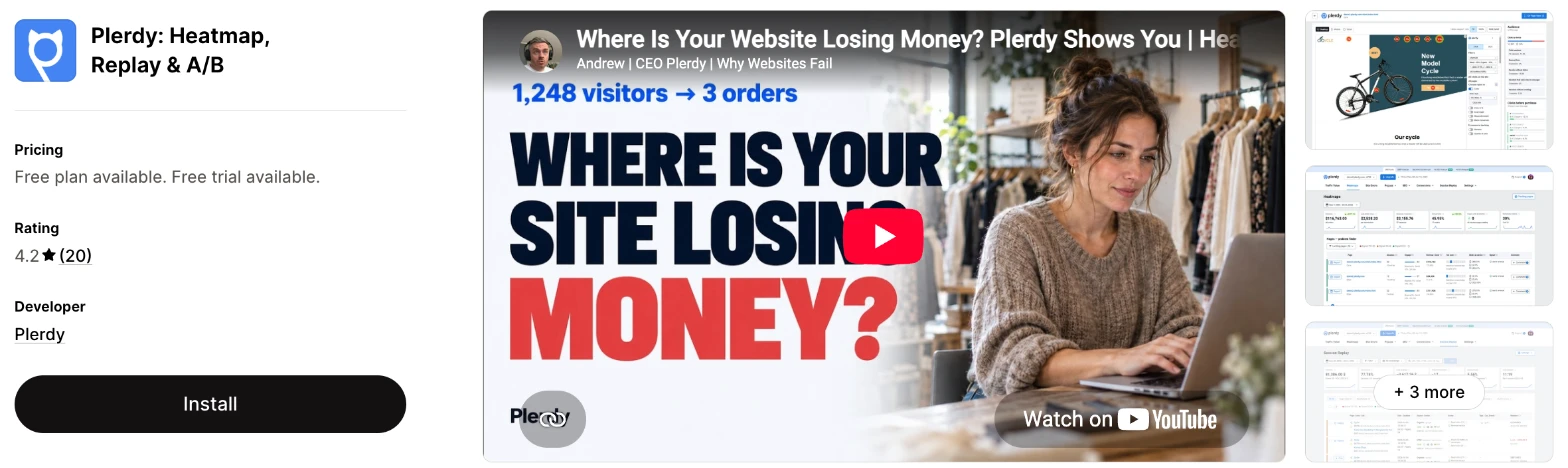
Plerdy is an analytics app that combines heatmaps and replays with popups, SEO checks and A/B tests. It makes more sense when one person handles both conversion and SEO work.
Why I like this app:
I liked the breadth here, with popups and daily SEO checks next to the heatmaps, plus A/B testing that I didn't find on the other listings. The free plan includes A/B testing with unlimited pageviews. Getting it running took me about 10 to 15 minutes. The listing also names Google Search Console, Google Analytics, Mailchimp, ChatGPT and Claude under integrations. The main drawback is cost, at $32/month for 500 daily heatmap pageviews, and its 4.2 rating is the lowest of the 7.
Features:
- Heatmaps for clicks, scroll depth, cursor movement and drop-off
- Session replays
- Popups for emails and offers
- Daily SEO data on titles, descriptions, keywords and pages
- A/B testing
- Ecommerce and conversion tracking
- Google Analytics, Google Search Console and Mailchimp
- ChatGPT and Claude
- 9 languages
Pricing: Plerdy charges by daily pageviews, total recordings and tracked events:
- Free: 100 daily heatmap pageviews, 500 recordings in total
- Startup: $32/month, 500 daily heatmap pageviews, 5,000 recordings in total
- Scale: $64/month, 1,500 daily heatmap pageviews, 10,000 recordings in total
- Thrive: $108/month, 3,000 daily heatmap pageviews, 30,000 recordings in total
- Trial: 14 days on paid plans
Yearly billing saves 35%. The listing says "total" for recordings, so ask Plerdy whether that allowance resets.
Reviews: Plerdy has 4.2 stars from 20 reviews on the Shopify App Store. Its newest reviews, from late 2025 and early 2026, mostly praise fast support. A November 2025 reviewer says they couldn't open the app and got no reply, while Plerdy says it answered earlier requests. Older low-star reviewers saw blank pages, and one found the interface hard to follow.
Best for: A small team that handles SEO and conversion work itself and wants one tool for both.
See Plerdy on the Shopify App Store
7. Statcounter - Heatmap & Replay
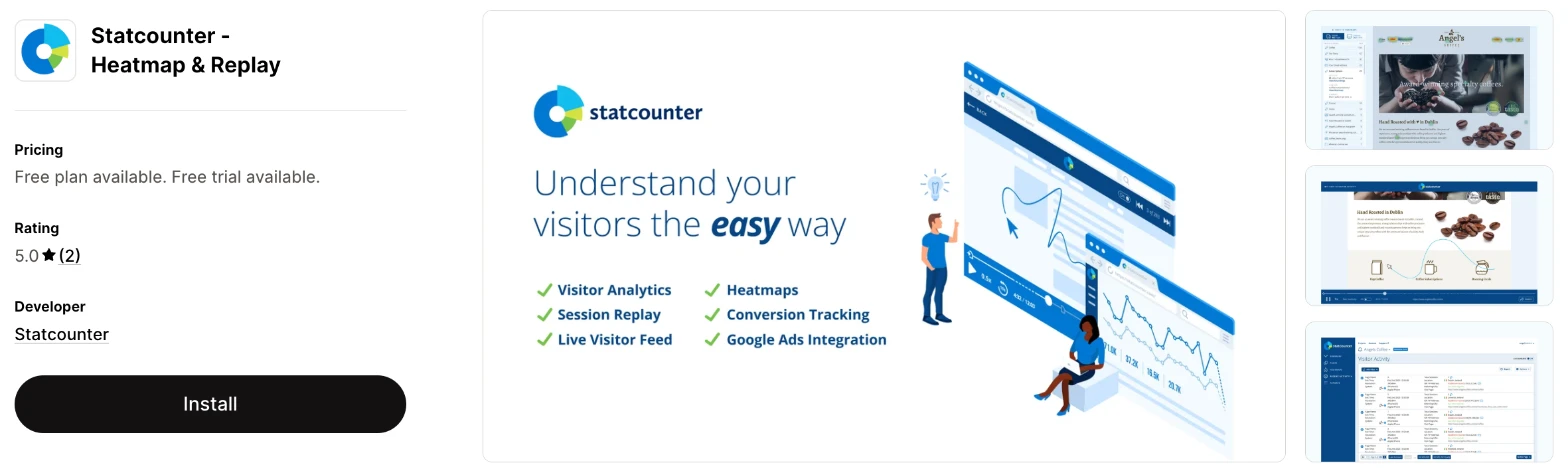
Statcounter is a visitor analytics app with session recordings, heatmaps and a live visitor feed. Choose it when paid traffic is your main concern and you want to look for fake clicks.
Why I like this app:
The Google Ads integration is the feature I'd pick this app for, because it looks for fraudulent clicks and setup issues. I also found a live feed of visitors and a 30-day trial, the longest here. Setup took me about 10 to 15 minutes. One reviewer has used Statcounter for over 5 years to find fake clicks and block those IPs. However, heatmaps need Premium Plus, the plan cards don't mention recordings, and 2 reviews are too few for me to judge its support.
Features:
- Real-time analytics and a live visitor feed
- Session recordings
- Heatmaps on Premium Plus
- Google Ads integration on Premium Plus
- UTM campaign tracking on Premium Plus
- Landing page analysis and conversion tracking on Premium
- Visitor labels and alerts on Premium
- CSV export and API access on Premium
I didn't find any AI features in it.
Pricing: Statcounter charges by a traffic tier, shown as 100K on the listing:
- Free: trend charts, dashboard and live visitor feed
- Premium 100K: $9/month, or $89/year
- Premium Plus 100K: $19/month, or $205/year
- Trial: 30 days on paid plans
Statcounter's pricing page sells recordings as a separate monthly tier and shows different prices in euros, so check your total in the app before you commit.
Reviews: Statcounter has 5.0 stars from 2 reviews on the Shopify App Store. One reviewer uses it across 2 sites with Google Shopping and Bing Ads and praises fast support, and the other says it does what it promises. I didn't find any low-star reviews.
Best for: A store that spends on Google Ads and wants to check for fake clicks beside its visitor data.
See Statcounter on the Shopify App Store
How do you choose the right Shopify heatmap app?
I'd start with the question you need answered, then check the cost at your traffic. I've put each app's rating, starting price and how it charges in this table:
| App | Rating | Starting price | Charges by |
|---|---|---|---|
| Vitals | 4.9 from 2,974 reviews | $29.99/month | One plan |
| MIDA | 4.9 from 622 reviews | Free, then $9.90/month | Sessions |
| Propel | 4.9 from 729 reviews | Free, then $9.90/month | Pageviews |
| ReplayPRO | 4.7 from 16 reviews | Free, then $9/month | Sessions |
| Lucky Orange | 4.6 from 907 reviews | Free, then $19/month | Sessions |
| Plerdy | 4.2 from 20 reviews | Free, then $32/month | Pageviews, recordings and events |
| Statcounter | 5.0 from 2 reviews | Free, then $9/month | Traffic tier |
Your question rules apps out first. Finding out why shoppers leave a cart points to replays with strong filters, such as those on Vitals and ReplayPRO. Asking shoppers directly narrows the list to Propel and Lucky Orange. Connecting clicks to sales points to Vitals, MIDA's Growth plan or ReplayPRO. Write down the first 2 pages you plan to study, then check that the plan you can afford includes what you need.
Recording quality is the next check, because the complaints here are about missing data. Reviewers of MIDA, Propel and Lucky Orange all report sessions that didn't record or play properly. So record your own test order on your phone during the trial, then watch it back in full.
Check page speed across all your apps, because every new one affects it. Vitals handled this differently in my test, because its 40+ apps share one script. I could turn any of them on or off without worrying about my load time. Run your own speed test before you install an app and again after it starts recording.
The rest of your store decides how much connecting you'll need. Propel lists Google, Meta, Microsoft and TikTok Ads, Lucky Orange lists Google Analytics, HubSpot and Zapier, and Plerdy lists Search Console and Mailchimp. Vitals, MIDA and ReplayPRO offer MCP, so you can ask an AI tool about your data, although MIDA and ReplayPRO keep it for their top plans. Check that your ad platforms appear before you rely on a click report.
I found cost depends mainly on what each app counts. At 10,000 sessions a month, ReplayPRO costs $9/month, MIDA costs $24.90/month and Lucky Orange costs $89/month. At 4 pages a session, those visits come to 40,000 pageviews, which fits Propel's $19.90/month plan. Vitals costs $29.99/month and also includes 40+ other apps.
Support draws strong praise in recent reviews, especially on MIDA, ReplayPRO and Plerdy. The sharpest support complaints I found are about Plerdy, from reviewers who say they got no reply. When setup problems came up on my test store, a few customer success teams fixed them within minutes, while others took hours to reply. I'd send a test question during your trial and time the answer.
Choose Vitals if you'd use its other apps as well, and MIDA for a low-cost dedicated app with revenue maps. Choose Propel when you want surveys, ReplayPRO for the largest allowance and Lucky Orange for the widest toolset. Plerdy suits a small team doing SEO too, and Statcounter suits a store worried about Google Ads clicks.
What counts toward a session replay plan limit?
It depends on the app's unit. MIDA, ReplayPRO and Lucky Orange count sessions, Propel counts pageviews and Plerdy counts daily heatmap pageviews and total recordings.
The unit changes what a plan is worth. A shopper who views 5 pages uses 1 session on MIDA and 5 pageviews on Propel. So Propel's 20,000 pageviews at $9.90/month come to 4,000 of those visits, while MIDA's plan at the same price includes 5,000 sessions.
Bots can use up your allowance as well. One MIDA reviewer says bot traffic used up all 250 free sessions within minutes, and a Propel reviewer says their quota ran out with no real visits. MIDA and Propel both list bot tools, and Vitals skips known bots and visits with no clicks, scrolls or taps.
Check what happens at the limit too, because the apps differ. ReplayPRO's PRO plan keeps recording at $3 per 10,000 extra sessions, and Lucky Orange's help centre says Keep Me Tracking moves you to the next plan. Watch your count for the first week so that you can pick the right plan before a sale.
Can session replay apps record Shopify checkout?
Some can, but only on enterprise plans for Shopify Plus stores. MIDA's docs put checkout page recording on Enterprise, and Propel's enterprise plans with checkout recording start at $59.90/month.
Most stores will see checkout as a step in a report instead. Vitals tags visits that reach checkout or complete an order, then stops recording. Lucky Orange tracks drop-off by checkout step, and MIDA and ReplayPRO tag checkout analytics. One MIDA reviewer says the app measures carts and payments but won't show what happens in checkout.
So I'd study your cart page first, because Vitals, MIDA and Propel can all record it without an enterprise plan. Open a checkout report next to see which step loses people, then ask the developer what your plan shows before you pay for an upgrade.
How do you find useful recordings without watching them all?
Filter by what the shopper did, and start with abandoned carts. A store with 10,000 sessions a month can't watch every visit, so the filters matter as much as the recordings.
Vitals has tags for abandoned carts and completed orders, plus named views you can reopen. ReplayPRO filters by campaign, UTM, source, device, cart and purchase, and MIDA keeps advanced filters for its paid plans. Propel scores replays for relevance and sends alerts on conversion drops.
AI summaries can shorten the list, but check the limits. Propel's plans include 5 to 150 summaries a month, and MIDA's docs list 5 on the free plan. ReplayPRO limits ENTRY to 25 AI questions a day. Read a few summaries beside the replays before you rely on them.
What do session replay apps record about your shoppers?
They record behaviour on your pages, and the privacy controls vary. Vitals hides everything shoppers type, can wait for cookie consent before recording and can hide page elements with a CSS selector.
The other listings say less. MIDA, Propel and Plerdy tag GDPR compliance, while I didn't find that tag on ReplayPRO, Lucky Orange or Statcounter. Propel's plans show shopper IPs and customer details, which one 2025 reviewer objected to as more than they needed.
Before you turn recording on, read the app's privacy policy and the data access section of its listing. Then test a form on your own store and check that the replay hides what you typed. Ask your legal adviser about consent for the countries you sell in.
How do you set up your first Shopify heatmap?
I'd start with a heatmap and replays on your best-selling product page, because it has the traffic to show a pattern quickly.
Use these steps with any of the apps:
- Install the app and turn on its app embed in your theme.
- Exclude your own and your team's visits, where the app offers it.
- Check the privacy settings for masked fields and cookie consent.
- Place a test order on your phone, then find your visit in the recordings.
- Choose 1 product page and your cart page to study.
- Filter the replays to abandoned carts on those pages.
- Write down one problem you see more than once.
- Change one thing on the page, then compare the next batch of visits.
Setup took me about 7 to 10 minutes on Vitals and about 10 to 15 minutes on each of the others. Merchants report mixed experiences too. Reviewers call MIDA and Propel easy to use, while Plerdy reviewers say its interface takes time to learn. When one Propel reviewer found the app unreliable, Propel replied that it wasn't enabled in their theme, so check that first if nothing records.
I'd record for 2 weeks before you change a page, so your heatmap reflects more than one busy day.
What changes in unusual situations?
I found the right app can change once your traffic rises, you run more than one store, you need a plan-only feature or you move from another app.
At unusually high or seasonal traffic, the gap between these plans widens. At 100,000 sessions a month, ReplayPRO comes to $34/month with extra sessions. MIDA's Enterprise would come to about $165/month at its listed top-up rate, and Lucky Orange's site starts at $249/month for 50,000 sessions.
With more than one store, check how each app handles it. MIDA tags multi-store reports and Lucky Orange's site charges $5 for each extra website. One Plerdy reviewer uses it on several sites, and Statcounter's reviewer has it on 2. You may need a separate install and plan for each Shopify store, so ask before you assume one bill.
Some features only appear on certain plans. MIDA keeps revenue maps for Growth and MCP for Enterprise, and ReplayPRO keeps MCP and data export for PRO. Statcounter keeps heatmaps for Premium Plus. Vitals includes recordings on its plan.
Moving from another app rarely moves your recordings, and none of the listings mentions importing them. Export anything you need first, because Vitals has no export, while MIDA, ReplayPRO on PRO, Lucky Orange and Statcounter list data or report exports. Turn off the old app's embed when the new one is recording, so you don't run 2 recording scripts.
What are the benefits of a Shopify heatmap app?
A heatmap app shows you why shoppers leave, so you can fix a specific page instead of guessing. The app shows you the problem, and you still need to make the change.
Say 10,000 people visit in a month, 2% buy and your average order is $50. That's 200 orders and $10,000 in sales. If fixing a broken size selector moves your conversion rate to 2.2%, you can make 20 more orders and $1,000 more in sales, against $24.90/month on a plan like MIDA's Growth.
A heatmap also gives you evidence for a page change. For example, a scroll map can show that most phone shoppers never reach your reviews, so moving them up is an easy test to justify. The limit is your time, because recordings only help if someone watches them each week.
Before you install an app, name the page you want to improve and who'll watch the recordings.
What are some ideas for using a Shopify heatmap app?
I'd try the abandoned cart replays first, because each one shows a shopper who nearly bought. These 5 ideas suit different types of store:
- Abandoned cart review: a homeware store watches 10 abandoned carts a week and notes where each shopper stops.
- Phone product page check: a clothing store compares phone and desktop heatmaps to see if shoppers reach the size chart.
- Ad landing page test: a skincare store filters replays by campaign to see how paid visitors behave after they land.
- Dead click hunt: a furniture store looks for rage clicks on images and text that shoppers expect to open.
- Exit survey: a gift shop asks shoppers who leave what stopped them, then watches visits from the same page.
I'd test the abandoned cart review on your whole store first, then run the phone check on your best-selling product.
Which Shopify heatmap app would I start with?
I'd start with Vitals, because its replays and heatmaps come with 40+ other apps in one subscription, so you may be able to remove your separate review or bundle apps as well. Choose MIDA instead when you only want a replay app and would like to start free, or ReplayPRO when you need to record high traffic for less. Install your choice, record your own test order and check your first abandoned carts after a week.
What do merchants often ask about Shopify heatmap apps?
How much does a Shopify heatmap app cost?
Paid plans on these apps start between $9/month and $32/month, and 6 of the 7 have free plans. The top plans on the listings reach $108/month on Plerdy, and Vitals has one plan at $29.99/month, which includes 40+ other apps. The cost changes with your sessions or pageviews, depending on the app.
Does Shopify include heatmap features without an app?
No. Shopify's behaviour reports show a conversion funnel, searches and sessions by landing page and device, and that page doesn't mention heatmaps or session replay. You'd need an app to see where shoppers click or to watch a visit.
Are there free Shopify heatmap apps?
Yes, I found a free plan on 6 of these apps. MIDA's stops at 250 sessions a month, ReplayPRO's at 500 and Lucky Orange's at 100, while Propel's stops at 750 pageviews and Plerdy's at 100 daily heatmap pageviews. Statcounter's free plan lists no heatmaps, and Vitals has a 7-day trial instead. Reviewers also name Microsoft Clarity, a free app with 4.6 stars from 2,492 reviews, which I didn't review here.
Do heatmap apps slow down a store?
One on its own doesn't, in my experience, but a replay app is rarely the only app on a store. Vitals surprised me here. It loads everything from a single app, so I didn't need to worry about load speed. Test any app on your own store before and after you install it.
Should you look at heatmaps or replays first?
Start with heatmaps, because they show you which part of a page has a problem. Then open replays of that page to see what shoppers were trying to do. Vitals links the two directly with a Watch recordings option on each heatmap.