
Best Shopify order tracking apps reviewed in 2026
Order tracking apps give shoppers a page on your own store to check a parcel, so you can answer fewer "where is my order?" emails. All 7 apps here give you a lookup page, so the decision rests on what happens around it: shipping notifications, how many carriers the app tracks and which plan includes delivery estimates.
I installed 7 Shopify order tracking apps on a test store and compared their features, pricing and merchant reviews. Below, you'll find what each one does well, where it falls short and the type of store it suits best.
Which Shopify order tracking apps made my shortlist?
I selected apps with a rating of 4.2 or higher and a new merchant review since September 2025. These 7 order tracking apps made my shortlist:
- Vitals: all-in-one Shopify app with order tracking and 40+ apps in one subscription
- CWILL Order Tracking: the highest rating here, with plans up to 25,000 orders a month
- Track123 Order Tracking: a 50-order free plan and Apple Wallet tracking
- Tracktor Order Tracking: the lowest paid price, with custom order statuses
- AfterShip Order Tracking: email and SMS updates with AI delivery dates
- 17TRACK Order Tracking: the longest carrier list, at 3,300+ carriers
- Postship Order Tracking Upsell: product recommendations on its free plan
How did I review the best Shopify order tracking apps?
I installed each app on a test store, then went through each App Store listing, every plan and the newest and lowest-rated merchant reviews.
I looked at these details for each app:
- Tracking page: what shoppers see and how they look up an order
- Notifications: which emails and text messages the app sends, and on which plan
- Delivery dates: whether it shows an estimate and where the estimate comes from
- Dropshipping: whether it can hide carriers and supplier locations
- Carriers: how many it lists and what reviewers say about accuracy
- AI features: what AI does in each app, such as predicting delivery dates or choosing products
- Integrations: which email, helpdesk and payment tools connect
- Setup: how long each app took me to get a tracking page live
- Design: how much of each tracking page I could change to match my theme
- Speed: whether one tracking app slowed my test store, and how the total grows as a store adds apps
- Pricing: how each app charges, its plan limits and what each plan includes
- Reviews: what the newest and lowest-rated App Store reviews say, including about support
I ranked the list by where I'd start for a typical store, with the all-in-one app first, then the tracking apps in the order I'd try them.
What did I find across these Shopify order tracking apps?
I found 5 main order tracking options across the apps I reviewed. The apps differ on which ones they include, so check which you need before you compare prices:
- Tracking page with order lookup: a page on your store where shoppers enter an order or tracking number. All 7 apps include it.
- Shipping notifications: messages sent as a parcel moves. CWILL, Track123, Tracktor, AfterShip, 17TRACK and Postship include them. Vitals leaves these to Shopify's own emails and adds a link to your page.
- Estimated delivery dates: the day a parcel should arrive. All 7 list them. Vitals and AfterShip's free plan show the carrier's date, CWILL, Track123, Tracktor and 17TRACK keep estimates for paid plans, and Postship tags them as a feature.
- Dropshipping mode: hiding the carrier or supplier locations, such as a parcel's route from China. Vitals, CWILL, Track123 and 17TRACK include it on their lowest plan, Tracktor starts it on Growth and Postship tags carrier masking.
- Product recommendations: products shown on the tracking page. CWILL, Track123, Tracktor and AfterShip keep them for paid plans, and Postship includes them for free.
I also found these differences beyond the main options:
- Reports: Vitals shows average delivery time and the share delivered on time. 17TRACK keeps its transit time, on-time and exception reports for Premium, and AfterShip keeps full analytics for Premium.
- AI features: CWILL and Track123 use AI for product recommendations, and AfterShip uses it for delivery dates and recommendations. Tracktor, 17TRACK and Postship list none. With Vitals MCP, you can do everything in Vitals with Claude or ChatGPT, including setting up the tracking page.
- Carriers: 17TRACK lists 3,300+, Tracktor 1,900+, CWILL 1,600+, Postship 1,400+ and AfterShip 1,100+. Vitals says it tracks most carriers but not some regional ones, and Track123's plans don't give a number.
- Setup: Vitals took me about 7 to 10 minutes, the quickest of the 7. The other 6 each took about 10 to 15 minutes.
- Design: Almost every app was highly responsive, user friendly and customisable on my test store. Vitals takes your theme's header, fonts and colours and has no separate design settings. Tracktor goes furthest, with custom HTML and CSS on Essential.
- Speed: One tracking app didn't hurt my test store's page speed by itself. The total matters more, because a store also needs apps for jobs such as reviews, bundles, discounts, gifts and visitor recordings. Every new app affects page speed, and many stores have 10-15 of them. Vitals surprised me, because its 40+ apps share one script, so it didn't slow down my store and I could turn any app on or off without thinking about load time.
What are the best Shopify order tracking apps?
Vitals is my top pick, because its order tracking comes with 40+ other apps in one subscription. CWILL comes next for stores that want a dedicated tracking app with the highest rating here. The 5 reviews after it suit a small budget, SMS updates, a long carrier list or selling from the tracking page.
1. Vitals
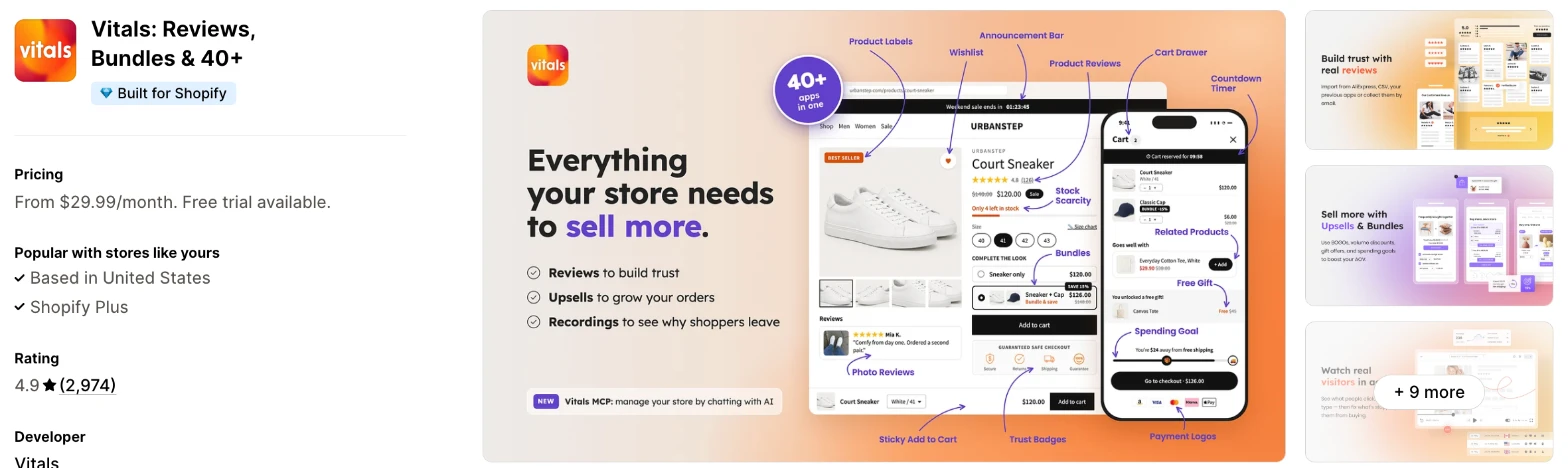
Vitals is an all-in-one Shopify app, and its Order Tracker app is one of 40+ apps in one subscription. It makes more sense when you also need reviews, bundles or email marketing and don't want a separate app for each.
Why I like this app:
I like how little the tracking page asks of me, because it opens inside my theme with no theme edits. Shoppers can find an order by number and email or by tracking number alone, and the Needs attention filter puts exceptions and stalled tracking in one list. Setup took me about 7 to 10 minutes, and it loads from the same script as all 40+ apps. However, it doesn't send shipping emails, and I didn't find SMS or product recommendations on the page.
Features:
- Order lookup by order number and email, or by tracking number
- A four-step timeline with every carrier update, date and location
- The carrier's estimated delivery date, when it gives a reliable one
- Dropshipping mode that hides the carrier name and update locations
- A Track your order link for Shopify's shipping confirmation email
- Editable and translatable labels, buttons and statuses
- A dashboard with parcels tracked, order searches, deliveries and exceptions
- A Needs attention filter for exceptions and stalled tracking
- Average delivery time and on-time delivery rate
- Review requests timed by delivery, through the Product Reviews app
- 40+ apps in the same subscription
I didn't find AI features on the Order Tracker page. With Vitals MCP, I can do everything in Vitals with Claude or ChatGPT.
Pricing: Vitals has one plan, with all 40+ apps included:
- All in one plan: $29.99/month
- Trial: 7 days
Reviews: Vitals has 4.9 stars from 2,974 reviews on the Shopify App Store. Recent reviewers like having many apps together and praise customer support, although the reviews I read don't mention Order Tracker itself. One low-star reviewer says they couldn't reach the team and found glitches, and Vitals replies that its team is on live chat and email every day.
Best for: A store that wants a tracking page included with its reviews, bundles and email marketing.
See Vitals on the Shopify App Store
2. CWILL Order Tracking
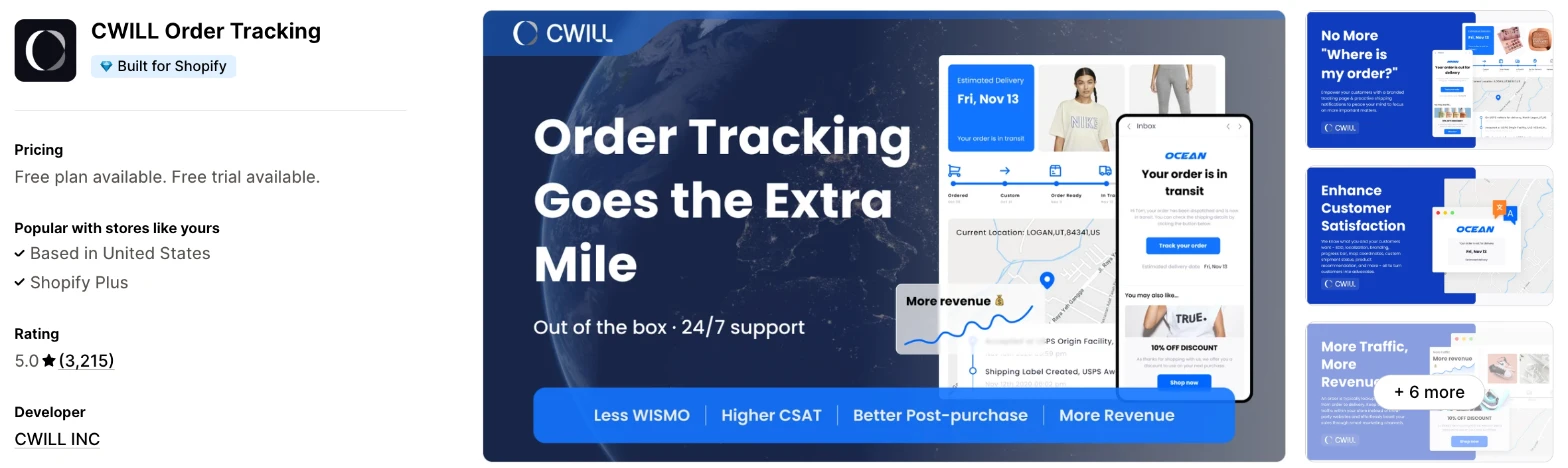
CWILL Order Tracking is a dedicated tracking app, formerly called ParcelPanel and ParcelWILL. Choose it when tracking is the main job and you expect your order volume to grow.
Why I like this app:
When I checked the plans, CWILL went furthest, from 20 free orders a month up to 25,000 on Enterprise, with the same $0.05 for each extra order. Its page can sell too, with discount upsells and AI recommendations on Essential. Setup took me about 10 to 15 minutes. Reviewers often praise support, and one says the team found a script slowing their store within minutes. But the free plan is the smallest here, and low-star reviewers say tracking can fall behind.
Features:
- A branded, localised tracking page on your own domain
- 1,600+ carriers
- Dropshipping mode on the free plan
- Shipping notifications, custom statuses and delivery dates on Essential
- Shipping protection and discount upsells on Essential
- AI product recommendations on Essential
- Pre-purchase delivery dates and auto-translation on Professional
- Klaviyo and PayPal on Professional, plus Gorgias, Judge.me and PageFly on the listing
- CSV and PDF export, API and webhooks on Professional
Pricing: CWILL charges by monthly orders, with $0.05 for each extra order on paid plans:
- Free: 20 orders
- Essential: $11/month, 200 orders
- Professional: $59/month, 2,000 orders
- Enterprise: $479/month, 25,000 orders
- Trial: 7 days
You'll need Professional to remove CWILL's branding. Yearly billing saves 18% to 21%.
Reviews: CWILL has 5.0 stars from 3,215 reviews on the Shopify App Store, the highest rating of the 7. Recent reviewers name the staff who helped with setup and moving from an old tracking app. One low-star reviewer says tracking ran 2 to 3 days behind 17TRACK, and CWILL says it looked into the complaint. Another says the app's status didn't update, and CWILL replies that its audit matched the carrier sites.
Best for: A growing store that wants one dedicated tracking app from its first orders to tens of thousands a month.
See CWILL Order Tracking on the Shopify App Store
3. Track123 Order Tracking
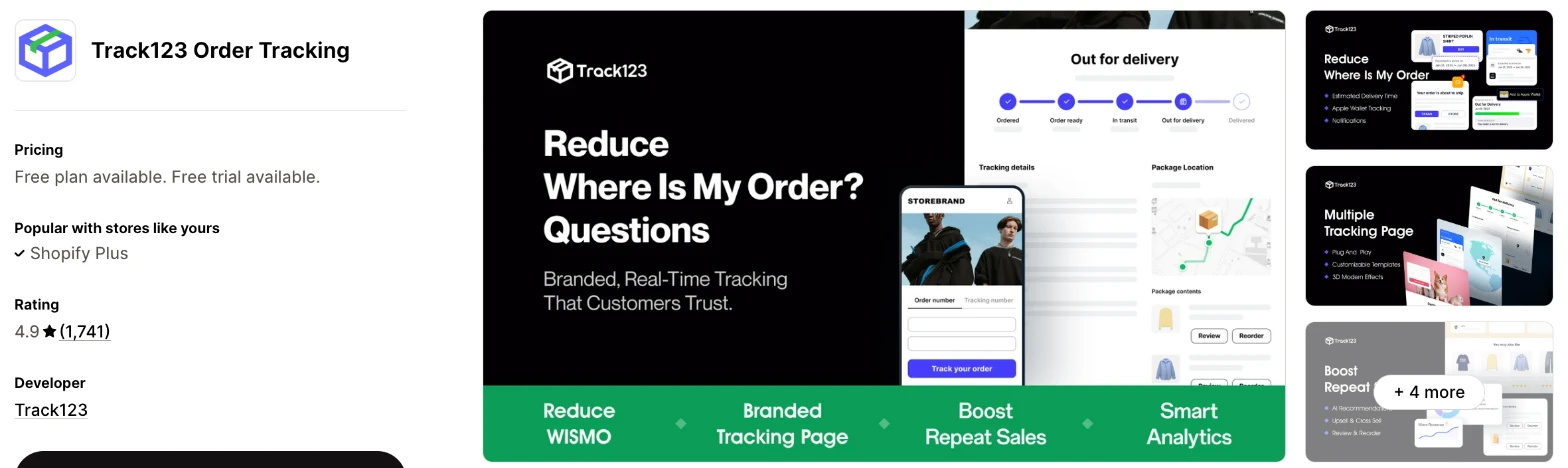
Track123 is a tracking app with map-based pages and an automatic PayPal sync. I'd choose it when you want a useful free plan and a low price for the next step up.
Why I like this app:
The free plan stood out to me, with 50 orders, dropshipping mode and widgets for the order status and customer account pages. Growth adds PayPal and Stripe, custom statuses and Apple Wallet tracking for $9/month, and I didn't find wallet tracking on the others. My setup took about 10 to 15 minutes. One reviewer says it costs less than alternatives and offers more customisation. The main drawback is accuracy, with low-star reviewers reporting a wrong UPS date and statuses that didn't update in the Netherlands.
Features:
- Map-based, multilingual tracking pages
- Dropshipping mode on the free plan
- Order status and customer account page widgets
- Shopify's own emails on the free plan, and custom notifications on Growth
- Product recommendations and Apple Wallet tracking on Growth
- PayPal and Stripe on Growth
- Estimated delivery times and auto-translation on Advanced
- AI product recommendations on Advanced
- Klaviyo, Omnisend, Slack and Gorgias on Advanced
Pricing: Track123 charges by monthly orders, with $0.05 for each extra order on paid plans:
- Starter: free, 50 orders
- Growth: $9/month, 300 orders
- Advanced: $49/month, 2,000 orders
- Trial: 7 days
You'll need Advanced to remove Track123's branding. Yearly billing saves 20% to 22%.
Reviews: Track123 has 4.9 stars from 1,741 reviews on the Shopify App Store. Recent reviewers praise quick, patient support, and one calls it cheaper than alternatives. A low-star reviewer says the app emailed customers about orders they'd received weeks earlier, and another found a UPS date more than a week out for a parcel due that day. Track123 replied to the UPS complaint with an apology.
Best for: A small store that wants to start free, then pay very little for PayPal and Apple Wallet tracking.
See Track123 Order Tracking on the Shopify App Store
4. Tracktor Order Tracking
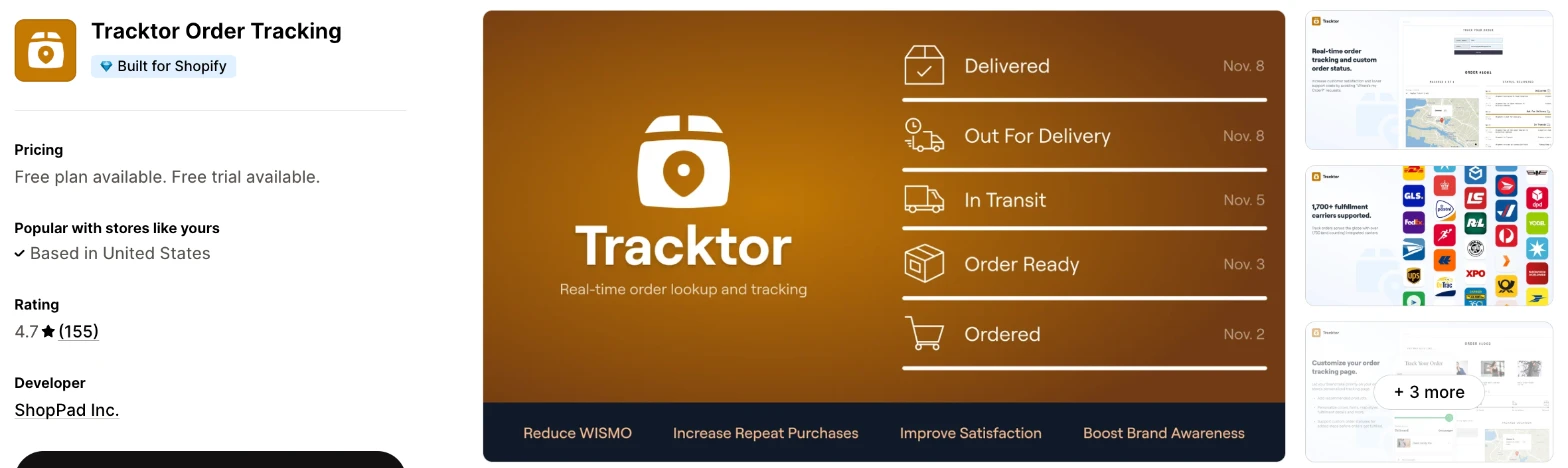
Tracktor is a tracking app from ShopPad with a branded page and custom order statuses. It makes more sense when you want a low price now and control over the page later.
Why I like this app:
I found the lowest paid plan here, at $4.99/month for 200 orders, and the longest trial, at 14 days. Tracktor also goes furthest on the page itself, with custom HTML and CSS and custom statuses before shipment on Essential. It took me about 10 to 15 minutes to get running. Recent reviewers like the branded page and call setup straightforward. However, dropshipping substitutions and delivery dates start on Growth, and older reviewers complain about orders that didn't track.
Features:
- A real-time tracking page in your store
- 1,900+ carriers
- Carrier mapping and fulfilment updates
- Shopify email and SMS notifications on Flex
- Dropship location substitutions on Growth
- Automatic carrier translation and delivery dates on Growth
- Product recommendations on Essential
- Custom HTML and CSS, and custom order statuses on Essential
- Order and fulfilment report CSVs on Essential
- Gorgias, Klaviyo, MESA, Omnisend, OrderlyEmails and Zendesk
I didn't find any AI features in it.
Pricing: Tracktor charges by monthly orders, with $0.05 for each extra order on paid plans:
- Starter: free, 25 orders
- Flex: $4.99/month, 200 orders
- Growth: $8.99/month, 400 orders
- Essential: $49.99/month, 2,000 orders
- Trial: 14 days
You'll need Growth to remove Tracktor's branding.
Reviews: Tracktor has 4.7 stars from 155 reviews on the Shopify App Store. Recent reviewers call it easy to use and praise responsive support. Its newest written low-star review, from November 2025, says orders didn't track properly and the app was slow, and ShopPad offered to look into it.
Best for: A store on a tight budget that wants to control how its tracking page looks and which statuses it shows.
See Tracktor Order Tracking on the Shopify App Store
5. AfterShip Order Tracking
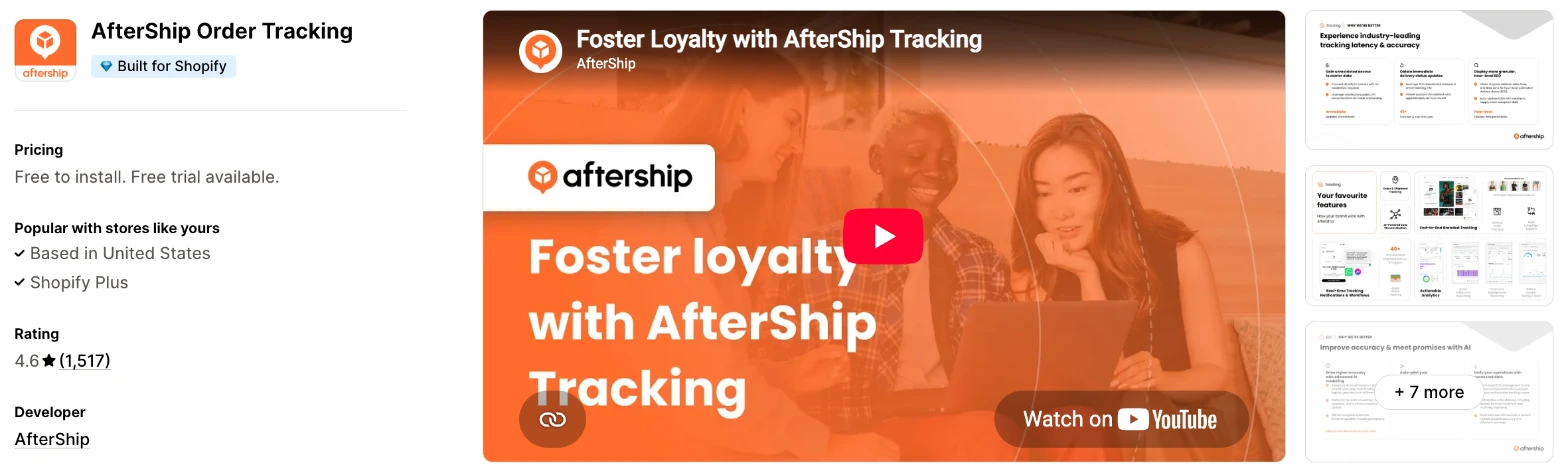
AfterShip is a shipment tracking app with email and SMS updates and AI delivery dates. Choose it when you want those updates from one app and your margins can absorb a higher cost per shipment.
Why I like this app:
AfterShip is the oldest app here, launched in 2012, and its email and SMS notifications start on the $11/month Essentials plan. Premium adds AI delivery dates, recommendations, full analytics and a tracking page on my own domain. I had it running in about 10 to 15 minutes. Reviewers mention hands-on help by chat, demos and Zoom. But quotas are tight, at 100 or 500 shipments before $0.08 or $0.12 each, and I didn't find a dropshipping mode.
Features:
- A branded tracking page and order lookup
- 1,100+ carriers
- Carrier delivery dates on the free plan
- A free first import of up to 500 shipments
- Automatic carrier detection on Essentials
- Email and SMS notifications on Essentials
- AI delivery dates and product recommendations on Premium
- A tracking page on your own domain on Premium
- API and webhooks on Premium
- Attentive, Gorgias, Klaviyo, Loox, ShipStation and Zendesk
Pricing: AfterShip charges by monthly shipments:
- Free: 50 shipments
- Essentials: $11/month, 100 shipments, $0.08 per extra shipment
- Premium: $70/month, 500 shipments, $0.12 per extra shipment
- Trial: 7 days
Paid plans cost $1 for the first month. The listing also links to more pricing options, and yearly billing saves 16% to 18%.
Reviews: AfterShip has 4.6 stars from 1,517 reviews on the Shopify App Store. The newest reviewers mostly thank named support staff. One low-star reviewer says custom domains stopped working and support took 3 months to say the feature had moved to Enterprise. Another says support closed a chat with nothing fixed, and AfterShip says it's reviewing how it closes tickets.
Best for: A store that wants AI delivery dates and SMS updates from its tracking app and ships a modest number of parcels each month.
See AfterShip Order Tracking on the Shopify App Store
6. 17TRACK Order Tracking
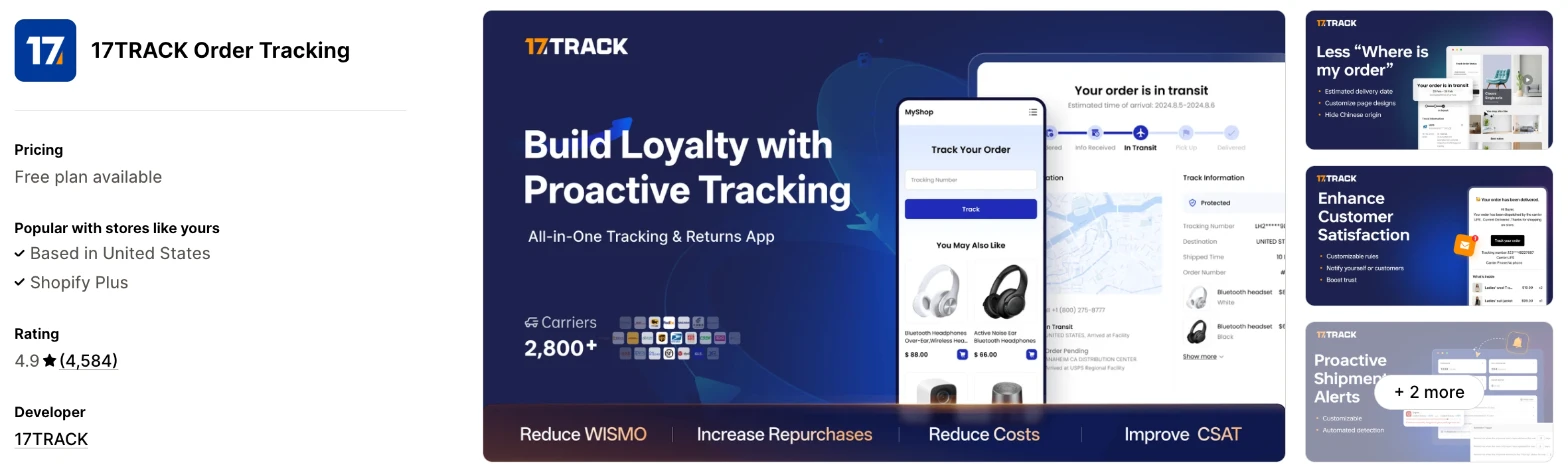
17TRACK is a tracking app with the longest carrier list here. I'd choose it when your parcels pass through many carriers and you need them all on one page.
Why I like this app:
The carrier list is the longest I found, at 3,300+, and the free plan already includes PayPal and dropshipping mode. Recent reviewers like its clean page and quick support, and it has the most reviews of the 7. Getting it live took me about 10 to 15 minutes. But I didn't find SMS, recommendations or a free trial on the listing. Two reviewers in late October 2026 also report tampering on their stores, which I couldn't confirm, so ask 17TRACK about that before you install.
Features:
- A branded tracking page and order lookup
- 3,300+ carriers
- PayPal and dropshipping mode on the free plan
- Custom shipment alerts on the free plan
- Email notifications and tracking number redirection on Basic
- Multilingual pages and emails on Pro
- Delivery dates and shipment export on Pro
- Transit time, on-time and exception reports on Premium
- Custom email triggers and split order emails on Premium
- Judge.me, Klaviyo, Loox, Omnisend and Trustpilot
I didn't find any AI features in it.
Pricing: 17TRACK charges by monthly shipments:
- Free: 50 shipments
- Basic: $9/month, 200 shipments
- Pro: $49/month, 1,000 shipments
- Premium: $159/month, 2,000 shipments
You'll need Pro to remove 17TRACK's branding, and yearly billing saves 20%. I didn't find a free trial or a charge for extra shipments on the listing.
Reviews: 17TRACK has 4.9 stars from 4,584 reviews on the Shopify App Store, the most of the 7. Recent reviewers call it easy to use and praise quick support. One low-star reviewer says malicious code reached their site in what they call an alleged hack, and says 10 of 20 orders in their own test showed no results. Another says it sent customers the supplier's tracking page.
Best for: A store that ships with many different carriers and wants the longest carrier list.
See 17TRACK Order Tracking on the Shopify App Store
7. Postship Order Tracking Upsell
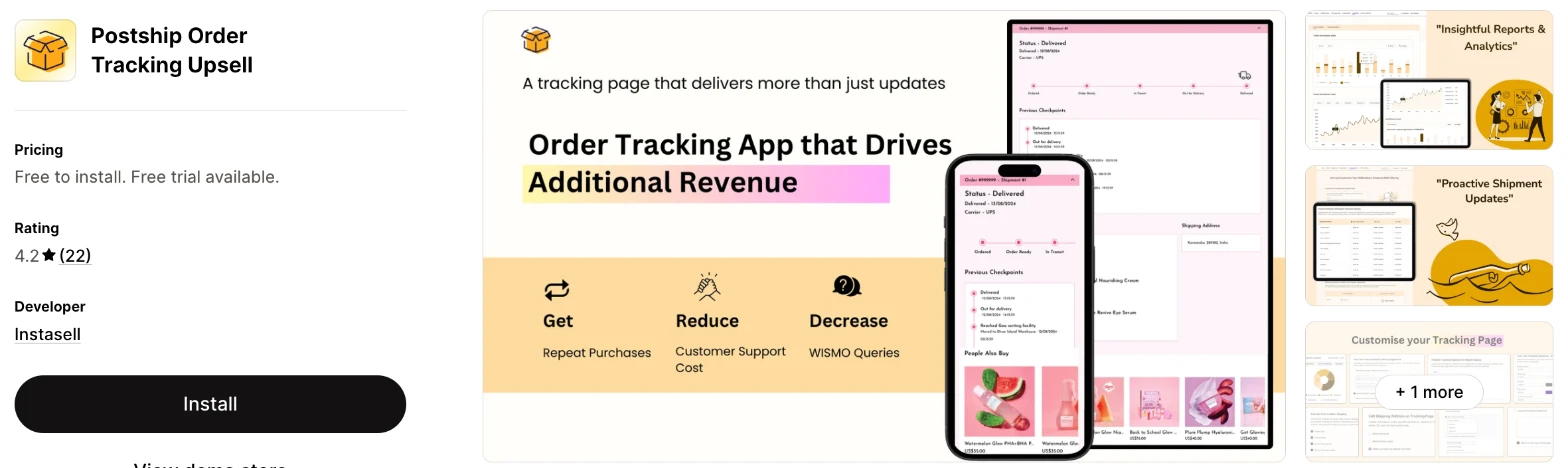
Postship is a tracking app from Instasell that focuses on selling from the tracking page. It makes more sense when you want recommendations on that page without paying for a plan.
Why I like this app:
Postship puts its effort into sales, and I found product recommendations on the free plan, where the other apps charge for them. Its $39/month Premium plan also allows up to 3,000 orders, the most for the price here. Setup took about 10 to 15 minutes here too. The listing also tags carrier masking and SMS. However, it has only 22 reviews, the newest from September 2025, and 5 low-star reviewers say the app isn't as free as they expected.
Features:
- A branded tracking page and order lookup
- 1,400+ carriers
- Product recommendations on the free plan
- Branded shipping notifications on the free plan
- Klaviyo, Attentive and Google Analytics on paid plans
- PayPal and Stripe on paid plans
- Judge.me, Fera, Loox and Fairing on paid plans
- Shipping analytics
- 24/7 live chat and email support
I didn't find any AI features in it.
Pricing: Postship charges by monthly orders, with $5 for each extra 100 orders:
- Free: 100 orders
- Basic: $7/month, up to 300 orders
- Premium: $39/month, up to 3,000 orders
- Trial: 7 days
Yearly billing saves 18% to 21%.
Reviews: Postship has 4.2 stars from 22 reviews on the Shopify App Store, the lowest rating and the fewest reviews of the 7. Reviewers from 2024 and 2025 call it easy to install and good-looking. Low-star reviewers object to fees behind the free label, one says tracking showed products in the wrong currency, and another says emails didn't send.
Best for: A small store that wants to test product recommendations on its tracking page for free.
See Postship Order Tracking Upsell on the Shopify App Store
How do you choose the right Shopify order tracking app?
I'd start with the carriers you ship with and the notifications you need, then check the cost at your order volume. I've put each app's rating, starting price and how it charges in this table:
| App | Rating | Starting price | Charges by |
|---|---|---|---|
| Vitals | 4.9 from 2,974 reviews | $29.99/month | One plan |
| CWILL | 5.0 from 3,215 reviews | Free, then $11/month | Orders |
| Track123 | 4.9 from 1,741 reviews | Free, then $9/month | Orders |
| Tracktor | 4.7 from 155 reviews | Free, then $4.99/month | Orders |
| AfterShip | 4.6 from 1,517 reviews | Free, then $11/month | Shipments |
| 17TRACK | 4.9 from 4,584 reviews | Free, then $9/month | Shipments |
| Postship | 4.2 from 22 reviews | Free, then $7/month | Orders |
Features rule apps out first. All 7 give you a tracking page, but SMS drops 17TRACK and Vitals, and a dropshipping mode drops AfterShip. Vitals and 17TRACK also don't list product recommendations on the tracking page. Write down the 3 features you'd miss most, then check which plan includes each one.
Design comes next, because this page carries your brand while a shopper waits for a parcel. Vitals takes its look from your theme with no separate settings, which keeps it simple but limits your control. Tracktor's Essential plan adds custom HTML and CSS, while one 17TRACK reviewer couldn't add a welcome message to the page. Preview the page on your phone and desktop before you link to it.
Your other tools decide how much connecting you'll do. Klaviyo appears on all 7 listings or plans, although CWILL keeps it for Professional and Track123 for Advanced. Gorgias connects to CWILL, Track123, Tracktor and AfterShip. For PayPal, CWILL, Track123, 17TRACK and Postship list an integration, and I didn't find one on Vitals, Tracktor or AfterShip.
I found cost depends mainly on how quickly you pass each plan's quota. At 1,000 orders a month, Tracktor comes to about $39, Postship $39 and Track123 about $44, while AfterShip reaches about $83. Vitals has one plan, at $29.99/month, which makes sense only when you'd use its other apps. On a cheaper plan, check what's missing, such as branding removal on CWILL's Essential or estimated delivery times on Track123's Growth.
Support varied on my test store, where a few customer success teams fixed setup problems within minutes and others took hours to reply. Recent reviewers of CWILL, Track123 and AfterShip praise support strongly and often name the person who helped them. The sharpest complaints I found are about delays on AfterShip and bot-like replies on Track123. I'd send a test question during your trial and time the reply.
Choose Vitals if you'd use its other apps as well, and CWILL for a dedicated app that can grow with you. Choose Track123 for a low-cost start with PayPal, and Tracktor for the lowest price and the most control over the page. AfterShip suits stores that want AI delivery dates and SMS, 17TRACK suits stores with many carriers and Postship suits a free test of product recommendations.
What counts toward an order tracking plan limit?
Most of these apps count every order or shipment they sync, whether or not a shopper opens the tracking page. So your bill follows your sales, and page visits don't affect it.
An AfterShip reviewer warns about exactly this, saying every order counts whether or not the customer opens the page. Tracktor told a reviewer in 2021 that nearly all orders count, apart from exceptions such as Shopify POS and test orders.
At 1,000 orders a month, I worked out these monthly costs from the listings:
- Tracktor: $38.99 on Growth, with 600 extra orders
- Postship: $39 on Premium
- Track123: $44 on Growth, with 700 extra orders
- 17TRACK: $49 on Pro
- CWILL: $51 on Essential, with 800 extra orders
- AfterShip: $83 on Essentials, with 900 extra shipments
The cheapest plan isn't always the one to pick, because extra orders don't add a higher plan's features. CWILL's Professional plan costs $8 more at that volume and adds Klaviyo and PayPal. Check how your app treats split shipments and cancelled orders before you compare.
How do you send shoppers to your tracking page instead of the carrier's?
Change the link in your shipping confirmation email, because Shopify's default link can send shoppers to the carrier's site. The method differs by app.
17TRACK lists tracking number redirection on its Basic plan, and CWILL, Track123, Tracktor, AfterShip and Postship all tag a custom tracking link. Vitals keeps Shopify's carrier links and gives you a snippet that adds a Track your order link to the email. That link opens your page with the order number filled in.
Add your tracking page to your store menu as well, for shoppers who've lost the email. Then place a test order, fulfil it with a real tracking number and click every link in the email.
How do you hide supplier locations when you dropship?
Turn on the app's dropshipping mode, then test it with a real supplier shipment. Vitals hides the carrier name and every update's location. CWILL, Track123 and 17TRACK offer a dropshipping mode that hides China information, and all 3 include it on their free plans.
Tracktor handles this differently, with location substitutions on its $8.99/month Growth plan. Postship tags carrier masking, and I didn't find a dropshipping mode on AfterShip's listing.
The mode doesn't catch everything, according to reviewers. One CWILL reviewer says customers saw a tracking link from China, and one 17TRACK reviewer says the app sent customers the supplier's tracking page. So check the page, your emails and any link in them, because a supplier's own tracking number can reveal the origin too.
How accurate is the tracking in these apps?
Reviewers report gaps on most of these apps, so test your own carriers before you choose. A high rating won't tell you how an app handles the carriers you use.
The same 2 apps show why. A CWILL reviewer says tracking ran 2 to 3 days behind 17TRACK, while a 17TRACK reviewer moved to CWILL after 10 of 20 orders showed no results, mostly with FedEx. CWILL also told one critic that its audit found its statuses matched the carrier sites, so a late update can start with the carrier.
Track123 and Tracktor have similar complaints, including a wrong UPS date on Track123 and a merchant who says only 24 of more than 200 orders reached Tracktor. Pull 20 recent orders during your trial and compare each app's status with the carrier's site.
How do you set up your first Shopify tracking page?
I'd start with one tracking page linked from your shipping email, because that's where shoppers look first.
Use these steps with any of the apps:
- Install the app and wait for your recent orders to sync.
- Check that your carriers appear correctly on recent shipments.
- Add your logo and colours, or check that the page matches your theme.
- Add the tracking page to your store menu.
- Point your shipping confirmation email to the page.
- Turn on dropshipping mode, if your parcels come from a supplier.
- Place a test order, then look it up by order number and tracking number.
- Open the page and the email on your phone.
Setup took me about 7 to 10 minutes on Vitals and about 10 to 15 minutes on the others.
Merchants mostly report an easy start. Reviewers call setup straightforward on Tracktor and easy on Postship, and a 17TRACK reviewer was happy within 24 hours. One Postship reviewer had a different experience, with no emails sending and a sender change that wouldn't confirm.
I'd leave the page live for 2 to 4 weeks before you change anything, so you can compare your "where is my order?" emails across a full delivery cycle.
What changes in unusual situations?
I found the right app can change once your orders spike, you sell in more markets, you need a plan-only feature or you move from another app.
At unusually high or seasonal volumes, watch the charge for extra orders. CWILL, Track123 and Tracktor charge $0.05 per extra order, Postship charges $5 per 100 and AfterShip charges up to $0.12 per shipment. CWILL's Enterprise plan reaches 25,000 orders at $479/month. Vitals has no usage charges.
Selling in more markets makes languages and local carriers matter more. CWILL's listing names 21 languages, 17TRACK's 19, Vitals' 15, Track123's 14 and AfterShip's 5, while Tracktor and Postship name only English. 17TRACK keeps multilingual pages for Pro, and CWILL keeps auto-translation for Professional. Local carriers vary too, as one Dutch reviewer found on Track123 and one Malaysian reviewer found on Tracktor in 2021.
Some features only appear on certain plans. AfterShip keeps a tracking page on your own domain for Premium, and one reviewer says custom domains moved to Enterprise for them. Removing the app's branding takes Professional on CWILL, Advanced on Track123, Pro on 17TRACK and Growth on Tracktor.
Moving from another app needs more planning, because old links in sent emails may stop working. AfterShip includes a free first import of up to 500 shipments, while Vitals doesn't import past orders, although shoppers can still find them by tracking number. One 17TRACK reviewer says it syncs only the past 180 days, which limits warranty lookups. A reviewer on CWILL's listing also says TrackingMore is retiring its Shopify app and moving merchants to CWILL, so check your current app's plans first.
What are the benefits of a Shopify order tracking app?
A tracking app gives shoppers their own answer to "where is my order?", which can take those emails off your support queue. The main saving is staff time, and it only appears when shoppers can find the page.
Say you ship 1,000 orders a month and 1 in 10 shoppers emails to ask about a parcel. That's 100 emails, and if the page answers half of them at 3 minutes each, you save 2.5 hours a month. Compare that time with the app's cost, such as about $51/month on CWILL at that volume.
A tracking page also brings shoppers back to your store after they've paid, which is where product recommendations and discount upsells appear on CWILL, Track123, Tracktor, AfterShip and Postship. The limit is timing, because someone checking a late parcel may not want to shop.
Before you install an app, count your "where is my order?" emails for a month, so you have a number to compare against.
What are some ideas for using a Shopify order tracking app?
I'd try the shipping email link first, because it puts the page in front of every shopper who has an order on the way. These 5 ideas suit different types of store:
- Shipping email link: a clothing store points its shipping confirmation email to the tracking page.
- Delay alerts: a homeware store checks stalled parcels each morning and contacts those shoppers first.
- Page upsell: a skincare store recommends a refill on the tracking page.
- Dropshipping mode: a gadget store hides its supplier's locations from the tracking timeline.
- Pre-shipment status: a made-to-order furniture store adds custom statuses such as "in production".
I'd test the email link across your whole store first, then add a recommendation to the page once you've seen how many shoppers visit it.
Which Shopify order tracking app would I start with?
I'd start with Vitals, because its tracking page comes with 40+ other apps in one subscription, so you may be able to remove your separate review or bundle apps as well. Choose CWILL instead when you only want tracking and expect high volumes, or Track123 when you'd like to start free. Install your choice, link it from your shipping email and compare your support emails after a month.
What do merchants often ask about Shopify order tracking apps?
How much does a Shopify order tracking app cost?
Paid plans on these apps start between $4.99/month and $29.99/month, and every app except Vitals has a free plan. The top plan I could see reaches $479/month on CWILL. The cost changes with your orders or shipments, and most apps charge for each one above your quota.
Does Shopify include order tracking without an app?
Yes. Shopify's order status page shows tracking once you add a tracking number, and customers receive shipping emails and can use the Shop app. An app makes more sense when you want a lookup page in your store menu, a dropshipping mode or product recommendations.
Are there free Shopify order tracking apps?
Yes, I found a free plan on 6 of these apps. Postship's stops at 100 orders a month, Track123's at 50 orders, AfterShip's and 17TRACK's at 50 shipments, Tracktor's at 25 orders and CWILL's at 20 orders. Vitals has no free plan, though it has a 7-day free trial.
Do order tracking apps slow down a store?
One tracking app on its own didn't slow down my test store, but the total can add up, because every new app affects page speed and many stores have 10-15. I didn't need to worry about load speed on Vitals, because everything loads from a single app. One CWILL reviewer found an unused shipping protection script slowing their store, and support told them which app embed to turn off. Test your store's speed before and after you install any app.
Can an order tracking app send SMS updates?
Yes, some can. AfterShip includes email and SMS on Essentials, and Tracktor includes Shopify email and SMS notifications on Flex. CWILL, Track123 and Postship tag SMS on their listings, while I didn't find it on 17TRACK or Vitals. Check what each text costs before you turn it on.
Which order tracking apps connect to PayPal?
CWILL, Track123, 17TRACK and Postship list a PayPal integration. 17TRACK includes it on its free plan, Track123 on Growth, Postship on Basic and CWILL on Professional. I didn't find one on Vitals, Tracktor or AfterShip.