
Best Shopify page builder apps reviewed in 2026
Page builder apps are a common way to publish landing and product pages without paying a developer each time. All 8 apps here can build product pages, but only 6 also make landing pages, home pages and designed blog posts. AI limits and A/B testing vary even more.
I installed 8 Shopify page builder apps on a test store and compared their features, pricing and merchant reviews. Below, you'll find what each one does well, where it falls short and the type of store it suits best.
Which Shopify page builder apps made my shortlist?
I selected apps with a rating of 4.8 or higher and a new merchant review within the last 12 months. These 8 page builder apps made my shortlist:
- Theme Sections & Page Builder: a free app with 40+ theme sections and AI product pages
- Vitals: all-in-one Shopify app with AI product pages and 40+ apps in one subscription
- EComposer Landing Page Builder: 400+ templates and 30+ add-ons from $25/month
- Omnise AI Page Builder: the lowest paid price, with A/B testing on every paid plan
- Instant AI Page Builder: unlimited landing pages and Figma import
- Fudge AI Store & Page Builder: pages and theme changes made by chat
- Shogun Landing Page Builder: reusable content and scheduling for marketing teams
- AfterShip Page Builder: a plain drag-and-drop editor with no AI
How did I review the best Shopify page builder apps?
I installed each app on a test store, then went through each App Store listing, every plan and the newest and lowest-rated merchant reviews.
I looked at these details for each app:
- Page types: which pages it can build, such as product, landing, home and blog pages
- Editor: whether you work in the Shopify theme editor, the app's own editor or a chat
- Templates and sections: how many it offers and what you can reuse
- Testing and reports: whether it runs A/B tests and what it reports on each page
- AI features: what AI does in each app and how much of it each plan includes
- Integrations: which review, email and subscription apps it works with
- Setup: how long each app took me to get a page live
- Speed: whether one more app slows a store that already needs many
- Pricing: how each app charges, its plan limits and what each plan includes
- Reviews: what the newest and lowest-rated App Store reviews say, including about support
I ranked the list by where I'd start for a typical store, with the free app first and the all-in-one app second, then the dedicated builders in the order I'd try them.
Theme Sections & Page Builder is a part of Square Apps, the company I write for. I've noted its limitations too.
What did I find across these Shopify page builder apps?
I found 5 main page options across the apps I reviewed. The apps differ on which ones they include, so check which you need before you compare prices:
- Product pages: a full page for one product, with copy, images and sections. All 8 apps include them, and Theme Sections & Page Builder and Vitals generate them with AI from a single product.
- Landing pages: a standalone page for an ad or a promotion. EComposer, Omnise, Instant, Fudge, Shogun and AfterShip include them.
- Home pages: a full home page design. EComposer, Omnise, Instant, Fudge, Shogun and AfterShip include them, and Theme Sections & Page Builder adds sections to your existing home page.
- Blog posts: designed articles beyond Shopify's standard blog layout. EComposer, Omnise, Instant, Fudge, Shogun and AfterShip include them.
- Theme sections: blocks you can add to any template, such as an FAQ or a carousel. Theme Sections & Page Builder offers 40+, Instant allows 10 to 50 by plan, and EComposer, Omnise, Fudge and Shogun list them. Vitals builds its AI pages from its own sections.
I also found these differences beyond the main options:
- A/B testing: Omnise includes it on every paid plan, EComposer from $49/month and Instant from $99/month. Shogun keeps it in a separate app, and I didn't find it on Theme Sections & Page Builder, Vitals or AfterShip. Fudge tags testing without naming A/B tests.
- Reports: EComposer and Shogun add page analytics on their first paid plans, and AfterShip has one dashboard for visitors and add-to-carts. Fudge runs SEO, AEO and CRO audits, even on its free plan.
- AI features: Vitals generates 300 pages per billing cycle, and Theme Sections & Page Builder generates 5 pages every 30 days. EComposer, Instant and Fudge use credits, and Omnise uses usage tiers. Shogun tags AI generation with no detail, and I didn't find any on AfterShip. With Vitals MCP, you can do everything in Vitals with Claude or ChatGPT, including building pages.
- Sales tools: Vitals has 40+ other apps in one subscription, EComposer has 30+ add-ons and Instant has a custom cart drawer from $99/month.
- Setup: Theme Sections & Page Builder took me about 7 to 10 minutes, the least of the 8, and the other 7 took about 10 to 15 minutes each.
- Design: Theme Sections & Page Builder and Vitals work in the Shopify theme editor. Fudge works from a chat, and the other 5 use their own visual editors, with the most templates on Instant (800+) and EComposer (400+).
- Speed: A single page builder on its own didn't hurt my page speed, and Theme Sections & Page Builder is the fastest when a page builder is all you need.
What are the best Shopify page builder apps?
Theme Sections & Page Builder is my top pick, because it's free. Vitals comes next for stores that want AI product pages along with 40+ other apps. The 6 reviews after it suit stores that need landing pages, A/B testing, chat-based edits or a marketing team's workflow.
1. Theme Sections & Page Builder
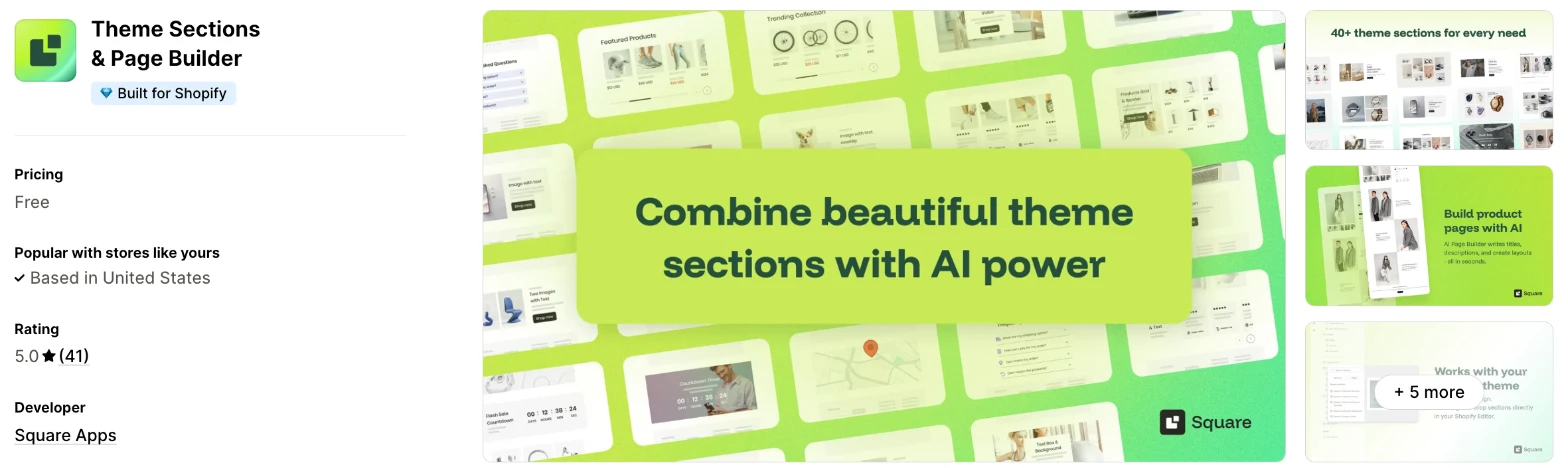
Theme Sections & Page Builder is a section library and AI product page generator that works inside your Shopify theme editor. Choose it when you want better product pages and more sections with no monthly fee.
Why I like this app:
I like that the sections and AI pages both work inside the Shopify theme editor, so I had no second editor to learn. The AI builder turned one product into a full product page, in my choice of language and tone. Setup took me about 7 to 10 minutes, the quickest of the 8. One reviewer got their store ready for traffic in under an hour. However, I only get 5 AI pages every 30 days, one at a time, and I didn't find landing pages or A/B testing.
Features:
- 40+ theme sections for product, home and collection pages
- Carousels, banners, testimonials, countdowns and FAQs
- An AI generator that builds a full product page from one product
- Page copy in English, Spanish, French or German
- A choice of tones, such as Friendly, Professional or Bold
- Previews in the Shopify theme editor before you publish
- Global sections and global styles
- Translation of generated pages through Shopify's Translate & Adapt
Pricing: Theme Sections & Page Builder is free:
- Free: all sections and 5 AI pages every 30 days
The listing shows no paid plan. The AI generator needs a supported theme and a published product with 3 or more images and a description.
Reviews: Theme Sections & Page Builder has 5.0 stars from 41 reviews on the Shopify App Store, with no lower ratings. Recent reviewers call it easy to use. One merchant's product images got mixed up after they edited them in the wrong place, and support fixed it and sent a video.
Best for: A store on a supported theme that wants AI product pages and extra sections at no cost.
See Theme Sections & Page Builder on the Shopify App Store
2. Vitals
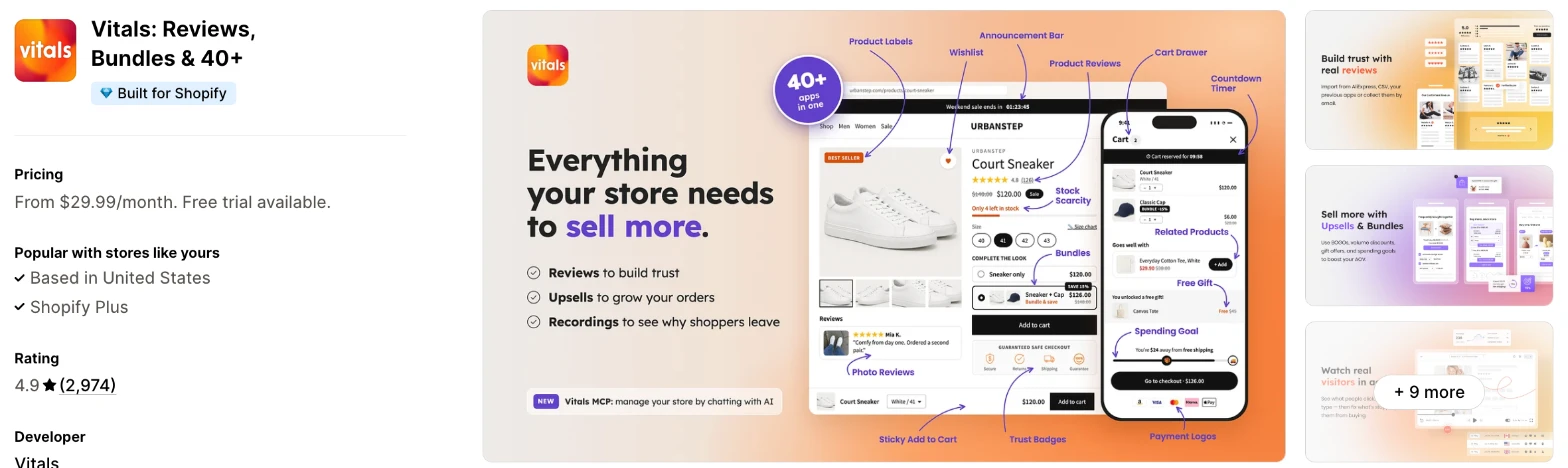
Vitals is an all-in-one Shopify app, and its AI Page Builder app is one of 40+ apps in one subscription. It makes more sense when you also need reviews, bundles or upsells and don't want a separate app for each.
Why I like this app:
I found the AI Page Builder goes furthest on volume, with 300 pages per billing cycle. It writes the copy, benefits and FAQ answers, adds trust badges and can start from a pasted AliExpress or Amazon link. I also had 7 designs to choose from. Setup took me about 10 to 15 minutes. But it only builds product pages, and theme editor changes apply to every product using the same template.
Features:
- Full product pages generated from one product
- Products imported from an AliExpress or Amazon link, with AliExpress ratings
- Rewritten titles and descriptions
- A tagline, key benefits, FAQ answers and trust badges
- 7 designs: Classic, Origin, Delicate, Modern, Minimal, Joyful and Essential
- Page copy in your store's language or another you pick
- Previews in the theme editor, then one-click publishing
- A list of generated pages to publish later
- Product Reviews, Upsell Builder and Countdown Timer apps in the same subscription
- 40+ apps in the same subscription
Pricing: Vitals has one plan, with all 40+ apps included:
- All in one plan: $29.99/month
- Trial: 7 days
The plan includes 300 page generations per billing cycle, and your theme needs to be Online Store 2.0.
Reviews: Vitals has 4.9 stars from 2,974 reviews on the Shopify App Store. Recent reviewers like having many apps together and praise customer support. One low-star reviewer says they couldn't reach the team and found glitches, and Vitals replied with an apology.
Best for: A store testing many products that wants a full page for each one, along with reviews and upsells in one subscription.
See Vitals on the Shopify App Store
3. EComposer Landing Page Builder
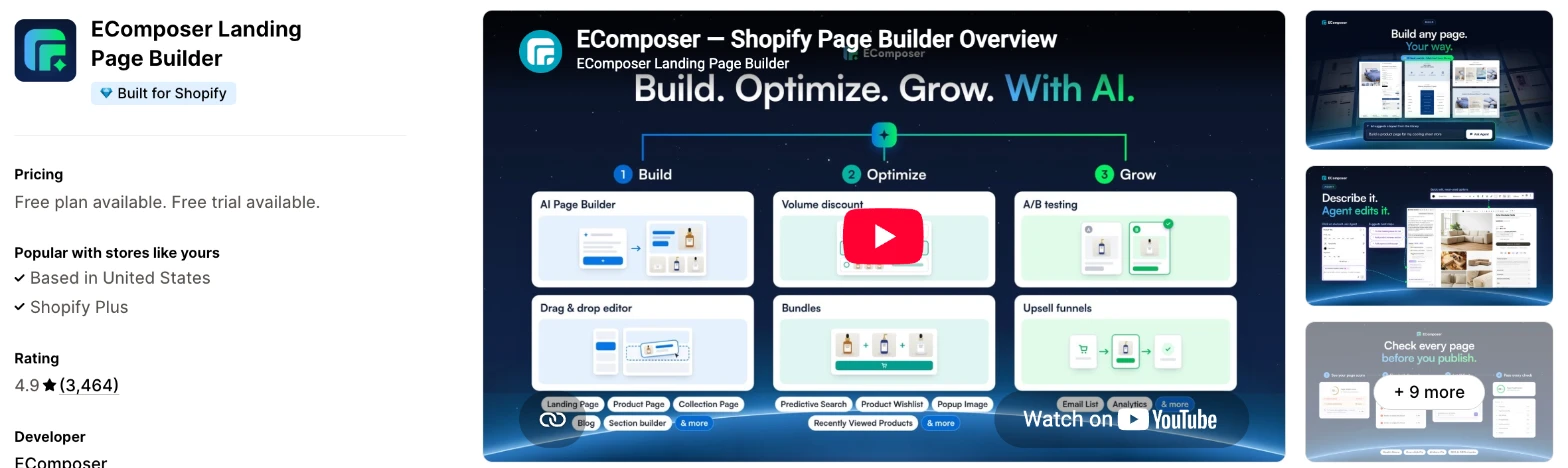
EComposer is a drag-and-drop page builder with AI tools, templates and built-in sales add-ons. I'd choose it when you want one editor for nearly every page in your store, including cart and 404 pages.
Why I like this app:
When I checked the page types, EComposer covered almost everything, from landing and collection pages to cart, footer and 404 pages. The 400+ templates gave me plenty to start from, and its 30+ add-ons include upsells, popups and wishlists. I had my first page live in about 10 to 15 minutes. Reviewers often name Luna and Jade in support. However, A/B testing starts at $49/month, and recent low-star reviewers report images dropping off live pages and bugs in version 3.0.
Features:
- Landing, home, product, collection, blog, cart, footer and 404 pages
- A drag-and-drop editor with theme sections
- 400+ templates
- AI layouts, images, content and search optimisation
- 30+ add-ons, including cross-sell, upsell, popup, back in stock and wishlist
- A/B testing and page analytics
- Global blocks and Shopify Markets support
- Klaviyo, Loox, Yotpo, Judge.me, Omnisend, Stamped, Appstle and more
Pricing: EComposer charges by live pages and AI credits:
- Free: 1 live page or section, 5 saved templates, 50 AI credits
- Standard: $25/month, 15 live pages, 200 AI credits
- Pro: $49/month, 50 live pages, 800 AI credits
- Premium: $129/month, unlimited pages, 2,000 AI credits
- Trial: 7 days
Pro is the first plan with A/B testing, global blocks and the full set of 29+ CRO extensions. Yearly billing saves 20% to 24%.
Reviews: EComposer has 4.9 stars from 3,464 reviews on the Shopify App Store, the most of the 8. Recent reviewers praise patient support, and one built a jewellery store alone. A low-star reviewer says images kept dropping off live pages and a floating icon appeared on every page, and EComposer apologised.
Best for: A store that wants to design nearly every page itself and add sales tools from the same app.
See EComposer on the Shopify App Store
4. Omnise AI Page Builder
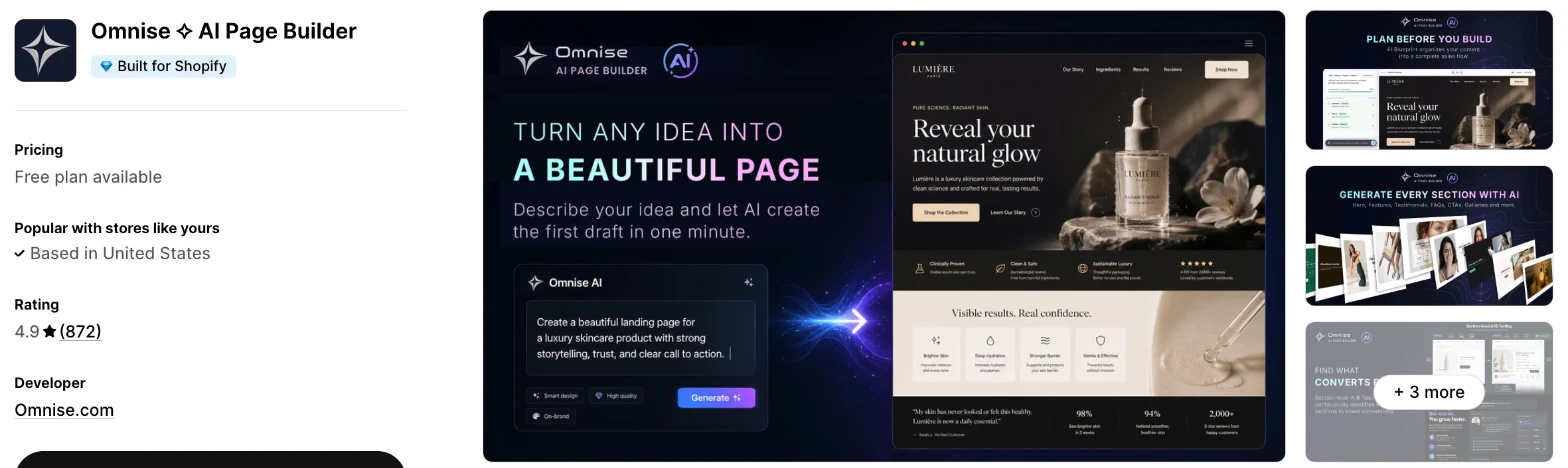
Omnise, formerly Beae, is an AI page builder that generates pages from a prompt and then opens them in a visual editor. It makes more sense when you run a few important pages and want to test them on a small budget.
Why I like this app:
The prompt is where Omnise starts. I describe a page and it generates sections, images and copy for me to edit visually. AI Blueprint plans the page flow first, and the $19.99/month plan is the cheapest paid plan here with section-level A/B testing already included. My first page took about 10 to 15 minutes to set up. But that plan has only 3 published slots, and one low-star reviewer says they couldn't edit their pages after cancelling.
Features:
- Pages, sections, images and content generated from one prompt
- AI Blueprint for planning a page before you build it
- A no-code drag-and-drop editor
- Landing, home, product, collection, blog and cart pages
- Section-level A/B testing on every paid plan
- Global sections, global styles and page versions
- Klaviyo, Loox, Yotpo, Judge.me, Okendo, Recharge, Bundler and more
Pricing: Omnise charges by published slots and AI usage:
- Free: 1 published slot with a watermark, 10 draft pages
- Start: $19.99/month, 3 published slots
- Pro: $39.99/month, 10 published slots
- Max: $79.99/month, 25 published slots
Yearly billing saves 20%. The listing names AI usage tiers without saying what each tier includes, and I didn't find a free trial on the listing.
Reviews: Omnise has 4.9 stars from 872 reviews on the Shopify App Store. Recent reviewers often name the person in support who helped them, including Thomas, Dave and Eddy. A May 2026 low-star reviewer says an update caused serious problems with their pages and Google rankings.
Best for: A small team with a few key landing pages that wants A/B testing at the lowest monthly price.
See Omnise on the Shopify App Store
5. Instant AI Page Builder
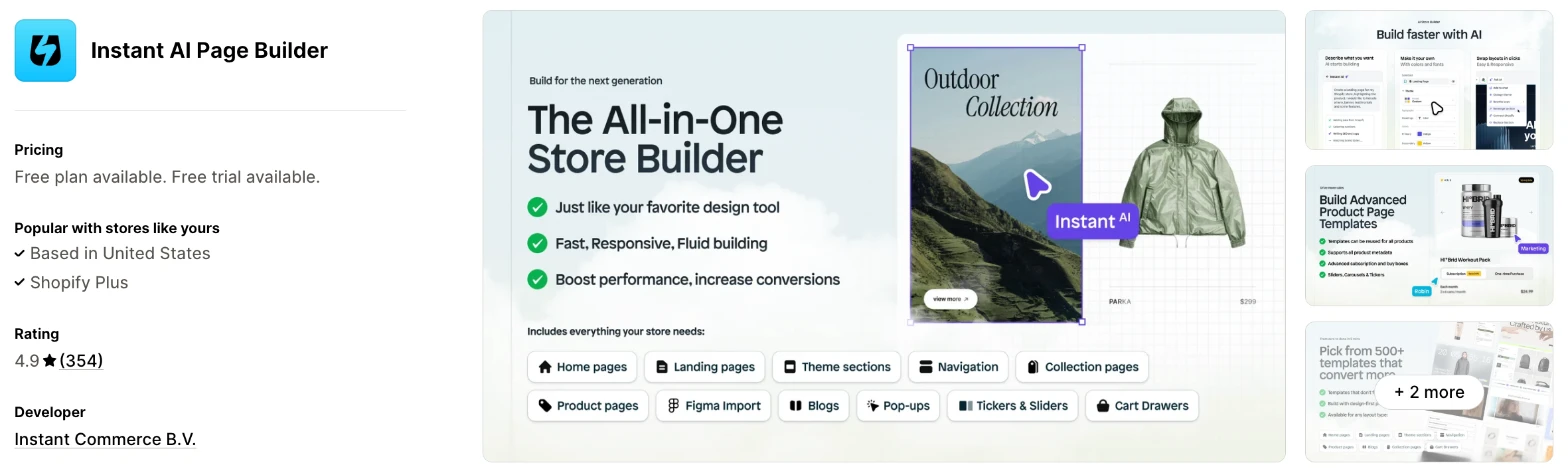
Instant is a no-code canvas where AI builds a first draft and you finish it by dragging and dropping. Choose it when you publish many landing pages or your designers already work in Figma.
Why I like this app:
With a canvas, AI first drafts and Figma import, Instant reminded me most of a design tool. Every paid plan has unlimited landing pages, and its 800+ templates are the most I found here. Getting it running took me about 10 to 15 minutes. Recent reviewers like the AI copy and images, and one built a whole store in a day. The main drawback is the template limit, with 3 product or collection templates at $39/month, while A/B testing and the cart drawer start at $99/month.
Features:
- A canvas editor with AI first drafts
- Figma import through a plugin
- 800+ templates
- Home, product, landing and blog pages, plus popups and navigation
- A custom cart drawer with upsells, rewards and countdowns
- Product pages with metadata, subscriptions and bundles
- A/B tests that track revenue, click-through rate and order value
- Judge.me, Stamped, Yotpo, Loox, Kaching Bundles, Klaviyo, Omnisend and Recharge
Pricing: Instant charges by theme sections, templates and AI credits, with unlimited landing pages on every paid plan:
- Developer: free, for development stores only
- Starter: $39/month, 10 theme sections, 3 product or collection templates, 1,000 AI credits
- Pro: $99/month, 20 theme sections, 5 templates, 4,000 AI credits, 10,000 A/B test sessions
- Business: $249/month, 50 theme sections, 10 templates, 10,000 AI credits, 100,000 A/B test sessions
- Trial: 7 days on Starter
Yearly billing saves 20%. A live store needs a paid plan.
Reviews: Instant has 4.9 stars from 354 reviews on the Shopify App Store. Recent reviewers praise support, and one says Jay goes in and does the work for you. I didn't find a low-star review that describes a problem with the builder itself.
Best for: A brand or agency that publishes a steady flow of landing pages, often from Figma designs.
See Instant on the Shopify App Store
6. Fudge AI Store & Page Builder
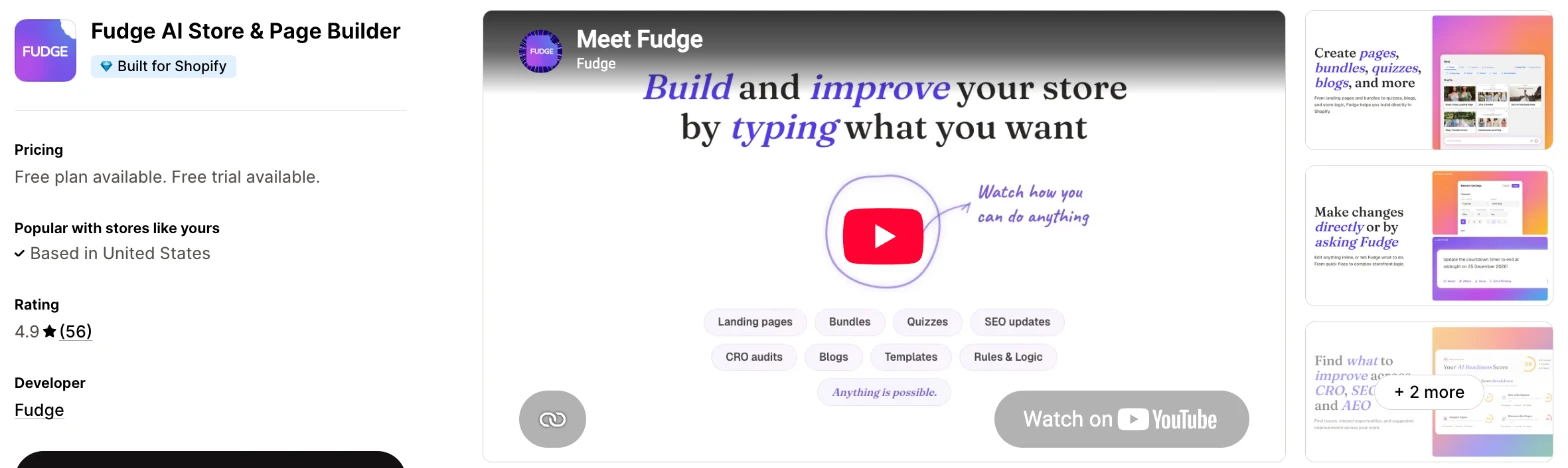
Fudge is an AI agent that builds pages and changes your store from typed requests. I'd choose it when you have no developer and want edits that go beyond a page, such as a change to your theme.
Why I like this app:
Typing is the main way I'd work here, because I ask for a page, a quiz or a theme change and Fudge makes the edit in draft. It can change Liquid, CSS and JavaScript, which goes beyond the other builders. The SEO, AEO and CRO audits are free, so I could read its suggestions before paying. I was set up in about 10 to 15 minutes. However, the free plan can't build anything, and one reviewer says it falls short on very specific designs.
Features:
- Landing pages, blogs, quizzes, product pages, bundles and sections from prompts
- Direct edits or typed requests
- Theme code changes in Liquid, CSS and JavaScript
- Draft mode for every update, so you can test before you publish
- SEO, AEO and CRO audits with suggestions
- Answers that use your store, brand and installed apps
- Bulk editing and bulk publishing
Pricing: Fudge charges by credits:
- Free: audits, questions and ideas, with no building
- Launch: $25/month, 100,000 credits, for stores with under $2k revenue
- Starter: $79/month, 100,000 credits, email support
- Pro: $349/month, 555,000 credits, live chat
- Trial: 7 days on Launch, 5 days on Starter and Pro
The listing calls Launch a limited-time offer, and yearly billing saves 20% on Starter and Pro. It doesn't say how many credits a page uses, so watch your balance during the trial.
Reviews: Fudge has 4.9 stars from 56 reviews on the Shopify App Store, the fewest of the 8, and no 1 or 2 star ratings. One recent reviewer replaced app widgets with faster ones built in Fudge. Another praises the support but wishes the agent ran faster.
Best for: A store with no developer that wants pages and theme fixes made by typed request.
See Fudge on the Shopify App Store
7. Shogun Landing Page Builder
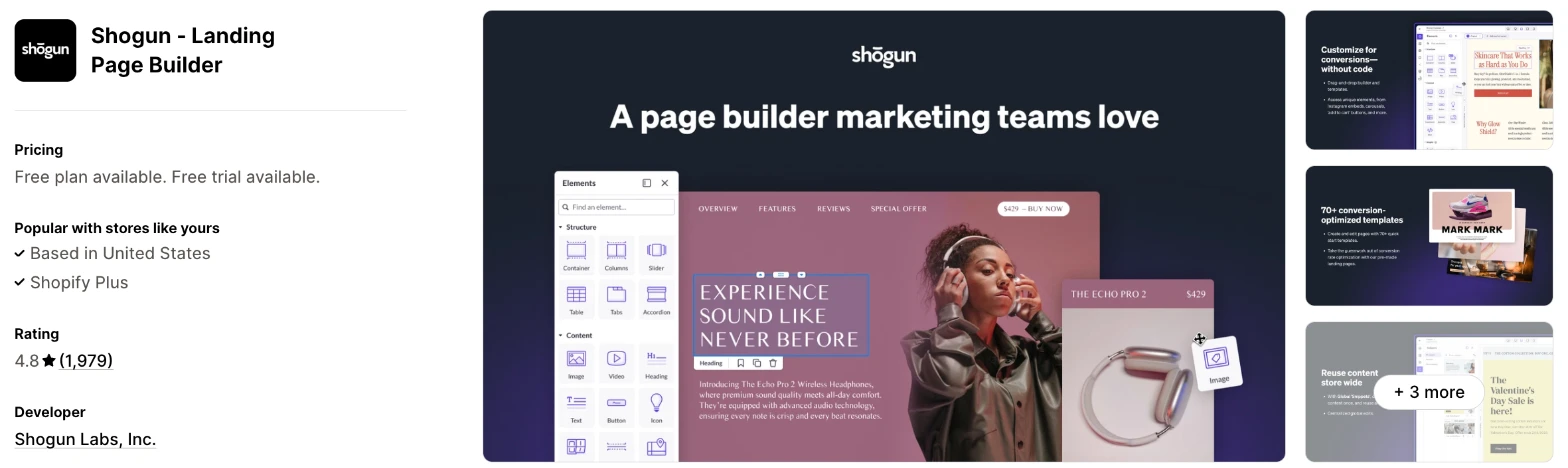
Shogun is a visual page editor for product, collection, home, blog and landing pages, with reusable snippets and sections. It makes more sense when a marketing team publishes often and needs scheduling or more than one store in sync.
Why I like this app:
I'd look at Shogun for its reuse features, because snippets and reusable sections mean I don't rebuild the same content. The higher plans add scheduling, global sections and syncing between stores. It launched in 2015, the earliest of these 8, and long-term reviewers still praise Sweetan and Andre in support. I spent about 10 to 15 minutes on setup. The main drawback is the jump from $39/month to $199/month for unlimited pages, and A/B testing needs a separate app.
Features:
- Product, collection, home, blog and landing pages
- A theme sections editor
- 70+ templates
- Elements such as sliders, video, countdowns and product tabs
- Snippets and reusable content sections
- Content scheduling and global sections on Grow
- Content syncing and custom CMS collections on Advanced
- Adobe Typekit, Google Analytics, Instagram, Klaviyo, Yotpo and YouTube
Pricing: Shogun charges by published pages and features:
- Draft Mode: free, draft pages with no publishing
- Build: $39/month, 25 published pages, page analytics
- Grow: $199/month, unlimited published pages, scheduling, global sections
- Advanced: $499/month, content syncing, custom CMS collections, custom code
- Trial: 10 days
Yearly billing saves 20% to 21%.
Reviews: Shogun has 4.8 stars from 1,979 reviews on the Shopify App Store. Recent reviewers praise support, including one who got a list of their pages because the app has no such report. Low-star reviewers from 2025 say its code is hard to remove and its template files stay after you uninstall.
Best for: A marketing team that publishes often and reuses the same content across pages or stores.
See Shogun on the Shopify App Store
8. AfterShip Page Builder
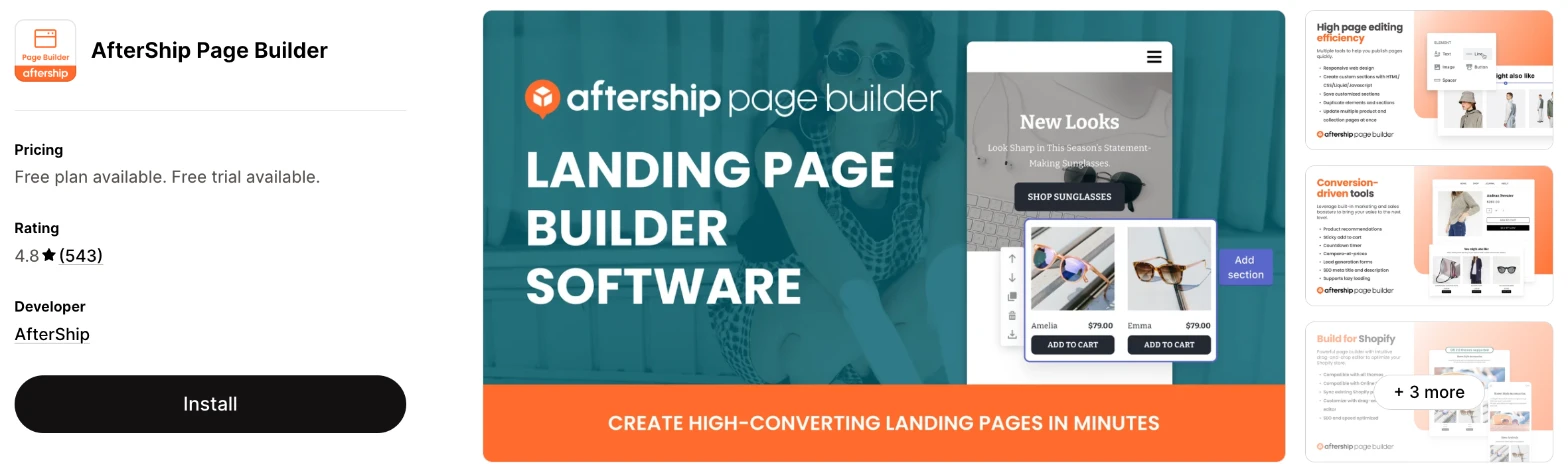
AfterShip Page Builder is a drag-and-drop editor for building new pages or changing existing ones. Choose it when you want a plain editor with room for many pages and no interest in AI.
Why I like this app:
I found AfterShip the plainest builder here, which suits me when I only want a drag-and-drop editor with 30+ elements. The Pro plan allows 150 pages, and one dashboard shows visitors and add-to-carts. It took me about 10 to 15 minutes to get a page live. Older reviewers call it easy and praise the support team. But I didn't find AI, A/B testing or named integrations on the listing, and the newest written review I found dates from April 2025.
Features:
- Product, home, about us, blog, FAQ and contact pages
- A drag-and-drop editor with 30+ elements
- A template library
- Built-in lazy loading and SEO settings
- A dashboard for visitors and add-to-carts
- A sticky add to cart widget on paid plans
- 5 saved sections on paid plans
I didn't find any AI features in it.
Pricing: AfterShip charges by the number of pages:
- Free: 1 page, basic templates
- Essentials: $35/month, 25 pages, basic templates
- Pro: $95/month, 150 pages, pro templates
- Trial: 7 days
Yearly billing saves 17%.
Reviews: AfterShip Page Builder has 4.8 stars from 543 reviews on the Shopify App Store. Its 2024 and 2025 reviewers call it quick to use and praise its support. Most low-star reviews I read date from 2022 and 2023, and one says a new page limit blocked pages they'd already published.
Best for: A store with many simple pages that wants a low per-page cost and no AI tools.
See AfterShip Page Builder on the Shopify App Store
How do you choose the right Shopify page builder app?
I'd start with the type of page you need, then count how many of them you'll publish. I've put each app's rating, starting price and how it charges in this table:
| App | Rating | Starting price | Charges by |
|---|---|---|---|
| Theme Sections & Page Builder | 5.0 from 41 reviews | Free | No charge |
| Vitals | 4.9 from 2,974 reviews | $29.99/month | One plan |
| EComposer | 4.9 from 3,464 reviews | Free, then $25/month | Live pages and AI credits |
| Omnise | 4.9 from 872 reviews | Free, then $19.99/month | Published slots and AI usage |
| Instant | 4.9 from 354 reviews | $39/month | Theme sections, templates and AI credits |
| Fudge | 4.9 from 56 reviews | Free audits, then $25/month | Credits |
| Shogun | 4.8 from 1,979 reviews | Free drafts, then $39/month | Published pages and features |
| AfterShip | 4.8 from 543 reviews | Free, then $35/month | Pages |
Page types rule apps out first. All 8 build product pages, but landing pages narrow the list to EComposer, Omnise, Instant, Fudge, Shogun and AfterShip. List the pages you plan to publish in your first 3 months, then check that the plan you can afford includes them.
Almost every app was highly responsive, user friendly and customisable on my test store, so design comes down to which editor you'd rather work in. Theme Sections & Page Builder and Vitals use the Shopify theme editor, so there's less to learn but less freedom in the layout. EComposer, Omnise, Instant, Shogun and AfterShip have their own editors, and Fudge takes typed requests.
Some apps also have AI features, so I could ask Claude or ChatGPT and it built the result for my store. Inside their own apps, Omnise, Instant and Fudge each build from a prompt. Preview a page on your phone before you publish it, because a desktop layout can fall apart on a small screen.
Your other apps decide how much checking you'll need to do. EComposer and Omnise list the longest set of partners, including Klaviyo, Loox, Yotpo and Judge.me. Instant names Judge.me, Stamped, Yotpo, Loox, Klaviyo, Omnisend and Recharge, while AfterShip names none. Add your review app's widget to a test page before you commit, because one EComposer reviewer's Judge.me carousel stopped showing after an update.
I found cost depends mainly on what each app counts. EComposer, Omnise, Shogun and AfterShip count live pages, and Instant counts sections and templates. Fudge counts credits, and Vitals has one plan. On a cheaper plan, check what's missing, such as Omnise's watermark on its free plan or A/B testing on EComposer's $25/month plan.
Support draws strong praise in recent reviews across all 8, and merchants often name the person who helped them. The sharpest complaints I found are about broken pages after updates, on EComposer and Omnise, and leftover code, on Shogun and Omnise. When setup problems came up on my test store, a few customer success teams fixed them within minutes, while others took hours to reply. I'd send a test question during your trial and time the reply.
Choose Theme Sections & Page Builder if you want free sections and a few AI product pages, and Vitals if you'd use its other apps as well. Choose EComposer for nearly every page type, and Omnise for low-cost A/B testing. Instant suits heavy landing page publishing, Fudge suits typed requests and Shogun suits marketing teams. AfterShip makes more sense for many simple pages.
Do you need a page builder if your theme already has sections?
Not for simple changes, because Online Store 2.0 themes already support sections. Shopify's guide to sections and blocks says you can add, reorder and hide sections on your templates, and each template can have up to 25 sections.
An app makes more sense when your theme doesn't include the section you need, or when you want AI to write the page. For example, Theme Sections & Page Builder adds sections your theme may not have, and Vitals generates the whole page from one product.
One EComposer reviewer went the other way, rebuilding their pages with their theme's own sections after images kept dropping off. Build your next page with your theme's sections first, and add an app when you hit something specific it can't do.
What counts toward a page builder plan limit?
It depends on the app's unit, such as published pages, templates or credits. Published pages are the most common, so count your live pages before you compare prices.
Say you run 12 landing pages. EComposer's $25/month plan holds 15 of them, and AfterShip's $35/month plan holds 25. Omnise would need its $79.99/month plan, because the $39.99/month plan stops at 10 published slots. Instant has no landing page limit on any paid plan, so 12 would fit on its $39/month plan.
The AI allowance is a second limit. Theme Sections & Page Builder gives you 5 pages every 30 days and Vitals gives you 300 per billing cycle. EComposer, Instant and Fudge sell credits, and I didn't find how many credits a page uses on their listings. Generate 2 or 3 pages during your trial and watch how fast your balance falls.
What happens to your pages if you remove a page builder?
It varies by app, so check this before you build pages you can't afford to lose. Your store can also keep code from a removed app, so test the removal on a duplicate theme first.
Reviewers report problems on 3 of these apps. One Omnise reviewer says they couldn't edit their pages after cancelling, and another says code stayed in their theme. Shogun reviewers say its code is hard to remove and its template files stay behind. One EComposer reviewer says the app, installed and unused for a year, sent shoppers to the home page instead of checkout, so don't leave a builder you've stopped using installed without checking.
Generated product pages are easier to reverse. Theme Sections & Page Builder and Vitals both apply a product template, so you can switch the product back to your default template in Shopify.
Before you remove any builder, list every page it publishes and rebuild the ones you want to keep. Then place a test order to confirm your checkout still works.
Can AI build a usable Shopify page?
Yes, for a first draft, and you should expect to edit it. Reviewers report good results on speed, and weaker results when they want a very specific design.
One Instant reviewer built a store in a day with its AI builder, and a designer on the same app likes the copy and product images. One Fudge reviewer says it falls short on Apple-style animations and very specific designs. So I'd judge AI on how close the first draft gets to your brand, and how quickly you can fix the rest.
The product details you feed in matter too. Theme Sections & Page Builder and Vitals both ask for at least 3 product images and a description, and thin details leave the AI little to work with. Check every claim in the generated copy against the product before you publish, because AI can write benefits your product doesn't have.
How do you set up your first Shopify page?
I'd start with a product page for your best-selling product, because it already has traffic and you can compare the results against your current page.
Use these steps with any of the apps:
- Duplicate your live theme, so you have a copy to go back to.
- Install the app and pick your best-selling product.
- Generate the page or start from a template.
- Replace any placeholder text and check every claim in the copy.
- Add your reviews, shipping details and returns information.
- Preview the page on your phone and desktop.
- Check the page speed before and after you publish.
- Publish it, then add a test product to your cart and go through checkout.
Setup took me about 7 to 10 minutes on Theme Sections & Page Builder and about 10 to 15 minutes on each of the others.
Merchants report a range of experiences too. One Theme Sections & Page Builder reviewer had a store ready in under an hour, and one Instant reviewer built a store in a day. An AfterShip reviewer built their own page quickly, while an Omnise reviewer lost hours of work to a server error on their first day.
I'd leave the page live for 2 to 4 weeks before you change it, so your results reflect more than one busy day.
What changes in unusual situations?
I found the right app can change once your traffic rises, you run more than one store, you need a plan-only feature or you move from another app.
At unusually high or seasonal traffic, most of these plans don't change, because they count pages and not visitors. A/B testing is the exception on Instant, with 10,000 sessions on Pro and 100,000 on Business. Check your A/B test sessions before a big sale.
With more than one store, Shogun's $499/month plan syncs content between stores. Selling in more than one market adds a translation check. EComposer keeps Shopify Markets for Pro, and Theme Sections & Page Builder and Vitals send you to Shopify's Translate & Adapt, although the Theme Sections & Page Builder help centre says not every section may translate.
Some features only appear on certain plans. Instant keeps publishing to draft themes and the cart drawer for Pro, and Shogun keeps unlimited pages for Grow. Theme Sections & Page Builder installs sections only on your published theme, and you'll need to install them again after you change themes. Its AI generator also stops working on a theme outside its supported list, and Vitals needs an Online Store 2.0 theme.
Moving from another app rarely moves your pages, so plan to rebuild them. EComposer, Omnise and Shogun tag import and export, but ask support whether that covers another builder's pages. Keep your old app installed until your new pages are live, then follow the removal checks above.
What are the benefits of a Shopify page builder app?
A page builder gives you pages built around one product or one campaign, without paying a developer for each. The result depends on your offer and traffic, so treat each page as a test.
Say you send 5,000 ad visitors a month to a $40 product. At a 1.5% conversion rate, that's 75 orders. A better page that reaches 2% would bring 100 orders, or $1,000 more in monthly sales. The entry plans on this list cost $39/month or less, although your product costs still come out of that $1,000.
A builder also cuts the cost of small changes, because your marketing team can publish a page for a sale without a developer. Some apps add sales tools too, so you can remove a separate upsell or popup app. The limit is upkeep, because each page is one more thing to check after a theme or app update.
Before you install an app, write down the page you'll build and the number you'll judge it on.
What are some ideas for using a Shopify page builder app?
I'd try a product page for your best seller first, because you can compare it directly with your current page. These 5 ideas suit different types of store:
- Best-seller page: a skincare store rebuilds its top product page with benefits, FAQs and reviews.
- Ad landing page: a clothing store sends each ad campaign to a page that matches the ad.
- New product test: a dropshipping store gives each new product its own page, then keeps what sells.
- Seasonal sale page: a gift shop builds a holiday page with a countdown and featured collections.
- Comparison page: a home appliance store shows its product beside the older model.
I'd test the best-seller page first, then try an ad landing page on your highest-spending campaign.
Which Shopify page builder app would I start with?
I'd start with Theme Sections & Page Builder, because it's free. Choose Vitals instead when you'd also use its reviews and upsells, or EComposer when you need landing pages and a wider set of templates. Install your choice, publish one product page and check its results after 2 weeks.
What do merchants often ask about Shopify page builder apps?
How much does a Shopify page builder app cost?
Theme Sections & Page Builder is free, and paid plans on the other apps start between $19.99/month and $39/month. The top plans I could see reach $499/month on Shogun. The cost changes with your pages or credits, depending on the app, while Vitals has one plan.
Does Shopify include page builder features without an app?
Yes, partly. Shopify's theme editor can add, reorder and hide sections on your templates, at no extra cost. It only offers the sections your theme includes, and it doesn't write a page for you or run A/B tests.
Are there free Shopify page builder apps?
Yes, 4 of these apps can publish pages for free. Theme Sections & Page Builder has no paid plan and includes 5 AI pages every 30 days, while EComposer, Omnise and AfterShip each publish one page for free. Fudge's free plan stops at audits and ideas, Shogun's stops at drafts and Instant's only works on development stores. Vitals has no free plan, though it has a 7-day trial.
Do page builder apps slow down a store?
One on its own won't, in my test, but the total number of apps can. Every new app affects page speed, and many stores have 10 to 15 of them for jobs such as reviews, bundles, discounts and visitor recordings.
That's why Vitals surprised me. Its 40+ apps in one subscription share one script, so it didn't slow down my store, and I could turn any app on or off without worrying about load time.
One EComposer reviewer says it creates bloat, and EComposer, Omnise, Instant, Fudge, Shogun and AfterShip list lazy loading. Test your store's speed before and after you publish a page.
Which Shopify page builder apps include A/B testing?
Omnise, EComposer and Instant include A/B testing on their listings, from $19.99/month, $49/month and $99/month. Shogun offers it in a separate app, Shogun AB Testing. I didn't find it on Theme Sections & Page Builder, Vitals or AfterShip.
Can a page builder work with any Shopify theme?
Most can, but check the limits first. Theme Sections & Page Builder's sections work with any theme, while its AI generator needs a supported theme, such as Horizon or Impulse. Vitals needs an Online Store 2.0 theme. Duplicate your theme and test one page before you publish.