
Best Shopify product label apps reviewed in 2026
Product label apps are a quick way to mark sale items, new arrivals and low stock on your product photos without editing your theme. Writing your own text label is the easy part. These apps differ on whether labels follow your stock and discounts automatically, start and end on a schedule, or translate for shoppers abroad.
I installed 8 Shopify product label apps on a test store and compared their features, pricing and merchant reviews. Below, you'll find what each one does well, where it falls short and the type of store it suits best.
Which Shopify product label apps made my shortlist?
I selected apps with a rating of 4.7 or higher and a new merchant review in 2026, and 7 of the 8 meet that. The eighth, Webkul Product Label, has 1.0 stars from a single 2020 review. I kept it as the one basic flat-price option, and you'll see below why it comes last. These 8 product label apps made my shortlist:
- Vitals: all-in-one Shopify app with text labels and 40+ apps in one subscription
- Sami AI Product Labels & Badge: stock and price rules from $9.90/month, with AI labels at $14.90/month
- Product Labels & Badges - Lably: seasonal campaigns, with no 1-star reviews so far
- DECO Product Labels & Badges: labels and discount campaigns in one app
- TA AI Product Labels & Badges: AI labels that translate by visitor IP
- Fordeer: Product Labels & Badges: the lowest paid price, from $4.99/month
- Labeler: Product Labels Badges: AI stickers and countdown labels
- Webkul Product Label: one flat plan with default labels
How did I review the best Shopify product label apps?
I installed each app on a test store, then went through each App Store listing, every plan and the newest and lowest-rated merchant reviews.
These are the details I looked at for each app:
- Label types: whether it offers text labels, image badges and trust badges
- Rules: whether a label can follow stock, price, discount, tags or variants
- Placement: which pages show labels and how much control you have over position
- Scheduling and languages: whether a label can start and end on a date and appear in another language
- AI features: what AI does in each app, such as generating or translating labels
- Integrations: which page builders, filters and review apps it names
- Setup: how long each app took me to get a label live
- Design: which styling controls each app offers and how each one behaved on my test store
- Speed: what a label app adds to page speed, alone and alongside a store's other apps
- Pricing: how each app charges, its plan limits and what each plan includes
- Reviews: what the newest and lowest-rated App Store reviews say, including about support
I ranked the list by where I'd start for a typical store, with the all-in-one app first, then the dedicated label apps in the order I'd try them.
What did I find across these Shopify product label apps?
I found 5 main label options across the apps I reviewed. The apps differ on which ones they include, so check which you need before you compare prices:
- Custom text labels: a label you write yourself, such as Final Sale. Vitals, Sami, Lably, DECO, TA, Fordeer and Labeler list them, and Webkul's listing says you can add your own labels.
- Image badges: a ready-made design or your own upload, such as a Black Friday sticker. Sami, Lably, DECO, TA, Fordeer and Labeler include both, and Webkul has default labels. Vitals labels are text in its settings.
- Automatic rules: a label that follows the product's data, such as a low stock badge. Sami, Lably, TA, Fordeer and Labeler list stock rules, and DECO lists discount, variant and collection conditions. On Vitals and Webkul, you pick the products yourself.
- Scheduled labels: a label that starts and ends on set dates, such as a weekend sale. Sami, Lably, DECO, TA, Fordeer and Labeler list scheduling. Vitals has an on and off switch.
- Trust badges: icons for payment, shipping or guarantees. Sami, Lably, DECO, TA, Fordeer and Labeler list them, and Vitals has them as a separate app in the same subscription.
These differences go beyond the main options:
- Discounts: Sami and DECO can create discounts as well as badges. DECO's plans set discount revenue limits of $3,000 and $10,000 a month before its Unlimited plan.
- Languages: TA translates labels by visitor IP. Lably includes multi-language labels from Basic, DECO from Growth, Fordeer from Professional and Sami on Diamond. I didn't find label translation on the Vitals page or the Labeler and Webkul listings.
- Several labels on one product: Sami, Lably, DECO and TA offer label groups, and Fordeer lists inline badges on Advanced. Vitals gives each label its own position on the photo.
- AI features: Sami, DECO, TA and Labeler generate labels or stickers with AI. With Vitals MCP, you can do everything in Vitals with Claude or ChatGPT, from adding labels to asking which labelled products shoppers click. I didn't find AI tools on Lably, Fordeer or Webkul.
- Integrations: Fordeer names the most, including Klaviyo, Loox and PageFly. Labeler names only Shopify Admin, and Webkul names none.
- Setup: Vitals took me 4 minutes, the least of the 8. The other 7 each took me about 5 to 8 minutes.
- Design: almost every app was highly responsive, user friendly and customisable on my test store. Sami, Lably, DECO, TA and Labeler list fonts, borders, animations and tooltips. Fordeer lists animations and tooltips, but not fonts or borders. Vitals offers 3 shapes with colour, text size and opacity, and Webkul's listing names no styling controls.
- Speed: a single label app alone doesn't hurt page speed, but a store also needs apps for jobs such as reviews, bundles, discounts, gifts and visitor recordings. Vitals shares one script across its 40+ apps, so it doesn't slow down my store.
What are the best Shopify product label apps?
Vitals is my top pick, because its labels come with 40+ other apps in one subscription. Sami comes next for stores that want a dedicated label app with stock and price rules at a low price. The 6 reviews after it suit seasonal campaigns, discounts, several languages, a tight budget, countdown labels or a basic single plan.
1. Vitals
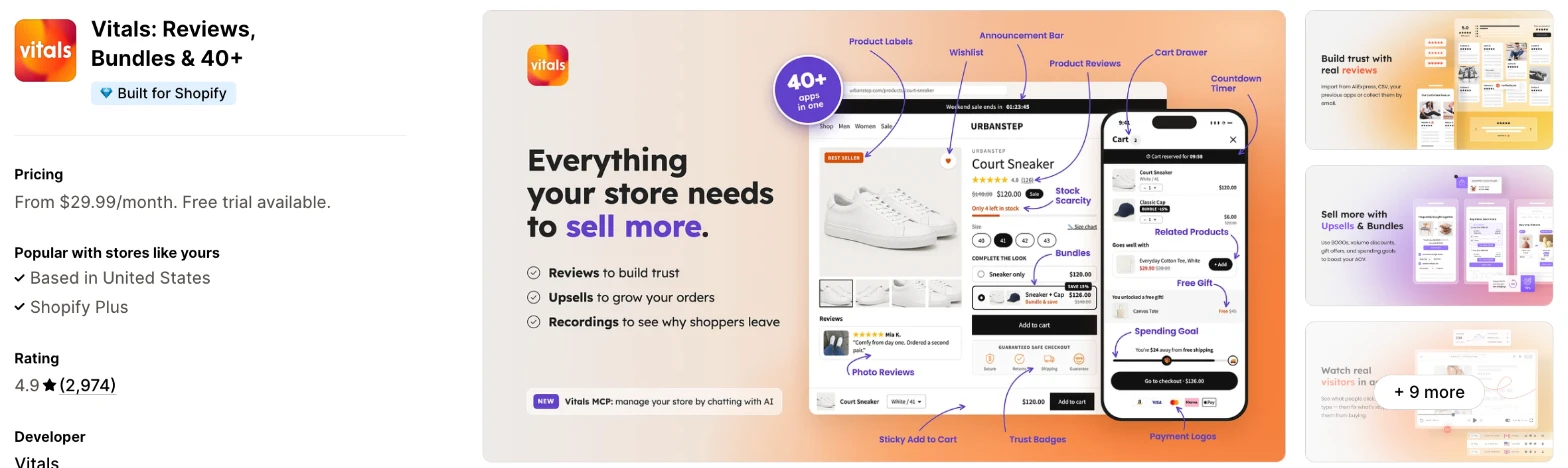
Vitals is an all-in-one Shopify app, and its Product Labels app is one of 40+ apps in one subscription. It makes more sense when you also need reviews, bundles or upsells and don't want a separate app for each.
Why I like this app:
I like the plain label list here, where I can switch a label off, copy it or rename it in one place. Labels also carry over to the Vitals Recently Viewed and Related Products apps. Setup took me 4 minutes, and it adds no new script, because it loads with the other 40+ apps. I can turn any of them on or off without worrying about load time. However, each label is text in 3 shapes, and I update its product list by hand when stock or prices change.
Features:
- Any text you write, such as Sale, New or Low stock
- Rectangle, circle and full-width banner shapes
- Background, text colour, text size and opacity controls
- Position set up, down, left or right on the photo
- Labels on chosen products or collections
- Labels on product, collection and home pages, with each page on or off per label
- Labels on Recently Viewed and Related Products
- A setting for every product-page image or only the first
- More than one label on a product, each in its own position
- On and off switches, duplicates and internal names
- Vitals MCP, for doing everything in Vitals with Claude or ChatGPT
- 40+ apps in the same subscription
Pricing: Vitals has one plan, with all 40+ apps included:
- All in one plan: $29.99/month
- Trial: 7 days
Reviews: Vitals has 4.9 stars from 2,974 reviews on the Shopify App Store. Recent reviewers like having many apps together and praise customer support. The newest low-star reviews I read don't mention labels.
Best for: A store that wants plain text labels and would also use reviews, bundles or upsells in one subscription.
See Vitals on the Shopify App Store
2. Sami AI Product Labels & Badge
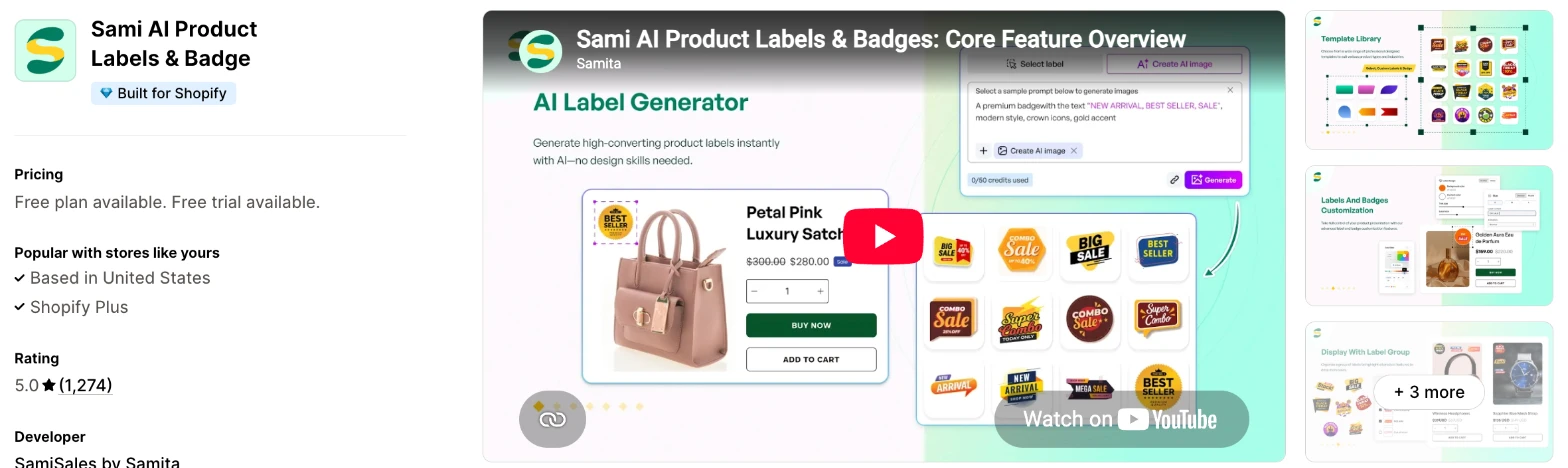
Sami is a label and trust badge app with an AI generator and a large image library. Choose it when you want labels that follow stock and price at a low monthly cost.
Why I like this app:
I found the best value on Gold, where $9.90/month removes the label and product limits and adds collection, tag and sale rules. Diamond adds AI labels, variants, languages and inventory status for $5 more. Setup took me about 5 to 8 minutes. Recent reviewers name Chloe and Hayley for fixing small display issues within minutes. But one merchant says their INP score recovered once they uninstalled it, and another saw a badge spread across their store in 2025.
Features:
- AI-generated labels on Diamond
- Image samples from 1,000+ on Free to 10,000+ on Diamond
- Your own image uploads and custom text
- Rules by tag, collection, variant, inventory, vendor, type and price
- Scheduled visibility within a set period
- Automatic discounts and codes with matching badges, showing the new price
- Label groups, with 1 group on Free
- Unlimited trust badges on every plan
- Country visibility rules from Gold
- Multi-language labels and inventory status labels on Diamond
- EComposer, GemPages, PageFly, Globo Smart Product Filter and Tipo Related Products
Pricing: Sami charges a flat monthly fee by plan:
- Free: 5 active labels, 50 products
- GOLD: $9.90/month, or $99/year, unlimited labels and products
- DIAMOND: $14.90/month, or $149/year, AI labels and variants
- Trial: 7 days
Reviews: Sami has 5.0 stars from 1,274 reviews on the Shopify App Store. Recent reviewers praise fast support and an easy setup for promotional badges. A 2025 low-star reviewer says a badge set for one collection appeared on nearly every image, including the header logo, and Sami says an app update had shipped the day before.
Best for: A store that wants stock and price rules plus AI labels for under $15/month.
See Sami AI Product Labels & Badge on the Shopify App Store
3. Product Labels & Badges - Lably
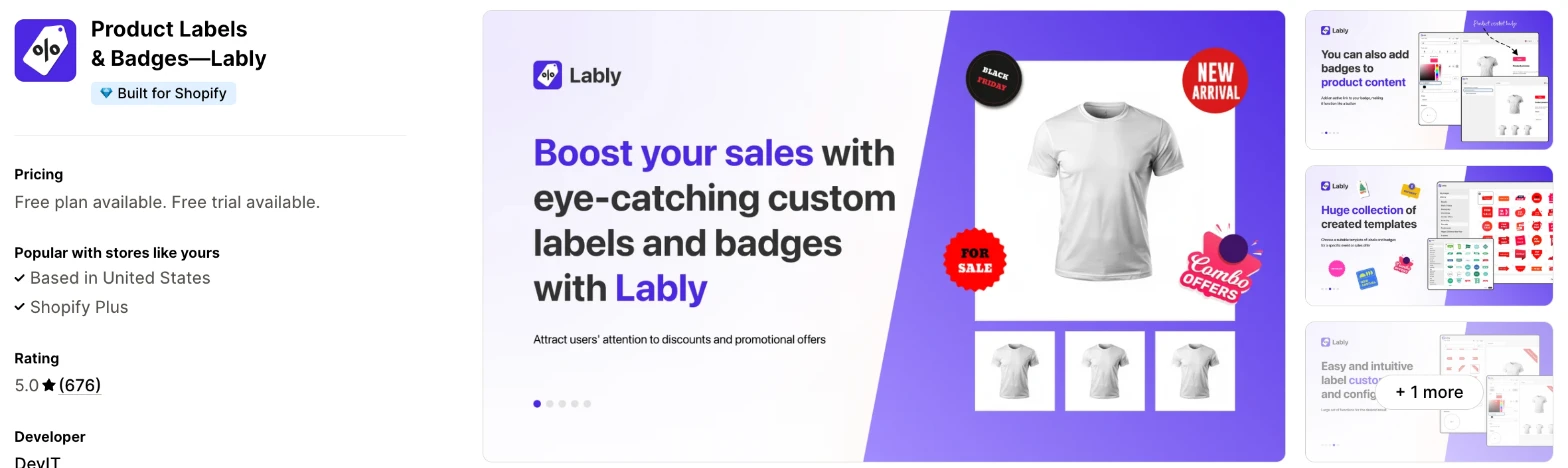
Lably is a label and badge app with a library of 1,000+ designs and rules based on stock and discounts. It makes more sense when you plan labels around seasonal sales such as Black Friday and Christmas.
Why I like this app:
When I checked the ratings, Lably stood out, with no 1-star reviews among its 676. Its rules use stock status, discount range and metafield values, and campaigns can start and end on a schedule from $7.99/month. My first label took me about 5 to 8 minutes. Recent reviewers like getting a person who fixes theme problems, including on one unusual theme. However, plans count active rules, and the free plan allows only 1 label rule and 1 badge rule.
Features:
- A library of 1,000+ labels for sales and holidays
- Your own image uploads
- Rules by stock status, discount range and metafield values
- Automatic discount badges and price labels
- Dynamic text with font, size, style and colour controls
- Labels on product, collection, search, cart, home and landing pages
- Multi-language images and text from Basic
- Campaign scheduling from Basic
- Multi-label groups from Grow
- Expert setup for custom themes on Plus
- Boost AI Search & Filter, EComposer, GemPages and Shogun
I didn't find any AI features in it.
Pricing: Lably charges by active label and badge rules:
- Free: 1 label rule, 1 badge rule, unlimited products
- Basic: $7.99/month, or $71.91/year, 5 label rules, 3 badge rules
- Grow: $9.99/month, or $89.91/year, 15 label rules, 7 badge rules
- Plus: $19.99/month, or $179.91/year, unlimited rules
- Trial: 7 days
Reviews: Lably has 5.0 stars from 676 reviews on the Shopify App Store. Recent reviewers praise quick theme fixes, and one uses a Final Sale label on clearance products. A July 2026 low-star reviewer says labels didn't appear on some collections and that settings showed errors, and Lably offered to check the theme.
Best for: A store running seasonal campaigns that wants labels driven by stock and discount rules.
See Lably on the Shopify App Store
4. DECO Product Labels & Badges
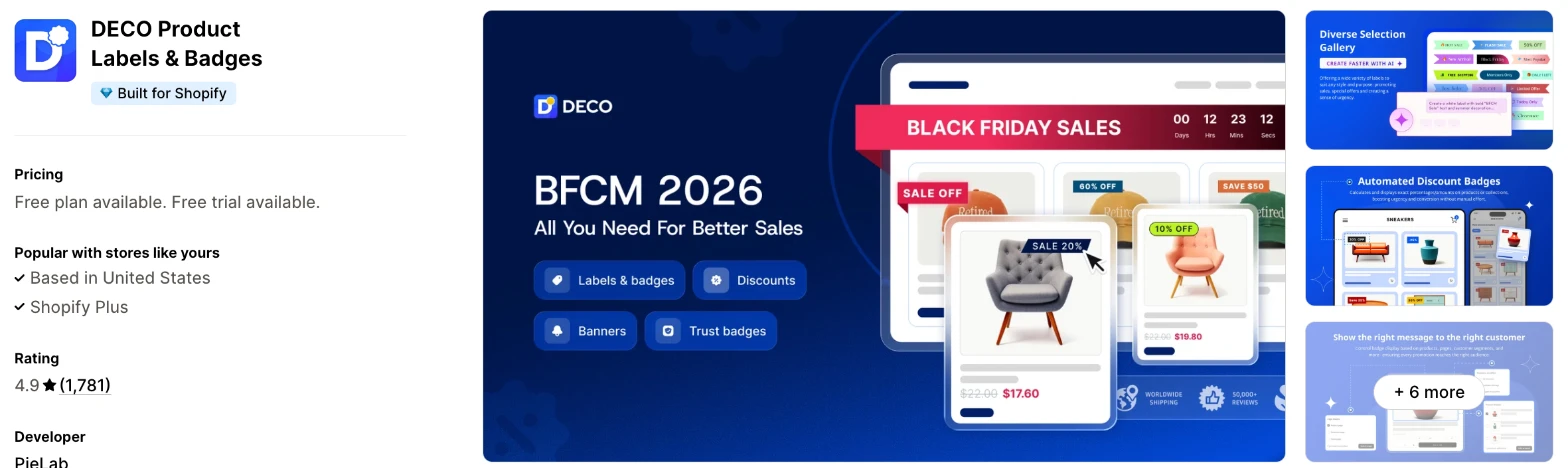
DECO is a label app that also creates discount campaigns, banner bars and trust badges. I'd choose it when you want your sale labels and your discounts in the same app.
Why I like this app:
Promotions are where DECO goes furthest, because I can set a percentage, fixed amount, new price or discount code and show it on the label. The $9/month Starter plan adds AI labels and 50+ integrations. I had a label live in about 5 to 8 minutes. Reviewers often name Rossie, John and Tracy from its support team. The main drawback is a pair of 2026 reviews saying it froze a page and put a white overlay over add to cart, so test it before a sale.
Features:
- An AI label generator from Starter
- Templates such as Sale, Low Stock, BOGO, New In and Pre-order
- Conditions by variant, collection and discount
- Automatic discount calculation on sale products
- Discount campaigns from Starter
- Unlimited banner bars and trust badges on every plan
- Countdown banners
- Scheduling, language rules and product metafields from Growth
- Label groups and priority settings on Unlimited
- Judge.me, GemPages, PageFly and Boost AI Search & Filter
Pricing: DECO charges by features and discount revenue:
- Free: 4 labels on 20 products
- Starter: $9/month, or $91.80/year, up to $3,000 discount revenue a month
- Growth: $19/month, or $193.80/year, up to $10,000 discount revenue a month
- Unlimited: $39/month, or $397.80/year, no discount revenue limit
- Trial: 3 days
Shopify Plus stores pay $20/month more on each paid plan.
Reviews: DECO has 4.9 stars from 1,781 reviews on the Shopify App Store. Recent reviewers praise prompt chat support and the customisation options, and one found that compare-at discounts on variants need the top plan. A May 2026 low-star reviewer says a white overlay blocked add to cart, and DECO says it lost access to check once the merchant uninstalled the app.
Best for: A store that runs frequent discounts and wants the campaign and its label in one place.
See DECO Product Labels & Badges on the Shopify App Store
5. TA AI Product Labels & Badges
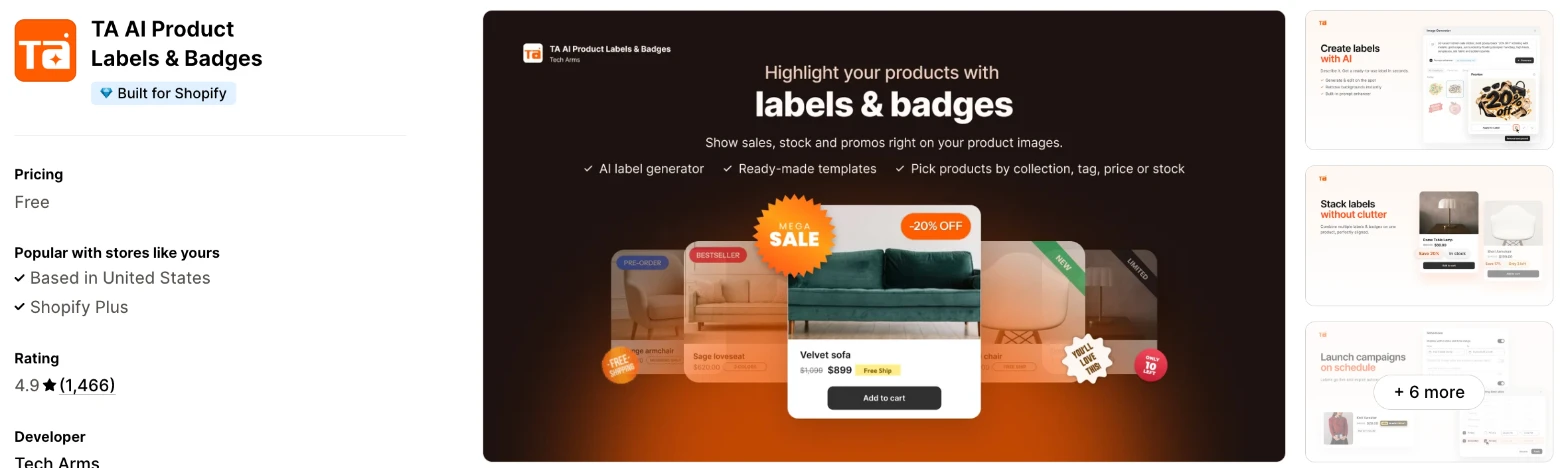
TA is a label app with an AI generator that also translates labels by visitor IP. It makes more sense when you sell in several languages and don't want to translate each label yourself.
Why I like this app:
The translation is what I noticed first, because AI can change a label's language to suit each visitor's IP. I also found label groups, which combine several labels into one display. Setup took me about 5 to 8 minutes, and one recent reviewer was adding labels within 5-7 minutes. Support draws steady praise, including a weekend reply. However, the listing shows only Free with no plan table, while low-star reviewers mention paying more for manual positioning and for limiting a badge to one image.
Features:
- An AI label generator
- AI translation by visitor IP and data variables
- Templates for sale, discount, sold out and trust badges
- Your own image uploads
- Targeting by product, variant, collection, tag or stock
- Text, colours, backgrounds, animations and tooltips
- Label and Badge Groups
- Scheduling
- Boost AI Search & Discovery, GemPages, PageFly, Langify and LAI Ali Reviews
Pricing: TA's listing shows one price:
- Free: no limits shown on the listing
I didn't find a plan table or a free trial on the listing. Check the plan page inside the app before you rely on a feature, because low-star reviewers mention paid plans.
Reviews: TA has 4.9 stars from 1,466 reviews on the Shopify App Store. Recent reviewers call it easy, and one uses it to announce backorders as well as sales. A January 2026 low-star reviewer says an update broke their site's experience, and TA says their theme caused it.
Best for: A store selling across several languages that wants labels translated automatically.
See TA AI Product Labels & Badges on the Shopify App Store
6. Fordeer: Product Labels & Badges
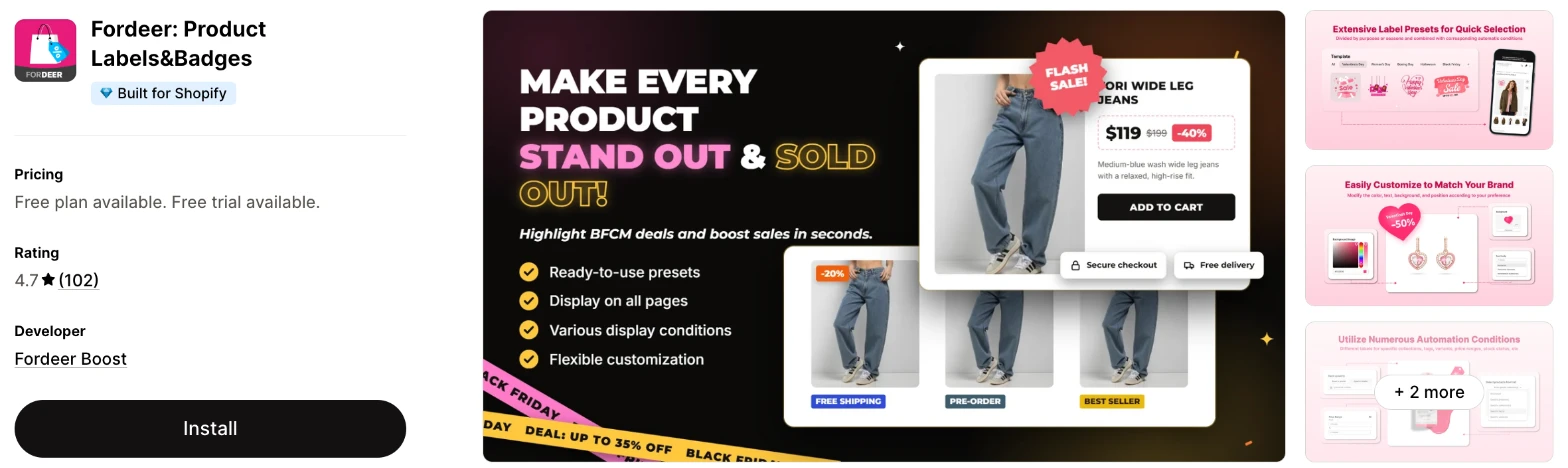
Fordeer is a label app with the lowest paid plans here and the longest list of named integrations. Choose it when budget comes first and you still want stock labels and scheduling.
Why I like this app:
The lowest paid price I found is here, at $4.99/month for stock labels, discount badges and scheduling. I also found labels for specific customers and metafields inside text labels, which suit stores that keep product detail in custom fields. I had my first label running in about 5 to 8 minutes. Reviewers praise live chat help with theme conflicts. But features step up across 3 paid plans, so variant labels and metafields need $14.99/month, and one 2024 reviewer says it broke their add to cart button.
Features:
- Samples from 50+ on Free to 2,000+ on paid plans
- Your own image uploads
- Rules by date, price, inventory, collection, tag and variant
- Discount badges, stock labels and scheduling from Standard
- Alt text, links and tooltips from Standard
- First image only, multi-language and geo-targeting from Professional
- Labels for specific customers from Professional
- Bundle labels, inline badges and metafields on Advanced
- A free fix for theme incompatibility on the free plan
- Klaviyo, Omnisend, Loox, Judge.me, PageFly and GemPages
I didn't find any AI features in it.
Pricing: Fordeer charges a flat monthly fee by features:
- Free: 2 labels, 1 price badge
- Standard: $4.99/month, or $45/year, unlimited campaigns
- Professional: $9.99/month, or $90/year, collection, tag and customer targeting
- Advanced: $14.99/month, or $135/year, variants and metafields
- Trial: 3 days
Reviews: Fordeer has 4.7 stars from 102 reviews on the Shopify App Store. An April 2026 reviewer praises the customisation and a quick fix for a theme bug. A 2025 low-star reviewer couldn't align several labels, and another says variant labels didn't work after upgrading.
Best for: A small store that wants stock labels and scheduling at the lowest monthly price.
See Fordeer on the Shopify App Store
7. Labeler: Product Labels Badges
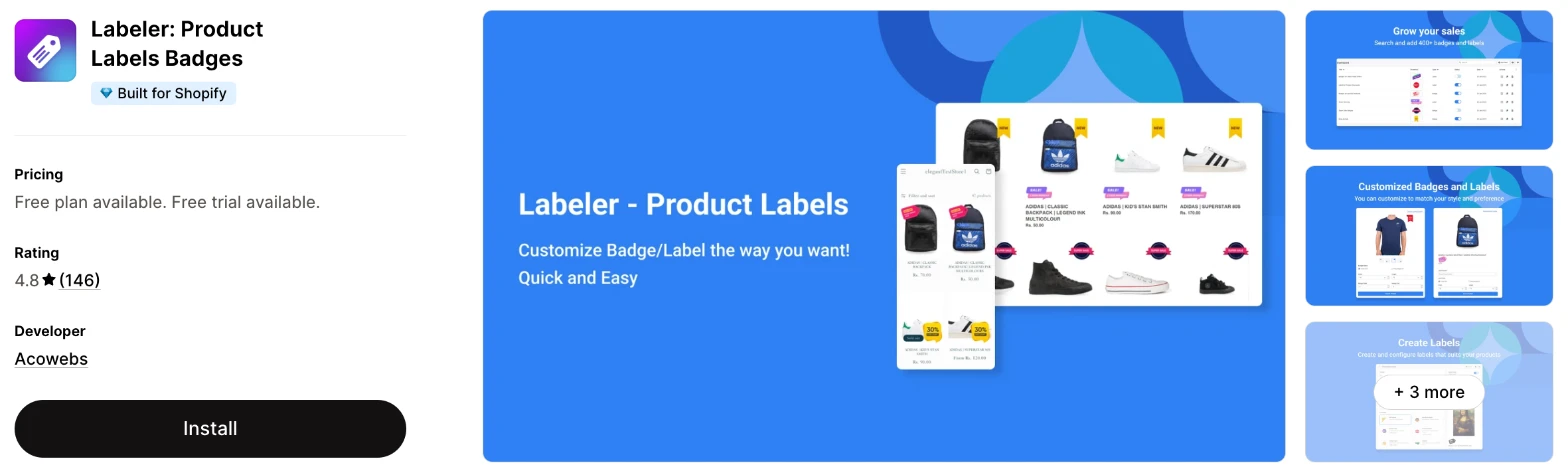
Labeler is a label and sticker app with AI stickers and countdown labels. I'd choose it when your labels need to carry urgency, such as a timer on a sale item.
Why I like this app:
I liked the rule set at this price, with tags, collections, inventory, vendors and country restrictions from $5.99/month. Premium allows 5 AI stickers and Advanced allows 100, and Advanced also adds countdown labels. It took me about 5 to 8 minutes to get a label running. One recent reviewer uses it to highlight new arrivals with no theme changes. However, it names no integrations beyond Shopify Admin, and 2025 reviewers report labels floating over phone menus and showing twice.
Features:
- 500+ free stickers, rising to 1,000+ on Premium
- AI stickers on Premium and Advanced
- Countdown labels on Advanced
- Rules by tags, collections, variants, inventory, vendors, type and price
- Discount, announcement and trust badges from Premium
- Scheduling from Premium
- Country restrictions from Premium
- A built-in CSS editor
- Labels on product, collection, search, cart, home and landing pages
Pricing: Labeler charges a flat monthly fee by features:
- Free: 4 labels, no product limit, limited rules
- Premium: $5.99/month, or $59/year, unlimited stickers, 5 AI stickers
- Advanced: $15.99/month, or $159/year, unlimited rules, 100 AI stickers
- Trial: 7 days
Reviews: Labeler has 4.8 stars from 146 reviews on the Shopify App Store. Recent reviewers praise the design options and fast support, and one had a setup issue fixed within an hour. A 2025 low-star reviewer says labels appeared twice on the same products and that support didn't reply for weeks.
Best for: A store that wants AI stickers and countdown labels on a small monthly budget.
See Labeler on the Shopify App Store
8. Webkul Product Label
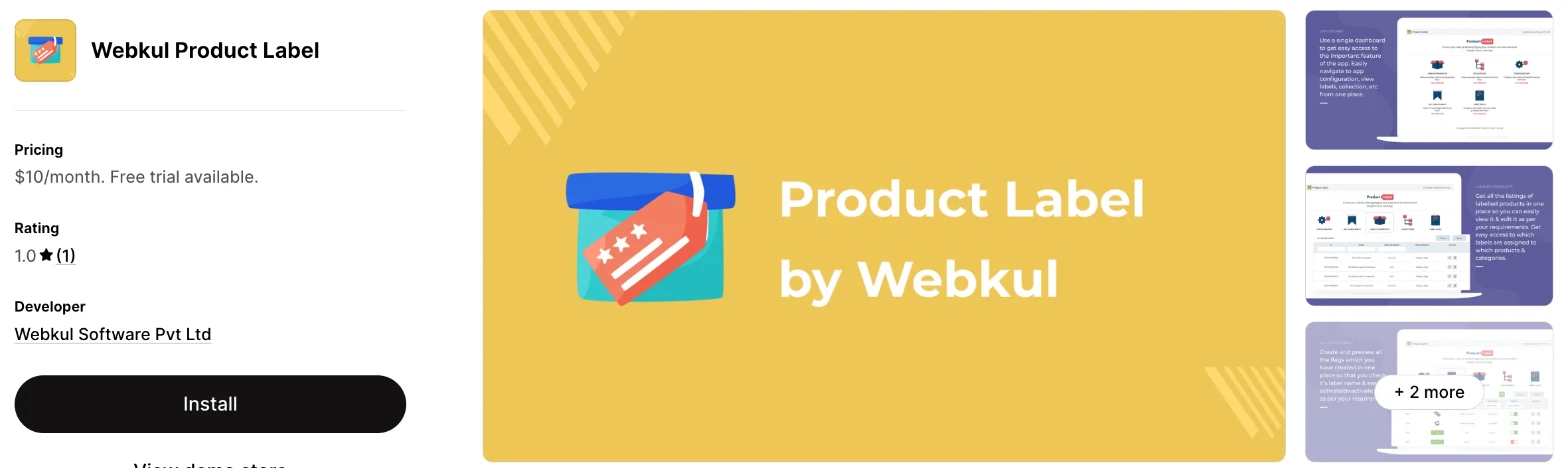
Webkul Product Label is a basic label app with one plan and default labels. I wouldn't choose it unless you only want to place your own labels on a few products.
Why I like this app:
This is the plainest app I found, with one plan, default labels and a choice of home, category and product pages. I can show a label on all 3 pages or just 1, and edit or delete it at any point. Setup still took me about 5 to 8 minutes, the same as the apps with far more options. However, I found no rules, scheduling or trust badges, and $10/month costs more than the first paid plans on Fordeer and Labeler, which include all 3.
Features:
- Default labels
- Your own labels
- Labels on home, category and product pages
- Editing and deleting at any point
I didn't find any AI features in it.
Pricing: Webkul charges one flat fee:
- Basic Plan: $10/month, or $110/year
- Trial: 7 days
Reviews: Webkul Product Label has 1.0 star from 1 review on the Shopify App Store. That December 2020 review says it looked unprofessional and didn't work properly on phones. With no reviews since, I can't tell you how it behaves today.
Best for: A store that wants one flat plan and has no need for label rules.
See Webkul Product Label on the Shopify App Store
How do you choose the right Shopify product label app?
I'd start with whether your labels need to change by themselves, then check the cost on the plan that includes that rule. I've put each app's rating, starting price and how it charges in this table:
| App | Rating | Starting price | Charges by |
|---|---|---|---|
| Vitals | 4.9 from 2,974 reviews | $29.99/month | One plan |
| Sami | 5.0 from 1,274 reviews | Free, then $9.90/month | Flat fee by plan |
| Lably | 5.0 from 676 reviews | Free, then $7.99/month | Active rules |
| DECO | 4.9 from 1,781 reviews | Free, then $9/month | Features and discount revenue |
| TA | 4.9 from 1,466 reviews | Free on the listing | No plan table on the listing |
| Fordeer | 4.7 from 102 reviews | Free, then $4.99/month | Flat fee by features |
| Labeler | 4.8 from 146 reviews | Free, then $5.99/month | Flat fee by features |
| Webkul | 1.0 from 1 review | $10/month | Flat fee |
Label types rule apps out first. A typed Sale label works on all 8, but a low stock badge that updates itself narrows the list to Sami, Lably, TA, Fordeer and Labeler. You'll want an image library or uploads for seasonal stickers, and Vitals doesn't offer those in its settings. Write down the 3 labels you'd use first, then check that the plan you can afford includes them.
Design is the next check, because a label covers part of your product photo. Fonts and borders are on the listings for Sami, Lably, DECO, TA and Labeler, while Vitals uses 3 shapes with your own colours and opacity. The generators on Sami, DECO, TA and Labeler can also build a label or sticker for you. Preview each label on a phone, where a label takes up more of a small photo and Labeler and Webkul reviewers report display problems.
Your other apps decide how much testing you'll need. Sami, Lably, DECO, TA and Fordeer name page builders such as PageFly or GemPages, and Sami, Lably, DECO and TA name product filter apps. Labeler names only Shopify Admin, so ask its support team about your page builder. Vitals labels appear in its own Recently Viewed and Related Products apps.
I found cost depends mainly on the plan that includes your rule. Fordeer starts lowest at $4.99/month, but variants and metafields need $14.99/month. DECO starts at $9/month, but its discount revenue limits and $20/month Shopify Plus charge can raise that. Vitals has one plan, which includes every other app.
Support draws strong praise in recent reviews across most of the list, and merchants often name the person who helped them on Sami, DECO, Lably and TA. The sharpest complaints I found describe storefront problems rather than support, including on DECO, Sami and Fordeer. When setup problems came up on my test store, a few apps' customer success teams fixed them within minutes, while others took hours to reply. I'd ask a theme question during your trial and time the reply.
Choose Vitals if you'd use its other apps as well, and Sami for a low-cost dedicated app with rules. Choose Lably for seasonal campaigns and DECO when your labels go with discounts. TA suits several languages, Fordeer suits the tightest budget and Labeler suits countdown labels.
Can product labels update automatically?
Yes, on 6 of these apps, once you set a rule. A low stock badge can appear when inventory drops, and a sale label can show the discount on its own.
Sami, Lably, TA, Fordeer and Labeler list rules based on stock or inventory. DECO lists automatic discount calculation for sale products, and Lably shows discount badges by discount range. Check the plan, because Sami keeps inventory labels for Diamond and Fordeer starts stock labels on Standard.
Vitals and Webkul work differently. On Vitals, you pick the products and update the list when stock or prices change, and its separate Stock Scarcity app shows live counts next to the add to cart button. A discount percentage on Vitals is text you type, such as -20%.
Test any rule by changing one product's price and stock, then reload the collection page. You'll see whether the label moves without your help.
What counts toward a product label plan limit?
It depends on the app's unit, and these apps limit different things. Compare the unit first, because "4 labels" on one app can mean less than "1 rule" on another.
Active labels and products limit the free plans on Sami and DECO. Sami stops at 5 labels on 50 products, and DECO stops at 4 labels on 20 products. One DECO reviewer says the free version gave them only 2 badges on the image, so count what you can see on your own store.
Lably counts rules, with 1 label rule and 1 badge rule on its free plan but no product limit. One rule can reach many products, which suits a store with a single sale label. Labeler's free plan has 4 labels and no product limit, while Fordeer's allows 2 labels and 1 price badge.
Other limits are easy to miss. DECO's Starter and Growth plans list discount revenue limits, and Labeler limits AI stickers to 5 or 100. Before a big sale, check what happens to your labels when you pass a limit.
How do you stop labels clashing with your theme?
Test on a duplicate theme first, then check your busiest pages on a phone. Many of the complaints I read are about labels appearing in the wrong place or clashing with something on the page.
The reviews give specific problems to look for. A Sami reviewer saw a badge on blogs and the header logo, a Labeler reviewer saw labels showing twice and floating over phone menus, and a Lably reviewer lost labels on some collections. DECO and Fordeer reviewers report more serious problems with add to cart.
Support can often fix this. Fordeer's free plan includes a fix for theme incompatibility, Lably's Plus plan includes expert setup for custom themes and Sami reviewers describe quick position fixes. Vitals positions labels on the photo by percentage, and its support team can add custom CSS for an image label.
Before a sale, click add to cart on a labelled product on your phone. That's the check that catches the most expensive problem.
How many labels should one product carry?
I'd stop at 2, because each label covers part of your photo and competes with the others. That's my own rule of thumb, so adjust it once you've seen your photos with labels on.
The apps handle several labels in different ways. Sami, Lably, DECO and TA combine labels into groups, Fordeer lists inline badges on Advanced and Vitals gives each label its own position so they don't overlap. A Fordeer reviewer couldn't align several labels, and another needed support to fix an overlap.
Your gallery matters too. Vitals has one setting for every product-page image or only the first, and Fordeer offers first image only from Professional. One TA reviewer says limiting a badge to one image meant paying more, so check this before you choose a plan.
How do you set up your first Shopify product label?
I'd start with one Sale label on one collection, because it's easy to check and quick to remove.
Use these steps with any of the apps:
- Duplicate your theme, so you have a copy to return to.
- Install the app and turn it on in your theme.
- Create one label with short text and your brand colours.
- Choose one collection, or set a rule for products on sale.
- Choose the pages it appears on, such as product and collection pages.
- Set the position so it doesn't cover the product.
- Preview it on your phone and desktop.
- Click add to cart on a labelled product to check that it still works.
Setup took me 4 minutes on Vitals and about 5 to 8 minutes on each of the other 7.
Merchants report mixed experiences too. Reviewers call Sami, DECO, TA and Labeler easy to set up, and one TA reviewer was adding labels within 5-7 minutes. A Lably reviewer found it complicated at first and needed support, and a Sami reviewer spent 2 days trying to get one label working.
I'd leave a label live for 2 to 4 weeks before you change it, so your results reflect more than one busy day.
What changes in unusual situations?
I found the right app can change with your order volume, your Shopify plan, your markets or a move from another app.
At unusually high order volumes, none of the dedicated apps' listings count orders, so a busy month won't move those bills, although DECO limits discount revenue on its $9/month and $19/month plans. A store with a heavy discount calendar should budget for DECO's $39/month plan.
On Shopify Plus, DECO adds $20/month to each paid plan, so its top plan costs $59/month. I didn't find a Shopify Plus charge on the other listings.
When you sell in several markets, country and language rules matter. Sami sets country visibility from Gold, Labeler from Premium and Fordeer from Professional, with geo-targeting. TA translates by visitor IP, and DECO, Lably, Sami and Fordeer all list labels by language on set plans.
Some features only appear on certain plans. Sami keeps AI labels and variant labels for Diamond, Fordeer keeps metafields and variants for Advanced and DECO keeps label groups for Unlimited.
Moving from another app usually means rebuilding your labels, so screenshot your current ones first. Remove the old app only after the new labels are live on a duplicate theme, and check that its code has gone. DECO told one reviewer it couldn't investigate after they uninstalled, so raise any problem with support before you remove an app.
What are the benefits of a Shopify product label app?
A product label app helps shoppers spot your offers on a busy collection page, and it does so without any theme edits. You can sell more only when the label points to something shoppers want, so the offer still matters most.
Say 1,000 shoppers reach your sale collection each month and 2% buy a $40 product. If clear labels raise that to 2.5%, you'd have 25 orders rather than 20, which adds $200 a month. That's an illustration and not a result I measured. Set it against the cost of the app, which ranges from free to $39/month on the dedicated apps here.
A label can also answer questions before shoppers ask them. One Lably merchant uses a Final Sale label on clearance products, and a TA merchant uses labels to announce backorders. The limit is clutter, because too many labels on one photo can hide the product.
Before you install an app, write down the labels you'd use and which products need them.
What are some ideas for using a Shopify product label app?
I'd try a sale label first, because you can check the result against the same collection without one. These 5 ideas suit different types of store:
- Sale label: a clothing store marks its end-of-season collection with the discount percentage.
- Final sale label: a sports store flags clearance products that it won't take back.
- Low stock badge: a skincare store shows a badge when a popular product runs short.
- Pre-order or backorder label: a farm supply store warns shoppers about a longer wait before they buy.
- Best seller label: a tea shop marks its top products on the home page.
I'd test the sale label on one collection first, then try a best seller label on your home page.
Which Shopify product label app would I start with?
I'd start with Vitals, because its labels come with 40+ other apps in one subscription, so you may be able to remove your separate review or bundle apps as well. Choose Sami instead when you only want labels and need them to follow stock and price, or Fordeer when the lowest monthly price matters most. Install your choice on a duplicate theme, add one Sale label and check it on your phone.
What do merchants often ask about Shopify product label apps?
How much does a Shopify product label app cost?
Paid plans on these apps start between $4.99/month and $29.99/month, and Sami, Lably, DECO, Fordeer and Labeler have free plans. TA's listing shows Free with no plan table. The top plans reach $39/month on DECO, plus $20/month on Shopify Plus, and Vitals has one plan at $29.99/month, which includes 40+ other apps.
Does Shopify include product label features without an app?
Partly. Many themes show Sale and Sold out badges on their own, and Shopify's theme settings guide says you can change their position, shape and colour. You'd still need an app or custom code for your own wording, such as New or Low stock, and for labels on chosen products.
Are there free Shopify product label apps?
Yes, I found a free plan on 5 of these apps, and TA's listing shows Free. Sami's stops at 5 labels on 50 products, DECO's at 4 labels on 20 products and Labeler's at 4 labels. Lably's allows 1 label rule and 1 badge rule, and Fordeer's allows 2 labels and 1 price badge. Vitals and Webkul have no free plan, though each has a free trial.
Do product label apps slow down a store?
One label app on its own doesn't, in my experience, but the total adds up. Every new app affects page speed, and many stores have 10-15 of them. Vitals loads everything from a single app, so I didn't need to worry about load speed, which surprised me. One Sami reviewer says their INP score returned to normal after they uninstalled it, so test any app on your own store before and after you install it.
Can a product label show the discount percentage?
Yes, on most of these apps. DECO calculates and shows the discount on sale products, Lably and Fordeer offer discount badges and Labeler lists discount badges from Premium. On Vitals, you type the percentage as text and add the products yourself, so you'd update it when the discount changes.
Do product labels appear on collection pages?
Yes, on all 8 apps, as well as on product and home pages. Webkul calls them category pages. Sami, Lably, DECO, TA, Fordeer and Labeler also list search and cart pages, and I didn't find those on the Vitals page. Check that your labels also appear on collection pages that load as shoppers scroll, which the Vitals page says it supports.