
Best Shopify size chart apps reviewed in 2026
Size chart apps are a common way to answer "which size am I?" on the product page instead of in your inbox. Every app here can show a chart on chosen products. They start to differ when you want a suggested size for each shopper, charts in other languages or a bulk import from a file.
I installed 7 Shopify size chart apps on a test store and compared their features, pricing and merchant reviews. Below, you'll find what each one does well, where it falls short and the type of store it suits best.
Which Shopify size chart apps made my shortlist?
I selected apps with a rating of 4.7 or higher and a new merchant review within the last 12 months. These 7 size chart apps made my shortlist:
- Vitals: all-in-one Shopify app with size charts and 40+ apps in one subscription
- MP Size Chart & Size Guide: AI size recommendations on a free plan
- Jotly Size Chart & Size Guide: flexible size guides with 123 free templates
- CSC Size Chart & Size Guide: fit notes and virtual try-on for fashion brands
- BF Size Chart & Size Guide: low-cost charts from $2.99/month
- Kiwi Size Chart & Recommender: chart imports from images and product descriptions
- GA: Size Chart & Size Guide: size swatches and ring and shoe guides for low-order stores
How did I review the best Shopify size chart apps?
I installed each app on a test store, then went through each App Store listing, every plan and the newest and lowest-rated merchant reviews.
I looked at these details for each app:
- Chart building: how each app builds a chart, such as from a table, an image, a template or a CSV file
- Size recommendations: whether shoppers can enter their measurements and see a size
- Assignment: how a chart reaches the right products, such as by collection, tag or vendor
- Units and languages: whether shoppers can switch units and how much of a chart translates
- AI features: what AI does in each app, such as recommending sizes or building charts
- Integrations: which tools it works with
- Setup: how long each app took me to get a chart live
- Design: which styling and placement controls each app offers
- Speed: what happens to page speed as a store adds more apps
- Pricing: how each app charges, its plan limits and what each plan includes
- Reviews: what the newest and lowest-rated App Store reviews say, including about support
I ranked the list by where I'd start for a typical store, with the all-in-one app first, then the dedicated size chart apps in the order I'd try them.
What did I find across these Shopify size chart apps?
I found 5 main size chart options across the apps I reviewed. The apps differ on which ones they include, so check which you need before you compare prices:
- Size recommendations: shoppers enter details and see a suggested size. Vitals, MP, CSC, Kiwi and GA include them, and I didn't find them in the plans of Jotly or BF.
- Unit conversion: shoppers switch between units such as cm and inches. Jotly, MP, BF, Kiwi and CSC list it, although CSC starts it on Grow. Vitals offers the switch in its size calculator, and I didn't find it on GA's listing.
- Translation: charts in your store's other languages. Jotly, MP, CSC and Kiwi list it on paid plans, and BF tags it. Vitals translates the button and chart title only, and I didn't find it on GA's listing.
- Bulk import: charts added from a file. MP and Kiwi include CSV import, and Jotly, CSC and BF list import and export on paid plans. I didn't find it for Vitals or GA.
- Assignment rules: charts that follow your catalogue. All 7 can target chosen products, and Jotly, CSC and BF add rules such as tags, vendors or product types.
I also found these differences beyond the main options:
- Reports: Jotly's top plan shows top charts by views and add to cart, and Kiwi reports on recommender performance. MP has advanced analytics on Pro, and a GA reviewer likes seeing how many people open a chart. I didn't find reports on the Vitals Size Chart page or BF's plans.
- AI features: MP and CSC use AI for size recommendations, and Kiwi lists AI-powered fit recommendations. CSC's AI also builds charts from product data, and Jotly has AI translation and an AI assistant on its top plans. With Vitals MCP, you can do everything in Vitals with Claude or ChatGPT, including building a size chart. I didn't find an AI feature in BF's plans.
- Fit extras: CSC adds fit notes and virtual try-on, and Jotly adds a size scale bar. GA adds size swatches and a lazy size option.
- Setup: Vitals took me about 7 to 10 minutes, the least of the 7. The other 6 took about 10 to 15 minutes each.
- Design: almost every app was responsive, user friendly and customisable on my test store. All 7 list colour and style controls. Vitals applies its design to every chart, while Jotly offers custom styling on request on its Global plan.
- Speed: a single size chart app doesn't hurt page speed by itself. But every new app affects it, and many stores have 10 to 15 apps.
What are the best Shopify size chart apps?
Vitals is my top pick, because its size charts come with 40+ other apps in one subscription. MP comes next for stores that want a dedicated size chart app with free size recommendations. The 5 reviews after it suit unusual size guides, fashion brands, tight budgets, chart imports and stores with few orders.
1. Vitals
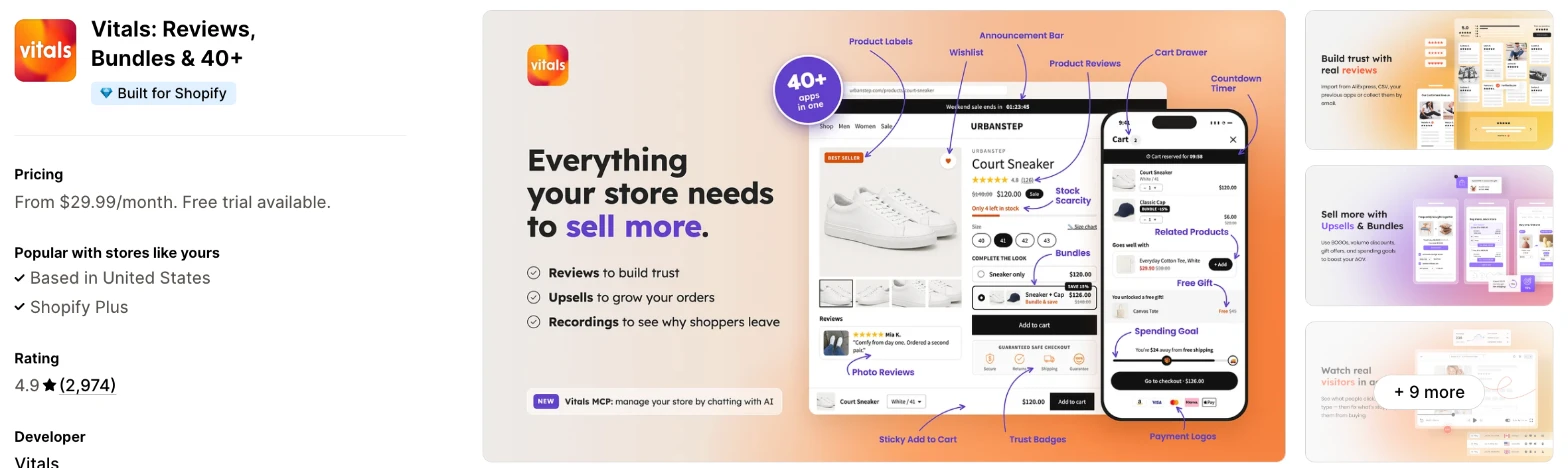
Vitals is an all-in-one Shopify app, and its Size Chart app is one of 40+ apps in one subscription. It makes more sense when you also need reviews, bundles or a back in stock app and don't want a separate app for each.
Why I like this app:
I like how charts reach products here. One chart can go on the whole store, chosen products or collections, and a product's own chart takes priority. The size calculator reads from my table, so I had no separate recommender to set up. Setup took me about 7 to 10 minutes, the quickest of the 7.
Page speed surprised me, because I didn't need to worry about it. All 40+ apps share one script, so I could turn any of them on or off without worrying that it would increase my load time. The limits are on the chart itself: the table and guide stay in the language I wrote them, and I didn't find templates or CSV import.
Features:
- A Size Chart button that opens the chart in a pop-up
- Charts from a pasted table, the editor or an uploaded image
- A How to measure guide with text and pictures
- A size calculator that shows a size from a shopper's measurements, in cm or inches
- Charts for all products, chosen products or collections
- Chart priority, so a product's own chart replaces a collection's
- Drafts and no limit on the number of charts
- Controls for the button, table design and pop-up colours
- Button placement by the description or buy buttons, or with a custom CSS selector
- Translations for the button text and chart titles
- Back in Stock, Product Reviews and Live Chat in the same subscription
- 40+ apps in the same subscription
Pricing: Vitals has one plan, with all 40+ apps included:
- All in one plan: $29.99/month
- Trial: 7 days
Reviews: Vitals has 4.9 stars from 2,974 reviews on the Shopify App Store. Recent reviewers like having many apps together and praise customer support.
Best for: A store that wants size charts along with reviews, bundles and other apps in one subscription.
See Vitals on the Shopify App Store
2. MP Size Chart & Size Guide
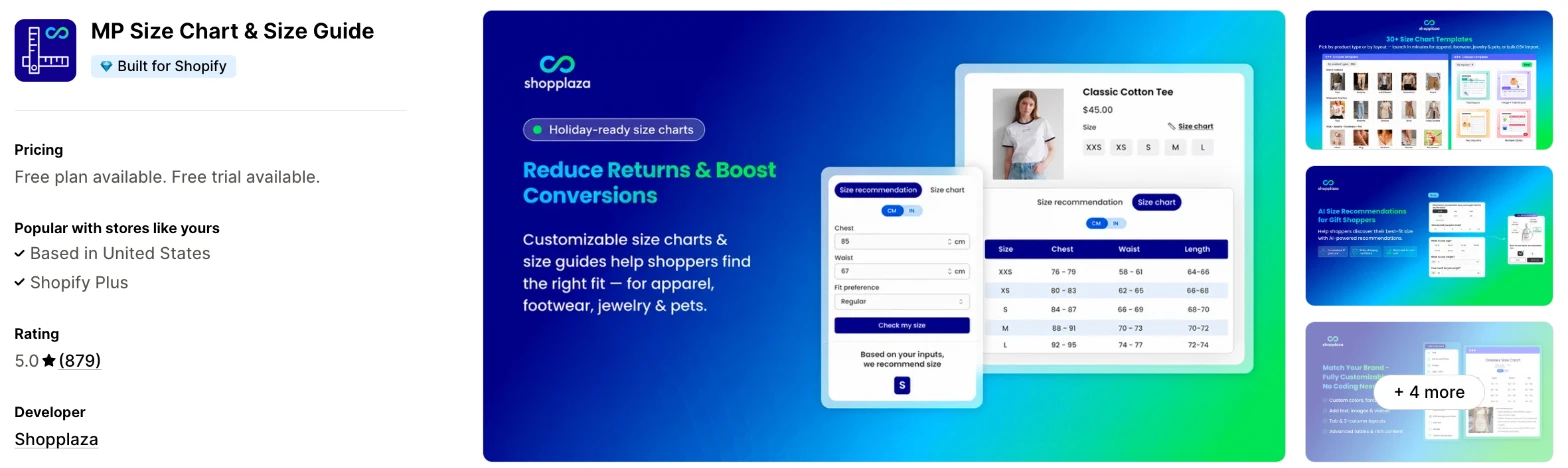
MP Size Chart & Size Guide is a size chart app with AI size recommendations for fashion, footwear, jewellery and pet products. Choose it when you want to try a recommender before you pay for one.
Why I like this app:
I found AI size recommendations on the free plan, which none of the other 6 offer. MP also has 30+ templates, CSV import and free migration from another app. My first chart took me about 10 to 15 minutes. Recent reviewers often name Rachel in support, and one was ready to switch apps until the team fixed things. However, the free plan stops at 3 charts and assigns by product only, and each paid plan caps AI recommendations.
Features:
- AI size recommendations
- 30+ templates for apparel, footwear, jewellery and pets
- Charts with images, videos and tabs
- CSV import and imports of existing charts
- Floating, inline, dropdown or next-to-size display
- A dedicated size guide page
- Automatic unit conversion and multiple size labels
- Auto-translation on Growth
- Google Analytics on Growth and advanced analytics on Pro
- Free chart migration from other apps
Pricing: MP Size Chart charges by published charts and AI recommendations:
- Starter: Free, 3 charts
- Growth: $6.95/month, 10 charts, up to 800 AI recommendations
- Pro: $12.95/month, unlimited charts, up to 2,000 AI recommendations
- Advanced: $24.95/month, unlimited charts, up to 5,000 AI recommendations
- Trial: 14 days
Yearly billing saves 17%. The listing doesn't give a limit for AI recommendations on the free plan.
Reviews: MP Size Chart has 5.0 stars from 879 reviews on the Shopify App Store. Recent reviewers praise fast support, and one merchant who isn't technical built a chart with its help. A 2025 low-star reviewer also praises support, but says the preview failed and a guide unpublished by itself.
Best for: A clothing, footwear or jewellery store that wants to test size recommendations for free.
See MP Size Chart & Size Guide on the Shopify App Store
3. Jotly Size Chart & Size Guide
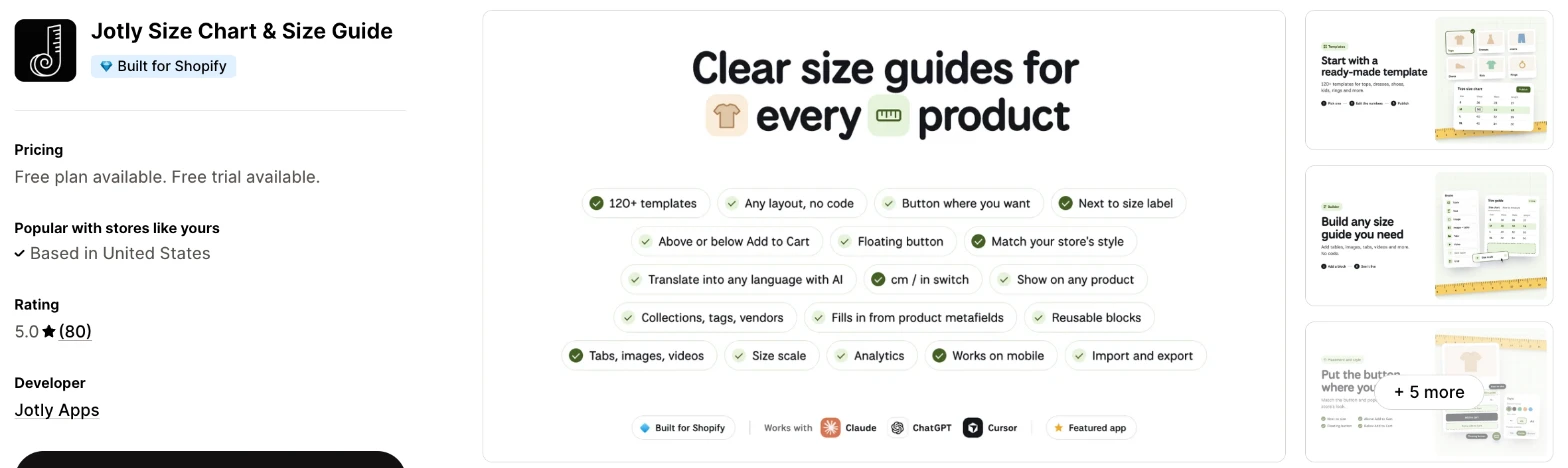
Jotly is a size guide builder that combines tables, tabs, images and videos. It makes more sense when your guides don't fit a standard table.
Why I like this app:
The free plan is what I noticed first, with 123 templates, no watermark and conversion across cm, inches, mm, ft and m. Essentials then adds tabs, several tables in one guide and a size scale bar at $6.99/month. It took me about 10 to 15 minutes to publish a guide. One reviewer chose it after testing other apps, because their guides aren't standard templates. But I didn't find a size recommender, and translation starts on the $14.99/month Global plan.
Features:
- 123 templates
- Tables, images, videos and text in one guide
- Tabs and several tables per guide on Essentials
- Automatic conversion between cm, inches, mm, ft and m
- Placement next to the size label on Essentials
- Assignment by product or collection, with tags and vendors on Global
- AI translation and reusable blocks on Global
- An AI assistant through MCP, Claude or ChatGPT on Enterprise
- Top charts by views and add to cart on Enterprise
- Google Analytics and Meta Pixel on Essentials
Pricing: Jotly charges a flat fee for each plan, with a guide limit on the free plan:
- Free: 2 size guides
- Essentials: $6.99/month, unlimited charts
- Global: $14.99/month, adds translation and bulk rules
- Enterprise: $24.99/month, adds advanced rules, AI assistant and stats
- Trial: 7 days
Yearly billing saves 17% to 30%, depending on the plan.
Reviews: Jotly has 5.0 stars from 80 reviews on the Shopify App Store. Recent reviewers praise help with button placement, and one uses it across several languages. I didn't find a review under 4 stars, although it only launched in August 2024.
Best for: A store with unusual products or layouts that needs more than a standard table.
See Jotly Size Chart & Size Guide on the Shopify App Store
4. CSC Size Chart & Size Guide
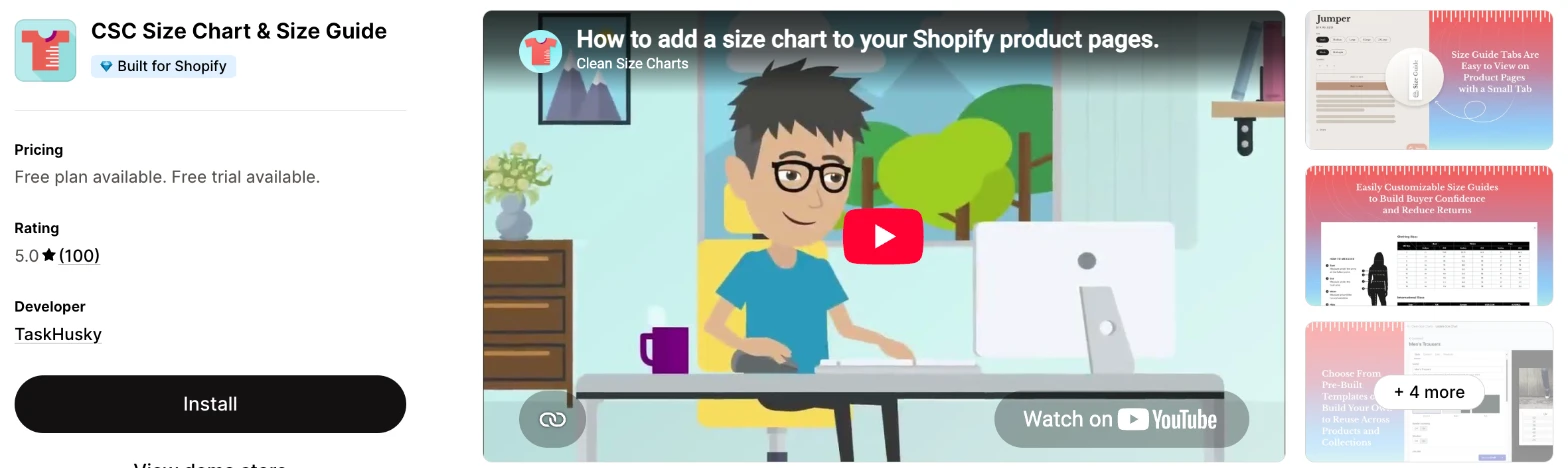
CSC Size Chart & Size Guide is a size chart app with a fit finder, fit notes and virtual try-on. I'd choose it when you sell fashion and want to show shoppers more than a table.
Why I like this app:
When I checked the plans, CSC was the only app with virtual try-on, which shows a product on a photo of the shopper. Its AI also builds charts from my product data, and done-for-you setup appears on all but its top plan. I had my first chart live in about 10 to 15 minutes. One long-term reviewer calls it a little tricky to configure, but praises the support team. The main drawback is Plus, because try-on starts at $29.99/month and reaches $299.99/month as orders grow.
Features:
- AI size recommendations on Advanced and Plus
- One-click chart generation from product data
- Fit notes and virtual try-on on Plus
- 18 templates, including shirts, shoes and rings
- Rules by collection, vendor or product type
- Charts shown by country on Grow
- Import and export on paid plans
- Multi-language support on Advanced and Plus
- Gorgias, Judge.me, Okendo, PageFly, Trendsi and Weglot
- Free chart migration from other apps
Pricing: CSC charges a flat fee on its lower plans and by orders on Plus:
- Free: 2 charts
- Grow: $6.99/month, unlimited charts
- Advanced: $14.99/month, 500 AI recommendations
- Plus: $29.99/month up to 250 orders, rising to $59.99 up to 500, $99.99 up to 1,000, $149.99 up to 2,500, $199.99 up to 5,000 and $299.99 above that
- Trial: 14 days
The free plan's features don't list unit conversion or full style customisation, so I'd expect to need Grow for those.
Reviews: CSC has 5.0 stars from 100 reviews on the Shopify App Store. Recent reviewers praise responsive support and say their charts work reliably. The only low-star reviews I found date from 2022, and one says its tag rules forced them to add a separate sizing tag to their products.
Best for: A fashion brand that wants fit notes and virtual try-on on the product page.
See CSC Size Chart & Size Guide on the Shopify App Store
5. BF Size Chart & Size Guide
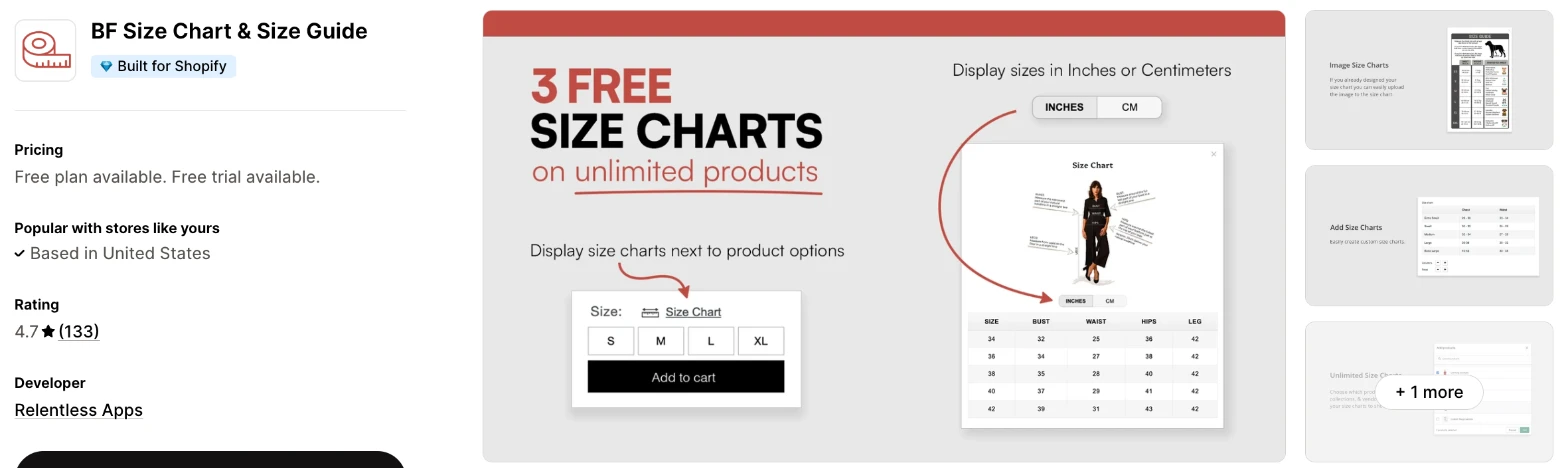
BF Size Chart & Size Guide is a low-cost size chart app with cm and inch conversion and measurement guides. Choose it when you need a few plain charts and want to spend as little as possible.
Why I like this app:
BF has the lowest paid prices I found, with 10 charts at $2.99/month and unlimited charts at $11.99/month. The free plan includes 3 charts, no watermark and unlimited products, so a small range may never need more. Setup took me about 10 to 15 minutes, and one reviewer reports the same. However, I didn't find a recommender in its plans, and a 2026 reviewer says it hid express checkout buttons on products with variants. Test that on your product page first.
Features:
- Charts on unlimited products
- Conversion between cm and inches
- Images and measurement guides
- Charts by collection or product tag
- Links next to the size label on Starter
- Several charts per product on Starter
- Export and import on Starter
- Vajro and VO Product Options
I didn't find any AI features in it.
Pricing: BF charges by published charts:
- Basic: Free, 3 charts
- Starter: $2.99/month, 10 charts
- Premium: $5.99/month, 100 charts
- Unlimited: $11.99/month, unlimited charts
- Trial: 14 days
Yearly billing saves 17% on Premium and Unlimited.
Reviews: BF has 4.7 stars from 133 reviews on the Shopify App Store. Recent reviewers call it easy to use and good value, and one store says John found the cause of a display problem. A 2026 reviewer complained that they couldn't search or sort charts, and Relentless Apps says it has since added search by title.
Best for: A small store that needs a few plain charts at the lowest cost.
See BF Size Chart & Size Guide on the Shopify App Store
6. Kiwi Size Chart & Recommender
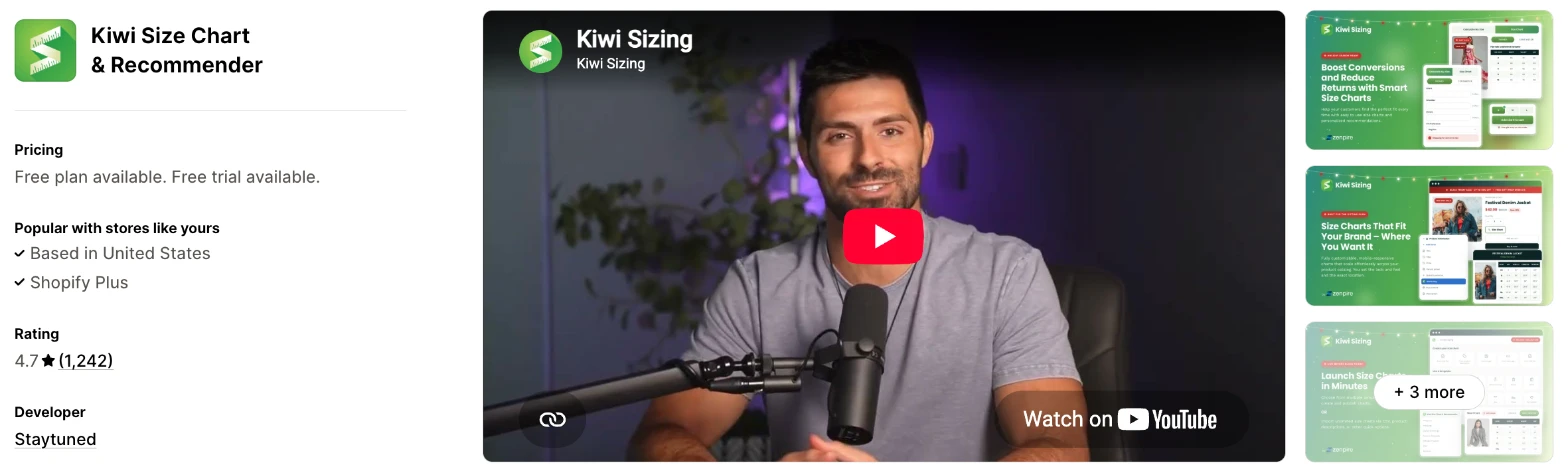
Kiwi Size Chart & Recommender is a size chart app with AI fit recommendations and custom recommenders. I'd choose it when you keep your existing charts as images or in your product descriptions.
Why I like this app:
Import options stood out here, because Kiwi can pull charts from images, product descriptions and CSV files. Guides can also apply automatically to new products, and the sizing unit follows the shopper's location. It took me about 10 to 15 minutes to get a chart running, and it has the most reviews of the 7. But Premium stops at 10 charts and Plus at 20, and Plus and Ultimate add fees based on my order count.
Features:
- Imports from images, product descriptions and CSV
- AI-powered fit recommendations
- Up to 10 custom recommenders on Plus, unlimited on Ultimate
- Recommender analytics on Plus
- Several tables, images, videos and tabs per chart
- 22 templates
- Product and collection guides that apply to new products
- Units that change with the shopper's location
- Auto-translation in 2, 6 or 22 languages, by plan
- Google Analytics on Premium
Pricing: Kiwi charges by published charts, plus orders on Plus and Ultimate:
- Free: 3 charts, with a Kiwi watermark
- Premium: $7.99/month, 10 charts
- Plus: $14.99/month, 20 charts, plus order fees
- Ultimate: $26.99/month, unlimited charts, plus order fees
- Trial: 14 days
Kiwi's pricing page shows order fees starting at 100 orders a month, after a free first billing month. At 2,000 to 6,000 orders, the monthly total is $74.99 on Plus and $146.99 on Ultimate. Import credits cost extra when you need them.
Reviews: Kiwi has 4.7 stars from 1,242 reviews on the Shopify App Store. Recent reviewers praise quick fixes, and one says staff will make changes for you. Low-star reviews since August 2026 mostly object to the order fees and chart limits, and a July reviewer says translation only changed the buttons and header.
Best for: A store that keeps its charts as images or in product descriptions and wants to import them.
See Kiwi Size Chart & Recommender on the Shopify App Store
7. GA: Size Chart & Size Guide
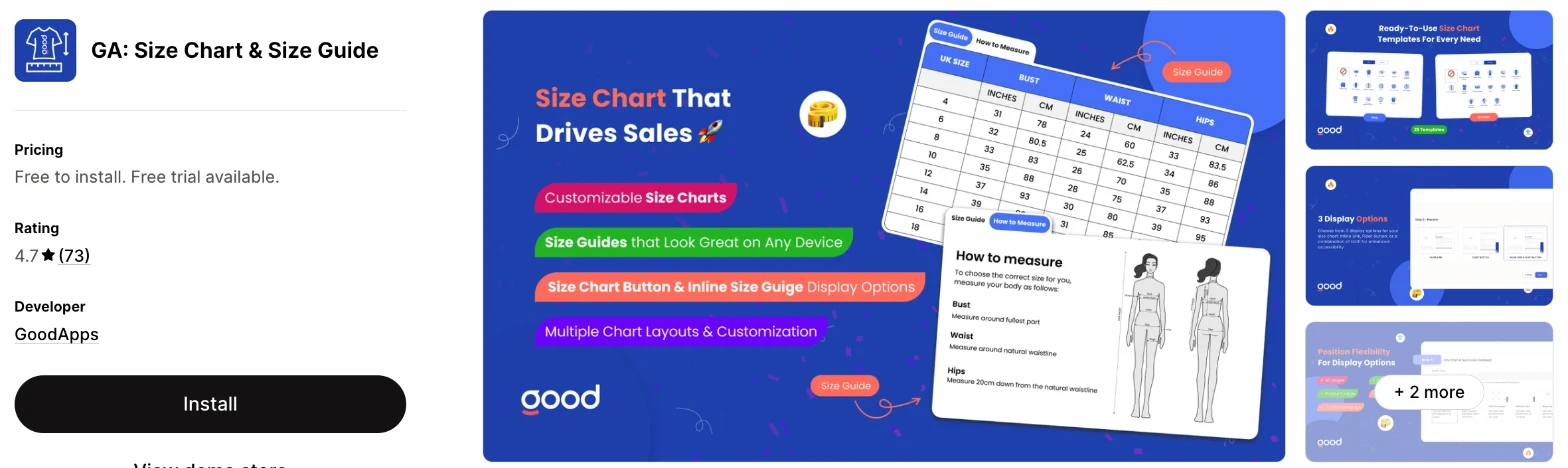
GA: Size Chart & Size Guide is a size chart app with size swatches, a true size recommender and a lazy size option. It makes more sense when you get few orders and sell rings, shoes or clothing.
Why I like this app:
I found a useful mix of extras here, with size swatches, a true size recommender and ring and shoe guides. Every paid plan lists the same features, so I'd only pay more for more orders. Setup took me about 10 to 15 minutes. One reviewer likes seeing how many people open a chart, and says support fixed an issue after a theme change. The main drawback is cost, because $24/month stops at 100 orders and the listing shows no higher plan.
Features:
- Size swatches and a variant size selector
- True to size recommendations
- A lazy size option
- Ring and shoe size guides
- Measurement charts for comparing products
- Pre-built templates and your own images
- Full style customisation
- Live chat and support emails
The listing names OpenAI and Sidekick under Works with, but I didn't find an AI feature in its plans.
Pricing: GA charges by Shopify orders, with the same features on each plan:
- Free: development stores only
- Growth: $6/month, up to 10 orders a month
- Growth 2: $12/month, up to 50 orders a month
- Growth 3: $24/month, up to 100 orders a month
- Trial: 7 days
Reviews: GA has 4.7 stars from 73 reviews on the Shopify App Store. Recent reviewers praise quick support, with one problem solved in under 10 minutes. Low-star reviews from 2024 report charts that didn't display as expected, and one says they couldn't rename a cloned chart. GoodApps suggests that other apps can cause display problems.
Best for: A store with few orders that wants size swatches and ring or shoe guides.
See GA: Size Chart & Size Guide on the Shopify App Store
How do you choose the right Shopify size chart app?
I'd start with whether you need a recommender or a plain chart, then check the cost at your order volume. I've put each app's rating, starting price and how it charges in this table:
| App | Rating | Starting price | Charges by |
|---|---|---|---|
| Vitals | 4.9 from 2,974 reviews | $29.99/month | One plan |
| MP Size Chart | 5.0 from 879 reviews | Free, then $6.95/month | Charts and AI recommendations |
| Jotly | 5.0 from 80 reviews | Free, then $6.99/month | Flat fee by plan |
| CSC | 5.0 from 100 reviews | Free, then $6.99/month | Flat fee, then orders on Plus |
| BF | 4.7 from 133 reviews | Free, then $2.99/month | Charts |
| Kiwi | 4.7 from 1,242 reviews | Free, then $7.99/month | Charts, plus orders on 2 plans |
| GA | 4.7 from 73 reviews | $6/month | Orders |
Features narrow the list first. A plain chart works on all 7, but a recommender rules out Jotly and BF, and virtual try-on leaves only CSC. List what your shoppers ask about most, then check that the plan you can afford includes the answer.
Design comes next, because a chart has to read clearly on a phone. All 7 offer colour and style controls, and Jotly offers the most layout options, with tabs, videos and several tables. Vitals applies one design to every chart. Open a chart on your phone before you publish it, because a wide table can be hard to read on a narrow screen.
AI can also do some of this work. With some apps, I could ask Claude or ChatGPT and it built the result for my store. For size charts, Jotly lists an AI assistant for Claude and ChatGPT on Enterprise, and CSC's AI builds charts from product data.
Your other apps matter most around the product form. A 2026 BF reviewer says it hid express checkout buttons on products with variants, and GoodApps points to other apps when GA's charts display oddly. CSC lists PageFly and Weglot, and MP lists Foxify, langify and Transcy. Check your product page, your buy buttons and any page builder after you install.
I found cost depends mainly on what each app counts. BF and MP count charts, so a large catalogue with many chart types pays more. Kiwi's top 2 plans and GA count orders, and so does CSC's Plus plan. Vitals has one plan, which includes its 40+ apps and no limit on charts.
Support draws strong praise across recent reviews, especially on MP, Jotly and CSC, where merchants often name the person who helped them. My own experience varied more. When setup problems came up on my test store, a few customer success teams fixed them within minutes, while others took hours to reply. The sharpest complaints I found are about Kiwi's order fees. I'd send a test question during your trial and ask for help with button placement, because that's a common request in these reviews.
Choose Vitals if you'd use its other apps as well, and MP for free size recommendations in a dedicated app. Choose Jotly for unusual guides, and CSC for fit notes and virtual try-on. BF suits a tight budget, Kiwi suits charts you want to import and GA suits a store with few orders.
Do you need a size recommender or is a chart enough?
A chart is enough when your products share one consistent fit. A recommender makes more sense when shoppers keep asking which size to pick, or when your fit changes from product to product.
The apps handle this differently. Vitals reads the size from your own table, which works on table charts with body measurements and sizes in the first column. MP and CSC use AI, with caps on most plans. Kiwi offers custom recommenders from Plus, and GA lists a true size recommender on every paid plan.
Plan costs differ too. MP includes recommendations on its free plan, and Vitals includes its calculator on its $29.99/month plan. CSC starts recommendations at $14.99/month, and Kiwi's Plus plan starts at $14.99/month plus order fees. So I'd test MP's free plan first. Compare its answers with what you'd tell a customer yourself.
What counts toward a size chart plan limit?
Published charts are the most common limit, and they run out faster than you might expect. One chart usually covers one fit or product type, so a store with tops, trousers, shoes and kids' sizes can pass a free plan quickly.
The free plans stop at 2 charts on Jotly and CSC, and 3 on MP, BF and Kiwi. Unlimited charts then cost $6.99/month on Jotly and CSC, $11.99/month on BF, $12.95/month on MP and $26.99/month plus order fees on Kiwi. Vitals has no limit on charts.
Other apps count orders or recommendations as well. For example, GA's $6/month plan stops at 10 orders a month, whatever number of charts you make. MP's Growth plan includes up to 800 AI recommendations and CSC's Advanced plan includes 500, so check how each one behaves at its cap before a busy month. Count your chart types first, then your monthly orders.
Can you translate a size chart?
Yes, but how much translates differs by app. Button text and chart titles are the easy part. Check the table and guide content before you rely on a translation.
Vitals is open about this: the button and title translate, while the table and guide show as you wrote them. A July 2026 Kiwi reviewer reports a similar limit, saying translation only changed the buttons and header and that they couldn't create separate guides for each language. Kiwi also limits auto-translation to 2, 6 or 22 languages, depending on the plan.
Jotly's Global plan adds AI translation into any language at $14.99/month, and one recent reviewer uses it across several languages. MP starts auto-translation on Growth and CSC starts multi-language support on Advanced. GA's listing shows only English, with no translation feature.
Add your second language to a test product, then read the full chart as a shopper would. Measurements and "how to measure" text need the most care.
Where should a size chart button go?
Next to the size options is where I'd put it, because that's where shoppers make the decision. A link further down the page is easier to miss.
Most of these apps can do it. Jotly and BF list placement next to the size label on their first paid plans, and MP lists a next-to-size option. Vitals places the button by the description or the buy buttons, and you can use a custom CSS selector or ask support to move it next to the size picker.
This is also where support helps most. Reviewers of Jotly and GA both describe the team moving the chart link to the position they wanted. Check the button on a product with variants, then add an item to your cart to confirm that your buy buttons still work.
How do you set up your first Shopify size chart?
I'd start with your best-selling product type, because that's where a wrong size costs you the most returns.
Use these steps with any of the apps:
- Measure a real sample of each size, or take the numbers from your supplier.
- Install the app and build one chart from a table or template.
- Add a short guide on how to measure.
- Assign the chart to one collection.
- Place the button next to your size options.
- Add a second unit if you sell in more than one country.
- Check the chart on your phone and desktop.
- Add an item to your cart to confirm that your buy buttons still work.
Setup took me about 7 to 10 minutes on Vitals and about 10 to 15 minutes on each of the others. Merchants report a mixed picture too. One BF reviewer installed it in 10-15 minutes and a Jotly reviewer calls it simple to set up, while one long-term CSC reviewer found it a little tricky to configure.
I'd leave the chart live for 4 to 8 weeks before you change it, so returns from orders placed with the chart have time to reach you.
What changes in unusual situations?
I found the right app can change once your orders rise, you sell in several markets, you need a plan-only feature or you move from another app.
At unusually high or seasonal order volumes, plans built on orders need the most checking. Kiwi's Plus plan reaches $364.99/month and Ultimate reaches $726.99/month above 20,000 orders. CSC's Plus plan reaches $299.99/month above 5,000 orders, and GA's listing stops at 100 orders. MP, Jotly and BF list flat prices with no order count, though MP's top plan caps AI recommendations at 5,000.
With several stores or markets, your sizing can change too. CSC can show a chart by country on Grow, and Kiwi changes the unit based on the shopper's location. Malibu Grace Boutique uses BF across several stores, so ask each app's support team how its plans apply to a second store.
Some features only appear on certain plans. Jotly keeps translation for Global and its AI assistant for Enterprise, and CSC keeps virtual try-on for Plus. BF keeps next-to-size placement for Starter.
Moving from another app is easier on some apps than others. MP and CSC offer free chart migration, and Kiwi can import from images, product descriptions and CSV. I left ESC Size Charts off my shortlist, because all 6 of its reviews since June 2026 are 1-star and report no reply from support. So I'd look at moving if you use it. Build your new charts before you remove your old app, so your product pages are never without one.
What are the benefits of a Shopify size chart app?
A size chart app gives shoppers a way to check their fit on the product page, so you can reduce wrong-size orders and the emails that come before them. It won't remove returns on its own, and the chart has to be accurate.
Say you sell a $60 jacket and each wrong-size return costs you $10 in postage and handling. If your chart prevents 10 of those returns in a month, you've saved $100, against $6.99/month for a paid plan on Jotly or CSC. The numbers depend on your own return rate, and one Kiwi reviewer says they're still getting just as many returns.
A chart also saves support time, because you answer the sizing question once for every product. That only holds if you keep it up to date. Apps that share one chart across products, such as Vitals and BF, mean one edit can update every product that uses it.
Before you install an app, look at your last 3 months of returns and note how many were about size.
What are some ideas for using a Shopify size chart app?
I'd try a how to measure guide first, because it's quick to add and answers the question behind most sizing emails. These 5 ideas suit different types of store:
- How to measure guide: a clothing store adds a short diagram for chest, waist and hips under each chart.
- Size recommender: an activewear store asks for measurements and shows a suggested size next to the size options.
- Ring size guide: a jewellery store shows how to measure a finger at home before a shopper picks a ring.
- Shoe conversion chart: a footwear store compares UK, EU and US sizes for international shoppers.
- Pet sizing: a pet store shows neck and chest measurements for each harness size.
I'd test the how to measure guide on your best-selling collection first, then add a recommender if the sizing emails continue.
Which Shopify size chart app would I start with?
I'd start with Vitals, because its size charts come with 40+ other apps in one subscription, so you may be able to remove your separate review or bundle apps as well. Choose MP instead when you only want a size chart and would like to try size recommendations for free, or BF when price matters most. Install your choice, publish one chart on your best-selling collection and check your sizing emails after 4 weeks.
What do merchants often ask about Shopify size chart apps?
How much does a Shopify size chart app cost?
Paid plans on these apps start between $2.99/month and $29.99/month, and MP, Jotly, CSC, BF and Kiwi have free plans. The cost changes with your number of charts, your orders or the features you need. Kiwi's order fees and CSC's Plus plan are what push the bill highest, with totals up to $726.99/month and $299.99/month.
Does Shopify include size chart features without an app?
Partly. Shopify's pop-up tutorial shows how to add a size chart link to a product page using a page and a metafield. It needs a theme that supports dynamic sources, and a product with no linked page shows a blank pop-up. You'd also build each chart by hand, with no calculator or unit switch.
Are there free Shopify size chart apps?
Yes, I found a free plan on 5 of these apps. Jotly and CSC stop at 2 charts, and MP, BF and Kiwi stop at 3. MP includes AI recommendations, and Kiwi adds its watermark. Vitals has a 7-day trial and no free plan, and GA's free plan is for development stores.
Do size chart apps slow down a store?
Not one on its own. The slowdown comes from the number of apps, because a store also needs apps for reviews, bundles, discounts, gifts and visitor recordings, and each new one affects page speed. So the saving comes from putting those jobs into fewer apps. Vitals includes 40+ apps in one subscription and loads them from one script, so it doesn't slow down your store as you turn more on. Check your page speed before and after you install any new app.
Can a size chart switch between cm and inches?
Yes, on most of these apps. Jotly, MP, BF, Kiwi and CSC's paid plans list unit conversion, and Jotly adds mm, ft and m. Vitals offers the switch in its size calculator, and I didn't find unit conversion on GA's listing.
Can one size chart cover many products?
Yes, all 7 can share a chart across products. Vitals, Jotly, Kiwi, CSC and BF can assign by collection, and BF includes unlimited products on its free plan. MP's free plan assigns by product and Growth adds advanced chart assignment, so check that before you plan a large rollout.