
Best Shopify spin the wheel apps reviewed in 2026
Spin the wheel apps give shoppers a small game in return for an email address or phone number, so a discount can also grow your list. All 7 apps here have a prize wheel and collect phone numbers. Where they differ is on other games, a unique code for each shopper and A/B testing.
I installed 7 Shopify spin the wheel apps on a test store and compared their features, pricing and merchant reviews. Below, you'll find what each one does well, where it falls short and the type of store it suits best.
Which Shopify spin the wheel apps made my shortlist?
I selected apps with a rating of 4.4 or higher and at least one new merchant review since October 2025. These 7 spin the wheel apps made my shortlist:
- Vitals: all-in-one Shopify app with a prize wheel and 40+ apps in one subscription
- CrazyRocket: a wheel, slot machine, scratch card and mystery pack from $9/month
- 1CP: Email Popup & Spin Wheel: unique codes and revenue reports for each campaign
- Wheelify Spin Wheel Email Pop: unlimited impressions, priced by your Shopify plan
- BoostPop: Email Popups & Wheel: the largest free plan, with bars and social proof
- Tada Pop up Spin Wheel Popups: the lowest paid price, with email validation
- WooHoo: Popups & Spin Wheel: a drag-and-drop editor with every feature on every plan
How did I review the best Shopify spin the wheel apps?
I installed each app on a test store, then went through each App Store listing, every plan and the newest and lowest-rated merchant reviews.
I looked at these details for each app:
- Games: which formats it offers beyond a standard wheel
- Prizes and odds: who decides which slice wins and how much control you have
- Discount codes: how shoppers receive a code and whether each shopper gets their own
- Repeat spins: what stops a shopper spinning again or entering a fake address
- Testing and reports: whether it runs A/B tests and what it reports on each wheel
- AI features: what AI does in each app, such as designing popups or translating them
- Integrations: which email and SMS tools receive your signups
- Setup: how long each app took me to get a wheel live
- Design: which templates, colours, fonts and code options each app offers for matching a theme
- Speed: what a wheel app means for page speed alongside the other apps many stores use
- Pricing: how each app charges, its plan limits and what each plan includes
- Reviews: what the newest and lowest-rated App Store reviews say, including about support
I ranked the list by where I'd start for a typical store, with the all-in-one app first, then the wheel apps in the order I'd try them.
What did I find across these Shopify spin the wheel apps?
I found 5 main options across the apps I reviewed. The apps differ on which ones they include, so check which you need before you compare prices:
- Prize wheel: a wheel that gives a prize in return for a signup. All 7 apps include one, although CrazyRocket first lists it on its paid Start plan.
- Other games: a different format with the same signup. CrazyRocket adds a slot machine, scratch card and mystery pack, 1CP adds a turntable and nine-square game, and Tada adds Pick a Gift.
- Unique codes: a separate code for each shopper. 1CP and Wheelify list them, and CrazyRocket lists them from its $19/month plan. Vitals uses one code per slice.
- Phone signups: a form that collects a phone number for SMS. All 7 apps include them.
- Follow-up emails: a message after the spin, which can carry the code. 1CP includes them, Wheelify sends codes through Cartly, WooHoo can send email campaigns and Vitals has a separate Email & Push Marketing app in the same subscription.
I also found these differences beyond the main options:
- A/B testing: Wheelify and WooHoo include it on their free plans, while CrazyRocket and 1CP start it on their first paid plans. Tada's listing tags it. I didn't find it on the Vitals Spin the Wheel page or BoostPop's listing.
- Repeat spins: Vitals shows a one-spin rule and adds a CAPTCHA check, Wheelify has an anti-cheat shield and Tada validates email addresses.
- Reports: 1CP shows revenue, orders and average order value for each campaign. WooHoo tracks signups, orders and revenue, and BoostPop shows views, clicks and signups.
- AI features: CrazyRocket has an AI popup designer and translator that use credits, and BoostPop offers AI product recommendations. 1CP, Wheelify and BoostPop work with Shopify Sidekick. With Vitals MCP, you can do everything in Vitals with Claude or ChatGPT, including setting up a wheel. I didn't find AI features on Tada's or WooHoo's listings.
- Setup: Vitals took me the least time, at about 7 to 10 minutes. The other 6 apps each took me about 10 to 15 minutes.
- Design: Vitals has 13 colour themes plus custom colours, and WooHoo has a drag-and-drop editor. CrazyRocket, BoostPop, Tada and WooHoo list custom fonts, and CrazyRocket, BoostPop and Tada also offer CSS or custom code.
- Speed: One wheel app on its own doesn't hurt page speed. The total matters more, because many stores have 10 to 15 apps and every new one affects page speed. Vitals shares one script across its 40+ apps, so I could turn any of them on or off without worrying about load time.
What are the best Shopify spin the wheel apps?
Vitals is my top pick, because its prize wheel comes with 40+ other apps in one subscription. CrazyRocket comes next for stores that want a dedicated game app at a low price. The 5 reviews after it suit stores that want unique codes and reports, unlimited impressions, a large free plan, the lowest price or a drag-and-drop editor.
1. Vitals
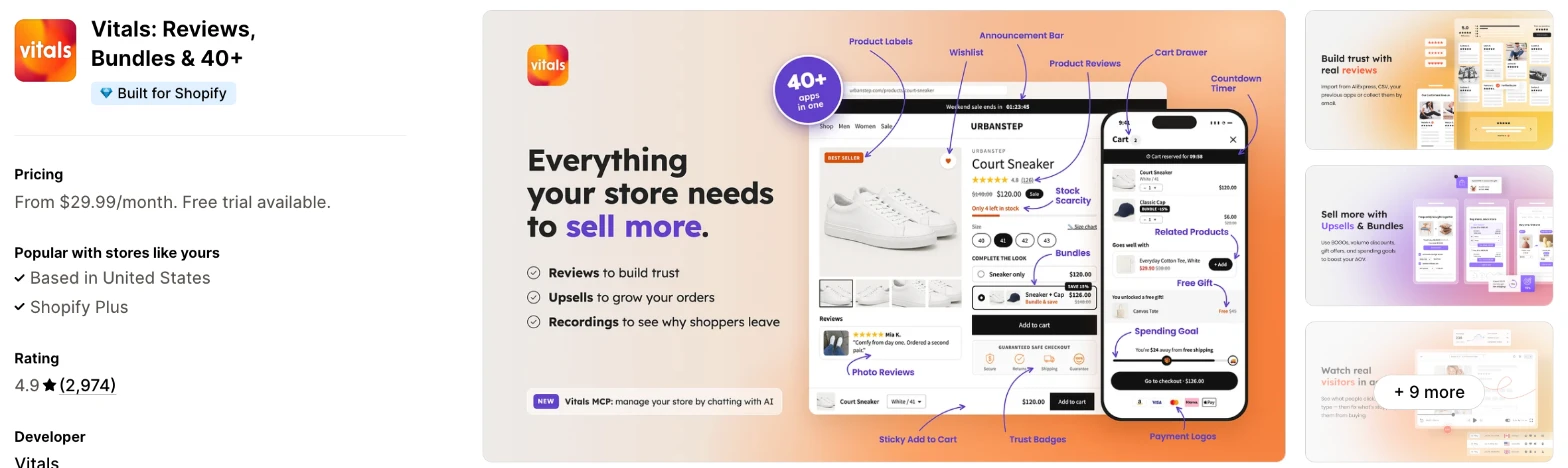
Vitals is an all-in-one Shopify app, and its Spin the Wheel app is one of 40+ apps in one subscription. It makes more sense when you also need reviews, bundles or email marketing and don't want a separate app for each.
Why I like this app:
I like how simple the odds are, because every spin lands on a winning slice and the losing slices only fill out the wheel. Vitals can also create percentage codes in Shopify for me, and the winning code stays on screen after the wheel closes. It took me about 7 to 10 minutes to get a wheel live, the quickest here. A CAPTCHA check filters out bots. But I can't set custom odds, and everyone who lands on a slice shares its code.
Features:
- Winning and losing slices that you write yourself
- Percentage codes created in Shopify, or your own pasted in
- One code per winning slice, which each customer can use once
- Delay, exit intent and click triggers
- Start and end dates, with a cap on impressions per visitor
- Homepage, product and collection pages, with a choice of products
- Signups by email, phone number or either
- 13 colour themes, custom colours and translations
- EU consent checkboxes and an optional SMS consent line
- A winning code that stays on screen, with a copy option
- A CAPTCHA check for bots
- Signups saved to Shopify as tagged customers, and sent to Klaviyo, Mailchimp or Omnisend when connected
- 40+ apps in the same subscription
Pricing: Vitals has one plan, with all 40+ apps included:
- All in one plan: $29.99/month
- Trial: 7 days
Reviews: Vitals has 4.9 stars from 2,974 reviews on the Shopify App Store. Recent reviewers like having many apps together and praise customer support. A low-star reviewer from February 2026 says they couldn't reach the team and found glitches, and Vitals says it followed up by email and Instagram.
Best for: A store that wants a prize wheel with simple odds, alongside reviews, bundles and other apps on one bill.
See Vitals on the Shopify App Store
2. CrazyRocket
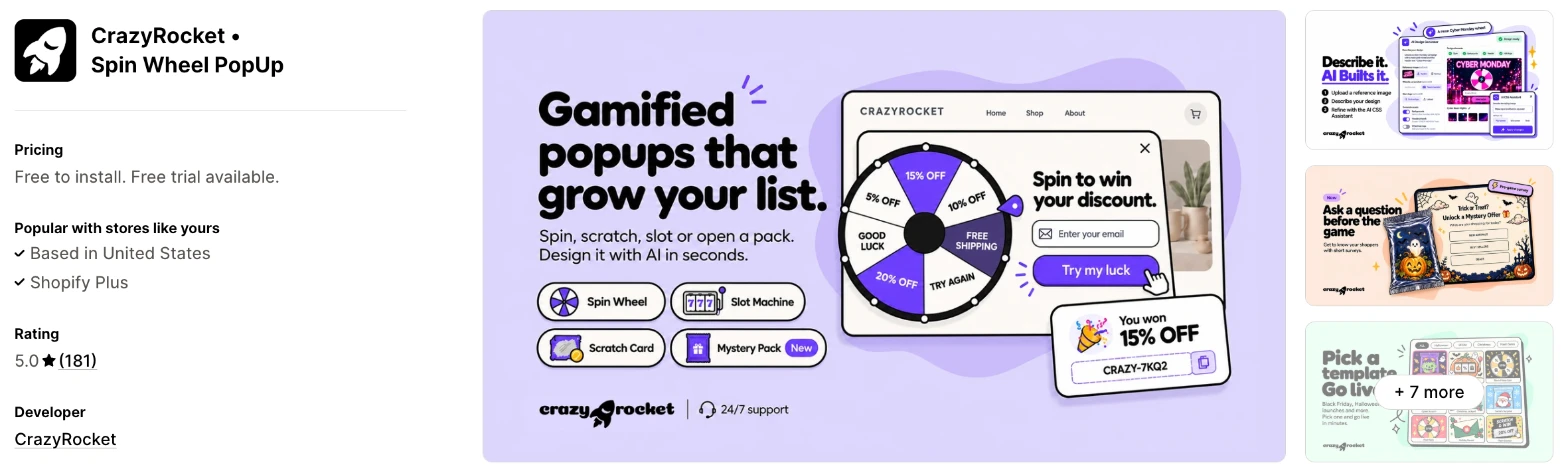
CrazyRocket is a popup app built around games, with a spin wheel, slot machine, scratch card and mystery pack. Choose it when you want to rotate between games and don't need other store apps from the same subscription.
Why I like this app:
The games are what I noticed first, because 4 formats arrive together on the $9/month plan. I also found a survey that can run before the game, plus an AI designer and AI translation that use monthly credits. It took me about 10 to 15 minutes to get a wheel live. Reviewers often name Andrea for quick fixes, and I found no 1-star or 2-star reviews. However, the free plan doesn't list the wheel, and unique codes only start at $19/month.
Features:
- Spin wheel, slot machine, scratch card and mystery pack
- Surveys before the game
- An AI popup designer and AI translation
- Unique codes from the Grow plan
- A template library, including seasonal designs
- Exit intent and targeting rules
- A/B testing from the Start plan
- Klaviyo, Shopify Flow, Mailchimp, Omnisend, ActiveCampaign, Campaign Monitor, Brevo, MailerLite and Zapier
Pricing: CrazyRocket charges by monthly popups shown:
- Free: 1,000 popups, with CrazyRocket's branding and 20 welcome AI credits
- Start: $9/month, 5,000 popups, 20 AI credits a month
- Grow: $19/month, 20,000 popups, 30 AI credits a month
- Premium: $39/month, 60,000 popups, 50 AI credits a month
- Trial: 7 days
Extra AI credits start at $19 for 50, and Start is the first plan that lists the games and removes the branding.
Reviews: CrazyRocket has 5.0 stars from 181 reviews on the Shopify App Store, with none at 1 or 2 stars. Recent reviewers praise fast support and call it easy to set up, and one says customers engage more than with regular promotional popups. Its lowest ratings are 2 reviews at 3 stars.
Best for: A store that wants to run different games through the year on a small budget.
See CrazyRocket on the Shopify App Store
3. 1CP: Email Popup & Spin Wheel
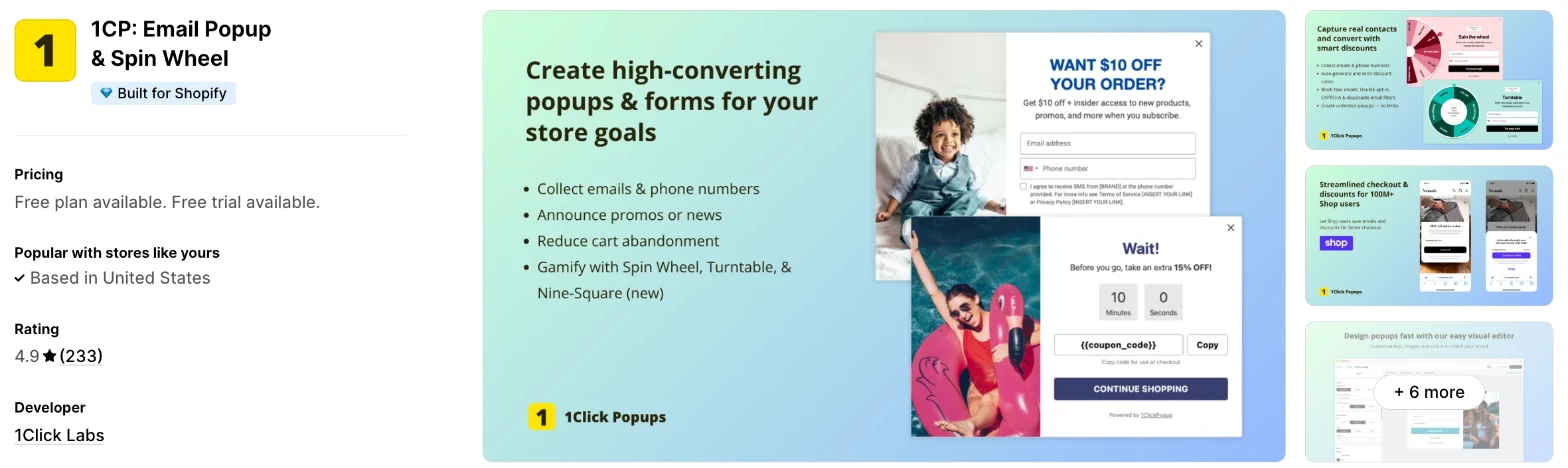
1CP is a popup and form app with spin wheels, announcement bars and follow-up emails. I'd choose it when you want to judge each wheel by the revenue it brings in.
Why I like this app:
When I checked the reports, 1CP went furthest, with revenue, orders and average order value for each campaign. Its wheel codes are unique and apply automatically at checkout, and it also offers a turntable and a nine-square game. Setup took me about 10 to 15 minutes. A/B tests on design, copy or discounts start at $9.99/month. But one reviewer says duplicate signups weren't blocked, which 1Click Labs disputes, and most of the newest reviews have no text.
Features:
- Spin wheel, turntable and nine-square games
- Unique codes applied automatically at checkout
- Revenue, orders and average order value for each campaign
- A/B tests on designs, copy and discounts on paid plans
- Follow-up emails on every plan
- Lead capture through Shop for faster checkout
- Popup summaries from Shopify Sidekick
- Double opt-in
- Shopify Email, Klaviyo, Mailchimp, ActiveCampaign, Google Analytics 4 and Meta Pixel
Pricing: 1CP charges by monthly popup views:
- Free: 1,000 views, 100 follow-up emails
- Pro 10K: $9.99/month, 10,000 views, 1,000 follow-up emails
- Pro 40K: $19.99/month, 40,000 views, 4,000 follow-up emails
- Pro 100K: $39.99/month, 100,000 views, 10,000 follow-up emails
- Trial: 7 days
All popup types are on the free plan, but advanced targeting, A/B testing, revenue insights and most integrations start on Pro.
Reviews: 1CP has 4.9 stars from 233 reviews on the Shopify App Store. One long-term reviewer finds it easy to install and credits it with many newsletter signups, and another mentions a quick support reply. A 2022 low-star reviewer says the ActiveCampaign connection didn't work, and 1Click Labs replies that the setup wasn't finished.
Best for: A store that tests its offers and wants to compare wheels by revenue as well as signups.
See 1CP on the Shopify App Store
4. Wheelify Spin Wheel Email Pop
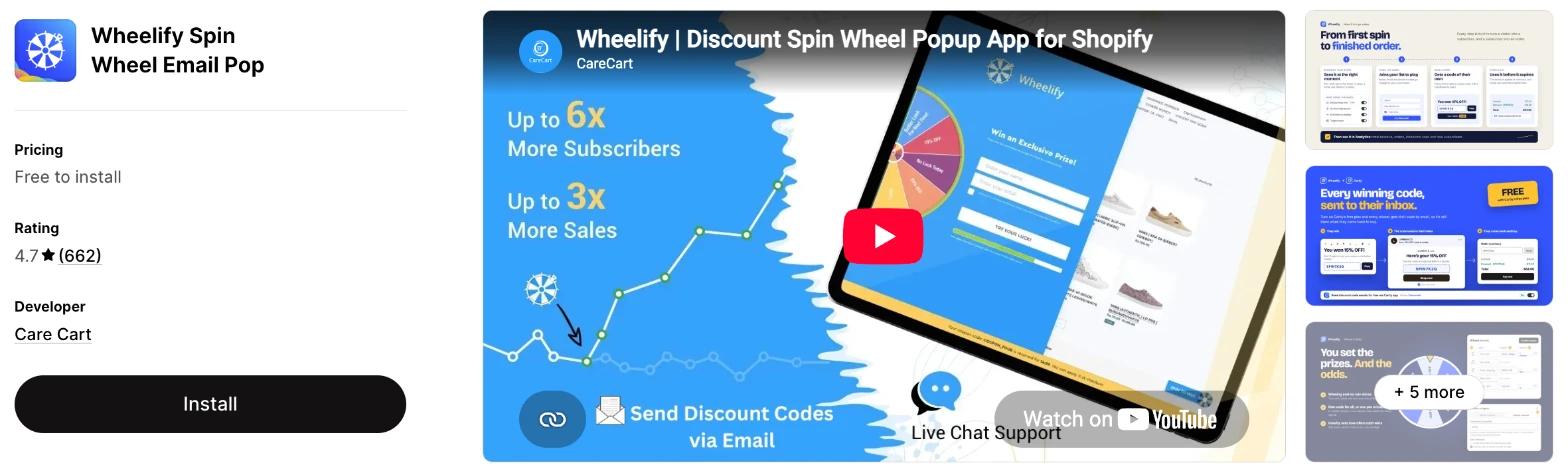
Wheelify is a dedicated spin wheel app that can also embed the wheel on any page. It makes more sense when your traffic is high for your Shopify plan and you don't want a limit on impressions.
Why I like this app:
Wheelify's paid pricing caught my eye, because every paid plan has unlimited impressions and follows my Shopify plan. I can set the prizes and the odds, and the free plan already includes A/B testing and an anti-cheat shield for one win per shopper. It took me about 10 to 15 minutes to get a wheel live. Reviewers often thank support agents such as Luis, Sam and Ali. But recent low-star reviewers report trouble with setup on a phone and with coupons reaching their email.
Features:
- A wheel as a popup or embedded on a page
- Prizes and odds that you set
- Automatic unique codes
- An anti-cheat shield for one win per shopper
- A/B testing and multiple campaigns on every plan
- Exit intent and scroll triggers
- BFCM and holiday themes
- A bulk discount code generator
- Discount codes sent by email through Cartly
- Klaviyo, Mailchimp and Shopify Sidekick
I didn't find any AI features on the listing beyond Sidekick.
Pricing: Wheelify charges by your Shopify plan, with unlimited impressions on paid plans:
- Starter: free, up to 300 wheel impressions, and the listing says usage charges may apply
- Basic: $9.99/month, for Basic Shopify stores, with email support
- Grow: $19.99/month, for Grow Shopify stores, with live chat
- Advanced: $39.99/month, for Advanced Shopify stores, with live chat and basic customisation
Yearly billing saves 20%. I didn't find a free trial on the listing.
Reviews: Wheelify has 4.7 stars from 662 reviews on the Shopify App Store, the most here after Vitals. Recent reviewers praise the support team, and one scheduled campaign went live exactly as planned. One low-star reviewer says settings wouldn't save on a phone, and an older one says a subscriber download showed zero despite over 1,000 signups.
Best for: A busy store on a lower Shopify plan that wants unique codes and no impression limit.
See Wheelify on the Shopify App Store
5. BoostPop: Email Popups & Wheel
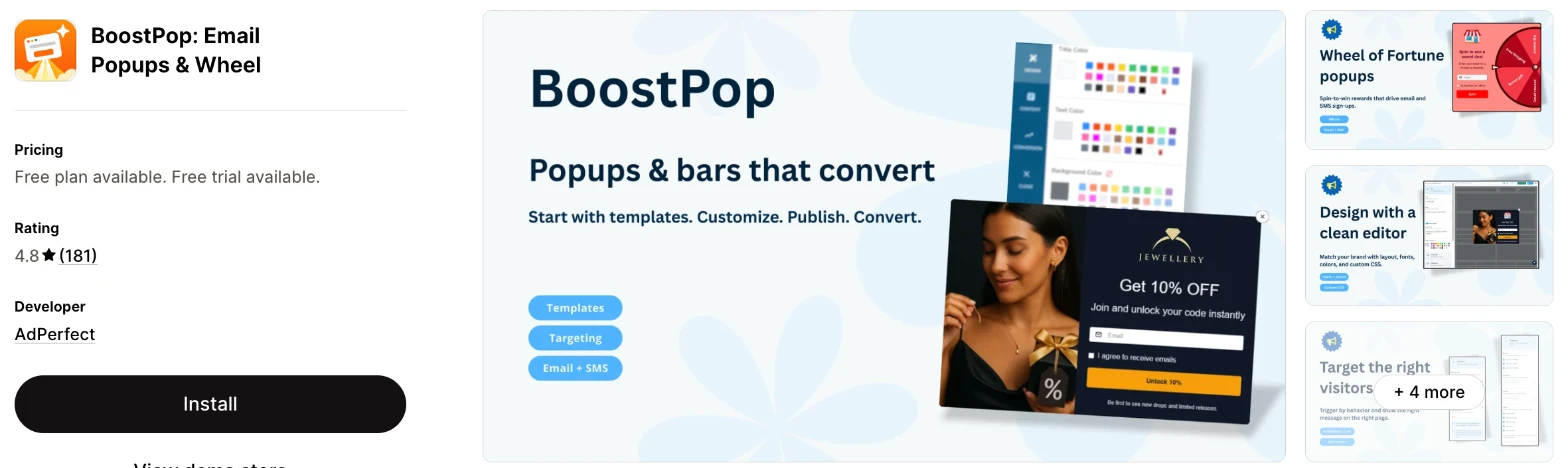
BoostPop is a popup and bar app that includes a Wheel of Fortune and social proof messages. Choose it when you'd like to start free and also need a free shipping bar or low stock messages.
Why I like this app:
The free plan is the largest here, with 3,000 widget views a month and every feature on it. I also found bars, recent order and low stock messages and product upsells inside a popup. Getting a wheel live took me about 10 to 15 minutes. One reviewer hit a clash with Klaviyo signup forms, and the team fixed it the same day. However, the wheel is one part of a wider app, and I didn't find unique codes or A/B testing on the listing.
Features:
- A Wheel of Fortune for email and SMS signups
- Free shipping, countdown and announcement bars
- Recent order, low stock and live shopper messages
- Product recommendations inside a popup, chosen by you or by AI
- Targeting by exit intent, page, device, location, language and cart
- Custom fonts and CSS
- Shopify Sidekick for checking, creating and switching widgets
- Klaviyo, Mailchimp, Omnisend, Seguno and MailPass
- A listing promise that nothing stays in your theme after you uninstall
Pricing: BoostPop charges by your Shopify plan, with unlimited views on Pro:
- Free: 3,000 widget views, every feature
- Pro on Basic: $9.99/month
- Pro on Grow: $19.99/month
- Pro on Advanced: $49/month
- Pro on Plus: $99/month
- Trial: 14 days
Live chat support comes with Pro.
Reviews: BoostPop has 4.8 stars from 181 reviews on the Shopify App Store. Recent reviewers call it easy to use and flexible enough for niche popups, and one would like an online help manual. A 2025 low-star reviewer found it hard to use and disliked the support, and AdPerfect says it answered their questions.
Best for: A new store that wants a free wheel with no feature limits, along with bars and social proof.
See BoostPop on the Shopify App Store
6. Tada Pop up Spin Wheel Popups
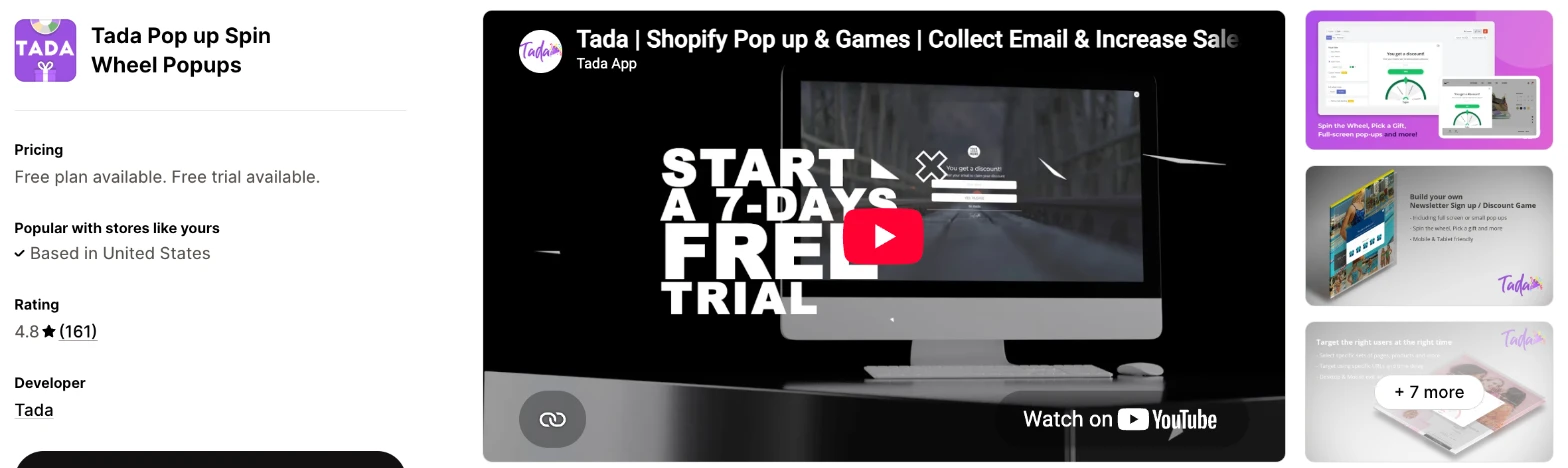
Tada is a gamified popup app with a spin wheel and a Pick a Gift game. I'd choose it when clean email data matters most and you want the lowest monthly price.
Why I like this app:
I found the lowest paid price here, at $5.99/month, along with email validation that keeps invalid and fake addresses off my list. A September 2026 reviewer says validation lowered their bounce rate. Tada can also collect birthdays for later offers, and it adds a Pick a Gift game to the wheel. It took me about 10 to 15 minutes to get a wheel live. The main drawback is slow email sync on the cheaper plans, at every 24 hours on Starter and hourly only on Business.
Features:
- Spin the Wheel and Pick a Gift games
- Full-screen and half-screen popups, plus banners
- Email validation
- Names, birthdays, phone numbers and emails
- Exit intent and a countdown timer
- Custom fonts and custom code
- Shopify Email, Klaviyo, Mailchimp and Zapier, with HubSpot, MailerLite and Omnisend through Zapier
I didn't find any AI features in it.
Pricing: Tada charges by monthly impressions:
- Basic: free, 500 impressions
- Starter: $5.99/month, 1,000 impressions, email sync every 24 hours
- Premium: $7.99/month, 2,000 impressions, email sync every 8 hours
- Business: $19.99/month, 50,000 impressions, hourly email sync
- Trial: 7 days
Yearly billing saves 35%.
Reviews: Tada has 4.8 stars from 161 reviews on the Shopify App Store. An October 2026 reviewer uses it on 4 client stores and likes the split testing, but finds the editor fiddly on small screens. A September 2026 reviewer says its abandoned cart flow brought back about 60 orders and support replied on a Saturday, although the jump to the top plan feels steep. A long-term low-star reviewer says they can no longer edit their discount programme and found no live chat.
Best for: A store on a tight budget that wants to keep fake addresses off its email list.
See Tada on the Shopify App Store
7. WooHoo: Popups & Spin Wheel
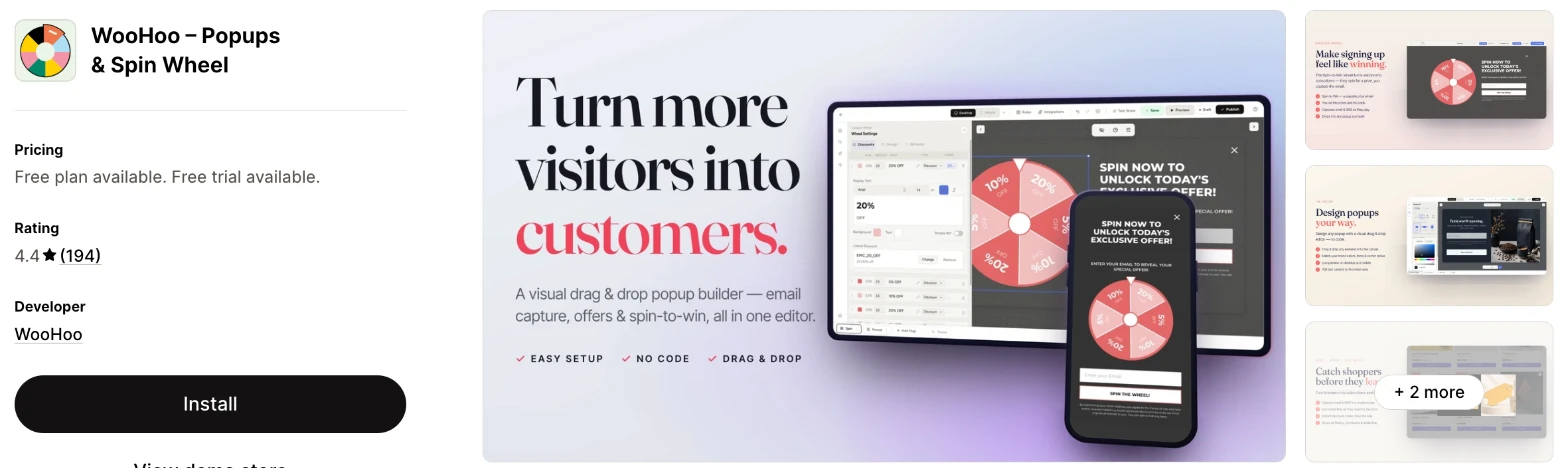
WooHoo is a popup app with spin-to-win wheels and a drag-and-drop editor. It makes more sense when you want to build your own layouts and can test the wheel carefully before you launch it.
Why I like this app:
What I like is that every plan has the same features, including A/B testing and advanced targeting, so only my visitor count changes the price. The drag-and-drop editor handles email, offer and spin-to-win popups, and WooHoo can send email campaigns too. Setup took me about 10 to 15 minutes. One reviewer praises signups and redemptions after almost 2 years. However, it has the lowest rating here, and a September 2026 reviewer says the wheel stopped showing and they couldn't reach anyone.
Features:
- Spin-to-win wheels, plus email and exit intent popups
- A drag-and-drop editor and template library
- Email and SMS signups
- Targeting by page, device and behaviour
- A/B testing on every plan
- Signups, orders and revenue on one dashboard
- Email campaigns
- Klaviyo, Mailchimp, Omnisend, ActiveCampaign, Campaign Monitor and Zapier
I didn't find any AI features in it.
Pricing: WooHoo charges by monthly visitors:
- Free: 500 visitors
- Basic: $7.99/month, 2,000 visitors
- Starter: $14.99/month, 10,000 visitors
- Growth: $39.99/month, 60,000 visitors
- Trial: 14 days
Yearly billing saves 20%.
Reviews: WooHoo has 4.4 stars from 194 reviews on the Shopify App Store. The newest written praise I found dates from April 2025, from a store that likes its playful feel and design options. Low-star reviewers from 2025 and 2026 report glitches and no reply from support, and one says a prize set to 0% odds still paid out.
Best for: A store that wants full control over its popup layout and has time to test each wheel.
See WooHoo on the Shopify App Store
How do you choose the right Shopify spin the wheel app?
I'd start with how you want to hand out codes, then check the cost at your traffic. I've put each app's rating, starting price and how it charges in this table:
| App | Rating | Starting price | Charges by |
|---|---|---|---|
| Vitals | 4.9 from 2,974 reviews | $29.99/month | One plan |
| CrazyRocket | 5.0 from 181 reviews | Free, then $9/month | Monthly popups |
| 1CP | 4.9 from 233 reviews | Free, then $9.99/month | Popup views |
| Wheelify | 4.7 from 662 reviews | Free, then $9.99/month | Shopify plan |
| BoostPop | 4.8 from 181 reviews | Free, then $9.99/month | Shopify plan |
| Tada | 4.8 from 161 reviews | Free, then $5.99/month | Impressions |
| WooHoo | 4.4 from 194 reviews | Free, then $7.99/month | Monthly visitors |
Features narrow the list quickly. Unique codes point to 1CP, Wheelify or CrazyRocket's Grow plan, and other games point to CrazyRocket, 1CP or Tada. Write down the prizes you plan to offer and the way each shopper should receive a code, then check that your plan includes both.
Design comes next, because the wheel is often the first thing a new visitor reads. Vitals offers 13 colour themes, WooHoo has a drag-and-drop editor and CrazyRocket can build a design with AI. BoostPop, CrazyRocket and Tada also accept custom code. Preview the wheel on your phone, because a wheel that fits on a desktop can fill a phone screen.
On my test store, almost every app was highly responsive, user friendly and customisable. Some also have AI features, so I could ask Claude or ChatGPT and it built the result for my store.
Your email tool decides how much connecting you'll need to do. All 7 apps connect to Klaviyo and Mailchimp, but 1CP and CrazyRocket keep some connections for paid plans. Tada's sync runs on a schedule, so a welcome email can arrive up to 24 hours late on Starter. Check how quickly a new signup reaches your email tool before you promise shoppers anything by email.
I found cost depends mainly on what each app counts. Around $20/month buys 50,000 impressions on Tada, 40,000 views on 1CP and 20,000 popups on CrazyRocket. Wheelify and BoostPop don't count traffic on paid plans, but their prices rise with your Shopify plan. Vitals has one plan, so a busy month won't raise your bill.
Support draws strong praise in recent reviews of CrazyRocket and Wheelify, where merchants often name the person who helped them. The sharpest complaints I found are on WooHoo, where reviewers report no reply at all. When setup problems came up on my test store, a few customer success teams fixed them within minutes, while others took hours to reply. I'd send a test question during your trial and time the reply.
Choose Vitals if you'd use its other apps as well, and CrazyRocket for 4 games at a low price. Choose 1CP to compare wheels by revenue, and Wheelify for unlimited impressions with unique codes. BoostPop suits a free start with bars and social proof, and Tada suits a tight budget that values email validation. WooHoo makes more sense for custom layouts when you can test each wheel first.
How should you set the odds on a spin wheel?
Only put a prize on the wheel that you could afford to give to every shopper. Odds settings are the most specific complaint I found in this category, so treat any low-odds prize as a risk until you've tested it.
Two apps drew the same complaint. A Tada reviewer says a first prize set to 0.01% paid out 20 times in just over 1,000 signups, and a WooHoo reviewer says a prize set to 0% still paid out. The same WooHoo reviewer says a $20 reward went out as 20% off.
Vitals takes a different route. Every spin lands on a winning slice, split evenly, so you can't offer a rare big prize, but you always know the range of prizes going out. Wheelify's listing says you set the prizes and the odds, so test those settings the same way.
Before you launch, spin the wheel at least 50 times in a test and write down each result. Check that every code applies the right discount in your cart.
How do you stop shoppers spinning twice or sharing a code?
Use unique codes where the app offers them, and set a usage limit in Shopify on any code that shoppers share. A shared code can reach coupon sites, and people who never signed up can then use it.
1CP and Wheelify list unique codes, and CrazyRocket lists them from $19/month. Vitals uses one code per slice, and each customer can use it once. That stops one shopper reusing it, but not a friend. Tada, BoostPop and WooHoo need a closer look, because I didn't find unique codes in their plan details, although merchants credit WooHoo with them in its listing summary.
Fake addresses are a separate problem. Vitals adds a CAPTCHA check, Wheelify has an anti-cheat shield and Tada validates email addresses. A 1CP reviewer says duplicate submissions got through, and 1Click Labs disputes the claim.
Try to win twice from one email address, then from a second browser. That shows you what a determined shopper could do.
Do you need a spin wheel app if you already use a popup or email tool?
Not if a plain signup form already meets your target, because a wheel adds a second app and a discount to manage. A wheel makes more sense when you want to test a game against your current form.
Your signups can still reach your existing tool. All 7 apps connect to Klaviyo and Mailchimp, and Vitals, CrazyRocket, BoostPop, Tada and WooHoo also reach Omnisend, with Tada going through Zapier. One BoostPop reviewer found a clash with Klaviyo signup forms, which the team fixed, so check both forms after you install.
Shopify Forms is free and handles a basic popup, but I didn't find a wheel on its listing, and one of its reviewers asks for games. Turn off your old popup on the pages where the wheel appears, so shoppers don't see 2 offers at once.
Do spin wheels hurt your Google rankings?
They can, when they block the page. Google's guidance on intrusive interstitials says these overlays make it hard for search engines to understand your content, which can hurt search performance. Google suggests small banners instead of full-page interstitials.
So I'd take particular care with a full-screen wheel on phones. Tada offers half-screen popups as well as full-screen ones, and Vitals can show the wheel only when a shopper clicks an opener. Wheelify can embed the wheel on a page, and WooHoo can target popups by device.
Timing also makes a difference. A wheel that opens as a shopper goes to leave doesn't stop them reading the page when they land. Check your main landing pages on a phone before you publish a wheel across the store.
How do you set up your first Shopify spin wheel?
I'd start with 4 to 6 slices on your homepage and collection pages, because a short list of prizes is easier to check and afford.
Use these steps with any of the apps:
- Install the app and connect your email tool, if you use one.
- Decide your prizes and create the discount codes, with usage limits.
- Add the slices and set the odds, if the app offers them.
- Choose email, phone number or both, and add a consent line for the markets you sell in.
- Set the wheel to open after a short delay or as a shopper goes to leave.
- Limit how often the same shopper sees it.
- Preview it on your phone and desktop.
- Spin it yourself, then redeem the code and check that your signup reached your email tool.
Setup took me about 7 to 10 minutes on Vitals and about 10 to 15 minutes on each of the others. Merchants report mixed experiences too. Reviewers call CrazyRocket and 1CP easy to set up, while a BoostPop reviewer found it hard to use. Wheelify reviewers disagree, with one live quickly thanks to support and another who stayed up all night to get the wheel showing.
Discount codes cause the most trouble I saw, so leave time for them. One Wheelify reviewer couldn't link codes to their store, and another says coupons never reached their email.
I'd leave the wheel live for 2 to 4 weeks before you change the prizes, so your signup rate reflects more than one busy day.
What changes in unusual situations?
I found the right app can change once your traffic rises, you run more than one store, you need a plan-only feature or you move from another app.
At unusually high or seasonal traffic, plans built on traffic need the most checking. The top plans on the listings reach 100,000 views at $39.99/month on 1CP, 60,000 popups at $39/month on CrazyRocket, 60,000 visitors at $39.99/month on WooHoo and 50,000 impressions at $19.99/month on Tada. Wheelify's and BoostPop's paid plans have no such limit, and Vitals has one plan.
With more than one store or market, I didn't find a plan that shares one subscription across stores, so budget for each store separately. For more languages, CrazyRocket has AI translation, Vitals has translations per language, BoostPop targets by language and WooHoo tags translation. Test the wheel's wording and the code message in each language.
Some features only appear on certain plans. CrazyRocket keeps the games for Start and unique codes for Grow, and 1CP keeps A/B testing and revenue insights for Pro. Wheelify's live chat starts at $19.99/month.
Moving from another app rarely moves your wheel, so plan to rebuild it and recreate your codes. Your signups should already be in Shopify or your email tool, so check that first. One Wheelify reviewer says a subscriber download showed zero, so export your list before you remove an app. BoostPop's listing promises that nothing stays in your theme, but I'd still duplicate your theme before you remove any app.
What are the benefits of a Shopify spin the wheel app?
A spin wheel gives you a way to contact visitors who leave without buying, and it gives them a reason to share their details. The list only earns money if you follow up, so the code and the emails matter as much as the wheel.
Say 10,000 people visit in a month and 3% enter the wheel. That's 300 new subscribers, and if 30 of them buy a $50 product with 10% off, that's $1,350 after the discount. You've given up $5 on each order, and the app's monthly fee also counts against that $1,350. These figures are only an example, so use your own numbers.
You can also learn which offers shoppers respond to, because each slice is a small test of a prize. Some apps go further, such as CrazyRocket's survey before the game or Tada's birthday field. The limit is your margin, because a wheel can train shoppers to expect a discount every time.
Before you install an app, write down the smallest and largest discount your margin can carry.
What are some ideas for using a Shopify spin the wheel app?
I'd try a welcome wheel first, because you can measure it against your current signup rate. These 5 ideas suit different types of store:
- Welcome wheel: a clothing store offers 5% to 15% off a first order in return for an email.
- Exit wheel: a homeware store offers free shipping or a small discount to shoppers leaving with a full cart.
- Seasonal game: a gift shop swaps its wheel for a scratch card or mystery pack during its busiest season.
- Product wheel: a beauty store offers a free sample on chosen product pages.
- Survey first: a skincare store asks about skin type before the spin, then uses the answer in its emails.
I'd test the welcome wheel across your homepage and collection pages first, then try the exit wheel on your product pages.
Which Shopify spin the wheel app would I start with?
I'd start with Vitals, because its wheel comes with 40+ other apps in one subscription, so you may be able to remove your separate review or bundle apps as well. Choose CrazyRocket instead when you only want games at a low price, or 1CP when you want unique codes and revenue reports. Install your choice, launch one welcome wheel and check your signups after 2 weeks.
What do merchants often ask about Shopify spin the wheel apps?
How much does a Shopify spin the wheel app cost?
Paid plans on these apps start between $5.99/month and $29.99/month, and every app except Vitals has a free plan. The top plans I could see reach $99/month on BoostPop for Shopify Plus stores, and Vitals has one plan at $29.99/month. The cost changes with your traffic or Shopify plan, depending on the app.
Does Shopify include spin the wheel features without an app?
No. Shopify Forms is a free Shopify app with inline and popup forms, discounts and translation, and it has 4.5 stars from 767 reviews. You'd still need to install it, and I didn't find a wheel on its listing.
Are there free Shopify spin the wheel apps?
Yes, I found a free plan on 6 of these apps. BoostPop's is the largest, at 3,000 views with every feature, and 1CP's stops at 1,000 views. Wheelify's stops at 300 impressions, while Tada's and WooHoo's stop at 500 impressions and 500 visitors. CrazyRocket's free plan doesn't list the games, and Vitals has a 7-day trial and no free plan.
Do spin the wheel apps slow down a store?
One on its own doesn't, but a store also needs apps for jobs such as reviews, bundles, discounts, gifts and visitor recordings, and each one adds to the load. Vitals surprised me here, because everything loads from a single app and I didn't need to worry about load speed. Test any app on your own store before and after you install it.
Can a spin wheel collect phone numbers for SMS?
Yes, all 7 apps can collect phone numbers. Vitals adds an optional SMS consent line, and 1CP and CrazyRocket tag consent collection or consent popups. Check the consent wording for each country you sell in.
Can each shopper get their own discount code?
Yes, on some of these apps. 1CP and Wheelify list unique codes, and CrazyRocket lists them from its $19/month plan. Vitals uses one code per winning slice, and each customer can use it once.