
Best Shopify sticky add to cart apps reviewed in 2026
Sticky add to cart apps keep the buy button on screen when a shopper scrolls down to read about your product. The bar itself is standard in all 8 apps here. What changes is where the button sends shoppers, whether you also get a cart drawer or quick buy buttons, and which plan includes the reports.
I installed 8 Shopify sticky add to cart apps on a test store and compared their features, pricing and merchant reviews. Below, you'll find what each one does well, where it falls short and the type of store it suits best.
Which Shopify sticky add to cart apps made my shortlist?
I selected apps with a rating of 4.7 or higher and at least 20 merchant reviews. These 8 sticky add to cart apps made my shortlist:
- Square: Sticky Add to Cart Bar: a free bar with click and revenue reports
- Vitals: all-in-one Shopify app with a sticky bar and 40+ apps in one subscription
- Zoorix Sticky Add To Cart Bar: one-click checkout and hands-on custom work from $4.99/month
- Buy Me: Sticky Add To Cart Bar: unlimited add to carts for $6.95/month, with stars from any review app
- SEOWILL ‑ Sticky Add To Cart: a mini cart, quick buy and a countdown timer at a low flat price
- EA Sticky Cart Drawer & Upsell: a free slide cart drawer that includes a sticky bar
- STKY: Sticky Add To Cart Bar: free checkout controls, such as skipping the cart and hiding payment buttons
- Uplinkly Sticky Cart: a free animated button with unlimited visitors
How did I review the best Shopify sticky add to cart apps?
I installed each app on a test store, then went through each App Store listing, every plan and the newest and lowest-rated merchant reviews.
I looked at these details for each app:
- Bar contents: what the bar can show, such as the price, review stars, a variant picker and a quantity selector
- Placement and timing: top or bottom of the screen, on which devices and when the bar appears
- After the tap: whether a shopper goes to the cart, the cart drawer or checkout
- Where it shows: product pages only, or also your home page and collections
- AI features: what AI does in each app, where it has any
- Integrations: which cart drawers, bundle apps and review apps it names
- Setup: how long each app took me to get a bar live
- Design: which colour, shape and theme-matching controls each app offers, and how each bar behaved on my test store
- Speed: what a sticky bar adds to the load of the other apps a store needs
- Pricing: how each app charges, its plan limits and what each plan includes
- Reviews: what the newest and lowest-rated App Store reviews say, including about support
I ranked the list by where I'd start for a typical store, with the free dedicated bar first, the all-in-one app next, then the other apps in the order I'd try them.
Square: Sticky Add to Cart Bar is a part of Square Apps, the company I write for. I've noted its limitations too.
What did I find across these Shopify sticky add to cart apps?
I found 5 main options across the apps I reviewed. The apps differ on which ones they include, so check which you need before you compare prices:
- Sticky bar on product pages: an Add to cart bar that stays on screen as a shopper scrolls. All 8 apps include it, although SEOWILL's plan list names the bar only on Pro.
- Straight to checkout: a tap that skips the cart page. Vitals, Zoorix and STKY describe it, and Buy Me, SEOWILL, EA and Uplinkly tag it on their listings. Square sends shoppers to the cart or cart drawer.
- Floating cart or cart drawer: a cart shoppers can open from any page. Buy Me and SEOWILL offer a sticky cart on paid plans, and EA includes a slide cart drawer on its free plan.
- Quick buy buttons: a buy button on your home page and collections. Zoorix keeps it for Premium and Buy Me for Medium. SEOWILL includes it on Pro and EA on its free plan.
- Countdown timer: a deadline shown with the bar. Buy Me and SEOWILL list one, and EA and Uplinkly keep it for their paid plans. Vitals has a separate Countdown Timer app in the same subscription.
I also found these differences beyond the main options:
- Reports: Square shows clicks, click-through rate, orders and revenue on its free plan. EA and Uplinkly keep fuller reports for their paid plans. Zoorix and Buy Me tag performance tracking. I didn't find sticky bar reports on the Vitals page or on the STKY or SEOWILL listings.
- Display rules: Square can filter by product, price and inventory. Vitals adds discount to those rules. EA keeps rules and targeting for Pro.
- Review stars: Buy Me names all review apps. Vitals shows stars from its own Product Reviews app only.
- Bundle apps: Zoorix lists bundle app integrations on Premium, and STKY names product bundles on its listing. A Square reviewer says the bar didn't trigger their bundle setup.
- AI features: EA's Pro plan lists AI and its tags name AI recommendations. With Vitals MCP, you can do everything in Vitals with Claude or ChatGPT, including setting up the sticky bar. I didn't find AI features on the other 6.
- Setup: Square was the quickest, at about 7 to 10 minutes. The other 7 each took me about 10 to 15 minutes.
- Design: Square, Vitals, STKY and Uplinkly all list some form of theme matching, and Vitals has the most controls. Zoorix, Buy Me, SEOWILL and EA also offer custom CSS for finer changes. On my test store, almost every app was highly responsive, user friendly and customisable.
- Speed: one app alone didn't hurt my page speed, but every new app affects it, and many stores use 10-15 apps. Square is the fastest when a sticky add to cart bar is all you need.
What are the best Shopify sticky add to cart apps?
Square: Sticky Add to Cart Bar is my top pick, because it's free. Vitals comes next for stores that also want reviews, bundles and 40+ other apps in one subscription. The 6 reviews after it suit stores that want one-click checkout, a floating cart, a cart drawer or a very small monthly bill.
1. Square: Sticky Add to Cart Bar
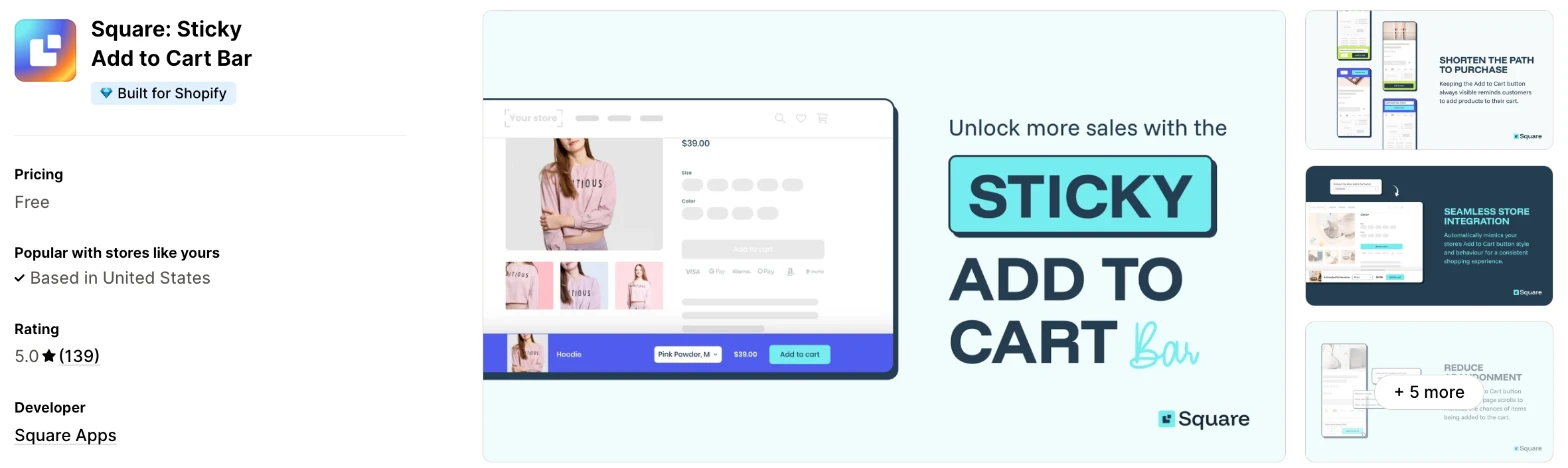
Square: Sticky Add to Cart Bar is a free app that keeps an Add to cart bar on screen on phones and desktop. Choose it when you want a sticky bar and nothing else, with no monthly fee.
Why I like this app:
I found more control here than I expected from a free app, with display rules for products, price and inventory, plus reports on clicks, orders and revenue. The bar can match my main Add to cart button, and setup took me about 7 to 10 minutes, the quickest of the 8. Recent reviewers mention easy setup and quick support. However, the help centre says a tap can't go straight to checkout, and the bar relies on my theme's main button, so an app that changes it can stop the bar appearing.
Features:
- A bar at the top or bottom of the screen
- Visibility on desktop, phones or both
- A bar that appears straight away or after a scroll
- An optional quantity selector
- Support for variants and digital products
- Display rules by product, price and inventory
- Background, text, button and border colours, with rounded corners and a shadow option
- Button colours that can match your store's main button
- Clicks, click-through rate, orders and revenue in the app
- 15 languages and currency conversion
- No leftover theme code after you uninstall
I didn't find any AI features in it.
Pricing: Square: Sticky Add to Cart Bar is free:
- Free: all features
The listing shows no paid plans, so you won't need to compare tiers.
Reviews: Square: Sticky Add to Cart Bar has 5.0 stars from 139 reviews on the Shopify App Store. Recent reviewers praise the easy setup, the match with their theme and fast support, and one thanks John Paul by name. One lower-rated reviewer says the bar doesn't trigger a bundle with a free gift and an upsell, and wants it to work with apps such as Kaching Bundles.
Best for: A store that wants a free bar with reports, and doesn't need to skip the cart.
See Square: Sticky Add to Cart Bar on the Shopify App Store
2. Vitals
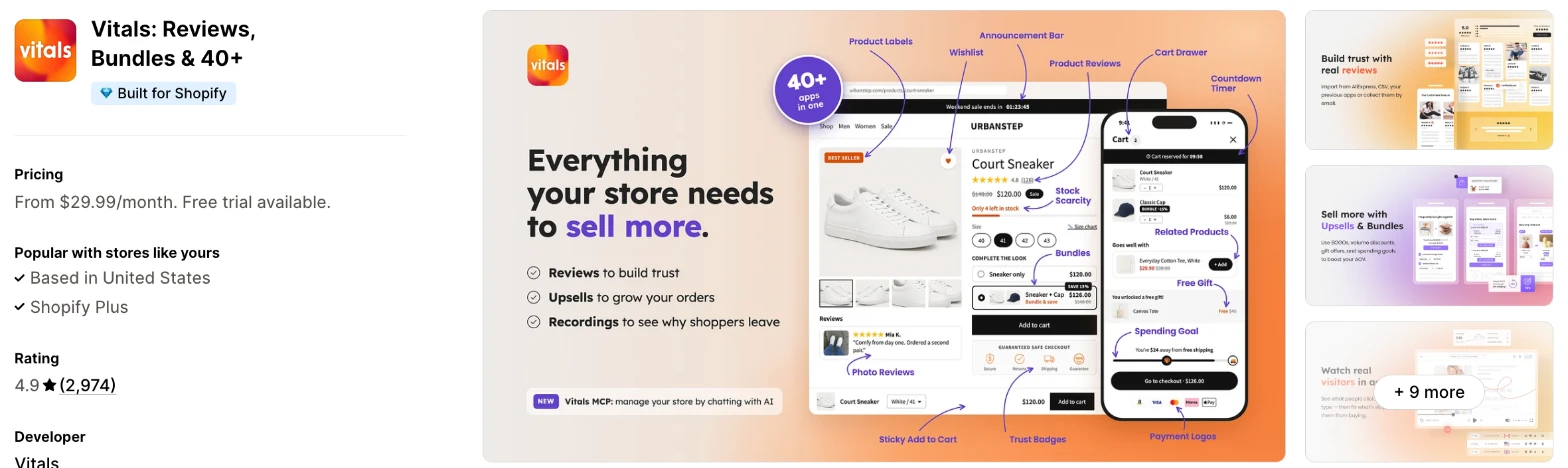
Vitals is an all-in-one Shopify app, and its Sticky Add to Cart app is one of 40+ apps in one subscription. It makes more sense when you also need reviews, bundles or upsells and don't want a separate app for each.
Why I like this app:
I like how much I could set for each device, including a button-only bar on phones. The bar can also wait until my own button leaves the screen. Setup took me about 10 to 15 minutes, and I was surprised that I didn't need to worry about load speed, because everything loads from a single app. It also clicks my theme's own button when an options app or cart drawer handles the add. But the stars only come from Vitals Product Reviews, and the bar has no Buy it now button.
Features:
- A bar with the product image, title, price, review stars, variant picker and quantity
- Top or bottom placement, set separately for phones and desktop
- A bar that appears on first scroll, after your own button leaves the screen or on page load
- Rules for product, price, discount and stock
- A choice after the tap: cart drawer on supported themes, cart page, checkout or stay on the page
- Custom fields from your product form added with the item
- Your theme's own button used when an options app or cart drawer handles the add
- The selected Vitals Volume Discount price shown in the bar
- Your theme's button style copied in one setting
- Bar, text, price and button colours, corners from 0 to 40 px and your own button text
- One script shared with the other 40+ apps
- 40+ apps in the same subscription
Pricing: Vitals has one plan, with all 40+ apps included:
- All in one plan: $29.99/month
- Trial: 7 days
Reviews: Vitals has 4.9 stars from 2,974 reviews on the Shopify App Store. Recent reviewers like having many apps together and praise customer support, and one Italian store calls the apps simple but effective.
Best for: A store that would use reviews, bundles or upsells as well as a sticky bar, and wants them on one bill.
See Vitals on the Shopify App Store
3. Zoorix Sticky Add To Cart Bar
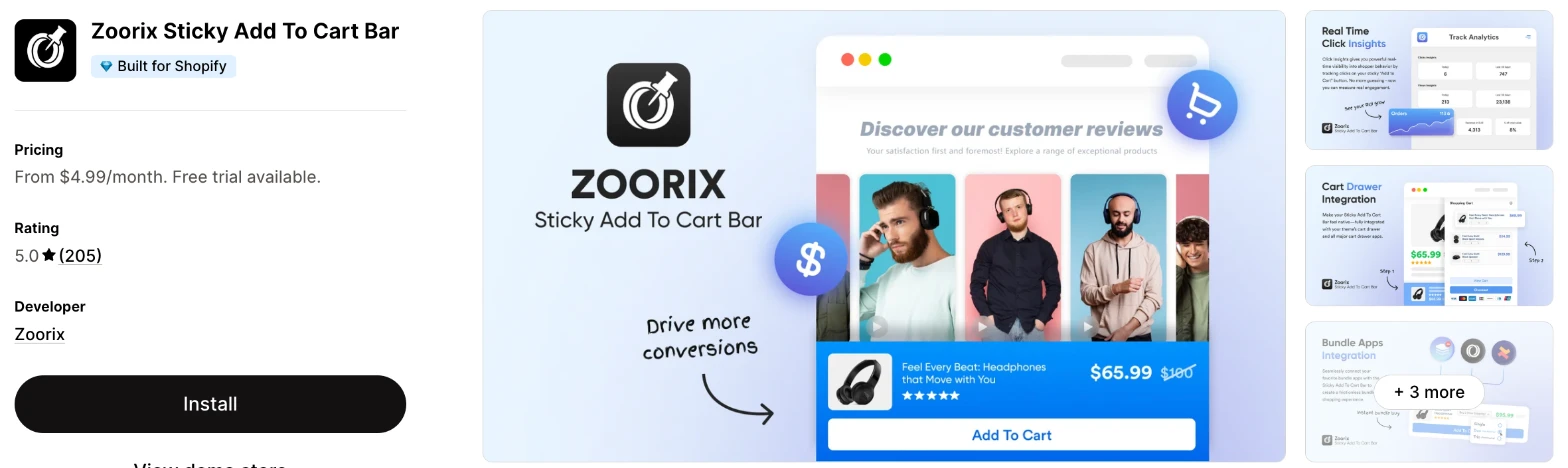
Zoorix Sticky Add To Cart Bar is a paid sticky bar app with Fast Checkout, which sends a shopper to checkout in one click. I'd choose it when you use a separate cart drawer or want support to make custom changes.
Why I like this app:
The support is what stood out when I read the reviews, because merchants keep naming Danica and Rosemarie, and one eyewear store got a complex coding request done over live chat. I also found the longest list of named cart drawers here, including Rebuy Smart Cart, Upcart and iCart. My setup took about 10 to 15 minutes. Its rating ties Square for the highest here, with 204 of 205 reviews at 5 stars. The main drawback is the lack of a free plan, and bundle app integrations need Premium.
Features:
- Fast Checkout, for one click to the checkout page
- A sticky bar and sticky button on product pages
- Custom colours and design, custom CSS and custom JavaScript
- Multi-currency and multi-language support, with translations
- Cart drawer integration
- AMP Slide Cart, iCart, Monster Upsell, Rebuy Smart Cart and Upcart
- Bundle app integrations on Premium
- A bar on collections and other pages on Premium
- Quick add on your home page and collections on Premium
I didn't find any AI features in it.
Pricing: Zoorix charges a flat fee:
- Basic: $4.99/month, or $47.88/year, with a 7-day trial
- Premium: $9.99/month, or $95.88/year, with a 14-day trial
You'll need Premium for bundle apps and for a bar anywhere other than your product pages.
Reviews: Zoorix has 5.0 stars from 205 reviews on the Shopify App Store. Recent reviewers mostly praise support, and one store says the bar matches its theme after Danica helped with setup. The only review below 5 stars, from June 2026, says "Waste of money" and gives no detail.
Best for: A store with a separate cart drawer that wants one-click checkout and help with custom changes.
See Zoorix on the Shopify App Store
4. Buy Me: Sticky Add To Cart Bar
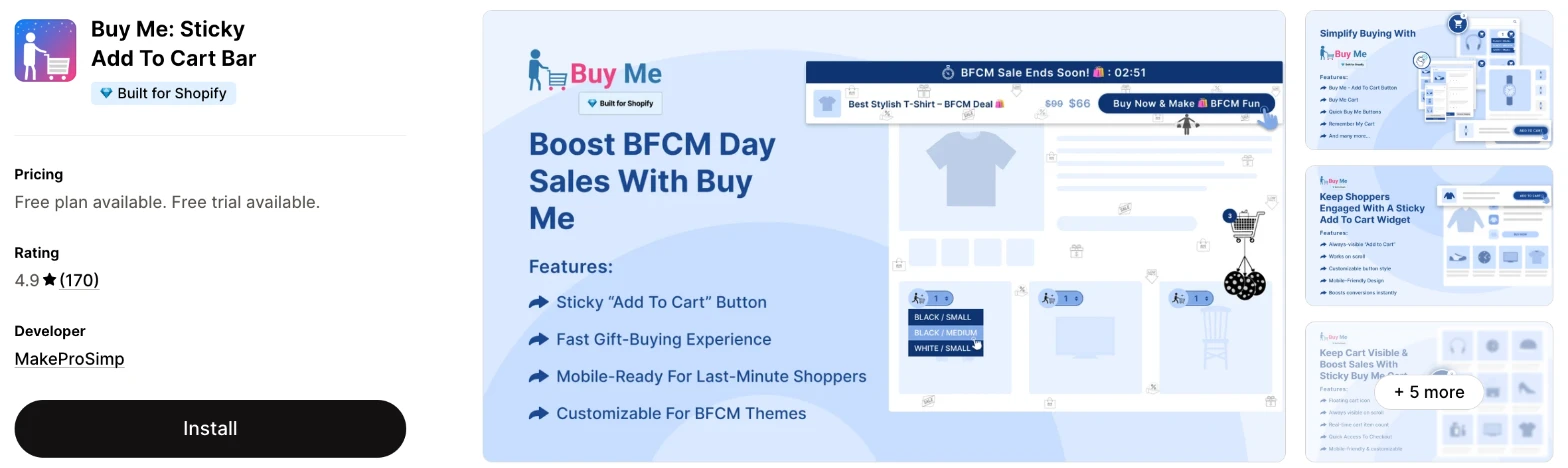
Buy Me: Sticky Add To Cart Bar is a sticky bar app with a floating cart and quick buy buttons on paid plans. It makes more sense when you want to pay very little and show stars from the review app you already use.
Why I like this app:
The price caught my attention, because paid plans start at $2.95/month, the lowest here, and $6.95/month removes the add to cart limit. I also found a Remember My Cart feature, which keeps a shopper's cart across devices, and the listing names all review apps. Setup took me about 10 to 15 minutes, and recent reviewers call it easy to use. One long-term wholesale store says it's reliable. However, one older reviewer found the dashboard cluttered and needed chat to learn how to edit the bar.
Features:
- A sticky bar with a countdown timer
- Product reviews and social sharing options in the bar
- All review apps, GemPages, PageFly, Facebook Pixel and Google Analytics
- A floating sticky cart on Small and above
- Quick buy buttons on product listings on Medium and above
- Remember My Cart, across devices
- Custom CSS and custom HTML
I didn't find any AI features in it.
Pricing: Buy Me charges by monthly add to carts:
- Free: up to 50 add to carts
- Small: $2.95/month, up to 250 add to carts
- Medium: $4.95/month, up to 750 add to carts
- Large: $6.95/month, or $58.38/year, unlimited add to carts
- Trial: 14 days on paid plans
Plan limits count add to carts, so a busy sale can use them up faster than your orders suggest. The listing doesn't say what happens at the limit, so ask before a sale.
Reviews: Buy Me has 4.9 stars from 170 reviews on the Shopify App Store. Recent reviewers praise the support, including a German wholesale store that has used it for almost 3 years. Low-star reviews are old and thin, with a 2024 complaint about a crowded dashboard and a 2023 one-word note saying "expensive".
Best for: A small store that wants a very low monthly bill and review stars from an app it already uses.
See Buy Me on the Shopify App Store
5. SEOWILL ‑ Sticky Add To Cart
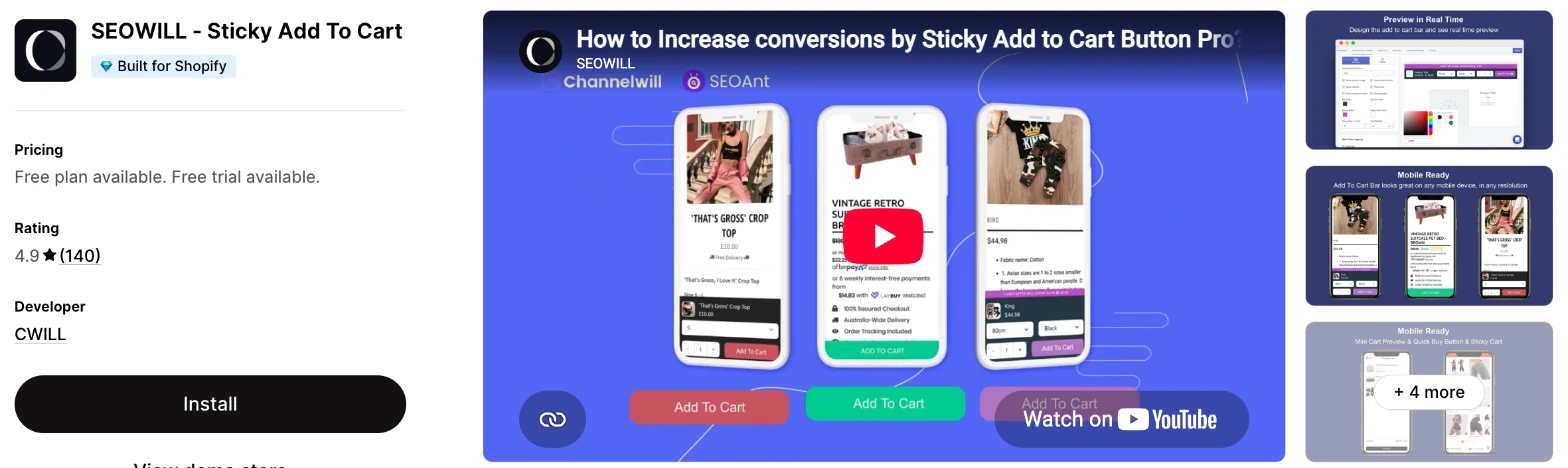
SEOWILL ‑ Sticky Add To Cart is a sticky cart app with an add to cart bar, a mini cart and a quick buy button. Choose it when you want those on one low flat price, and you'd use the live chat.
Why I like this app:
When I checked the Pro plan, I found the bar, a cart slider and a quick buy cart together for $7.99/month. The listing also adds a countdown timer, and it connects to Facebook Pixel, Google Analytics, Pinterest and Snapchat. It took me about 10 to 15 minutes to get a bar live, and recent reviewers thank Rona and Aiah for quick fixes. But the free plan stops at 25 clicks, which is only enough for a test.
Features:
- A sticky add to cart bar
- A sticky cart with a cart slider
- A quick buy cart
- A countdown timer
- Custom styles, custom rules and custom CSS
- Facebook Pixel ID, Google Analytics, Pinterest and Snapchat
- 24/7 live chat on both plans
I didn't find any AI features in it.
Pricing: SEOWILL charges a flat fee, with a click limit on its free plan:
- Free: 25 clicks
- Pro: $7.99/month, or $71.88/year, unlimited clicks
- Trial: 14 days
The free plan's list doesn't name the sticky bar, so check what you can use before you rely on it.
Reviews: SEOWILL has 4.9 stars from 140 reviews on the Shopify App Store. Recent reviewers mostly thank the support team, and one likes controlling the colours and when the bar appears. A 2024 low-star reviewer says items only showed in the cart after a refresh and the cart opened behind the bar, and CWILL replied to that review.
Best for: A store that wants a bar, a mini cart and a timer for under $8/month and expects to use live chat.
See SEOWILL on the Shopify App Store
6. EA Sticky Cart Drawer & Upsell
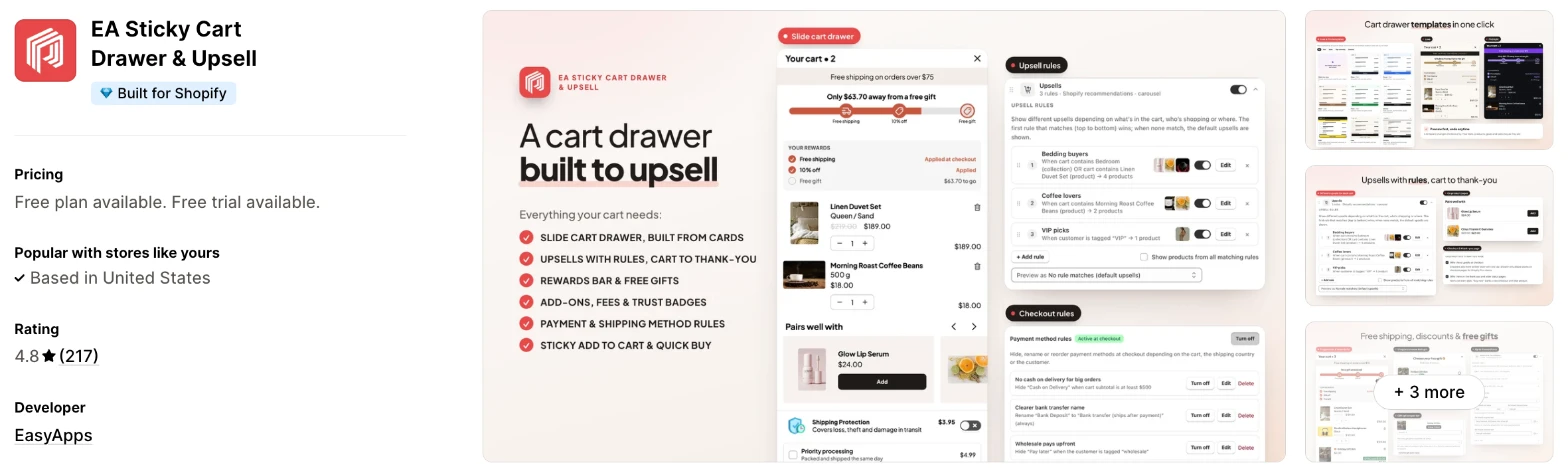
EA Sticky Cart Drawer & Upsell is a slide cart drawer app that includes a sticky bar and quick buy buttons. I'd choose it when you want to replace your theme's cart as well as add a bar.
Why I like this app:
The free plan goes furthest here, with a cart drawer, sticky bar, quick buy buttons and announcement bar at no monthly fee. Pro then adds upsells, a rewards bar, rules and A/B tests for $9.99/month. Setup took me about 10 to 15 minutes, and the listing supports 32 languages. One New Zealand reviewer says Arbaz fixed a conflict with Wholesale Gorilla that had lasted months. The main drawback is the size of the app, because the bar is a small part of it and one reviewer calls the interface clunky.
Features:
- A sticky add to cart bar and quick buy buttons on the free plan
- A slide cart drawer built from cards in a live preview
- An announcement bar, cart notes and a discount code field on the free plan
- Cart upsells, rewards, free shipping and free gifts on Pro
- Add-ons, fees, shipping protection, timers and badges on Pro
- Rules, targeting and A/B tests on Pro
- Checkout and thank-you page upsells on Pro
- Analytics, custom code and AI on Pro
- Buy Button, Cart Upsell, GemPages, PageFly and Sales Rocket
Pricing: EA charges a flat fee:
- Free: cart drawer, sticky bar and quick buy buttons
- Pro: $9.99/month
- Trial: 7 days
Reviews: EA has 4.8 stars from 217 reviews on the Shopify App Store, the most of the dedicated apps here. Recent reviewers praise Arbaz and the easy setup. Low-star reviewers say the interface is clunky, that it's hard to configure without English and that it doesn't always work as it should, and 2 more low ratings with no text arrived in the week before I checked.
Best for: A store that needs a cart drawer as well and wants the bar to come free with it.
See EA on the Shopify App Store
7. STKY: Sticky Add To Cart Bar
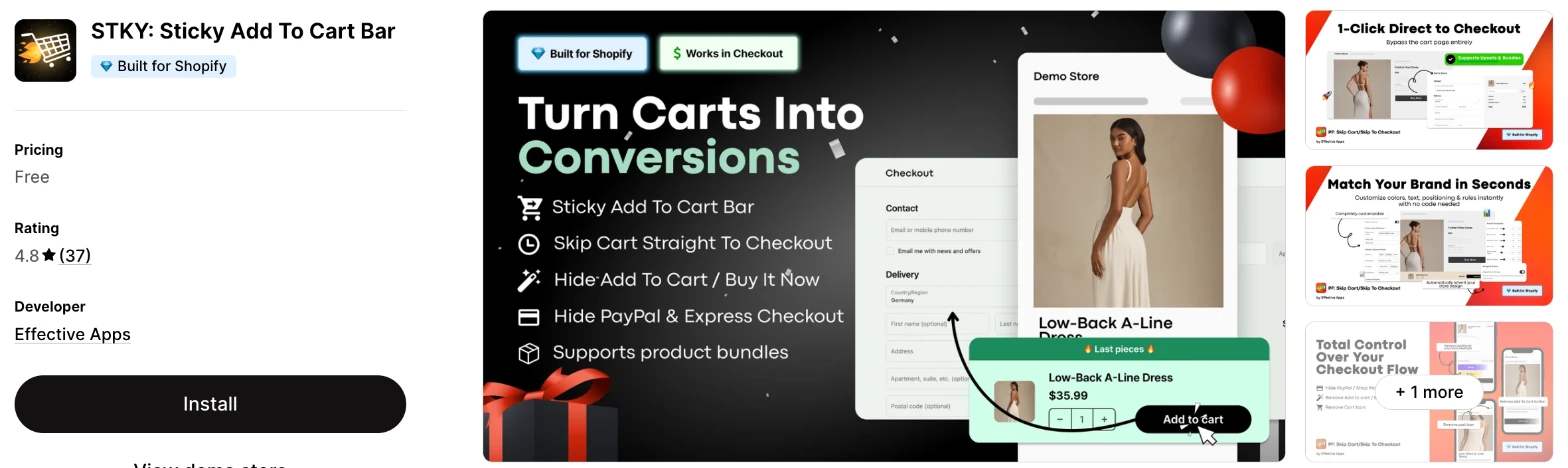
STKY: Sticky Add To Cart Bar is a free sticky bar app with checkout controls. It makes more sense when you want to skip the cart page or hide payment and add to cart buttons on some products.
Why I like this app:
Checkout control is the main attraction for me, with instant checkout and options to hide PayPal, Apple Pay, add to cart and buy it now buttons. One soap store uses it to list products online that it only sells in person. The bar also inherits my theme's fonts and colours, and setup took me about 10 to 15 minutes. A sticky promo bar comes with it too. However, it has only 37 reviews, and the listing doesn't describe reports or display rules for the bar.
Features:
- A sticky bar with mobile layouts
- Theme fonts and colours inherited automatically
- Instant checkout that skips the cart page
- Options to hide PayPal, Apple Pay, add to cart and buy it now buttons
- A sticky announcement or promo bar
- Custom CSS and custom rules
- Variants, product bundles and express checkout buttons named on the listing
- 10 languages
I didn't find any AI features in it.
Pricing: STKY is free:
- Free: all features
The listing shows no paid plans or trial.
Reviews: STKY has 4.8 stars from 37 reviews on the Shopify App Store. Recent reviewers call it straightforward and easy to customise, and a soap store says the team quickly fixed issues with hiding add to cart on certain products. A 2024 low-star reviewer says it didn't work after installing, and Effective Apps replied.
Best for: A store that wants to skip the cart page or hide buy buttons on some products without paying for an app.
See STKY on the Shopify App Store
8. Uplinkly Sticky Cart
Uplinkly Sticky Cart is a sticky button app with an Animator that moves the button to catch a shopper's eye. Choose it when you want a free button with no visitor limit and like the idea of animation.
Why I like this app:
The Animator is the part I didn't find elsewhere, and the free plan includes unlimited visitors, clicks and Facebook Pixel tracking. I can also place the button at the top or bottom and write my own text. Setup took me about 10 to 15 minutes. One small store likes the free option because its margins are tight. But the newest review I found dates from January 2024, and it's the only app of the 8 without the Built for Shopify badge.
Features:
- A sticky button at the top or bottom of the screen
- A button Animator
- Automatic theme matching and preset styles
- Your own button text
- Mobile, desktop and tablet support
- Unlimited impressions and clicks
- Facebook Pixel on the free plan
- Countdown timers and real-time tracking on Professional
- Custom CSS and custom HTML
I didn't find any AI features in it.
Pricing: Uplinkly charges a flat fee:
- Basic: free, with basic tracking
- Professional: $9/month, with expert reporting, templates and countdown timers
- Trial: 7 days
Reviews: Uplinkly has 4.7 stars from 24 reviews on the Shopify App Store. Its most recent reviewer, in January 2024, calls it easy to use with great service. A 2023 reviewer says it didn't work in Chrome on phones with the button at the bottom, and another says GTmetrix flagged its JavaScript for slowing their site.
Best for: A very small store that wants a free animated button and can test it closely on phones first.
See Uplinkly on the Shopify App Store
How do you choose the right Shopify sticky add to cart app?
I'd start with what should happen after the tap, then check the cost at your add to cart volume. I've put each app's rating, starting price and how it charges in this table:
| App | Rating | Starting price | Charges by |
|---|---|---|---|
| Square: Sticky Add to Cart Bar | 5.0 from 139 reviews | Free | No charge |
| Vitals | 4.9 from 2,974 reviews | $29.99/month | One plan |
| Zoorix | 5.0 from 205 reviews | $4.99/month | Flat fee |
| Buy Me | 4.9 from 170 reviews | Free, then $2.95/month | Add to carts |
| SEOWILL | 4.9 from 140 reviews | Free, then $7.99/month | Flat fee, with clicks capped on the free plan |
| EA | 4.8 from 217 reviews | Free, then $9.99/month | Flat fee |
| STKY | 4.8 from 37 reviews | Free | No charge |
| Uplinkly | 4.7 from 24 reviews | Free, then $9/month | Flat fee |
Features narrow the list quickly. A bar on product pages works on all 8, but a bar on collections and other pages points you to Zoorix Premium. Quick buy buttons point you to Zoorix, Buy Me, SEOWILL or EA. Write down the pages where you want a buy button, then check which plan includes them.
Design is the next check, because a bar that looks added on makes your store look less finished. Square, Vitals, STKY and Uplinkly all list some form of theme matching, so you may not need code at all. Zoorix, Buy Me, SEOWILL and EA add custom CSS for finer changes. Preview the bar on your phone first, because a bar that fits on a desktop can crowd a small screen.
Your other apps can decide this on their own. Square relies on your main Add to cart button, and Vitals clicks your theme's button when an options app or cart drawer handles the add. Zoorix names Rebuy Smart Cart, Upcart and iCart, and it keeps bundle app integrations for Premium. Add a bundled product and a product with options to your cart during the trial.
Cost stays low on all of these except Vitals, where you're paying for 40+ apps. Square and STKY are free, and EA's free plan includes the bar. Buy Me counts add to carts, so a small store can stay cheap, and its top plan is only $6.95/month. On a cheaper plan, check what's missing, such as Zoorix's bar on collections or Buy Me's floating cart.
Support draws strong praise in recent reviews across this list, with merchants naming staff on Square, Zoorix, SEOWILL and EA. The sharpest recent criticism I found is about EA's interface. When setup problems came up in my test, a few customer success teams fixed them within minutes, while others took hours to reply. I'd send a theme question during your trial and see how quickly the team fixes it.
Choose Square if you want a free bar with reports, and Vitals when you'd use its other apps too. Choose Zoorix for one-click checkout with custom help, and Buy Me for the lowest paid price. SEOWILL suits a store that wants a mini cart and timer on one plan, and EA suits a store that wants a cart drawer. STKY makes more sense for hiding buy buttons, and Uplinkly for a free animated button.
Should a sticky bar go to the cart or straight to checkout?
Send shoppers to the cart when you rely on cart upsells or free shipping messages, and to checkout when most orders are a single item. A cart page gives you one more chance to raise the order value, while skipping it removes a step.
Your choice of app depends on this. Square sends shoppers to the cart page or cart drawer. Vitals offers a choice of cart drawer, cart page, checkout or staying on the page. Zoorix and STKY both describe a direct route to checkout, and an Uplinkly reviewer says they can choose whether to skip the cart.
For example, a store selling one hero product at one price has little to gain from a cart page. A clothing store that offers free shipping over $75 needs shoppers to see that message before they pay. Test the tap on your best-selling product and check your cart upsells still appear.
Will a sticky bar work with your bundle or options app?
Not always, so test this first if you use one. The bar has to pass the same choices as your main button, and a bundle with a free gift or custom options adds more to pass.
A Square reviewer describes the problem directly: the bar didn't trigger their free gift and upsell setup, which made orders wrong. Square's help centre also says a button changed by a third-party app can stop the bar showing. Vitals handles this by clicking your theme's own button when an options app or cart drawer takes over. Zoorix lists bundle app integrations on Premium, and STKY's listing names product bundles.
Place a test order through the bar with your bundle and any custom text. Then compare the order in your Shopify admin with what you chose on the page.
What counts toward a sticky bar plan limit?
It depends on the app, and only 2 of these 8 apps use a limit you'd notice. Buy Me counts add to carts, and SEOWILL's free plan counts clicks. The others don't list a limit based on your traffic or how often shoppers tap.
Say your store gets 400 add to carts a month through Buy Me. That's over the Small limit of 250, so you'd pay $4.95/month for Medium, and at $6.95/month the limit goes away. SEOWILL's free plan stops at 25 clicks, so you'd reach Pro's $7.99/month quickly on a store with any steady traffic.
Vitals has one plan, at $29.99/month. So compare it on what it replaces, because a sticky bar alone doesn't justify that bill. Check your add to cart count in Shopify analytics before you pick a plan.
Does a sticky bar get in the way on phones?
It can, so test it on a real phone before you publish it. A bar takes up part of a small screen, and it can overlap other things that stay in place, such as a chat button or a cookie banner.
Reviewers have raised 2 specific problems. An Uplinkly reviewer says the bar didn't work in Chrome on phones when placed at the bottom of the screen, and a SEOWILL reviewer says their cart opened behind the bar, which blocked checkout. Both reviews date from 2023 or 2024, so the apps may have fixed them since.
Vitals goes furthest on this, with a button-only option on phones and separate settings for each device. Square and Uplinkly also give you a choice of top or bottom. Open your product page, your cart and your chat widget on a phone with the bar live, and move the bar if anything overlaps.
How do you set up your first Shopify sticky add to cart bar?
I'd start on your product pages only, at the bottom of the screen on phones, because that's the simplest setup to measure.
Use these steps with any of the apps:
- Install the app and turn it on in your theme's App Embeds, if the app uses one.
- Choose the devices and whether the bar goes at the top or bottom.
- Set it to appear after your main button leaves the screen, or after a scroll.
- Match the bar to your theme's button colours and corners.
- Turn on the details you want, such as the price and variant picker.
- Decide where the tap goes: the cart, the cart drawer or checkout.
- Add a product with variants to your cart from the bar, on your phone and desktop.
- Check the cart shows the right variant and quantity.
Setup took me about 7 to 10 minutes on Square and about 10 to 15 minutes on each of the others.
Merchants mostly report quick setups. Reviewers call Square, STKY, Buy Me and EA easy to install, and one Zoorix store says Danica helped get it set up. EA draws the most complaints, with one reviewer finding it hard to configure without English.
I'd leave the bar live for 2 to 4 weeks before you change it, so your add to cart rate reflects more than one busy day.
What changes in unusual situations?
I found the right app can change with sale periods, more than one market, a plan-only feature or a move from another app.
At unusually high or seasonal volumes, Buy Me's limits need the most checking, because a sale raises add to carts quickly. Its Large plan removes the limit for $6.95/month, so I'd move up before the sale. Square, Zoorix, EA, STKY and Uplinkly list no limit tied to volume on their plans.
When you sell in more than one market, check languages and currency first. EA's listing names 32 languages, and Square lists 15 with currency conversion. Zoorix supports Shopify Multi Currencies and currency conversion apps, and it offers translations. Uplinkly lists English, German and French, and Buy Me's listing is in English only, with a multi-language tag.
Some features only appear on certain plans. Zoorix keeps bundle integrations and bars off the product page for Premium. Buy Me keeps its floating cart for Small and quick buy buttons for Medium. SEOWILL keeps unlimited clicks and its plan's named bar for Pro, and EA keeps rules, upsells and analytics for Pro.
Moving from another app usually means setting up the bar again, because I didn't find an import for bar settings on these listings. That's rarely much work, and there's little data to lose. Remove the old app first, or you may see 2 bars, and duplicate your theme before you remove it. Square's help centre says it leaves no theme code behind, so check the same for your old app.
What are the benefits of a Shopify sticky add to cart app?
A sticky bar keeps the buy button in reach on long product pages, so you can catch shoppers who decide to buy after reading your reviews. It won't bring you more traffic, and a weak product page won't improve just because the button follows the shopper.
Say you sell a $60 jacket and 3,000 shoppers view its page each month. If the bar adds 10 orders, that's $600 in extra sales against an app that costs between $0 and $10 a month on most of this list. I can't promise those 10 orders, so measure your own add to cart rate before and after.
A bar also gives phone shoppers a shorter route, because they don't need to scroll back past your photos and description. Some apps add a variant picker, so a shopper can change size without leaving the section they're reading. The limit is screen space, because a bar takes up part of a small phone screen.
Before you install an app, note your current add to cart rate for your longest product page.
What are some ideas for using a Shopify sticky add to cart app?
I'd try a bottom bar on phones first, because that's where a long page costs shoppers the most scrolling. These 5 ideas suit different types of store:
- Phone-only bar: a clothing store shows the bar on phones with the size picker, and leaves desktop alone.
- Bestsellers only: a homeware store uses display rules to show the bar on its top products.
- Direct to checkout: a store with one hero product sends the tap straight to checkout.
- Sale countdown: a gift shop adds a timer to the bar during its busiest week.
- In-stock rule: a small-batch food store uses an inventory rule, so the bar disappears when stock runs out.
I'd test the phone-only bar on your longest product page first, then widen it to the rest of your catalogue.
Which Shopify sticky add to cart app would I start with?
I'd start with Square: Sticky Add to Cart Bar, because it's free and it shows you clicks, orders and revenue from the first day. Choose Vitals instead when you'd also use its reviews, bundles or upsells, or Zoorix when you want one-click checkout and support that makes custom changes. Install your choice on one long product page, then compare your add to cart rate after 2 weeks.
What do merchants often ask about Shopify sticky add to cart apps?
How much does a Shopify sticky add to cart app cost?
Paid plans on these apps start between $2.95/month and $29.99/month, and Square and STKY are free. Most of the dedicated apps stay under $10/month at the top of their range. Vitals costs more, because its one plan includes 40+ apps.
Does Shopify include a sticky add to cart without an app?
It depends on your theme, so check your theme editor's product page settings first. Some themes include their own sticky bar, and Vitals advises turning one off when both are on. For the Horizon theme, one reply on the Shopify Community forum says a sticky button on phones needs custom development.
Are there free Shopify sticky add to cart apps?
Yes, I found 5 here with a usable free option. Square and STKY are free with no paid plan, EA's free plan includes the bar and a cart drawer, Uplinkly's includes unlimited visitors and Buy Me's stops at 50 add to carts a month. SEOWILL also has a free plan, but it stops at 25 clicks.
Do sticky add to cart apps slow down a store?
One sticky bar on its own shouldn't, but the total number of apps can. Your store may also need reviews, bundles, discounts, gifts and visitor recordings, and each new app adds to the load. Square is the fastest choice when you only need the bar. Vitals shares one script across its 40+ apps, so I could turn any app on or off without worrying about load time. One Uplinkly reviewer says GTmetrix flagged its JavaScript, so test any app on your own store before and after you install it.
Can a sticky bar show review stars?
Yes, on some apps. Vitals shows stars from its own Product Reviews app, and Buy Me's listing names all review apps. I didn't find review stars on the other 6 listings, so check before you choose one for that reason.
What if my theme already has a sticky add to cart?
Turn one off, so shoppers don't see 2 bars. Vitals gives this advice directly, and it applies to any app here. Keep the theme's bar when it does what you need, and only add an app for something it lacks, such as reports or display rules.