
Best Shopify theme section apps reviewed in 2026
Theme section apps are a common way to add the layouts your theme doesn't have, without paying a developer or switching themes. Every app here has content sections such as FAQs and testimonials. The bigger differences are how you pay, because some charge once per section and others charge monthly or nothing, and whether you can generate a whole page with AI.
I installed 8 Shopify theme section apps on a test store and compared their features, pricing and merchant reviews. Below, you'll find what each one does well, where it falls short and the type of store it suits best.
Which Shopify theme section apps made my shortlist?
I selected apps with a rating of 4.7 or higher and a new merchant review within the last 12 months. These 8 theme section apps made my shortlist:
- Theme Sections & Page Builder: a free app with 40+ sections and AI product pages
- Vitals: all-in-one Shopify app with 46 sections and 40+ apps in one subscription
- Section Store & Cart Drawer: single sections to buy once, or a $15/month plan with a cart drawer
- Puco Sections: Theme Sections: 200+ sections and blocks with no subscription needed
- OT Section: Theme Sections: 40+ free designs and the longest language list
- G: Theme Sections & Blocks: product page blocks at a listed price of free
- SectionHub: Theme Sections: 30 free sections that publish to a development theme
- Smind Sections: Theme Sections: the largest library, with full-store packages
How did I review the best Shopify theme section apps?
I installed each app on a test store, then went through each App Store listing, every plan and the newest and lowest-rated merchant reviews.
I looked at these details for each app:
- Section library: how many sections it offers and how many are free
- Placement: which pages and themes the sections work on
- Blocks and templates: whether it adds product page blocks, full page templates or store packages
- AI features: what AI does in each app and how much of it each plan includes
- Integrations: which themes and tools it names on its listing
- Setup: how long each app took me to get a section live
- Design: how each app felt on my test store and which settings it offers in the Shopify theme editor
- Speed: what one more app means for page speed on a store that already has many
- Pricing: how each app charges, its plan limits and what each plan includes
- Reviews: what the newest and lowest-rated App Store reviews say, including about support
I ranked the list by where I'd start for a typical store, with the free AI page app first and the all-in-one app second, then the section apps in the order I'd try them.
Theme Sections & Page Builder is a part of Square Apps, the company I write for. I've noted its limitations too.
What did I find across these Shopify theme section apps?
I found 5 main section options across the apps I reviewed. The apps differ on which ones they include, so check which you need before you compare prices:
- Content sections: an FAQ, testimonials or images with text, placed anywhere on a page. All 8 apps include them.
- Countdowns and banners: a sale timer or an announcement above your products. Theme Sections & Page Builder, Vitals, Puco, OT Section, G and SectionHub list them. Section Store tags countdowns under its cart features, and Smind tags an announcement bar.
- Product page blocks: small pieces inside the product information, such as a coupon or a badge. Puco, OT Section and G include them, Smind offers 6 to 16 by plan and Section Store adds them on its Plus plan.
- Page templates: a ready-made layout for a whole page. Smind offers 2 to 453 by plan, plus 78 store packages on Pro. Section Store, Puco, OT Section and G tag templates.
- AI product pages: a full page generated from one product. Theme Sections & Page Builder includes them for free, Section Store includes AI pages on Plus and Vitals has its AI Page Builder.
I also found these differences beyond the main options:
- Paying for sections: Section Store, Puco, OT Section and SectionHub charge once for each premium section. Smind and Vitals charge a monthly fee, and Theme Sections & Page Builder and G list a price of free.
- Sales tools: Vitals has 40+ other apps in one subscription. Section Store's Plus plan adds a cart drawer, bundles and A/B tests, and Smind's Pro plan adds 15 cart drawer features.
- AI features: on Section Store's Plus plan, I can ask Claude or ChatGPT through MCP and it builds the result for my store. With Vitals MCP, I can do everything in Vitals with either one. I didn't find AI features on Puco, OT Section, G, SectionHub or Smind.
- Admin languages: OT Section lists 20, Theme Sections & Page Builder 16, Vitals 15 and Section Store 4. Puco, G, SectionHub and Smind list English only.
- Setup: Theme Sections & Page Builder took me about 7 minutes, the least of the 8.
- Design: almost every app was highly responsive, user friendly and customisable on my test store. All 8 edit in the Shopify theme editor, so colours, text and layout become ordinary theme settings. Puco and OT Section also tag custom fonts, and Theme Sections & Page Builder, Puco and Smind tag global styles.
- Speed: a single section app didn't hurt my test store's page speed, and Theme Sections & Page Builder is the fastest if you only need theme sections. But many stores have 10 to 15 apps for jobs like reviews, bundles, discounts, gifts and visitor recordings, and every new app affects page speed.
What are the best Shopify theme section apps?
Theme Sections & Page Builder is my top pick, because it's free. Vitals comes next for stores that want sections along with 40+ other apps. The 6 reviews after it suit stores that want to buy single sections, add product page blocks or pick from a much larger library.
1. Theme Sections & Page Builder
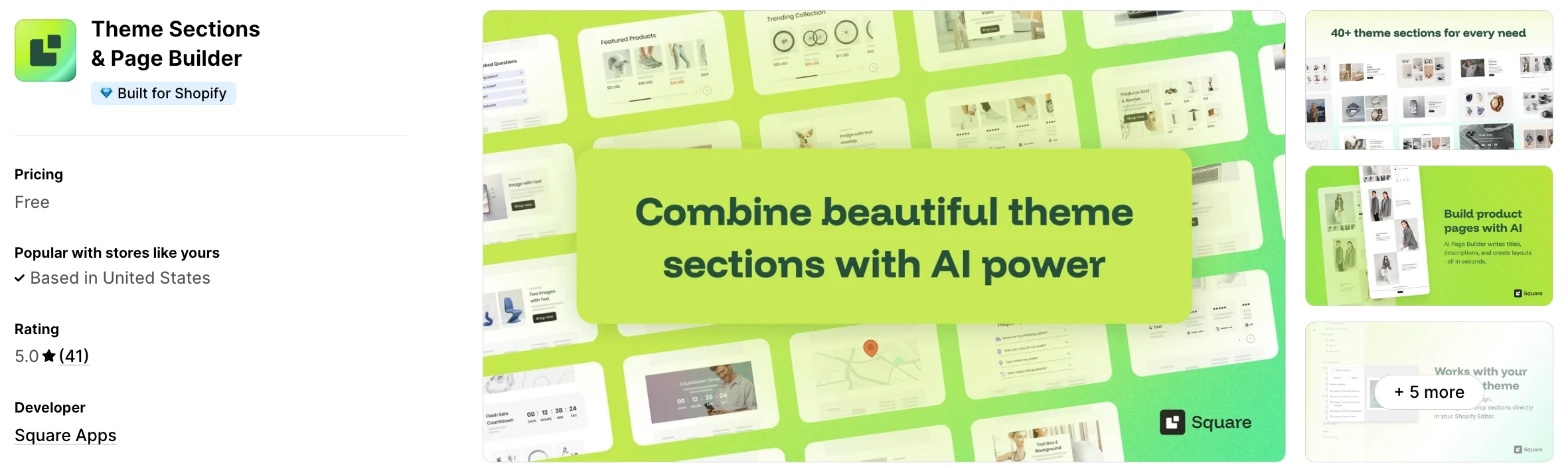
Theme Sections & Page Builder is a section library and AI product page generator that works inside your Shopify theme editor. Choose it when you want new sections and better product pages with no monthly fee.
Why I like this app:
The price is what I noticed first, because the listing shows no paid plan at all. Its 40+ sections install into the theme editor, and the AI builder turned one product into a full product page that I could still edit. Setup took me about 7 minutes. One reviewer got their store ready for traffic in under an hour. However, sections only install on the published theme, I get 5 AI pages every 30 days, and changing themes means installing each section again.
Features:
- 40+ sections for product, home and collection pages
- Carousels, banners, testimonials, FAQs and countdowns
- Editing in the Shopify theme editor
- The same section more than once on a page
- An AI product page generator with titles, descriptions and layouts
- AI pages in English, Spanish, French or German, in a tone you choose
- 16 admin languages
Pricing: Theme Sections & Page Builder lists one free plan:
- Free: all sections, plus 5 AI pages every 30 days
The AI builder generates one page at a time, and it needs a published product with 3 or more images and a description. It also only works on the 30 themes in the help centre's list. With no paid plan, the listing has no trial.
Reviews: Theme Sections & Page Builder has 5.0 stars from 41 reviews on the Shopify App Store, the highest rating here alongside Puco, OT Section and SectionHub. Recent reviewers call it easy to use. One says product page images got mixed up after a week, and they nearly reverted their theme before Miriam in support helped them.
Best for: A store that wants free sections and a few AI product pages each month.
See Theme Sections & Page Builder on the Shopify App Store
2. Vitals
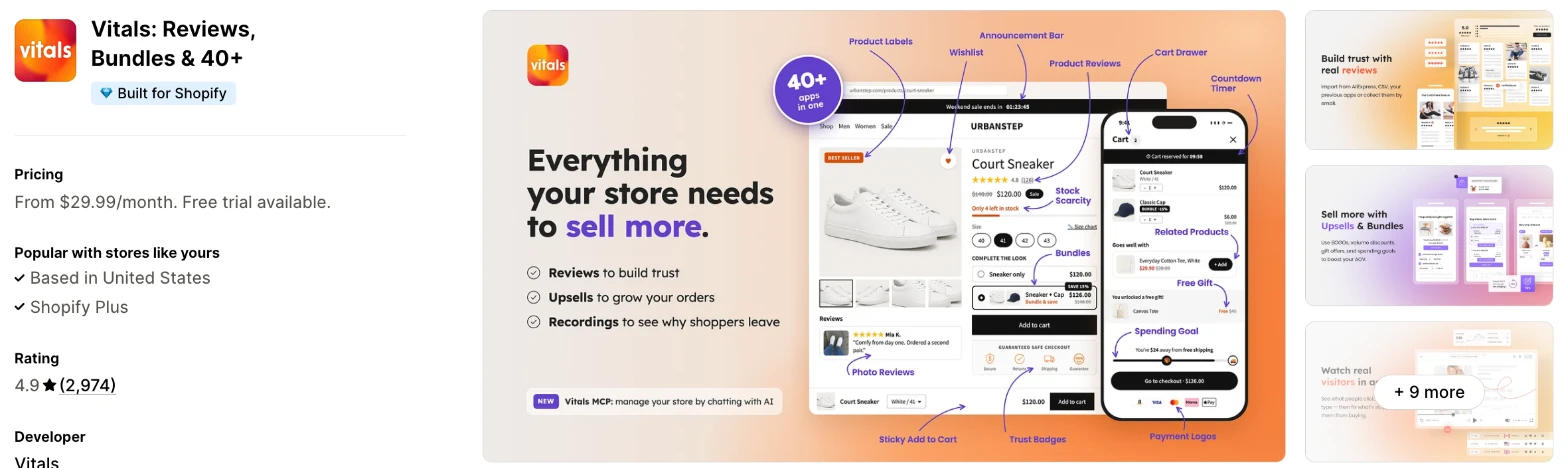
Vitals is an all-in-one Shopify app, and its Theme Sections app is one of 40+ apps in one subscription. It makes more sense when you also need reviews, bundles or a countdown timer and don't want a separate app for each.
Why I like this app:
I like the draft theme option here, because I can set a section up and publish the theme only when it's ready. The 46 sections run from Shop the Look to maps, and each one has a live demo. Setup took me about 10 minutes. What surprised me was load time: its 40+ apps share one script, so I can turn any of them on or off without worrying about slowing my store. But Vitals has no free plan, and most sections can't go in the header or footer.
Features:
- 46 sections in 7 groups
- Product and collection carousels, grids, circles and Shop the Look
- Before-and-after sliders, logo lists and image with text layouts
- Video with text and video carousels
- Testimonials with photos and star ratings
- Flash sale countdowns, rotating text bars and announcement banners
- FAQs, value icons, dividers and decorative borders
- Maps
- Install on a live or draft theme
- A warning before you install on a theme that isn't Online Store 2.0
- One-click updates for every copy of a section
- A live demo of every section
- 40+ apps in the same subscription
Pricing: Vitals has one plan, with all 40+ apps and no fee per section:
- All in one plan: $29.99/month
- Trial: 7 days
Reviews: Vitals has 4.9 stars from 2,974 reviews on the Shopify App Store. Recent reviewers like having many apps together and praise customer support. One long-term low-star reviewer says they couldn't reach the team and mentions glitches, and Vitals replies that its team is on live chat and email every day.
Best for: A store that wants sections, reviews and bundles in one subscription and wants to test on a draft theme.
See Vitals on the Shopify App Store
3. Section Store & Cart Drawer
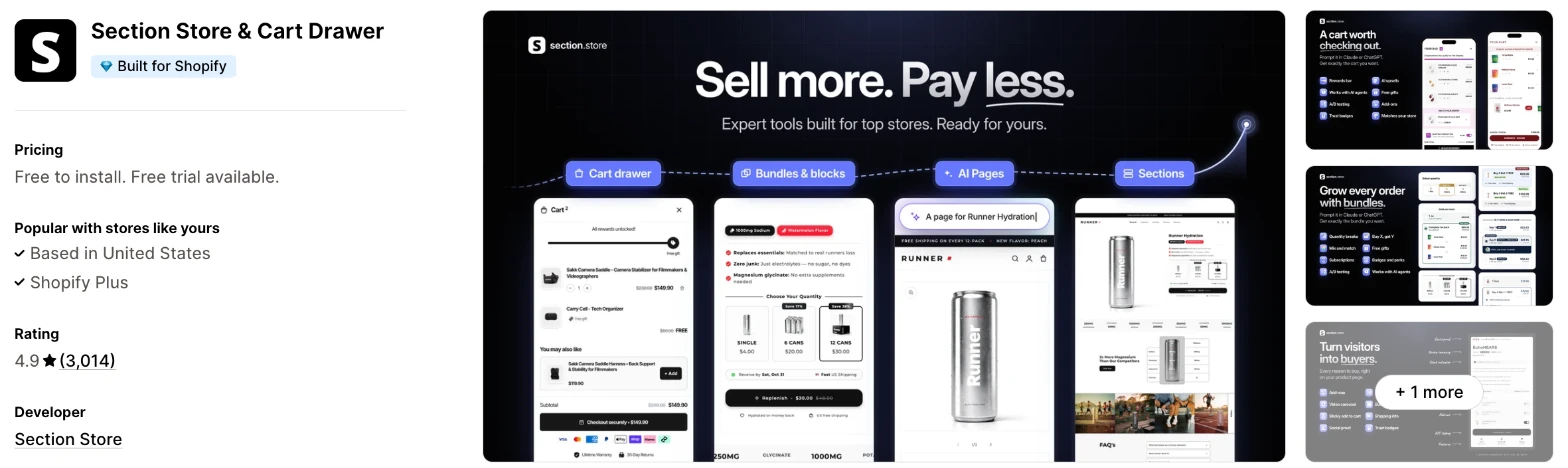
Section Store & Cart Drawer is a section library that has grown into a cart, bundle and AI page app. I'd choose it when you want to buy a few sections now and may want a cart drawer later.
Why I like this app:
When I checked the plans, Section Store gave me 2 clear routes: buy single sections once, or pay a flat $15/month for the cart drawer, bundles and AI pages. It also has the most reviews here, and recent reviewers praise how quickly support fixes problems. Setup took me about 10 to 15 minutes. I can also ask Claude or ChatGPT to build a cart or an A/B test through MCP. The main drawback is cost on the free route, because one low-star reviewer says the key sections are all paid.
Features:
- Free sections, plus premium sections to buy singly
- 30+ curated sections on Plus
- Product, home and landing pages built by AI on Plus
- A cart drawer with rewards, free gifts and upsells on Plus
- Bundles with quantity breaks and mix and match on Plus
- Conversion blocks for the buy box on Plus
- A/B tests on carts and bundles on Plus
- Claude and ChatGPT through MCP on Plus
Pricing: Section Store charges once for each premium section, or a flat fee for Plus:
- Free: free sections, and single premium sections for a one-time charge
- Plus: $15/month
- Trial: 14 days on Plus
The listing doesn't give single section prices. Section Store's reply to one reviewer says premium sections cost $9 to $19 once, and you keep them.
Reviews: Section Store has 4.9 stars from 3,014 reviews on the Shopify App Store, the most of the 8. Recent reviewers praise quick fixes, and one says it does the work of 4 apps. Low-star reviewers raise slow follow-through and bug fixes, and one waited 6 months for work support offered. Section Store replies that it refunded that merchant and will still do the work.
Best for: A store that wants to buy a few sections now, with a cheap route to a cart drawer and bundles.
See Section Store & Cart Drawer on the Shopify App Store
4. Puco Sections: Theme Sections
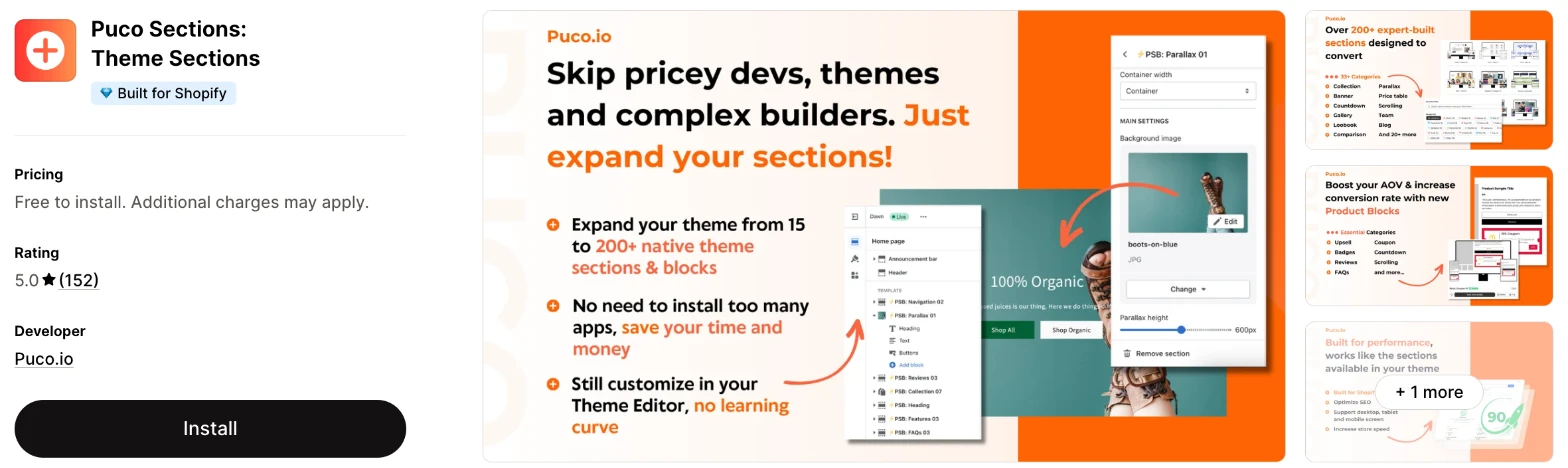
Puco Sections is a library of 200+ sections and blocks, with free sections and locked ones you pay for once. Choose it when you'd rather pay for the few sections you use than keep a subscription.
Why I like this app:
I found the pricing simple to reason about, because I only pay for the locked sections I want and then keep them. The 200+ sections and blocks span 33+ categories, including parallax, lookbooks and comparison tables. Setup took me about 10 to 15 minutes. It also asks for the least store data of the apps that show it, with access only to the Online Store. However, the listing shows no section prices, and I didn't find AI features.
Features:
- 200+ sections and blocks in 33+ categories
- Product blocks for upsells, badges, coupons and countdowns
- New sections and blocks added weekly, based on demand
- Templates, global sections and global styles
- Custom fonts and custom code
- Any Online Store 2.0 theme
- Live chat and email support
I didn't find any AI features in it.
Pricing: Puco charges once for each locked section:
- Free: free sections
- Locked sections: a one-time charge, yours to keep
The plan's label also says "one-time charge or subscription", so check the price inside the app before you plan a page around a section. I didn't find a free trial on the listing.
Reviews: Puco has 5.0 stars from 152 reviews on the Shopify App Store, with no rating below 4 stars. Reviewers often name Rio in support, and one had a reply in under a minute at 2 AM. The closest thing to a complaint comes from a merchant who bought the wrong section and was still waiting for a promised refund when they wrote.
Best for: A store that needs a handful of specific sections and doesn't want another subscription.
See Puco Sections on the Shopify App Store
5. OT Section: Theme Sections
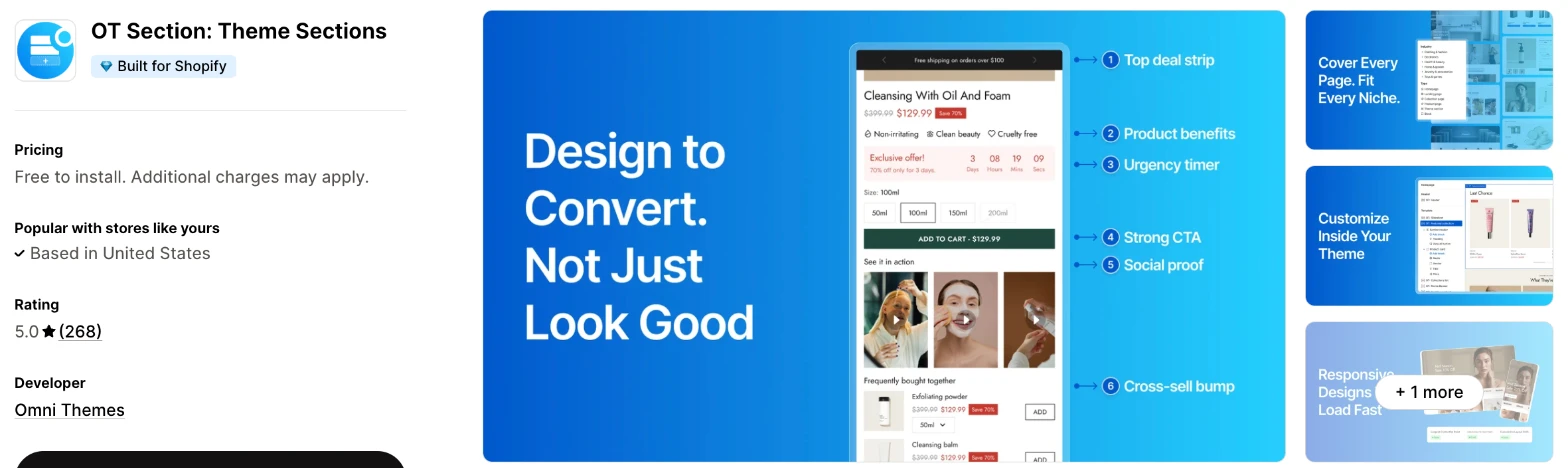
OT Section is a library of 200+ sections, templates and blocks from Omni Themes. It makes more sense when you want to work from a large free selection before you pay for anything.
Why I like this app:
The free selection is what I'd try first, because I get 40+ designs with no charge and buy premium ones only when I need them. I can reuse sections, templates and blocks across pages, and the admin comes in 20 languages, the most here. Setup took me about 10 to 15 minutes. One reviewer says pages come together faster with no theme change. But the listing shows no premium prices, and that reviewer would like more templates for niche stores.
Features:
- 200+ sections, templates and blocks
- 40+ free designs
- Pages for home, product, collection, blog and landing
- Sections, templates and blocks you can reuse across pages
- Custom fonts, custom code and localisation
- Any Online Store 2.0 theme
- 20 admin languages
- Live chat support
I didn't find any AI features in it.
Pricing: OT Section charges once for each premium design:
- Free: 40+ designs
- Premium designs: a one-time purchase, yours to keep
The listing links to more pricing options but shows no premium prices. I didn't find a free trial.
Reviews: OT Section has 5.0 stars from 268 reviews on the Shopify App Store, and many recent reviews have no text. Written reviews praise patient support. A 2025 low-star reviewer says sections didn't display on the Pipeline theme, and Omni Themes says it solved that conflict the same day. A 2024 reviewer says the sections weren't mobile friendly.
Best for: A store that wants to try many free designs first, especially with staff who work in another language.
See OT Section on the Shopify App Store
6. G: Theme Sections & Blocks
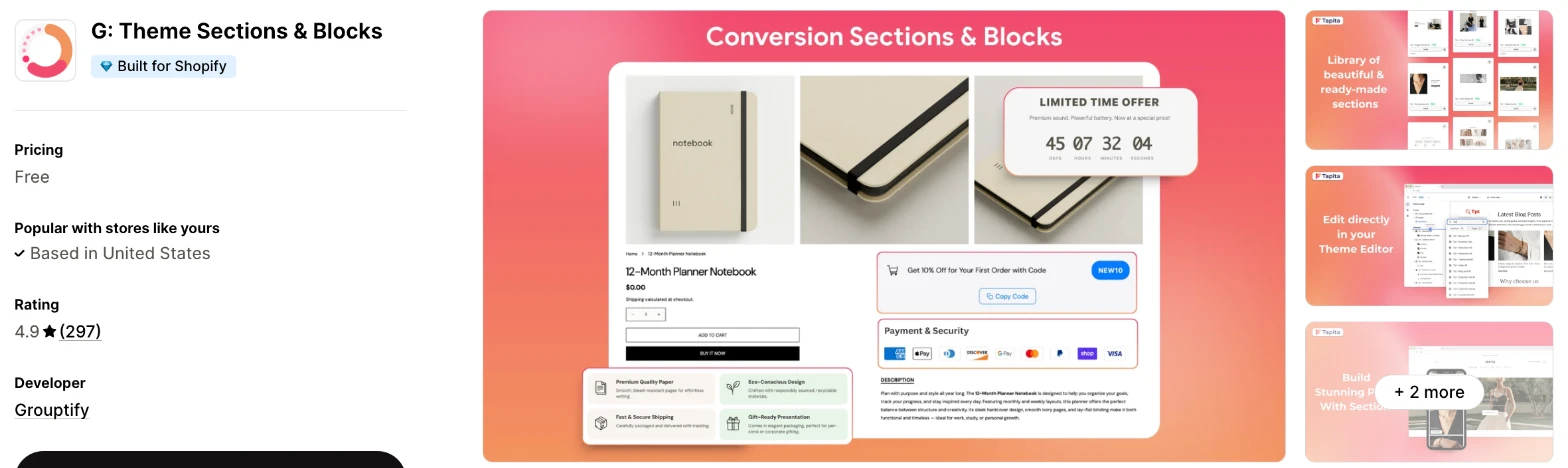
G: Theme Sections & Blocks is a section and product block library from Grouptify. I'd choose it when your product pages need countdowns, badges and coupons and you don't want to pay upfront.
Why I like this app:
I liked the focus on product page blocks, such as countdowns, badges and coupons, along with the pre-built sections. The listing gives one price: free. Setup took me about 10 to 15 minutes. Recent reviewers name Bobby, Liam, Tara and Channie in support, so help looks easy to reach. The main drawback is that the listing doesn't explain its Pro content, because one reviewer needed support to open Pro sections and blocks and remove a trademark.
Features:
- Pre-built sections, which the listing counts in the hundreds
- Countdown, badge and coupon blocks for product pages
- Sections for landing, home, product and collection pages
- Templates and global sections
- Drag-and-drop editing in the Shopify theme editor
I didn't find any AI features in it.
Pricing: G lists one price:
- Free
Shopify's review summary mentions one-time pricing, and reviewers mention Pro sections, so check what's locked before you build a page around a section. I didn't find a free trial on the listing.
Reviews: G has 4.9 stars from 297 reviews on the Shopify App Store. Recent reviewers mostly praise support, and one likes picking blocks with no AI tool involved. Its 3 low-star reviews say little, and one 2025 reviewer says the app showed as installed but wouldn't load, and Grouptify says it emailed them to help.
Best for: A store that wants product page blocks at no listed cost and values quick support.
See G: Theme Sections & Blocks on the Shopify App Store
7. SectionHub: Theme Sections
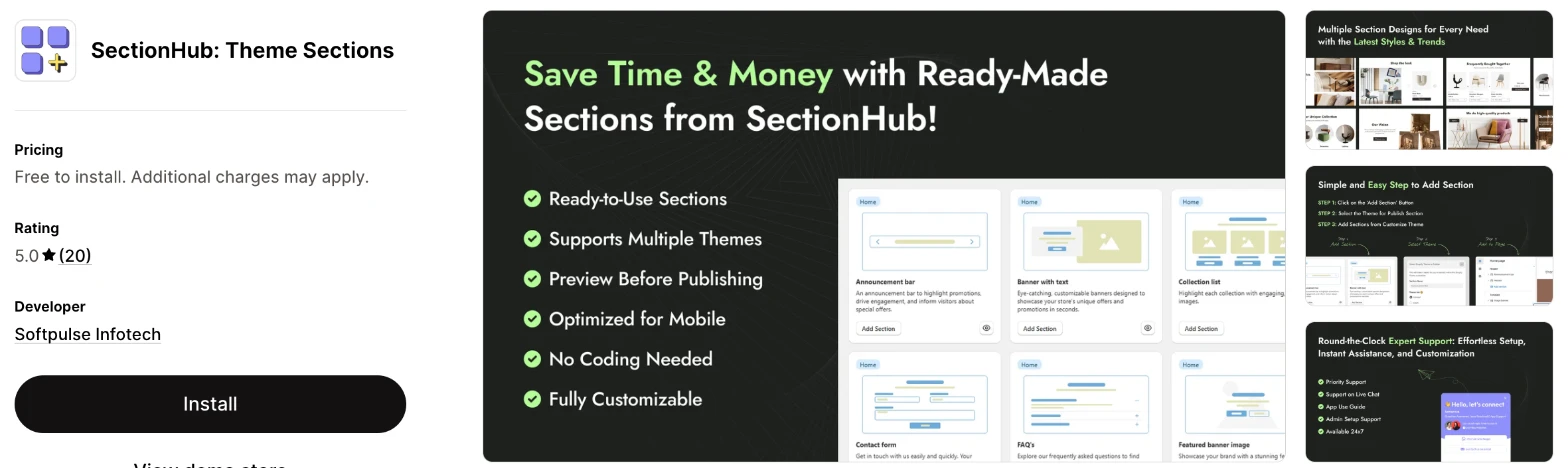
SectionHub is a smaller library of ready-made sections from Softpulse Infotech, with 30 free and the rest paid once. Choose it when you want basic sections and a clear promise of no recurring charge.
Why I like this app:
The listing describes the plainest flow here, because I preview a section and publish it to the theme I choose, live or development. That development theme option is rare on these listings. Setup took me about 10 to 15 minutes. Reviewers like the price and say the team has helped on a video call at the weekend. However, it has only 20 reviews, and SectionHub's own reply says customisation requests count as a paid add-on.
Features:
- 30 free sections, plus premium sections to buy once
- Announcement bars, banners, collection lists, contact forms and FAQs
- A preview before you publish
- Publishing to a live or development theme
- Layout, colour and spacing settings in the theme editor
- Designs for phones and tablets
I didn't find any AI features in it.
Pricing: SectionHub charges once for each premium section, with no recurring payments:
- Free: 30 sections
- Premium sections: a one-time charge
The listing shows no premium prices or free trial.
Reviews: SectionHub has 5.0 stars from 20 reviews on the Shopify App Store, the fewest of the 8. Reviewers praise responsive support, and one calls it better than many apps that charge monthly. There are no low-star reviews, but the small count gives you less to go on.
Best for: A small store that wants a few free sections and no monthly bill.
See SectionHub on the Shopify App Store
8. Smind Sections: Theme Sections
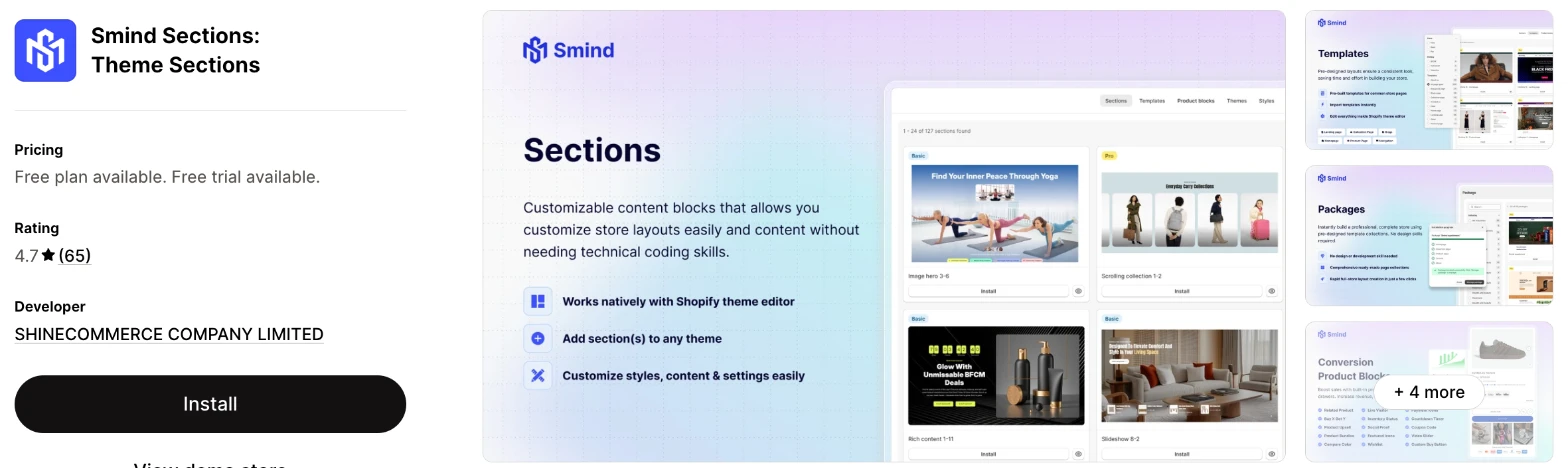
Smind Sections is the largest library here, with 1,100+ sections, 400+ templates and full-store packages. It makes more sense when you want a whole store layout from one app, once you've read the security issue below.
Why I like this app:
I found the most choice here by a wide margin, with 97 free sections and 1,153 on the Pro plan. The 78 packages install a full store layout, and the upsell and bundle sections work on product pages. Setup took me about 10 to 15 minutes. However, I ranked it last because of a 2026 review that says the app put a malicious script on a store. Smind's reply says it fixed the issue and returned to the App Store after penetration testing.
Features:
- 97 to 1,153 sections by plan
- 2 to 453 templates by plan
- 78 full-store packages on Pro
- 6 to 16 product blocks by plan
- 15 cart drawer features on Pro
- Upsell and bundle sections for product pages
- New sections added weekly
- Any Online Store 2.0 theme
I didn't find any AI features in it.
Pricing: Smind charges a flat monthly fee:
- Free: 97 sections, 2 templates, 6 product blocks
- Basic: $19/month or $190/year, 898 sections, 180 templates, 12 product blocks
- Pro: $29/month or $290/year, 1,153 sections, 453 templates, 78 packages, 16 product blocks
- Trial: 7 days on paid plans
Reviews: Smind has 4.7 stars from 65 reviews on the Shopify App Store, the lowest rating here. Recent reviewers mostly praise support, and one prefers it to similar apps. An August 2026 reviewer says the app installed a script that redirected customers to a different payout page. Smind says it fixed this the same day and passed third-party testing before its reinstatement on the App Store.
Best for: A store that wants a full store layout from one library and has checked the security history first.
See Smind Sections on the Shopify App Store
How do you choose the right Shopify theme section app?
I'd start with the specific sections you need, then check how each app charges for them. I've put each app's rating, starting price and how it charges in this table:
| App | Rating | Starting price | Charges by |
|---|---|---|---|
| Theme Sections & Page Builder | 5.0 from 41 reviews | Free | No charge |
| Vitals | 4.9 from 2,974 reviews | $29.99/month | One plan |
| Section Store & Cart Drawer | 4.9 from 3,014 reviews | Free, then $15/month or per section | Section or flat fee |
| Puco Sections | 5.0 from 152 reviews | Free, then per section | Section |
| OT Section | 5.0 from 268 reviews | Free, then per design | Design |
| G: Theme Sections & Blocks | 4.9 from 297 reviews | Free | No charge listed |
| SectionHub | 5.0 from 20 reviews | Free, then per section | Section |
| Smind Sections | 4.7 from 65 reviews | Free, then $19/month | Flat fee |
The section you need rules apps out first. An FAQ works on all 8, but a product page coupon block narrows the list to Puco, G and Smind, and full-store packages leave only Smind. List the sections you plan to add this month, then open each app's demo store and look for them. All 8 listings link a demo store.
Matching your theme is the next check, and these apps have an advantage over separate page builders because they all edit in the theme editor. Your theme's fonts and colours may still need adjusting in each section's settings. Preview each section on your phone, because a 2024 OT Section reviewer found sections that didn't suit their mobile store.
The rest of your store matters when you already have a cart or bundle app. Section Store and Smind add cart drawers, and Vitals includes bundles and upsells, so you could end up with 2 tools doing one job. Theme Sections & Page Builder, Puco, OT Section, G and SectionHub stay closer to sections. Check for overlap in your current apps before you turn on a paid plan.
I found cost depends mainly on how many sections you'll need. Buy-once apps cost little for a few sections, while Smind's Basic plan makes more sense for dozens. On a free route, check what's locked, such as premium sections on Section Store or Smind's templates beyond the first 2.
Support draws the most praise in recent reviews on all 8 apps, and merchants often name the person who helped them. The sharpest complaints I found are about follow-through on Section Store and the security review on Smind. SectionHub's reply is also useful to know, because it treats custom work as a paid add-on.
When setup problems came up on my test store, a few customer success teams fixed them within minutes, while others took hours to reply. So send a test question and time the reply before you buy anything.
Choose Theme Sections & Page Builder for free sections and AI product pages, and Vitals when you'd use its other apps as well. Choose Section Store for single sections with a route to a cart drawer, and Puco for buying once with the least data access. OT Section suits a free-first test, G suits product page blocks, SectionHub suits a small store and Smind suits a full store layout.
Should you buy sections once or pay monthly?
Buy once when you need a few sections, and pay monthly when you need many or change your pages often. The break-even point depends on the section prices inside each app.
Section Store is the one app that gives a price, with its reply saying premium sections cost $9 to $19 once. At those prices, 5 sections cost $45 to $95. Smind's Basic plan costs $190/year and includes 898 sections, so it becomes cheaper once you'd otherwise buy 10 to 21 premium sections in a year.
Monthly plans have another cost to check. Puco, OT Section and Section Store all say you keep sections you buy, but I didn't find a clear statement from Smind, Vitals or Section Store Plus on what happens to sections when you stop paying. Ask that before you build your home page on a subscription.
Test the free sections first on any app. One Section Store reviewer left after 7 minutes because the sections they wanted were paid, and that's quicker to learn from the demo store than from a half-built page.
Will your sections survive a theme change?
Plan to install them again, because these apps install sections into a chosen theme. Theme Sections & Page Builder says so directly in its help centre, and Vitals and SectionHub both ask you to pick a theme when you install.
Theme updates are a different case. One Section Store reviewer says custom code from a developer gets lost in theme upgrades, and that's the reason they prefer ready-made sections. But I'd still check after an update, because one OT Section reviewer found a conflict with their Pipeline theme.
Theme support also varies. Vitals warns you before you install on a theme that isn't Online Store 2.0, and Puco, OT Section and Smind name Online Store 2.0 on their listings. The AI builder in Theme Sections & Page Builder needs one of 30 listed themes and becomes inaccessible on any other.
Before you change themes, list the sections on each page. Then install them on the new theme as a draft where the app allows it, and compare both versions on your phone.
Can you test a section before shoppers see it?
Yes, on some apps. Vitals installs sections on a draft theme, and SectionHub publishes to a live or development theme, so you can finish the page before anyone sees it.
Theme Sections & Page Builder only installs on your published theme, for now. That's less risky than it sounds, because installing a section only adds it to your theme editor's list, and shoppers won't see it until you add it to a page.
I didn't find a clear answer on Section Store, Puco, OT Section, G or Smind listings. Section Store and Puco tag draft pages, which isn't the same as a draft theme, so ask support before you rely on it. A reviewer's complaint shows why testing matters: one Section Store merchant couldn't work out how to move a section that attaches to the product area, and the developer's reply points to a Position setting.
Test each new section on a duplicate of your theme when you can. Check it on a real product with a long title and more than one variant before you publish.
What store data do theme section apps need?
It ranges from almost nothing to customer data, so read the "Data access" part of each listing. Sections mainly change your theme, and the broader access usually comes with extra features.
Puco asks for the least, with access to the Online Store only. SectionHub adds products and discounts, OT Section adds products and custom data, and Smind adds products, custom data and the Shopify admin. Theme Sections & Page Builder asks for products, the Online Store, the Shopify admin and other data.
Section Store goes further, with customers, orders, discounts and store analytics, plus device and activity data for its cart and bundle features. Vitals asks for the most, including sensitive customer data, because its 40+ apps include reviews and email. I didn't see a data access section in the text of G's listing, so check it before you install.
Smind's August 2026 review is the case to weigh here. A merchant says a script from the app redirected customers to a different payout page. Smind says it fixed the issue that day, and its reply says the app has since passed independent penetration testing and met Shopify's requirements for reinstatement. I can't confirm the scale from outside, so ask Smind directly.
After you install any section app, place a test order on your own store and check that checkout looks right.
How do you set up your first Shopify theme section?
I'd start with an FAQ section on your best-selling product page, because it's easy to write and easy to judge.
Use these steps with any of the apps:
- Install the app and open its section library.
- Check the section on the app's demo store.
- Install the section on a draft theme where the app allows it, or on your published theme.
- Open the Shopify theme editor and go to the page you want to change.
- Choose "Add section" and pick the new section.
- Add your text and images, then match the colours to your theme.
- Preview it on your phone and desktop.
- Save, then check the live page in a private browser window.
Setup took me about 7 minutes on Theme Sections & Page Builder, about 10 minutes on Vitals and about 10 to 15 minutes on the others.
Merchants report mostly simple setups too. One Theme Sections & Page Builder reviewer had a store ready in under an hour, and Puco and SectionHub reviewers like needing no code. Theme conflicts are the main exception, with reports from OT Section and Section Store merchants of sections that didn't display.
I'd leave a new section live for 2 to 4 weeks before you change it, so you can compare your product page results across more than one busy day.
What changes in unusual situations?
I found the right app can change once your traffic rises, you run more than one store, you need a plan-only feature or you move from another app.
At unusually high or seasonal traffic, none of these apps charges by visitors or pageviews. The limit to watch is on the page. Square Apps' help centre notes that Shopify allows a maximum of 25 sections on a page, and Vitals warns that a hidden section still loads. Remove the sections you aren't using before a big sale.
With more than one store, check how each purchase carries over. One Puco reviewer uses the app across 2 sites, but I didn't find a rule on the listings for sections bought once. Ask before you buy, because 2 stores could mean paying twice. For more languages, Theme Sections & Page Builder's AI pages need Shopify's Translate & Adapt app, and OT Section tags localisation.
Some features only appear on certain plans. Section Store keeps the cart drawer, bundles, AI pages and A/B tests for Plus. Smind keeps its 78 packages and cart drawer features for Pro. Theme Sections & Page Builder stops at 5 AI pages every 30 days.
Moving from another app rarely moves your sections, so plan to rebuild them with their text and images. Keep the old app installed until the new page is live. One 2024 Smind reviewer says the sections stayed visible in their store after they uninstalled, so check your theme editor afterwards as well.
What are the benefits of a Shopify theme section app?
A theme section app gives you layouts your theme doesn't include, and you can add them without paying a developer for each one. So you can answer questions and show proof on your product page without waiting on anyone.
Say you sell a $60 skincare product and shoppers keep emailing about ingredients and results. An FAQ and a before-and-after slider can answer both on the page, and at Section Store's premium prices those 2 sections cost $18 to $38 once. One extra sale would pay for them, although a section alone won't fix weak traffic or a poor product photo.
The other benefit is reuse. Once a section is in your theme, you can place it on other pages with new content, and Theme Sections & Page Builder allows the same section more than once on a page. The limit is clutter, because each extra section adds length and more for your store to load.
Before you install an app, pick the one page and the one question you want it to solve.
What are some ideas for using a Shopify theme section app?
I'd try an FAQ section first, because it answers the questions already reaching your support inbox. These 5 ideas suit different types of store:
- Product FAQ: a supplements store answers dosage and delivery questions on each product page.
- Before-and-after slider: a cleaning products store shows a stain before and after treatment.
- Shop the Look: a clothing store adds pins to a styled outfit on its home page.
- Sale countdown: a homeware store adds a timer to a collection page during a weekend sale.
- Video with text: a kitchen tools store shows each product in use next to its main benefits.
I'd test the FAQ on your best-selling product first, then try a countdown during your next sale.
Which Shopify theme section app would I start with?
I'd start with Theme Sections & Page Builder, because it's free and includes AI product pages. Choose Vitals instead when you'd also use reviews, bundles and its other apps, or Puco when you only want to buy a few specific sections once. Install your choice, add one FAQ section to your best-selling product and check the page on your phone.
What do merchants often ask about Shopify theme section apps?
How much does a Shopify theme section app cost?
You can start for free on 7 of these 8 apps, and Vitals costs $29.99/month with a 7-day trial. Paid plans on the others run from $15/month on Section Store to $29/month on Smind. Section Store's single premium sections cost $9 to $19 once, and Puco, OT Section and SectionHub don't list their prices.
Does Shopify include theme sections without an app?
Yes. Your theme comes with sections, and you can add, move and remove them in the theme editor at no extra cost. A section app only adds layouts your theme doesn't have, so check your theme's "Add section" list before you install anything.
Are there free Shopify theme section apps?
Yes, 7 of the 8 have a free route. Theme Sections & Page Builder and G list a price of free, Smind offers 97 free sections, OT Section offers 40+ and SectionHub offers 30. Section Store and Puco include free sections with no stated count. Vitals has no free plan, but it has a 7-day trial.
Do theme section apps slow down a store?
Not on its own in my test, but the total number of apps matters, because each one you add affects page speed. So I'd consolidate where I can: Vitals loads everything from a single app, which meant I didn't have to worry about load speed. It also says a section only loads on the pages where you place it, but a hidden section you leave on a page still loads. Test your store's speed before and after you add a section.
Can you add sections to your header or footer?
Usually not, so check first. Vitals says most of its sections can't go in the header or footer, and Theme Sections & Page Builder says only a handful can. Section Store, Smind, OT Section, G, SectionHub and Theme Sections & Page Builder tag footers, so open the demo store for the one you want.
Can you edit a section's code?
On some apps, yes. Section Store, Puco, OT Section, SectionHub and Smind tag custom code. Theme Sections & Page Builder and Vitals rely on settings in the theme editor. For bigger changes, ask support first, because SectionHub treats custom work as a paid add-on while Puco and Smind reviewers say their support teams made changes for them.