
Best Shopify trust badge apps reviewed in 2026
Trust badge apps are a common way to answer a shopper's doubts about payment, delivery and returns next to the buy button. Security and guarantee badges appear in all 8 apps here. They differ on whether you can upload your own icons, target badges by product or location, and show certifications your store has actually earned.
I installed 8 Shopify trust badge apps on a test store and compared their features, pricing and merchant reviews. Below, you'll find what each one does well, where it falls short and the type of store it suits best.
Which Shopify trust badge apps made my shortlist?
I selected apps with a rating of 4.6 or higher and a new merchant review within the last 12 months. These 8 trust badge apps made my shortlist:
- Vitals: all-in-one Shopify app with trust seals and 40+ apps in one subscription
- Essential Trust Badges & Icons: a free plan, then cart blocks and translations at $9.99/month
- Hoppy Trust Badges & Icons: a free app with 10,000+ icons and the widest placement
- SEOWILL - Trust Badges & Icon: one-click badges for a simple free setup
- ShopClimb - Trust Badges: payment badges that can change with the shopper's location
- Iconito - Trust badges & icons: low-cost icons for the Thank You and Order Status pages
- Conversion Bear Trust Badges: 300+ free badges added by copy and paste
- TrustedSite - Trust Badges: badges you earn through security scans and business checks
How did I review the best Shopify trust badge apps?
I installed each app on a test store, then went through each App Store listing, every plan and the newest and lowest-rated merchant reviews.
I looked at these details for each app:
- Badge types: which payment, security, guarantee and shipping badges it offers, and whether anyone checks the claim behind them
- Placement: where badges can appear, such as the product page, cart, footer or checkout
- Targeting: whether you can limit badges by product, country or schedule
- AI features: what AI does in each app
- Integrations: which tools each listing names
- Setup: how long each app took me to get a badge row live
- Design: which colours, fonts, sizes and styles each listing says you can change, and how each app behaved on my test store
- Speed: whether one badge app hurts page speed, and what happens once a store needs many apps
- Pricing: how each app charges, its plan limits and what each plan includes
- Reviews: what the newest and lowest-rated App Store reviews say, including about support
I ranked the list by where I'd start for a typical store, with the all-in-one app first, then the free and low-cost badge apps in the order I'd try them, and the verified badge service last because it does a different job.
What did I find across these Shopify trust badge apps?
I found 5 main badge options across the apps I reviewed. The apps differ on which ones they include, so check which you need before you compare prices:
- Payment icons: logos such as Visa and PayPal. Essential, Hoppy, SEOWILL, ShopClimb, Iconito and Conversion Bear include them. Vitals shows them through its separate Payment Logos app, and I didn't find them on TrustedSite's listing.
- Security and guarantee badges: claims such as secure checkout or money back. All 8 apps include them in some form.
- Shipping and returns badges: promises such as free delivery or easy returns. Vitals, Essential, Hoppy, SEOWILL, ShopClimb and Iconito list them.
- Your own uploads: an icon you've designed yourself. Essential, Hoppy, ShopClimb and Iconito list uploads, and Vitals doesn't offer them.
- Verified certifications: badges that depend on checks of your store. Only TrustedSite offers them.
I also found these differences beyond the main options:
- Banners: Essential and Hoppy also list promotional and notification banners, so one app can handle both jobs.
- Targeting: Vitals can limit seals by chosen products, price, discount or stock. Essential's $9.99/month plan and Iconito's $9.99/month plan use product tags, and Essential and ShopClimb offer geolocation on paid plans.
- AI features: I didn't find AI features for badges in any of the 8. With Vitals MCP, you can do everything in Vitals with Claude or ChatGPT, including adding trust badges.
- Setup: Vitals and Essential were the quickest, at about 3 to 5 minutes each. The other 6 took about 5 to 8 minutes.
- Design: almost every app was highly responsive, user friendly and customisable on my test store. Hoppy, ShopClimb and Iconito list the most controls, including animations and tooltips, and TrustedSite tags only size.
- Speed: a single badge app didn't hurt my test store on its own, but many stores have 10 to 15 apps and each new one affects page speed. With Vitals, I could turn any of its 40+ apps on or off without worrying about load time.
What are the best Shopify trust badge apps?
Vitals is my top pick, because its trust seals come with 40+ other apps in one subscription. Essential comes next for stores that want a dedicated badge app with a free plan. The 6 reviews after it suit a tight budget, payment badges, order pages or badges backed by real checks.
1. Vitals
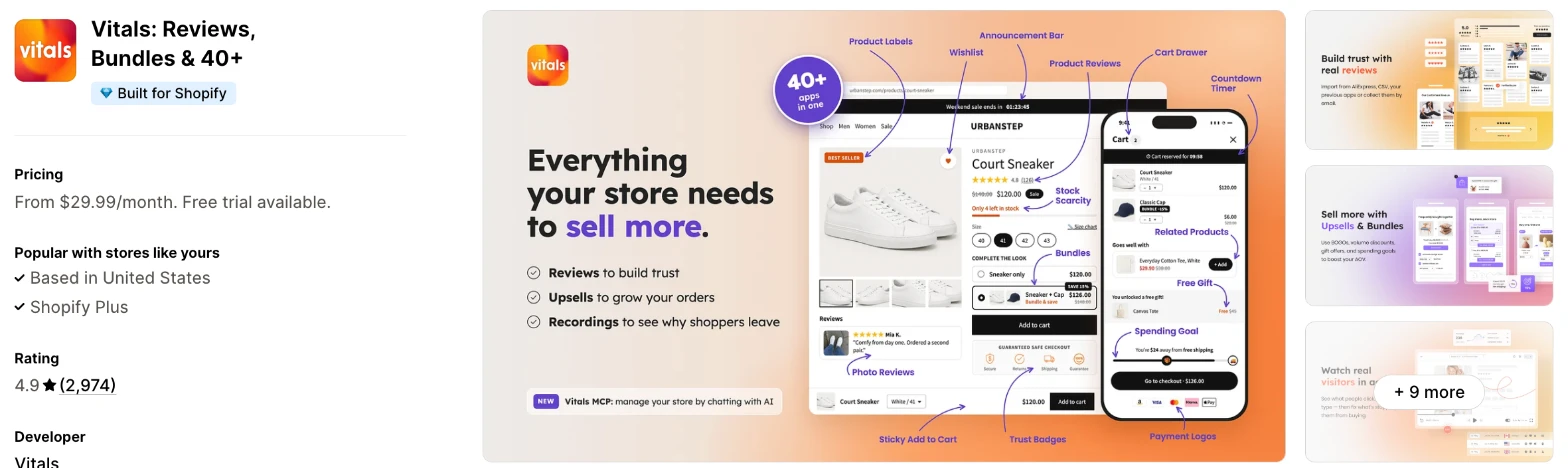
Vitals is an all-in-one Shopify app, and its Trust Seals and Badges app is one of 40+ apps in one subscription. It makes more sense when you also need reviews, bundles or email marketing and don't want a separate app for each.
Why I like this app:
I like that the seals can use my store's colour, so the row can match the rest of my theme. I found 28 seals in 8 styles, and I could limit them to chosen products or to a price or stock range. Setup took me about 3 to 5 minutes. Payment Logos and Product Reviews come in the same subscription, with no extra script. However, I can't upload my own badge or change a badge's wording, and every placement shows the same set.
Features:
- 28 drawn seals for security, guarantees, shipping, returns and payment options
- 8 styles, including Icon, Ribbon, Stamp and Circle
- Any colour, a size from 75 to 150 and left, centre or right alignment
- A heading line above the row, and badges you drag into order
- Placement above, inside or below the buy buttons, the description or the end of the product page
- Blocks for the cart page and home page
- Rules for chosen products, or for a price, discount or stock range
- A separate Payment Logos app in the same subscription
- 40+ apps in the same subscription
I didn't find any AI features for trust badges in it, although with Vitals MCP I can do everything in Vitals with Claude or ChatGPT.
Pricing: Vitals has one plan, with all 40+ apps included:
- All in one plan: $29.99/month
- Trial: 7 days
Reviews: Vitals has 4.9 stars from 2,974 reviews on the Shopify App Store. Recent reviewers like having many apps together and praise customer support. One low-star reviewer says they couldn't reach the team, and Vitals replies that it's on live chat and email every day.
Best for: A store that wants trust seals alongside reviews, bundles and payment logos in one subscription.
See Vitals on the Shopify App Store
2. Essential Trust Badges & Icons
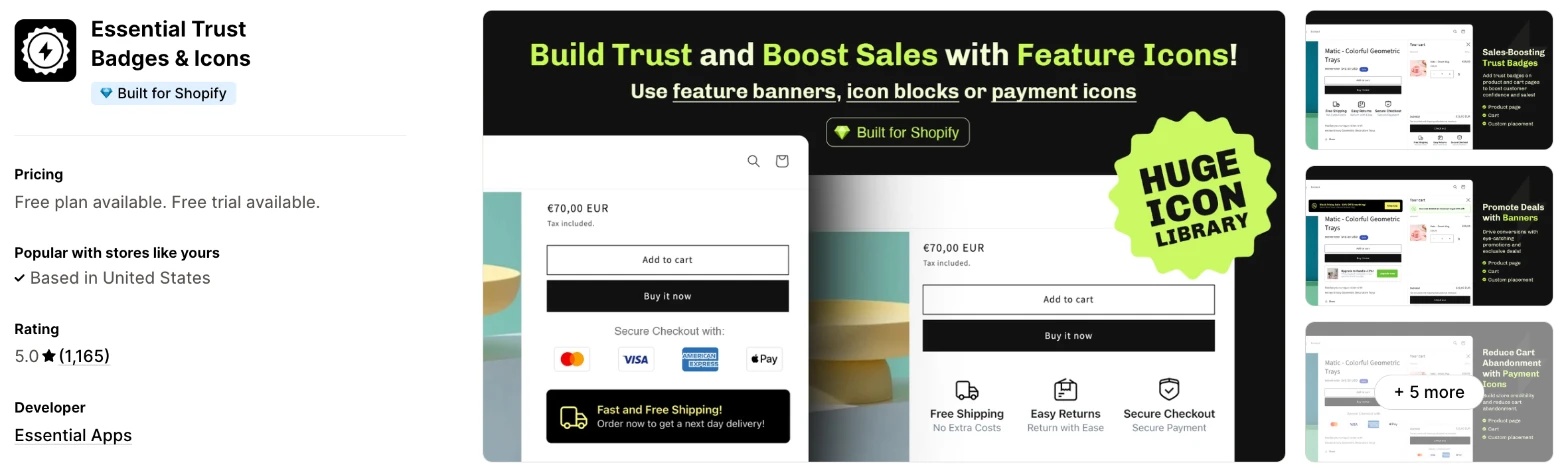
Essential Trust Badges & Icons is a badge and banner app for product pages, carts and custom locations. Choose it when you want a dedicated app that you can start free and upgrade one step at a time.
Why I like this app:
When I checked the plans, this one gave me the clearest path from free to paid, because each step adds something specific. The free plan has unlimited payment icons on the product page, $6.99/month adds uploads and $9.99/month adds cart blocks, geolocation and translations. It took me about 3 to 5 minutes to get my first row live. Recent reviewers name the support staff who fixed their problems. The main drawback is the free plan's limit of one banner or 3-icon block, and one reviewer dislikes the upgrade prompts.
Features:
- Payment, security, shipping, warranty and guarantee icons
- Product page banners and promotional banners
- Your own icons on paid plans
- Controls for fonts, colours, borders, backgrounds and size
- Product, cart, collection, home page and footer placement
- Blocks added by product tag on the Essential plan
- Geolocation targeting and translations on the Essential plan
- Custom CSS for banners
- Performance tracking and real-time analytics
I didn't find any AI features in it.
Pricing: Essential charges by monthly views:
- Free: 5,000 views, unlimited product page payment icons, one banner or 3-icon block
- Starter: $6.99/month, 20,000 views, unlimited product page blocks, your own icons
- Essential: $9.99/month, 50,000 views, unlimited cart blocks, product tags, geolocation, translations
- Professional: $29.99/month, unlimited views, all premium features
- Trial: 7 days
Yearly billing saves 20%.
Reviews: Essential has 5.0 stars from 1,165 reviews on the Shopify App Store, the highest rating of the 8. Recent reviewers praise fast support, and one published a first badge in under 10 minutes. One low-star reviewer calls the app very limited. Another spent over a week on setup, and Essential Apps replied that 2 product page banners need 2 banner slots.
Best for: A growing store that wants to start free and pay for cart badges and translation when it needs them.
See Essential Trust Badges & Icons on the Shopify App Store
3. Hoppy Trust Badges & Icons
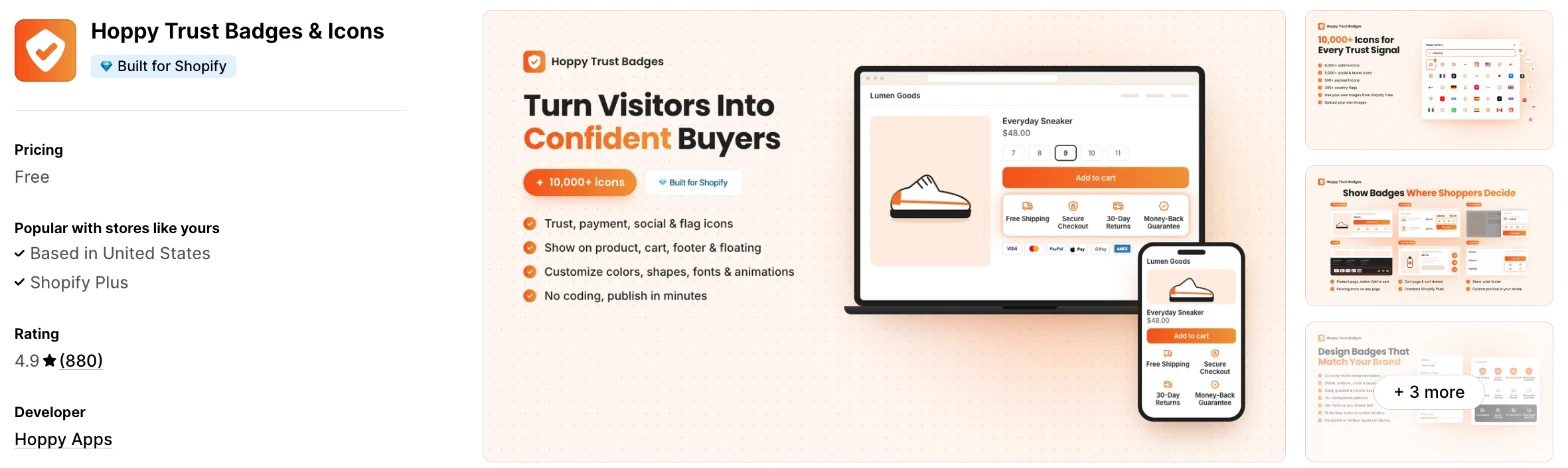
Hoppy Trust Badges & Icons is a free app for badges, icons and banners across a store. I'd choose it when you want many placements and a large icon library with no monthly cost.
Why I like this app:
The placement list is what I noticed first, because this free app reaches the cart drawer, checkout page, footer and floating badges. I also found 10,000+ icons, plus scheduling and geo-targeting tags for its banners. Getting badges live took me about 5 to 8 minutes. Reviewers call it clean and quick, and one likes changing titles and icons at no cost. But low-star reviewers report themes where badges didn't appear, and a custom position needs a Badge ID, so I'd start with a preset location.
Features:
- 10,000+ icons, including payment, social, flag and shipping icons
- Product page, cart, cart drawer, footer and floating placement
- A checkout page placement
- Controls for colours, shapes, fonts and animations
- Your own uploaded images
- Previews across devices
- Announcement, free shipping and notification banners
- Scheduling and geo-targeting tags
I didn't find any AI features in it.
Pricing: Hoppy lists the app as free:
- Free: all features on the listing
The listing shows no paid plans and no limits.
Reviews: Hoppy has 4.9 stars from 880 reviews on the Shopify App Store. Recent reviewers like the clean setup and service, and one warns that a banner layout and an embedded block can overlap. Low-star reviewers report badges that wouldn't appear and fonts that wouldn't apply, and Hoppy replies that it's adding support for more themes. Another dislikes that the app pushed them to leave a review before they could use it for free.
Best for: A budget-conscious store that wants badges in many places and has time to test them on its theme.
See Hoppy Trust Badges & Icons on the Shopify App Store
4. SEOWILL - Trust Badges & Icon
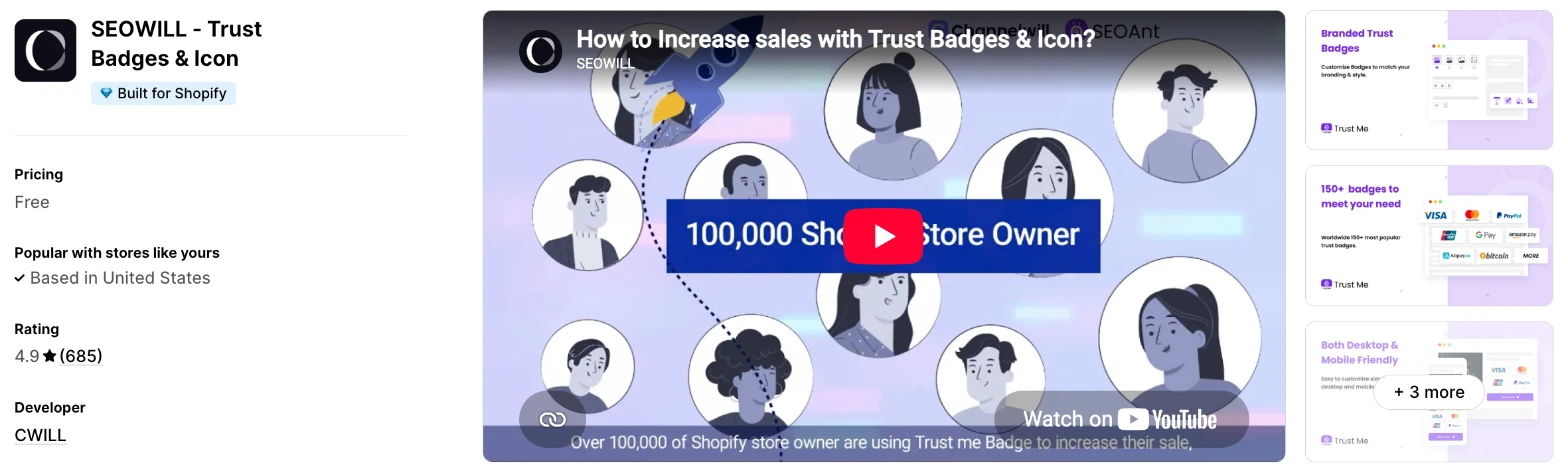
SEOWILL - Trust Badges & Icon is a free app for adding trust and payment badges with one click. Choose it when you want a row of badges on your product pages and nothing more to manage.
Why I like this app:
I found the simplest approach here, because I pick badges in one click and preview them on mobile or desktop before they go live. The app is free, and I didn't find a paid plan on the listing. It also names Loox, PageFly and Spocket as apps it works with. Setup took me about 5 to 8 minutes. However, the placement tags stop at the homepage and product pages, and one reviewer couldn't choose which products show the badges.
Features:
- One-click badge selection
- Payment, security, shipping and guarantee badges
- Mobile and desktop previews
- Icon sizes for different screen sizes
- Controls for colours, fonts, borders and animations
- Scheduling and device-specific display
- Homepage and product page placement
- Loox, PageFly and Spocket
I didn't find any AI features in it.
Pricing: SEOWILL lists the app as free:
- Free: all features on the listing
The listing shows no paid plans and no limits.
Reviews: SEOWILL has 4.9 stars from 685 reviews on the Shopify App Store. Recent reviewers praise the customer service and the badges, and one long-term merchant calls the service fast. 2024 low-star reviewers say the app stopped their menus and page scrolling working, and CWILL apologised and offered help.
Best for: A small store that only needs badges on its product pages and wants a simple free row.
See SEOWILL - Trust Badges & Icon on the Shopify App Store
5. ShopClimb - Trust Badges
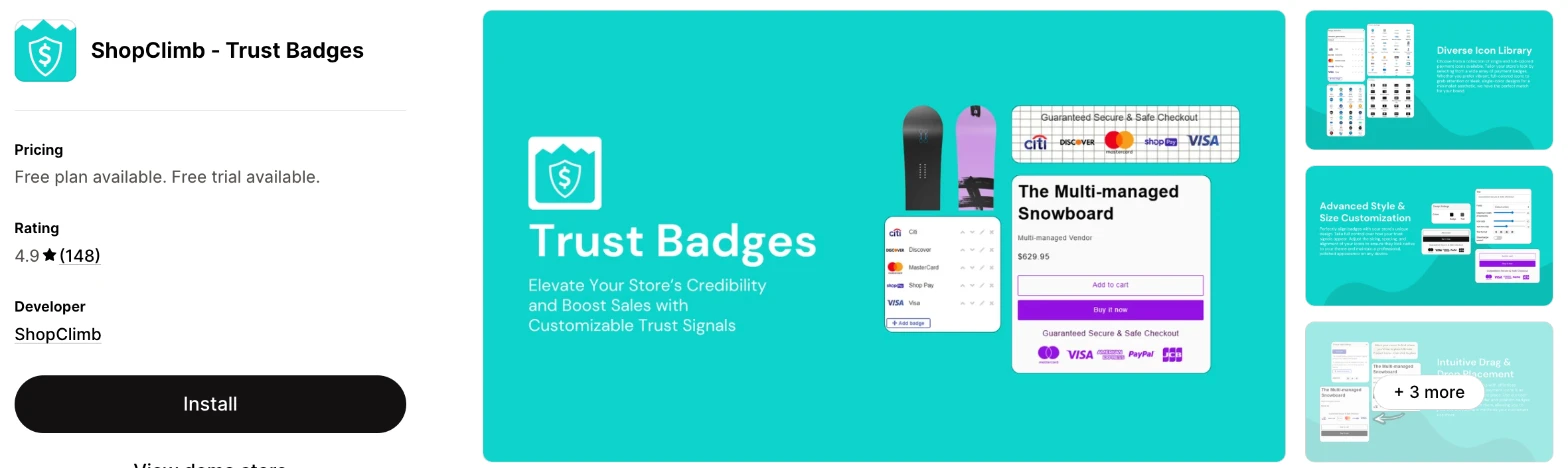
ShopClimb - Trust Badges is a payment badge app with a drag and drop editor. It makes more sense when you sell across countries and want shoppers to see the payment methods they know.
Why I like this app:
Payment badges are the focus here, and that's what I'd come for. The free plan has 145 of them and 250,000 pageviews a month, the highest free limit I found. For $5.99/month, I can also show local payment methods by shopper location and put badges on the home page. It took me about 5 to 8 minutes to add my first row. The main drawback is the checkout badges, which need the $19.99/month plan and Shopify Plus.
Features:
- 145 payment badges on the free plan, and 670+ on Premium
- A drag and drop editor
- Geolocation badges on Premium
- Home page display on Premium
- Custom CSS on Premium
- Checkout badges on Plus, for Shopify Plus stores
- Concierge setup on Plus
- Your own uploads, animations and tooltips
I didn't find any AI features in it.
Pricing: ShopClimb charges by monthly pageviews:
- Basic: free, 250,000 pageviews, 145 payment badges
- Premium: $5.99/month, 2 million pageviews, geolocation, home page display, 670+ badges
- Plus: $19.99/month, unlimited pageviews, checkout badges, concierge setup
- Trial: 14 days
Yearly billing saves 25%.
Reviews: ShopClimb has 4.9 stars from 148 reviews on the Shopify App Store, the fewest of the 8. A 2025 reviewer praises Frances in support, and most of the newest reviews have no text. The one detailed low-star review, from 2019, says an upgrade didn't apply and support was slow to reply.
Best for: A store selling in several countries that wants local payment badges at a low monthly price.
See ShopClimb - Trust Badges on the Shopify App Store
6. Iconito - Trust badges & icons
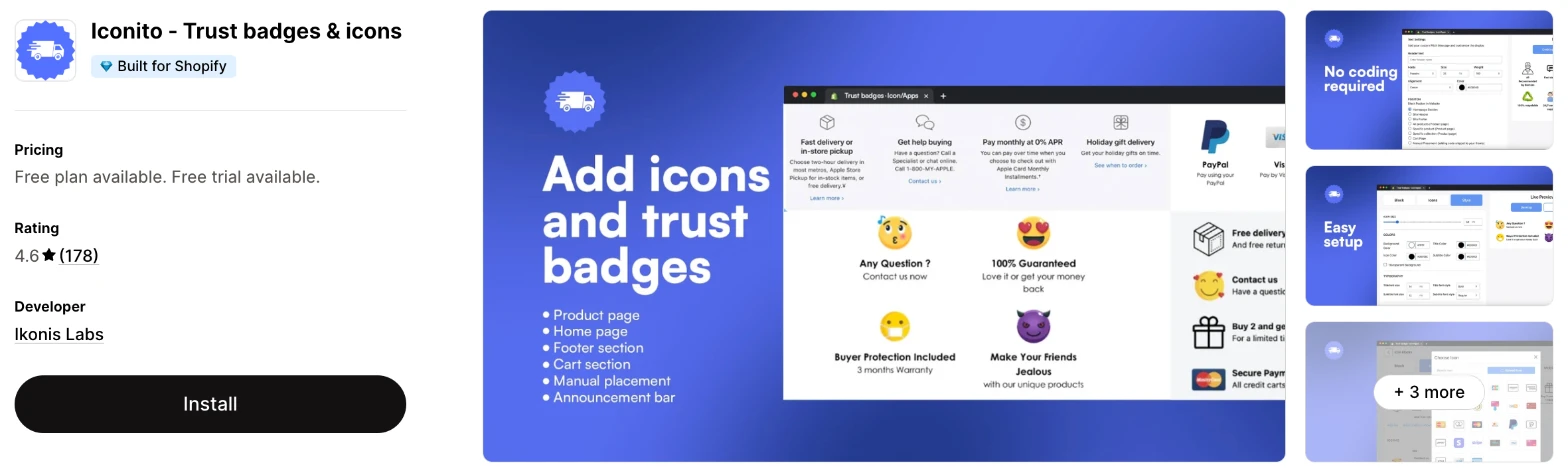
Iconito - Trust badges & icons is an icon block app for store pages, carts and the pages after an order. I'd choose it when you want icons on the Thank You and Order Status pages at a low price.
Why I like this app:
Order pages set this one apart for me, because $4.99/month adds the Thank You, Order Status and Checkout pages. That's the lowest paid price of the 8, and it also includes 50,000 page views and uploads. Setup took me about 5 to 8 minutes. Recent reviewers praise the live chat, and one had an install problem fixed in a minute. But I'd test it carefully first, because one reviewer says icons wouldn't show on their site, and the 3-day trial is the shortest here.
Features:
- 6,000+ icons for payment, shipping, guarantees and social media
- Product page, cart, footer and custom placement
- Thank You, Order Status and Checkout pages on paid plans
- Controls for colours, fonts, size and layout
- Your own icons on paid plans
- Custom links on paid plans
- Blocks triggered by product tags on VIP
- GemPages and PageFly
- 24/7 live chat on every plan
I didn't find any AI features in it.
Pricing: Iconito charges by page views:
- Starter: free, first 5,000 page views, up to 3 icons in a block
- MVP: $4.99/month, 50,000 page views, unlimited blocks, your own icons, order pages
- VIP: $9.99/month, unlimited views, product tag triggers
- Trial: 3 days
Reviews: Iconito has 4.6 stars from 178 reviews on the Shopify App Store. Recent reviewers praise quick support and the price. A 2025 reviewer says icons previewed well but didn't appear on the site. Two April 2022 reviewers describe a storefront replaced by a notice asking for a 1-star review, and one says it cleared on uninstalling, so back up your theme first.
Best for: A store that wants badges or support details on its order pages for under $5/month.
See Iconito - Trust badges & icons on the Shopify App Store
7. Conversion Bear Trust Badges
Conversion Bear Trust Badges is a free app for adding trust and payment badges by copy and paste. Choose it when you want a basic row and don't need targeting or uploads.
Why I like this app:
There's very little to learn here, because I copy and paste a badge row into the section I want. I found 300+ badges, separate sizes for desktop and mobile, and a developer that says it adds badges on request. It's free, and it took me about 5 to 8 minutes to get a row live. One reviewer also added badges in a few minutes. However, the tag list is the shortest here, and a recent reviewer got stuck in a redirect until they removed the app.
Features:
- 300+ trust and payment badges
- Original badge colours or your brand colours
- Controls for message, alignment and size
- Different sizes for desktop and mobile
- Product page, cart and footer placement by copy and paste
- New badges on request
I didn't find any AI features in it.
Pricing: Conversion Bear lists the app as free:
- Free: all features on the listing
The listing shows no paid plans and no limits.
Reviews: Conversion Bear has 4.8 stars from 381 reviews on the Shopify App Store. Recent reviewers like the quick install, and one wants a few more badges. Low-star reviewers report a redirect loop, badges they couldn't add and slow replies from support. A 2023 reviewer also blames its scripts for slower pages.
Best for: A new store that wants a plain free badge row with very few settings.
See Conversion Bear Trust Badges on the Shopify App Store
8. TrustedSite - Trust Badges
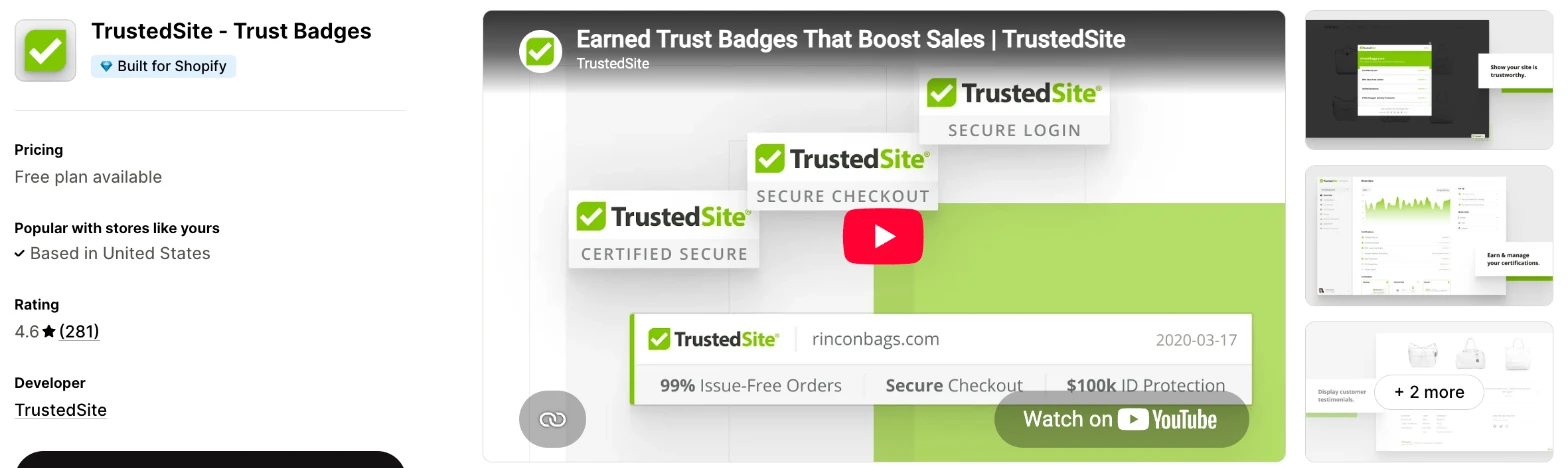
TrustedSite - Trust Badges is a verification service, formerly McAfee SECURE, that awards badges after it checks your store. It makes more sense when your products are expensive or your brand is new, and you want a claim that shoppers can verify.
Why I like this app:
TrustedSite is the only app here where I have to earn the badges. It scans my store for security issues each day and checks my business details, and shoppers can verify the result. The Pro plans add 8 certifications, 11 badges and identity theft protection for customers. It took me about 5 to 8 minutes to set up. The main drawback is cost, at $39/month for 2,000 visits, and I didn't find payment icons on its listing.
Features:
- Daily security scans
- Business verification
- Certified Secure and Verified Business certifications on the free plan
- A floating badge on the free plan
- 8 certifications and 11 badges on Pro
- Product page, cart, checkout and footer placement
- Verified customer testimonials
- Identity theft protection for customers on Pro
- PageFly, REVIEWS.io, Sitejabber and Verified Reviews by Skeepers
I didn't find any AI features in it.
Pricing: TrustedSite charges by monthly visits:
- Free: 500 visits, 2 certifications, a floating badge
- Pro 2,000: $39/month, $20 for each extra 1,000 visits
- Pro 5,000: $75/month, $14 for each extra 1,000 visits
- Pro 10,000: $125/month, $10 for each extra 1,000 visits
Yearly billing saves 21% to 26%. I didn't find a free trial on the listing.
Reviews: TrustedSite has 4.6 stars from 281 reviews on the Shopify App Store. Recent reviewers like seeing what's certified and where to improve, and a 4-year customer plans to stay. Low-star reviewers question the value at $39/month, and one says its reports showed far more views than their store had, which TrustedSite says it will investigate.
Best for: A store with higher-priced products that wants independent checks behind its badges.
See TrustedSite - Trust Badges on the Shopify App Store
How do you choose the right Shopify trust badge app?
I'd start with where your badges need to appear, then check whether a free plan reaches that place. I've put each app's rating, starting price and how it charges in this table:
| App | Rating | Starting price | Charges by |
|---|---|---|---|
| Vitals | 4.9 from 2,974 reviews | $29.99/month | One plan |
| Essential | 5.0 from 1,165 reviews | Free, then $6.99/month | Monthly views |
| Hoppy | 4.9 from 880 reviews | Free | No charge |
| SEOWILL | 4.9 from 685 reviews | Free | No charge |
| ShopClimb | 4.9 from 148 reviews | Free, then $5.99/month | Pageviews |
| Iconito | 4.6 from 178 reviews | Free, then $4.99/month | Page views |
| Conversion Bear | 4.8 from 381 reviews | Free | No charge |
| TrustedSite | 4.6 from 281 reviews | Free, then $39/month | Visits |
Badge types rule apps out first. Payment logos narrow the list straight away, because TrustedSite doesn't list them and Vitals keeps them in a separate app. Your own artwork narrows it further, to Essential, Hoppy, ShopClimb and Iconito. Write down the 3 or 4 badges you plan to show, then check that the plan you can afford includes them.
Design comes next, because a badge in the wrong colour can make a store look less careful. Vitals, Essential, Hoppy, ShopClimb and Iconito list colour, size and styling controls, while TrustedSite tags only size. Conversion Bear offers original or brand colours. Preview your row on your phone, because a row that fits on a desktop can wrap onto 2 lines.
Your theme decides how smoothly the install goes. Low-star reviewers on Hoppy, SEOWILL and Iconito report badges that didn't appear or menus that stopped working, and Hoppy's reply points to theme support. Check your product page, your cart and your menus after you install, and keep a backup of your theme.
I found cost depends mainly on what each app counts. Hoppy, SEOWILL and Conversion Bear list no charge at all, and Vitals has one plan. Essential, ShopClimb and Iconito count views, and TrustedSite counts visits. On a cheaper plan, check what's missing, such as uploads on Essential's free plan or the home page on ShopClimb's free plan.
Support draws strong praise in recent reviews, especially on Essential, where merchants name the person who helped them. When I ran into setup problems, a few customer success teams fixed them within minutes, while others took hours to reply. The sharpest complaints in reviews are slow or missing replies on Conversion Bear and Iconito, mostly from older reviews. I'd send a test question before you rely on any of them, and time the reply.
Choose Vitals if you'd use its other apps as well, and Essential for a dedicated app with room to grow. Choose Hoppy for wide placement at no cost, SEOWILL for a simple product page row and Conversion Bear for a basic copy and paste row. ShopClimb suits stores selling across countries, Iconito suits order pages and TrustedSite suits stores that want verified badges.
Does anyone check the claims behind trust badges?
Only TrustedSite does, out of these 8 apps. The other 7 add a badge without checking the claim behind it, so you're responsible for making sure it's true.
TrustedSite runs daily security scans and checks your business details before it awards a certification, and shoppers can verify the result. The other apps give you images, so a money back badge means only what your own policy says. The Vitals Trust Seals and Badges page makes the same point, and tells merchants to show only the promises their store keeps.
A decorative row costs little and answers common questions, while a verified badge costs $39/month on TrustedSite's paid plans and adds proof from outside your store. Before you publish, read each badge against your refund and delivery policies, and remove any that don't match.
Where should you put trust badges on a Shopify store?
Start right under the add to cart button, because shoppers make their decision at that point. Vitals places its seals there by default, and most of these apps can put a row in the same spot.
The cart comes next, since shoppers often reconsider there. Essential keeps unlimited cart blocks for its $9.99/month plan, and Hoppy lists the cart drawer on its free app. Vitals uses a cart page block, and it doesn't support its own Cart Drawer. So check that your chosen app supports the type of cart your store uses.
Footer payment icons are useful, but shoppers see them late. I'd treat the footer as an extra rather than your only placement. Keep each row to 3 or 4 badges, and test it on your phone. One Hoppy reviewer found that a banner layout and an embedded block overlapped, so use one method for each row.
Can you show trust badges at checkout on Shopify?
Only on Shopify Plus for the main checkout steps. Shopify's developer docs say extensions for the information, shipping and payment steps are available only to Plus stores, and that applies whichever app you choose.
ShopClimb says this directly and keeps checkout badges for its $19.99/month plan. Hoppy, Iconito and TrustedSite also list checkout, so ask their support teams what a store on your plan can use. One SEOWILL reviewer makes the same point about paid Shopify plans.
Shopify's limit names those 3 steps, so stores outside Plus can look at the pages after payment instead. Iconito's $4.99/month plan names the Thank You and Order Status pages. Those pages appear after the sale, so they suit support details and guarantees better than reassurance before payment. For that, put your strongest row in the cart.
What happens when you reach a trust badge plan limit?
It depends on the app's unit, and the free limits differ widely. Essential stops its free plan at 5,000 monthly views and Iconito at the first 5,000 page views, while ShopClimb allows 250,000 pageviews a month.
TrustedSite's limit is the one I'd watch most closely, because its free plan allows 500 visits a month. One reviewer couldn't see their badge, and TrustedSite replied that it stopped displaying when the monthly allowance ran out. Above a Pro plan's allowance, each extra 1,000 visits costs $10 to $20.
Hoppy, SEOWILL and Conversion Bear show no limits on their listings, and Vitals has one plan with no usage charges. Check your monthly views in Shopify before you choose, then ask what shoppers see when the limit runs out. A badge that disappears during a sale removes the reassurance you added it for.
How do you set up your first Shopify trust badge row?
I'd start with a row of 3 or 4 badges under the add to cart button, because that's the simplest placement to check.
Use these steps with any of the apps:
- Back up your theme.
- List the promises your store keeps on payment, delivery and returns.
- Install the app and turn on its theme embed, if it has one.
- Choose 3 or 4 badges that match those promises.
- Match the colours and size to your theme.
- Place the row under the add to cart button.
- Preview it on your phone and desktop.
- Check your menus, cart and page scrolling.
Setup took me about 3 to 5 minutes on Vitals and Essential, and about 5 to 8 minutes on the other 6.
Merchants report mixed experiences too. Reviewers call Essential, Hoppy and Conversion Bear quick, and one Essential merchant published a first badge in under 10 minutes. Another spent over a week on Essential's banners, and a Hoppy reviewer restored a theme backup after a failed install. Iconito reviewers needed live chat to solve an install problem and to line up their icons with custom CSS.
I'd leave the row live for 2 to 4 weeks before you change it, so your results reflect more than one busy day.
What changes in unusual situations?
I found the right app can change once your traffic rises, you sell in more countries, you need a plan-only feature or you move from another app.
At unusually high or seasonal traffic, plans built on views need the most checking. Essential reaches 50,000 views at $9.99/month and Iconito reaches 50,000 page views at $4.99/month, and both remove the limit at their higher plans. ShopClimb's Premium plan allows 2 million pageviews at $5.99/month. TrustedSite gets expensive fastest, because a Pro 10,000 store pays $125/month plus $10 for each extra 1,000 visits.
When you sell in more countries, local payment methods matter more. ShopClimb's Premium plan shows them by location, and Essential's $9.99/month plan adds geolocation and translations. Hoppy tags geo-targeting and multi-language options for its banners. One Conversion Bear reviewer asks for Spanish for shoppers, and I didn't find translation on its listing, so test your wording in each language.
Some features only appear on certain plans. Essential keeps your own icons for Starter and cart blocks for its Essential plan. ShopClimb keeps the home page for Premium and checkout badges for Plus. Iconito keeps order pages for MVP and product tag triggers for VIP. TrustedSite keeps identity theft protection and its full set of certifications for Pro.
I didn't find a badge import tool on any of these listings, so plan to rebuild your row when you switch. That takes little time for a row of icons, because no customer data depends on it. The bigger risk is leftovers from the old app, and one Iconito reviewer says a developer's edit left problems in their live theme. Duplicate your theme before you remove the old app.
What are the benefits of a Shopify trust badge app?
A trust badge app gives you a quick way to answer doubts about payment, delivery and returns where shoppers decide. Baymard Institute's cart abandonment research lists distrust of a site with card details as the reason for 19% of abandoned orders, once you leave out shoppers who were just browsing.
Say 500 shoppers reach your cart each month and you sell a $40 product. If a clearer row of badges persuades 5 more of them to buy, that's $200 a month, which is more than the starting price of every app here. You can't assume that result, so compare your cart completion rate before and after you add the row.
A badge app also saves you from handling images yourself. The app keeps your icons consistent, and you can change them without editing your theme. The limit is that badges only describe your store. They won't fix high shipping costs or a weak returns policy, and a row that promises what you don't deliver will lead to complaints.
Before you install an app, write down the promises you want to show and check them against your policies.
What are some ideas for using a Shopify trust badge app?
I'd try a row under the add to cart button first, because every buyer passes it. These 5 ideas suit different types of store:
- Buy button row: a clothing store shows free returns, secure checkout and fast delivery under the add to cart button.
- Cart reassurance: a homeware store repeats its payment logos and money back guarantee above the checkout button.
- Local payment icons: a store selling across Europe shows the payment methods shoppers in each country know.
- Product-specific badges: a skincare store shows a satisfaction guarantee on its higher-priced products only.
- Verified security badge: a new electronics store adds an earned certification to reassure shoppers who haven't heard of it.
I'd test the buy button row across your whole store first, then add the cart row.
Which Shopify trust badge app would I start with?
I'd start with Vitals, because its trust seals come with 40+ other apps in one subscription, so you may be able to remove your separate review or bundle apps as well. Choose Essential instead when you only want badges and would like to start free, or TrustedSite when you need badges backed by real checks. Install your choice, add one row under your add to cart button and check your cart completion rate after 2 weeks.
What do merchants often ask about Shopify trust badge apps?
How much does a Shopify trust badge app cost?
Trust badge apps cost nothing to $39/month to start, and 7 of these 8 apps have a free option. Paid plans start at $4.99/month on Iconito, $5.99/month on ShopClimb, $6.99/month on Essential, $29.99/month on Vitals and $39/month on TrustedSite. The cost changes with your views, visits or the features you need.
Does Shopify include trust badge features without an app?
Partly. Some Shopify themes include payment icons in the footer, so check your theme editor first. I'd still use an app when you want security, shipping or guarantee badges next to the buy button, because those need more than a footer setting.
Are there free Shopify trust badge apps?
Yes, Hoppy, SEOWILL and Conversion Bear list no paid plans at all. Essential's free plan stops at 5,000 monthly views and one banner or 3-icon block. ShopClimb's allows 250,000 pageviews and 145 payment badges, Iconito's stops at the first 5,000 page views and TrustedSite's stops at 500 visits a month. Vitals has no free plan, though it has a 7-day trial.
Do trust badge apps slow down a store?
One trust badge app on its own didn't hurt page speed on my test store. But a store needs more than badges, such as reviews, bundles, discounts, gifts and visitor recordings, and every new app affects page speed. Many stores have 10 to 15 apps, so the value comes from consolidating them.
Vitals surprised me here. Its Trust Seals and Badges app shares one script with the rest of its 40+ apps, so I didn't need to worry about load speed. Older reviews of Conversion Bear and Iconito blame those apps for slower pages, so test any app on your own store before and after you install it.
Can you upload your own trust badge?
Yes, on 4 of these apps. Essential allows it from its $6.99/month plan and Iconito from its $4.99/month plan, and ShopClimb and Hoppy list file uploads too, although one Hoppy reviewer couldn't upload icons. Vitals offers 28 fixed seals and no uploads, and TrustedSite uses its own badges.
Can you show different trust badges in different countries?
Yes, on the paid plans of ShopClimb and Essential. ShopClimb's Premium plan shows local payment badges by location, and Essential's $9.99/month plan adds geolocation targeting. Hoppy tags geo-targeting for its banners. Vitals shows the same badge set in every placement, so it won't suit this job. Test the result with a VPN before you rely on it.