
Best Shopify upsell apps reviewed in 2026
Upsell apps are a common way to earn more from each order without paying for more traffic. Frequently bought together appears in all 8 apps here, so it won't help you choose. One-click post-purchase offers, A/B testing and spending goals are better tests.
I installed 8 Shopify upsell apps on a test store and compared their features, pricing and merchant reviews. Below, you'll find what each one does well, where it falls short and the type of store it suits best.
Which Shopify upsell apps made my shortlist?
I selected apps with a rating of 4.8 or higher and a new merchant review within the last 12 months. These 8 upsell apps made my shortlist:
- Vitals: all-in-one Shopify app with upsells and 40+ apps in one subscription
- Candy Rack: offers in 8 placements, with a built-in cart drawer
- Zoorix: Bundles & Cross Sell: every feature on a free plan with app branding
- Upsell Engine by Square: free volume, bundle, spending goal and post-purchase offers
- Hextom: Upsell Sales Boost: post-purchase offers on every plan, plus timers and badges
- Nitro: Upsell & Cross-Sell: low-cost offers inside your current theme
- FoxKit: Upsell & Bundles App: bundles and cart upsells with pre-orders and a mega menu
- K: Cross Sell+Related Products: frequently bought together widgets at a flat price
How did I review the best Shopify upsell apps?
I installed each app on a test store, then went through each App Store listing, every plan and the newest and lowest-rated merchant reviews.
I looked at these details for each app:
- Offer types: which offers it includes, such as volume discounts, bundles and Buy X Get Y
- Placements: where offers appear, from the product page to after payment
- Discounts: how a discount reaches the checkout and what it can combine with
- Testing and reports: whether it runs A/B tests and what it reports on each offer
- AI features: what AI does in each app, such as choosing products or building offers
- Integrations: which themes, page builders and marketing tools it names
- Setup: how long each app took me to get an offer live
- Design: how each app looked and responded on my test store, and which styling controls it offers
- Speed: what an upsell app does to page speed on a store that also needs other apps
- Pricing: how each app charges, its plan limits and what each plan includes
- Reviews: what the newest and lowest-rated App Store reviews say, including about support
I ranked the list by where I'd start for a typical store, with the all-in-one app first, then the dedicated upsell apps in the order I'd try them.
Upsell Engine is a part of Square Apps, the company I write for. I've noted its limitations too.
What did I find across these Shopify upsell apps?
I found 6 main upsell options across the apps I reviewed. The apps differ on which ones they include, so check which you need before you compare prices:
- Frequently bought together: related products shown beside the one a shopper is viewing, such as a case with a phone. All 8 apps include it.
- Volume discounts: a lower price for buying more, such as 10% off 3 items. Every app except K includes them.
- Buy X Get Y: a free or discounted item with a purchase, such as a second shirt at half price. Vitals, Candy Rack, Zoorix, Upsell Engine, Hextom and Nitro include it.
- Cart upsells: an extra product offered on the cart page or in the cart drawer. Every app except K includes them.
- Spending goals: a progress bar toward a reward, such as free shipping at $50. Vitals, Candy Rack and Upsell Engine include a goal or rewards bar. Hextom and FoxKit list progress bars, and Zoorix and Nitro list free shipping offers.
- One-click post-purchase: an extra product added to the order after payment. Vitals, Candy Rack, Upsell Engine and Hextom include it. FoxKit's listing mentions post-purchase recommendations, so ask how far they go.
I also found these differences beyond the main options:
- A/B testing: Hextom and K list it, and Candy Rack offers it through Intelligems. I didn't find it on the other 5.
- Other tools: Vitals adds 40+ apps, including reviews and email marketing. Candy Rack adds a cart drawer, warranties and shipping protection. Hextom adds timers and badges, Nitro adds shoppable video and FoxKit adds pre-orders and size charts.
- AI features: Vitals builds an offer from a plain description, and Hextom's assistant suggests offers and sets them up. Candy Rack's AI mode and Zoorix's cross-sell offers choose products with AI, and Nitro and K tag AI recommendations. With Vitals MCP, I just asked Claude or ChatGPT and it built the offer for my store. I didn't find AI features in Upsell Engine or FoxKit.
- Setup: Vitals took me about 10 to 12 minutes, the quickest of the 8. Upsell Engine took about 15 minutes, and the other 6 took about 15 to 20 minutes each.
- Design: almost every app was highly responsive, user friendly and customisable on my test store. All 8 name styling controls, but they differ. Candy Rack adds a drag-and-drop editor, K offers line, grid and Amazon styles, and Vitals offers bars, a table or a gallery. Upsell Engine restricts some design settings, and its support team handles custom changes.
- Speed: a single upsell app didn't hurt my page speed. But a store also needs apps for reviews, discounts, gifts and visitor recordings, and each new app affects page speed. Many stores have 10 to 15 apps, so the value comes from consolidating them. Vitals shares one script across 40+ apps in one subscription, so it didn't slow down my store and I could turn any app on or off without worrying about load time. That surprised me.
What are the best Shopify upsell apps?
Vitals is my top pick, because it brings 8 offer types and 40+ other apps into one subscription. Candy Rack comes next for stores where upsells are a main source of revenue. The 6 reviews after it suit stores that want a free start, a low price or just a frequently bought together widget.
1. Vitals
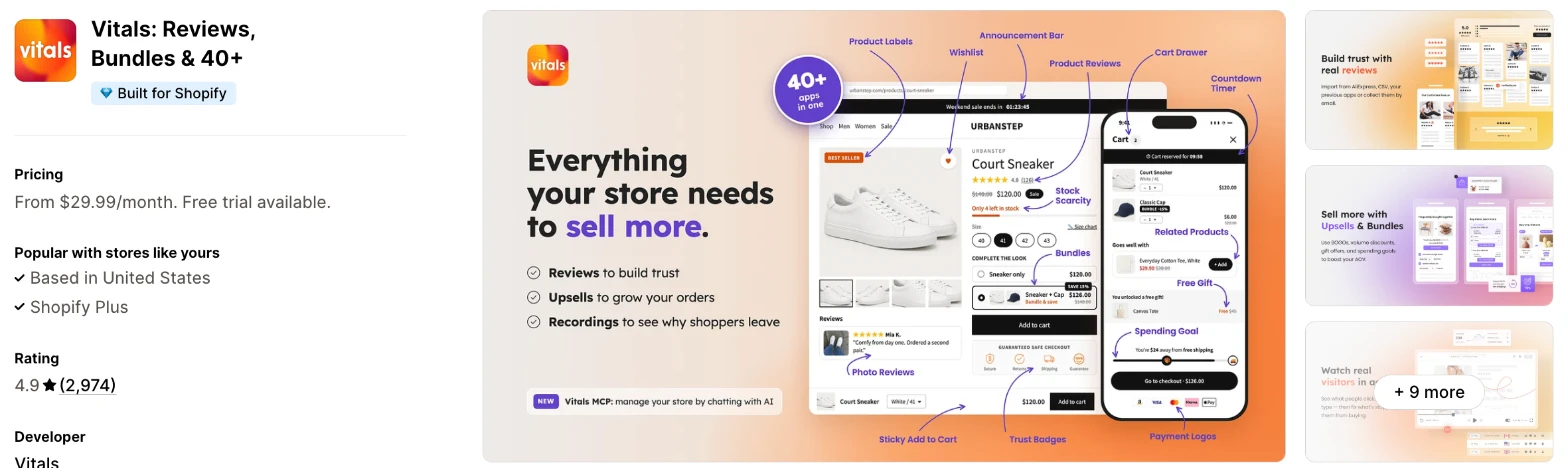
Vitals is an all-in-one Shopify app, and its Upsell Builder app is one of 40+ apps in one subscription. It makes more sense when you also need reviews, a cart drawer or email marketing and don't want a separate app for each.
Why I like this app:
The range is what I noticed first, with 8 offer types across 5 placements, from the product page to after payment. I can also describe an offer in plain words, and AI picks the type, products, discount and text for me to review. I had my first offer live in about 10 to 12 minutes, my quickest. Recent reviewers say Upsell Builder makes offers easy to create, and they praise support. But there's no free plan, and I didn't find A/B testing on its Upsell Builder page.
Features:
- Volume discounts, bundles of 2 to 5 products, Buy X Get Y and gifts
- Spending goals, related products and tick-box add-ons
- One-click post-purchase offers
- Offers on the product page, add to cart pop-up, cart page and checkout pop-up
- Offers on the post-purchase and thank you pages
- Offers built by AI from a plain description
- Schedules, country limits and countdowns
- Rules that hide offers from customer tags or wholesale customers
- Automatic discounts, with settings for combining them
- Accepted offers sent to Klaviyo as an event
- Bars, table or gallery layouts, with custom CSS
- Automatic translations, including right-to-left languages
- One script shared by all 40+ apps
- 40+ apps in the same subscription
Pricing: Vitals has one plan, with all 40+ apps included:
- All in one plan: $29.99/month
- Trial: 7 days
The page says Vitals has no usage charges, and a store can run up to 100 active discount offers.
Reviews: Vitals has 4.9 stars from 2,974 reviews on the Shopify App Store, the most of the 8. Recent reviewers like having many apps together and praise support, and one store says its upselling and bundling features can add more products to carts. One low-star reviewer in 2026 couldn't reach support and mentions glitches, while Vitals says it followed up by email and Instagram.
Best for: A store that wants upsells and bundles in one subscription with reviews, a cart drawer and email marketing.
See Vitals on the Shopify App Store
2. Candy Rack
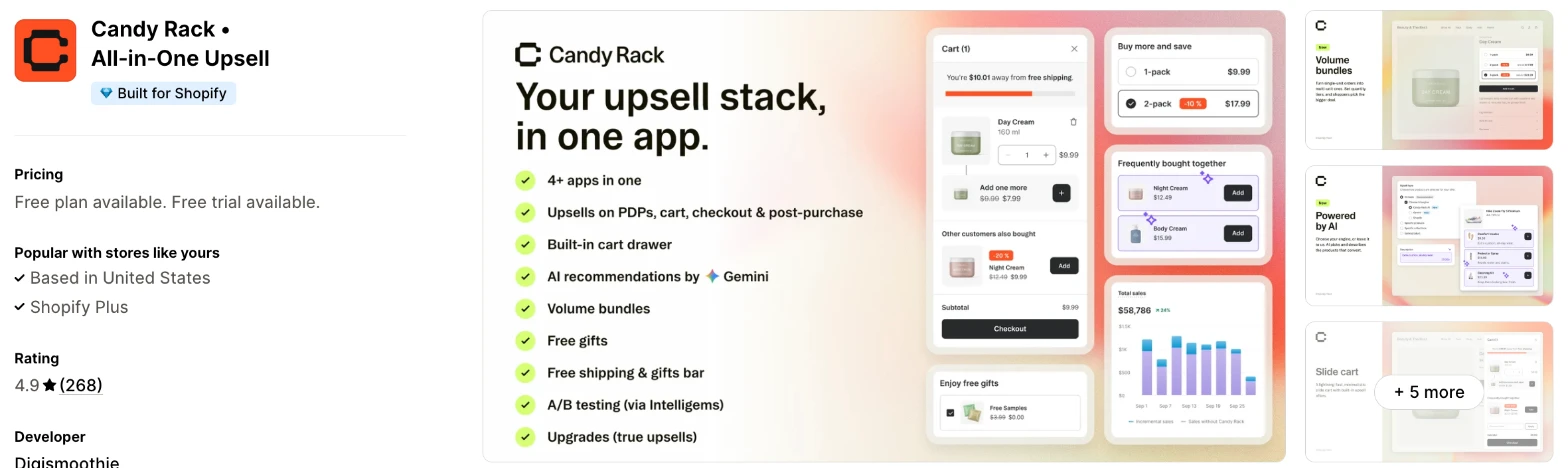
Candy Rack is a dedicated upsell app with offers on the product page, cart, checkout and post-purchase page, plus its own cart drawer. I'd choose it when upsells are a main source of revenue and you want to test them properly.
Why I like this app:
When I checked the placements, Candy Rack listed 8 across the buying journey. It also adds a cart drawer with a rewards bar, plus warranties and shipping protection, and its AI mode can use Google Gemini to pick products. Setup took me about 15 to 20 minutes. One reviewer says it's the only app they found that pulls from a complementary products list. The main drawback is price, because the $29.99/month plan stops at 50 orders, and A/B testing relies on a separate tool, Intelligems.
Features:
- Offers in 8 placements, including checkout and post-purchase
- Volume bundles and quantity breaks
- Built-in cart drawer with a rewards bar
- AI product selection, including Google Gemini
- Free gifts, gift wrap, warranties and shipping protection
- Product add-ons and frequently bought together
- Drag-and-drop editor, custom CSS and custom HTML
- A/B testing through Intelligems
- Reports on conversion, recommendations and funnels
- Shopify Flow, PageFly, Sidekick and Translate & Adapt
Pricing: Candy Rack charges by monthly online store orders:
- Trial & Dev: free, for trial and development stores only
- Lite: $29.99/month, up to 50 orders
- Starter: $39.99/month, 51 to 200 orders
- Growth: $59.99/month, 201 to 500 orders
- Trial: 8 days
Each paid plan has unlimited upsell orders and revenue, plus a 60-day money-back guarantee. The listing links to more pricing options above 500 orders.
Reviews: Candy Rack has 4.9 stars from 268 reviews on the Shopify App Store. Recent reviewers praise quick support, and one runs it on 2 stores and says its offers build the cart without putting shoppers off. Its 2 low-star reviews both come from merchants who expected a free plan, and one also describes a shorter trial than they expected.
Best for: A growing brand that wants offers at every stage of the order and a built-in cart drawer.
See Candy Rack on the Shopify App Store
3. Zoorix: Bundles & Cross Sell
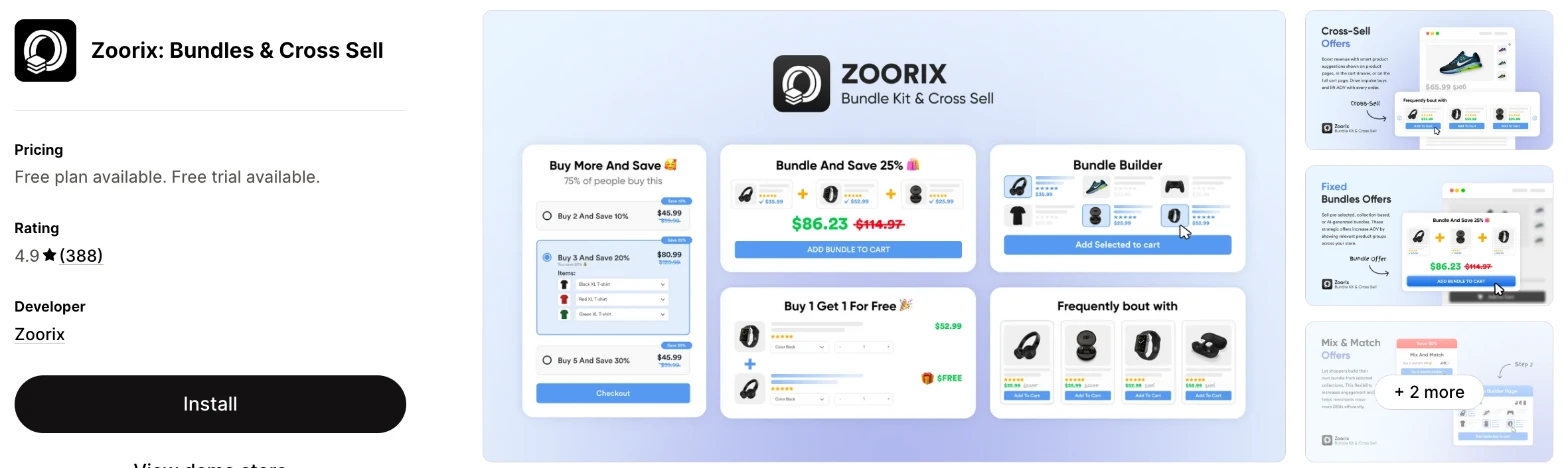
Zoorix is a bundle and cross-sell app with volume discounts, mix and match and AI cross-sell offers. It makes more sense when bundles matter more to you than post-purchase offers, and you'd like to start free.
Why I like this app:
Its free plan stood out to me, because it includes every feature and only adds the app's branding. I also found build a box, mix and match and AI cross-sell offers in the cart drawer. My setup took about 15 to 20 minutes. One reviewer on a small budget says it's ideal for starting out, and 2 others name Danica for quick chat replies. However, I didn't find one-click post-purchase offers or free gifts on its listing, and its paid plans follow the revenue Zoorix generates.
Features:
- Volume discounts and quantity breaks with tiered pricing
- Fixed bundles, mix and match and build a box
- AI cross-sell offers on product pages and in the cart drawer
- Buy X Get Y and bulk discounts
- Free shipping thresholds
- Cart upsells and sticky cart
- Custom CSS
- EComposer, GemPages, PageFly and Shop App
- Reports on conversion and funnels
Pricing: Zoorix charges by the revenue it generates, with the same features on every plan:
- Forever Free: all features, with app branding
- Basic: $7.99/month, $100-$200 of revenue through Zoorix
- Growth: $14.99/month, $200-$400 of revenue through Zoorix
- Premium: $29.99/month, $400-$800 of revenue through Zoorix
- Trial: 30 days
The listing links to more pricing options above that.
Reviews: Zoorix has 4.9 stars from 388 reviews on the Shopify App Store. Recent reviewers praise instant fixes to formatting and theme issues, and one moved from a bundle app that was stressful to set up. Its low-star reviews are old, and they mention a slow sync in 2023 and Shopify Markets currency problems the same year, which Zoorix said it was working on.
Best for: A small store that wants bundles and cross-sells on a free plan, with low prices as revenue grows.
See Zoorix on the Shopify App Store
4. Upsell Engine by Square
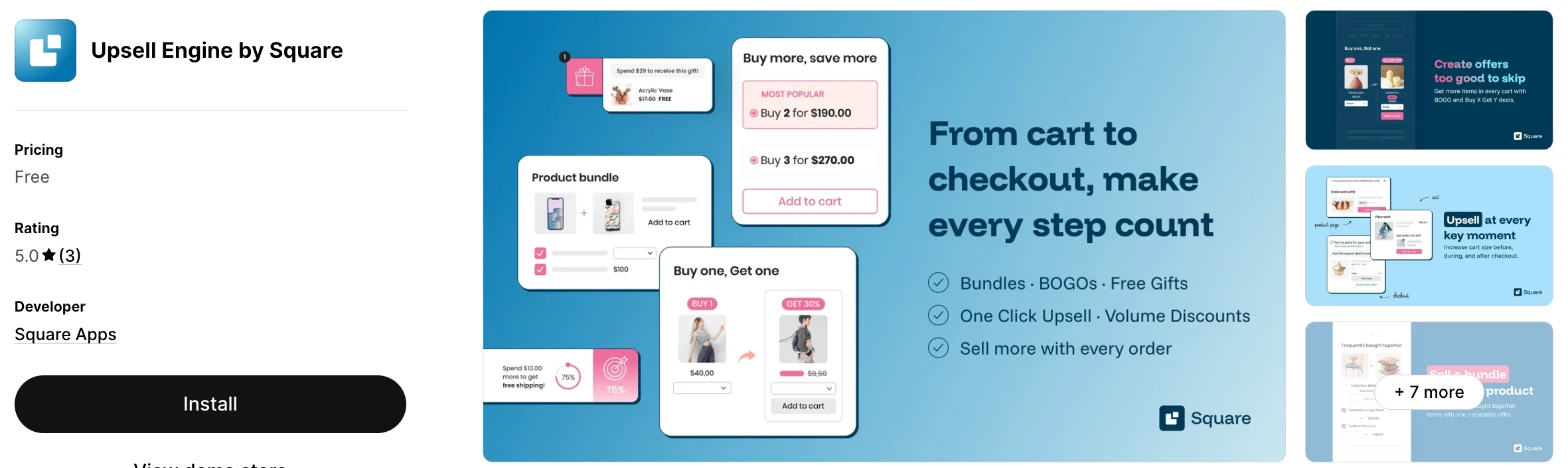
Upsell Engine is an upsell app for bundles, volume discounts, spending goals and one-click post-purchase offers. Choose it when you want to test upsells with no monthly fee.
Why I like this app:
I found 4 offer guides in its help centre, covering volume discounts, bundles, spending goals and one-click post-purchase offers, and the listing adds Buy X Get Y and free gifts. Shoppers can swap items in a bundle, and a spending goal can have up to 3 tiers. An offer took me about 15 minutes to get live. Reviewers praise support, and one says the team wrote a custom script after a crash. However, it launched in July 2025 and has only 3 reviews, and its discounts don't work with subscriptions.
Features:
- Volume discounts with radio, badge or table layouts
- Product bundles of up to 5 products, with item swaps
- Spending goals with up to 3 tiers and a progress bar
- One-click post-purchase offers with 4 triggers
- Buy X Get Y deals and free gifts
- Pop-ups on the add to cart and checkout buttons
- Cart suggestions on the cart page or cart drawer, on supported themes
- Automatic translation in 16 languages
- Real-time analytics
I didn't find any AI features in it.
Pricing: Upsell Engine doesn't charge a fee on its listing:
- Free: the only price the listing shows
I didn't find a paid plan, an order limit or a free trial on the listing.
Reviews: Upsell Engine has 5.0 stars from 3 reviews on the Shopify App Store. One merchant praises help with setup and customisation. Another says the app crashed at first and clashed with other scripts, then support replied within 2 hours and fixed it. I found no low-star reviews, but 3 reviews is too few to judge reliability.
Best for: A store on a tight budget that wants post-purchase offers and bundles with no monthly fee.
See Upsell Engine on the Shopify App Store
5. Hextom: Upsell Sales Boost
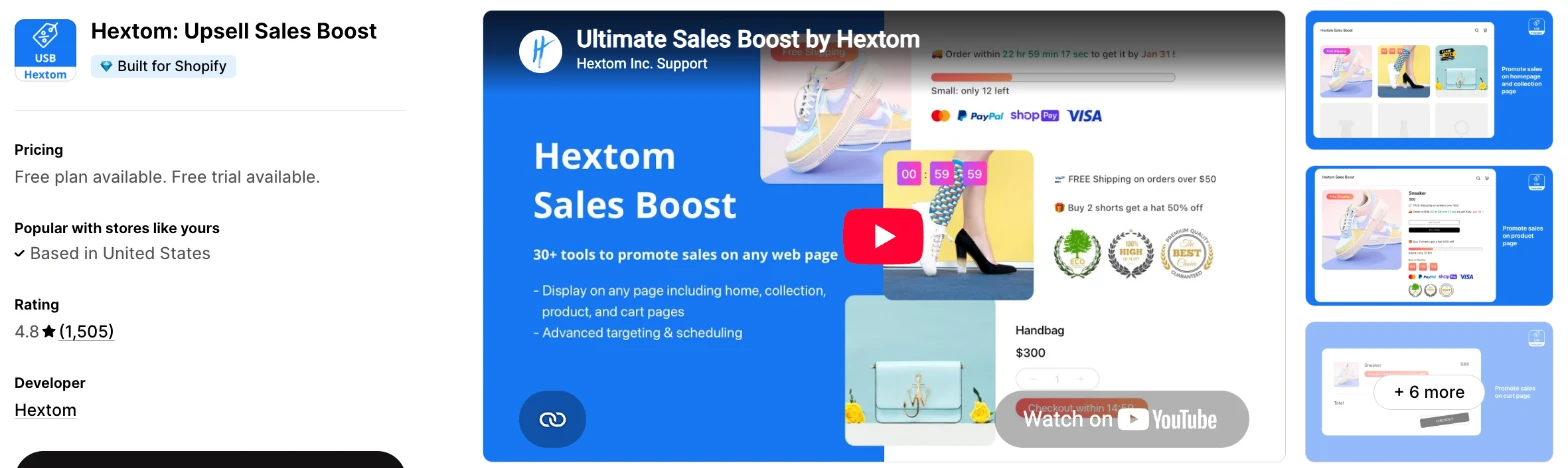
Hextom: Upsell Sales Boost is an upsell app that also adds countdown timers, image labels and trust badges. Choose it when you want offers and urgency tools in one app and don't need a separate timer.
Why I like this app:
Hextom includes one-click post-purchase on every plan, even its free one. It also adds timers, labels and badges, plus an AI assistant that suggests offers from my catalogue and orders, then sets them up. I had a campaign live in about 15 to 20 minutes. With 1,505 reviews, it has the longest record of the dedicated upsell apps, and a 7-year user says it helps their small shop sell. But recent low-star reviewers waited days for support, and the bill rises with attributed revenue.
Features:
- Buy X Get Y, bundle, volume and promo discounts
- One-click post-purchase offers on every plan
- Smart product recommendations
- An AI assistant that suggests and sets up offers
- Countdown, get-it-by and low-stock timers
- Image labels, stickers and trust badges on paid plans
- Customer tag, past order, market and schedule targeting on Growth and Pro
- A/B testing and funnel reports
- PageFly, GemPages, EComposer and UpCart
Pricing: Hextom charges by attributed revenue:
- Free: $200 lifetime attributed revenue, 1 active campaign
- Starter: $9.99/month, $500/month included, up to $45/month overage, 5 campaigns
- Growth: $29.99/month, $2,000/month included, up to $150/month overage, unlimited campaigns
- Pro: $79.99/month, $5,000/month included, up to $300/month overage
- Trial: 30 days
So the full monthly cost can be the plan price plus overage, up to the cap on each plan.
Reviews: Hextom has 4.8 stars from 1,505 reviews on the Shopify App Store. Recent short reviews call it user friendly and good for customer confidence. Low-star reviewers in 2026 describe waiting 5 days for a reply about bugs and prices disappearing from product pages. A 2024 reviewer found the interface complex, with tasks that needed theme code.
Best for: A store that wants post-purchase offers, timers and badges from one app, on a bill that follows results.
See Hextom on the Shopify App Store
6. Nitro: Upsell & Cross-Sell
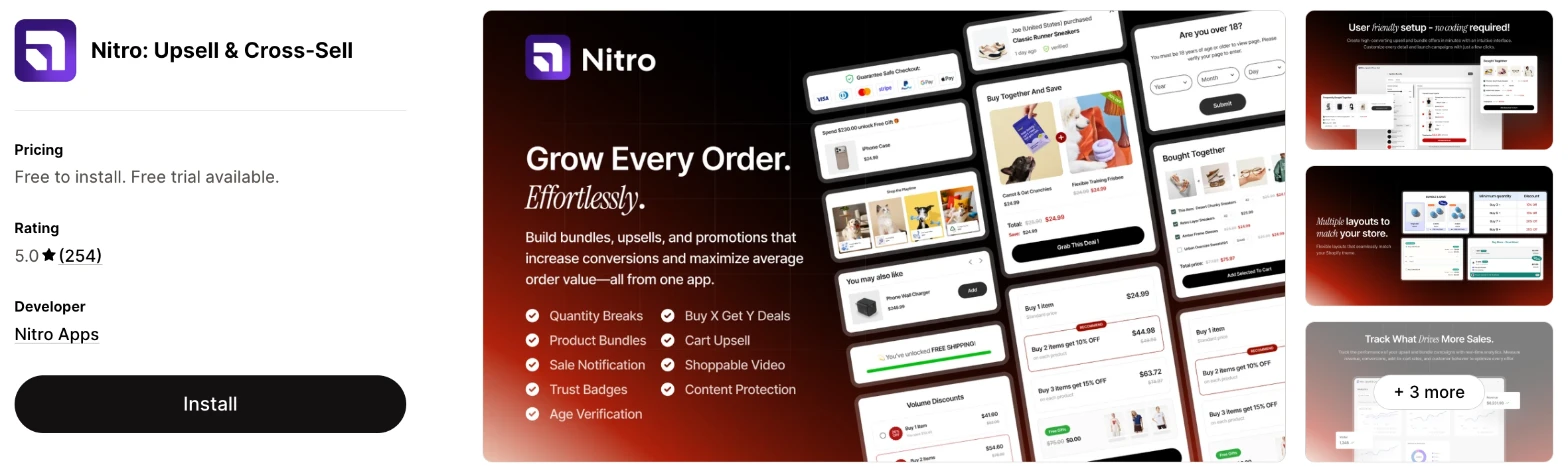
Nitro is a low-cost upsell app for bundles, Buy X Get Y, volume discounts and cart upsells inside your current theme. I'd choose it when you want a small monthly bill and quick help from support.
Why I like this app:
The support reviews caught my eye first, because 252 of its 254 ratings give 5 stars and merchants often name the person who helped them. I also like the rule for each feature, and the option to turn on only what I need. I needed about 15 to 20 minutes to get an offer running. One reviewer also dropped a separate video app for its shoppable video. The main limit is the plan wording, because the paid plan says the price rises with store earnings and shows no scale.
Features:
- Product bundles and shoppable video on the free plan
- Volume discounts, Buy X Get Y and cart upsells on the paid plan
- Sales notifications and trust badges on the paid plan
- Age verification and content protection
- Rules for each feature
- A dashboard for offers, orders and revenue
- Custom CSS and custom HTML
- 24/7 live chat on the paid plan
Pricing: Nitro has one paid plan, which the listing ties to your store's earnings:
- Free: install free with branding, then "go live on a paid plan"
- Paid: $9.99/month, with more to pay as your store earns more
- Trial: 7 days
Ask support where the price goes above $9.99/month before you launch. I also didn't find post-purchase offers in the listing's description, only a one-click upsell tag.
Reviews: Nitro has 5.0 stars from 254 reviews on the Shopify App Store. Recent reviewers praise fast replies, and one says support wrote CSS for their store. Its one low-star reviewer says a Buy X Get Y offer slowed their page and kept adding itself to the cart, and Nitro says another app caused that.
Best for: A store that wants cart upsells and volume discounts at a low entry price, with strong live chat.
See Nitro on the Shopify App Store
7. FoxKit: Upsell & Bundles App
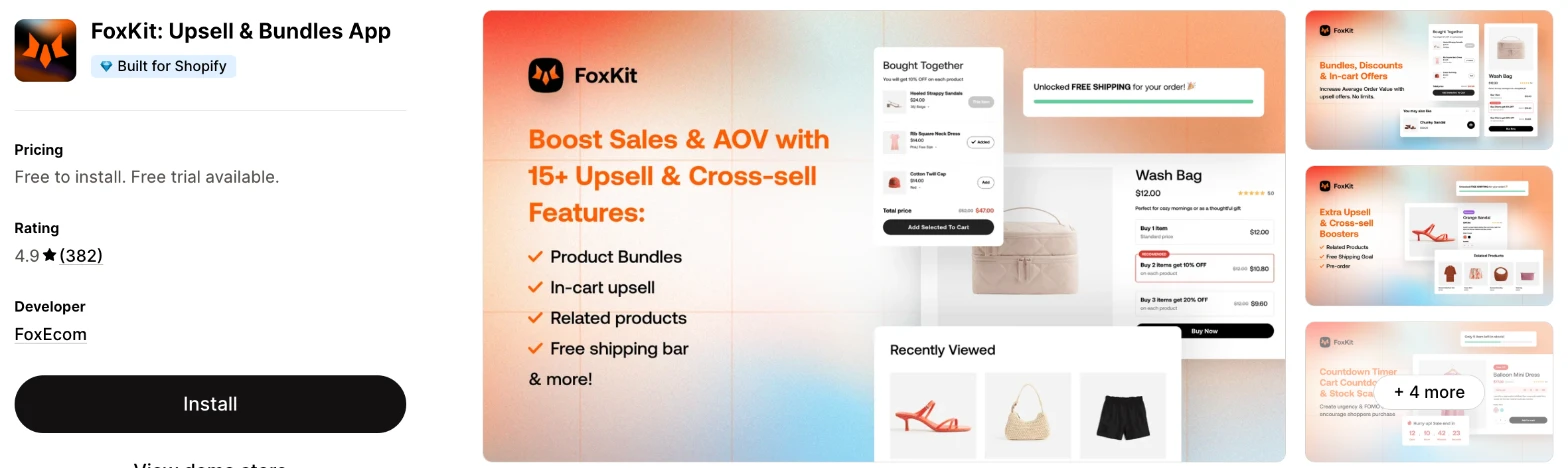
FoxKit is an upsell and bundle app that also includes pre-orders, size charts, a lucky wheel and a mega menu. It makes more sense when you use FoxEcom's Minimog theme or want those extras alongside your upsells.
Why I like this app:
I'd look at FoxKit for what it adds beyond upsells, with restock alerts, pre-orders and size charts next to bundles and cart upsells. It also names the longest integrations list here, including Judge.me, Klaviyo and Omnisend. FoxKit took me about 15 to 20 minutes to set up. Reviewers praise support by name, especially Jolie and Linh, and one had a pre-order issue resolved quickly. However, I didn't find Buy X Get Y or free gifts on its listing, and 2 low-star reviewers object to its pricing changes.
Features:
- Fixed, mix-and-match and variant bundles
- Volume discounts and quantity breaks
- Cart upsells and related products
- Free shipping bar and cart drawer
- Countdown timers, sales notifications and stock scarcity
- Pop-ups, lucky wheel and restock alert emails
- Pre-orders, size charts and a mega menu
- Judge.me, Yotpo, Loox, Klaviyo, Omnisend, PageFly and GemPages
I didn't find any AI features in it.
Pricing: FoxKit's paid plans differ by pop-up impressions and restock emails:
- Free: limited features
- Starter: $19/month, 3,000 impressions, 300 restock emails
- Growth: $49/month, 100,000 impressions, 1,000 restock emails
- Enterprise: $99/month, unlimited impressions, 5,000 restock emails
- Trial: 14 days
Yearly billing saves 20%, and the listing links to more pricing options. It doesn't say which features the free plan leaves out, so check before you build around it.
Reviews: FoxKit has 4.9 stars from 382 reviews on the Shopify App Store. Recent reviewers mostly praise support, and one likes its bundles, quantity discounts and free shipping bar. One low-star reviewer says some features they got with the theme became paid, and FoxEcom says its pricing has been public since August 2023. Another says advertised features didn't work, and FoxEcom apologises for the miscommunication.
Best for: A store on the Minimog theme that wants upsells, pre-orders and a mega menu from one developer.
See FoxKit on the Shopify App Store
8. K: Cross Sell+Related Products
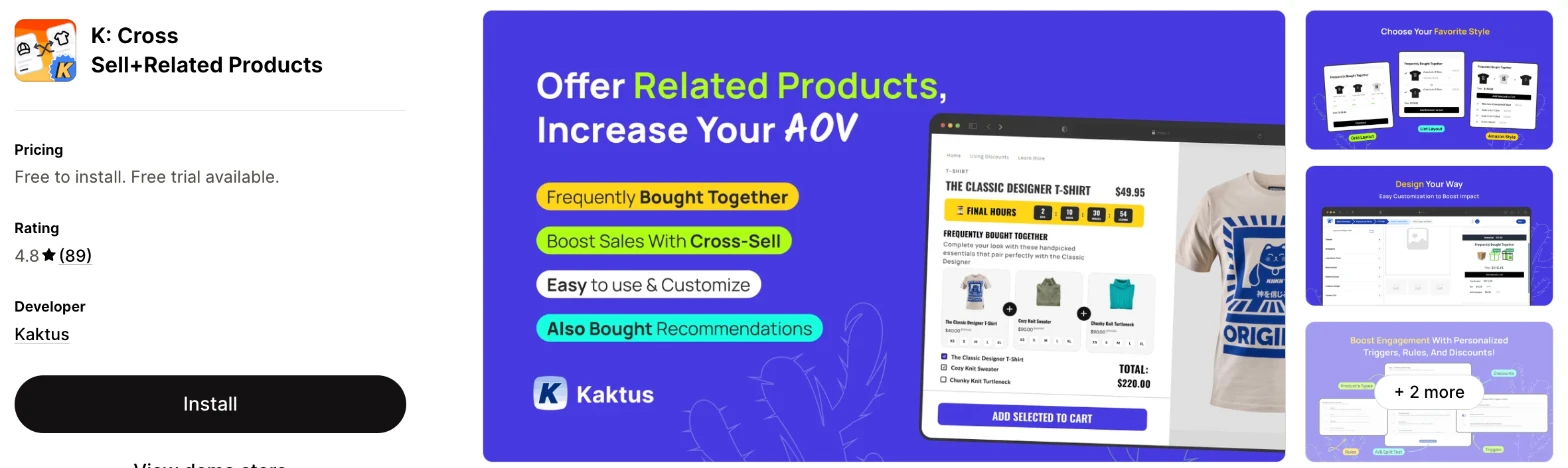
K: Cross Sell+Related Products is a frequently bought together app from Kaktus, with related product and also bought widgets. Choose it when you only need product recommendations and want one flat price.
Why I like this app:
This is the narrowest app I reviewed, and I like that focus on frequently bought together and related products, in line, grid and Amazon styles. A/B funnels are also on its one paid plan, and I can pick products by hand or use its recommendations. I had a widget up in about 15 to 20 minutes. One reviewer calls setup easy and support very fast. But I didn't find volume discounts, cart upsells or post-purchase offers on its listing, and its free plan only works on development stores.
Features:
- Frequently bought together widgets
- Also bought and related product recommendations
- Manual or automatic product selection
- Line, grid and Amazon styles
- A/B funnels
- Flat or percentage discounts on cross-sell offers
- Custom CSS and custom rules
- Reports on conversion and funnels
Pricing: K charges a flat monthly fee:
- FREE: development stores only
- Unlimited: $18/month
- Trial: 7 days
Reviews: K has 4.8 stars from 89 reviews on the Shopify App Store. Reviewers praise customer service, and one wants a way to sort and search offers. Low-star reviewers say the app disabled their checkout and add to cart buttons in 2024, and slowed their site with server errors in 2023. Kaktus says theme or app conflicts often cause the first problem, and it looked into the second.
Best for: A store that wants a simple frequently bought together widget on product pages and nothing more.
See K: Cross Sell+Related Products on the Shopify App Store
How do you choose the right Shopify upsell app?
I'd start with the offer you plan to run first, then check the cost at your order volume. I've put each app's rating, starting price and how it charges in this table:
| App | Rating | Starting price | Charges by |
|---|---|---|---|
| Vitals | 4.9 from 2,974 reviews | $29.99/month | One plan |
| Candy Rack | 4.9 from 268 reviews | $29.99/month | One plan |
| Zoorix | 4.9 from 388 reviews | Free, then $7.99/month | Revenue through Zoorix |
| Upsell Engine | 5.0 from 3 reviews | Free | No charge listed |
| Hextom | 4.8 from 1,505 reviews | Free, then $9.99/month | Attributed revenue |
| Nitro | 5.0 from 254 reviews | $9.99/month to go live | Store earnings |
| FoxKit | 4.9 from 382 reviews | Free, then $19/month | Impressions and restock emails |
| K | 4.8 from 89 reviews | $18/month | Flat fee |
The offer type rules out apps first. Post-purchase offers narrow the list to Vitals, Candy Rack, Upsell Engine and Hextom, with FoxKit as a question for its support team. Buy X Get Y rules out FoxKit and K, and K also lacks volume discounts and cart upsells. List the offers you plan to run in your first 3 months, then check that the plan you can afford includes them.
Theme fit is the next check, because an offer appears in the middle of your buying flow. Vitals, Candy Rack, Zoorix, Hextom, Nitro, FoxKit and K all list custom CSS, and Candy Rack adds a drag-and-drop editor. Upsell Engine limits some design settings and offers help through support, and Shopify controls most of the post-purchase page on any app. Preview each offer on your phone, where a long bundle widget can push your add to cart button out of view.
Your other apps can cause more trouble than your theme. Upsell Engine's help centre warns that a second upsell app can compete for the checkout button and stop discounts applying. FoxKit names the longest list of compatible apps, while Hextom and Zoorix name page builders such as PageFly and EComposer. Remove your old upsell app and its theme code before you test a new one.
Cost depends on what each app counts. Vitals has one plan, at $29.99/month. Candy Rack counts orders, so it costs $39.99/month at 150 orders a month and $59.99/month at 400. Zoorix and Hextom follow the revenue their offers bring in, so a good month costs more. On a cheaper plan, check what's missing, such as Hextom's customer targeting or Nitro's cart upsells on its free plan.
Support draws strong praise across these apps, especially on Nitro, Zoorix and FoxKit, where merchants often name the person who helped them. The sharpest recent complaints I found are about slow replies from Hextom. Upsell Engine's 3 reviews praise its support, but that's a small sample. My own experience varied too, because a few customer success teams fixed my setup problems within minutes, while others took hours to reply. I'd send a test question during your trial and time the reply.
Choose Vitals when you'd use its other apps as well, and Candy Rack for 8 placements and a built-in cart drawer. Choose Zoorix for bundles on a free plan, and Upsell Engine to test upsells with no monthly fee. Hextom suits stores that want timers with their offers, Nitro suits a small budget and FoxKit suits Minimog stores. K makes more sense when you only want a frequently bought together widget.
Where should you place your first upsell?
Start on the product page or in the cart, because every shopper who buys passes through them and you can change those offers freely. A post-purchase offer is a good second test, because the shopper has already paid.
Product page offers suit volume discounts and bundles, since the shopper is still choosing what to buy. Cart offers suit small add-ons, and a progress bar toward free shipping can give a shopper a reason to add one. All 8 apps offer a product page placement, and all except K list the cart.
Checkout is the placement most limited by your Shopify plan. Shopify's help page on checkout apps says apps that customise the information, shipping and payment pages are for Shopify Plus stores. Apps for the thank you and order status pages are available on Basic and higher. Vitals and Upsell Engine work around this with a pop-up when a shopper clicks the checkout button.
Before you pay for a checkout upsell, ask the app's support team what it can show on your plan.
Why doesn't a post-purchase offer show on every order?
Shopify skips the post-purchase page for some orders, so no app can show an offer on all of them. Upsell Engine's help centre gives the longest list of limits, and Vitals confirms the same type of exception on its Upsell Builder page.
The payment method is the main cause. Upsell Engine's guide says the offer needs a standard debit or credit card, so Apple Pay, Google Pay, Klarna and Afterpay orders won't see it. Vitals names wallets, instalments and local pickup as exceptions.
The order itself can rule it out too. Upsell Engine lists orders with no shipping address, such as digital products and pickup, as well as orders in a currency other than your store's default. So a store that sells mostly through wallets or across currencies should expect far fewer views than its order count suggests.
Reporting and email also behave differently. Upsell Engine says the upsell doesn't appear in the first confirmation email, and that tools using Shopify's pixel API report only the first purchase. Before you judge the offer, count how many eligible orders saw it, and don't rely on Google Analytics or Meta for its revenue.
What do the free plans on upsell apps include?
They differ more than the App Store labels suggest. Candy Rack shows "Free plan available" and K shows "Free to install", but both free plans only work on development stores.
This has surprised merchants. Two Candy Rack reviewers and one K reviewer left low ratings because they expected to run the app for free on a live store. Nitro's free plan carries a similar note, saying you install free and go live on a paid plan.
The other free plans have different limits. Zoorix includes all features with its branding, and Upsell Engine's listing shows no limit. Hextom stops at $200 of lifetime attributed revenue and 1 campaign. FoxKit's free plan has limited features, and its listing doesn't name them.
Vitals has no free plan and offers a 7-day trial instead. Read the plan table on the listing rather than the label at the top, then confirm your plan before you build your first offer.
Do upsell discounts work with your other discounts?
Often they do, but you'll need to check the settings. Discounts can fail when a shopper skips the cart or when 2 apps try to control the same checkout button.
Upsell Engine's help centre names the common causes. Dynamic checkout buttons such as PayPal and Apple Pay skip the cart, as do skip-cart theme settings and abandoned cart emails that link straight to checkout. It suggests hiding those buttons and linking your emails to the cart page, and says Shopify discount codes can combine with its offers under certain conditions.
Vitals gives you settings to combine an offer with product, order and shipping discounts, and you can name the discount that shoppers see. Hextom and Zoorix apply their discounts automatically, so shoppers don't need a code.
Test this before you launch. Place a test order through each route a shopper might use, including your express buttons and an abandoned cart email, then check the discount on each one.
How do you set up your first Shopify upsell?
I'd start with a volume discount on your best-selling product, because it needs no extra product decisions and it's simple to measure.
Use these steps with any of the apps:
- Remove any old upsell app and its theme code.
- Install the app and turn on its theme block or app embed.
- Choose your best-selling product.
- Set 2 or 3 tiers, such as 10% off 2 and 15% off 3.
- Check your margin at the highest tier.
- Match the widget to your theme's colours and buttons.
- Preview it on your phone and desktop.
- Place a test order and check the discount at checkout.
Vitals was my quickest setup at about 10 to 12 minutes, ahead of Upsell Engine at about 15 minutes. The other 6 apps each needed about 15 to 20 minutes.
Merchants report mixed experiences. Reviewers call K easy to set up and Candy Rack simple to manage, and Nitro's support team helped one merchant install the app within their first 2 hours. On the other hand, a 2023 Zoorix reviewer waited about 30 minutes for a sync that hadn't finished, and a 2024 Hextom reviewer found that many tasks needed theme code.
I'd leave the offer live for 2 to 4 weeks before you change it, so your results reflect more than one busy day.
What changes in unusual situations?
I found the right app can change with high order volumes, more than one market, plan-only features, subscriptions or a move from another app.
At unusually high or seasonal volumes, check each plan's upper limit first. Hextom's overage caps at $45, $150 or $300 a month depending on the plan, so a busy season can raise your bill up to that cap. Candy Rack's listed plans stop at 500 orders, with more options linked. FoxKit's limit is pop-up impressions, so a popular sale can use up Starter's 3,000 quickly.
Selling in more than one market needs testing. Upsell Engine says its discounts may not work correctly with Shopify Markets regional pricing, and its post-purchase offers don't appear on orders in a currency other than your default. A 2023 Zoorix reviewer reported currency problems with Markets too. Vitals can limit offers by country, and Hextom keeps market targeting for its Growth and Pro plans.
Some features only appear on certain plans. Hextom keeps customer tag and past order targeting for Growth and Pro. Nitro keeps volume discounts, Buy X Get Y and cart upsells for its paid plan.
Subscription products need a separate check. Upsell Engine says its discounts don't work with them at the moment, and I didn't find subscription support on the other listings. Ask support before you add an offer to a subscription product.
Moving from another app rarely moves your offers, so plan to rebuild them. The old app's code is the main risk, because a 2021 Zoorix reviewer found Liquid errors after deleting the app, and a Nitro reviewer's cart kept adding items after an uninstall, which Nitro blames on another app. Duplicate your theme, remove the old app, check for leftover code and then install the new one.
What are the benefits of a Shopify upsell app?
An upsell app can raise your revenue from shoppers you've already paid to attract, because each accepted offer adds to an order with no extra ad spend. Discounts and app fees reduce that gain, so margin matters as much as acceptance.
Say you take 500 orders a month and 5% of them accept a $20 add-on at 25% off. That's 25 extra items and $375 in added revenue. If the add-on costs you $8, you keep $175 before app fees, so a $29.99/month plan still leaves room, while a thin margin wouldn't.
An upsell app can also replace other apps. Vitals includes 40+ apps in one subscription, Candy Rack includes a cart drawer and Hextom includes timers and badges. That can remove a bill or 2, as long as the included version does what you need. The limit is clutter, because a product page with 4 offers can distract shoppers from the main purchase.
Before you install an app, work out the largest discount your margin can carry on the product you'll offer first.
What are some ideas for using a Shopify upsell app?
I'd try a volume discount first, because it raises the size of an order with no new product decision. These 5 ideas suit different types of store:
- Volume discount: a supplements store offers 10% off 2 tubs and 15% off 3.
- Complete the look: a clothing store shows a matching belt beside each pair of trousers.
- Spending goal: a homeware store shows a bar toward free shipping at $75.
- Post-purchase add-on: a coffee store offers a filter pack at 20% off after payment.
- Free gift: a skincare store adds a sample once the cart reaches $50.
I'd test the volume discount on your best seller first, then try the post-purchase add-on on orders that include your most popular product.
Which Shopify upsell app would I start with?
I'd start with Vitals, because its upsells come with reviews, a cart drawer and 40+ other apps in one subscription. Choose Candy Rack instead when upsells are a main source of revenue and you want offers at every stage of the order, or Upsell Engine when you want to test upsells with no monthly fee. Install your choice, launch one volume discount and check your results after 2 weeks.
What do merchants often ask about Shopify upsell apps?
How much does a Shopify upsell app cost?
Paid plans on these apps start between $7.99/month and $29.99/month, and Upsell Engine shows no charge on its listing. The top plans I could see reach $79.99/month plus overage on Hextom, and Vitals has one plan at $29.99/month. The cost changes with your orders, the revenue an app brings in or your pop-up impressions, depending on the app.
What's the difference between an upsell and a cross-sell?
An upsell moves a shopper to more or a better version of the same product, such as 3 tubs instead of 1. A cross-sell adds a related product, such as a charger with a phone. K focuses on cross-sells, and the other 7 do both.
Does Shopify include upsell features without an app?
Partly. Shopify Search & Discovery is a free Shopify app with customised recommendations on product pages, and it has 2.6 stars from 514 reviews. Shopify's own discounts can also run Buy X Get Y offers. You'd still need an app for one-click post-purchase offers, because Shopify builds that page through app extensions.
Are there free Shopify upsell apps?
Yes, I found free plans for live stores on 4 of these apps. Zoorix adds its branding, Upsell Engine shows no limit on its listing, Hextom stops at $200 of lifetime attributed revenue and FoxKit has limited features. Candy Rack and K are free only on development stores, Nitro asks you to go live on a paid plan and Vitals has a 7-day trial.
Do upsell apps slow down a store?
One on its own didn't slow my store, but the effect adds up. Every app you add has some effect on page speed, so the bigger risk is a separate app for each job. Vitals loads everything from a single app, so I didn't need to worry about load speed. Low-star reviewers do blame K in 2023, Zoorix in 2023 and Nitro in 2025 for slower pages, and Nitro says another app caused its case. I'd test any app on your store before and after you install it.
Can you run an upsell app on Shopify without Plus?
Yes, none of the 8 listings asks for Shopify Plus. The Plus limit applies to apps that change the information, shipping and payment pages of your checkout. Post-purchase offers and thank you page offers remain available on standard plans, so check only the checkout placement with your app's support team.